Crashes, No Sound, or Screen Glitches?
Random freezes, missing sound and display glitches usually trace back to one bad driver. Find and replace yours safely.Free scan · under a minuteWindows Errors? Fix Them Before They Spread
Repair common Windows errors and clear accumulated junk for a smoother, more stable PC - no reinstall needed.Free scan · no reinstallIf you’re unable to join a world in Minecraft Education, there isn’t enough information to identify one cause: the device, error message, account, and session type all matter. Start with general Minecraft multiplayer checks—update both games, review multiplayer access and the host’s world settings, and confirm the host and network are available. These checks come from Minecraft’s general or Bedrock help, not verified Education-specific instructions, so ask the educator or IT administrator to check the Education account and network if they don’t solve it.
Start with the checks that apply broadly
Minecraft’s multiplayer troubleshooting guidance recommends checking game versions, account access, world settings, host availability, and network configuration. The guidance is general Minecraft or Bedrock help; it does not confirm that every step works the same way in Minecraft Education. See Minecraft’s multiplayer connectivity troubleshooting.
- Update both games. Make sure the person joining and the host are using current releases. Minecraft Help identifies outdated versions as a possible connection problem; it does not establish Education-specific version requirements.
- Check multiplayer permissions. Confirm the joining account is permitted to use multiplayer and that the host has multiplayer enabled for the world. If the game shows an account-restriction error, an adult Family Account owner may need to review a child account’s privacy settings. Minecraft documents that issue in its child-account multiplayer error guidance.
- Confirm the host and connection are available. For a friend-hosted world, the host may need to be online. Network configuration can also interfere; Minecraft’s general troubleshooting page notes that custom DNS or port settings may cause connection problems.
- Identify the session type. A friend-hosted world, a Realm, and a LAN game do not necessarily follow the same connection conditions. General Minecraft multiplayer requirements also vary by edition and version; the requirements page covers Bedrock and Java, not Education-specific joining rules.
Check the type of world you’re joining
The following distinctions are described in Minecraft’s general or Bedrock guidance. They can help narrow down a problem, but they should not be treated as confirmed Minecraft Education requirements.
A friend-hosted online world
In Bedrock guidance for joining a friend’s online world, both players need to be friends and online at the same time. Check that the host is signed in and that the intended world is open for multiplayer. See Minecraft’s guidance for joining a friend’s world.
#1 Best Overall

- Now Minecraft lovers can play a special version of UNO!
- Same as Basic UNO but features Minecraft characters and includes special Creeper rule card. Draw this card and the other players have to draw three more cards from the pile!
- The goal is to get rid of all the cards in your hand.
- First player or team to 500 wins.
- When you're down to one card, don't forget to yell "UNO"!
A Realm
Realms have a different host-availability model from an ordinary friend-hosted world. Don’t assume that a friend’s world being unavailable means the same thing as a Realm connection failure; use the error shown in the game to guide the next check. The general multiplayer troubleshooting page notes the Realm exception when discussing host availability.
A LAN game
For Bedrock LAN multiplayer, Minecraft Help says both devices should be on the same network, and the host needs multiplayer and LAN visibility enabled. These are Bedrock LAN instructions, not verified Education instructions. See the Bedrock local-multiplayer guide.
Rank #2
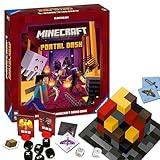
- ADVENTURE-PACKED GAMEPLAY: Dive into the fiery underworld of Minecraft's Nether, sprint through rugged landscapes, and battle dangerous monsters - all in a bid to escape and survive together
- IDEAL GIFT: Perfect for the gamer or Minecraft fan in your life - suitable for both boys and girls, teens and adults alike
- USER-FRIENDLY: Comes with high-quality, easy-to-understand instructions for quick learning. Includes rules for faster games or sessions with young children
- QUALITY YOU CAN TRUST: Proudly brought to you by Ravensburger - one of the largest board game manufacturers globally, with millions of games sold worldwide
- ENCOURAGES STRATEGIC THINKING: As the game progresses, players collect increasingly powerful equipment, strategize their moves, and prepare for the arduous adventure ahead
What to ask an educator or IT administrator to check
The available official Minecraft Education page does not establish the exact requirements for joining an Education world. In particular, it does not confirm whether a specific session needs a join code, same-network access, matching organization accounts, particular ports, or a particular Education version. The Education site is Minecraft Education.
If the broad checks above don’t help, give the educator or IT administrator the exact error message and ask them to verify the Education account and network setup for that session. Tell them whether the host can be joined by other participants, and whether the world is being hosted locally, through a server, or as a class session. Those details help distinguish an account or device problem from a host or network issue without assuming a requirement that has not been confirmed for Education.
Do these 3 things before closing this tab:
1Scan for outdated or missing drivers - takes under a minute2Repair Windows errors before they cause bigger problems3Fix the driver behind crashes, sound loss and screen glitchesUse the error and who else can connect to narrow it down
- An account or privacy warning appears: ask the account owner or administrator to review multiplayer access; for a child-account restriction, Minecraft’s Family Account guidance may be relevant.
- The host’s world is not visible or the host is offline: confirm the host is online and has enabled multiplayer for the world. For LAN, check the same-network and visibility conditions in the Bedrock guide, while keeping in mind its scope.
- Other participants can join, but you cannot: share your exact error with the educator or administrator and ask them to check your account and device permissions.
- Nobody can join: ask the host or administrator to check world settings, host availability, and network configuration.
These are diagnostic clues, not proof of a particular Minecraft Education cause. General multiplayer pages cover many Minecraft configurations, but they do not settle Education-specific join requirements.
Quick Recap
Best Value

- Minecraft Overworld Realm Battery Powered Arcade Clamp Machine with 4 Varied Lid Block Boxes
- Official Minecraft product manufactured under license from Microsoft & Mojang Studios by Merchant Ambassador
- 15-second countdown and dual joystick for more forward/backward and side controls
- Features character graphics from the game and TNT series, with diamond-shaped capsules, chest and library
- Makes an ideal gift for fans of the Minecraft game series and those interested in original arcade games
Rank #4

- Minecraft Dungeons Hero Edition includes the Hero Pass DLC content: a Hero Cape, two player skins, and a chicken pet. It also includes the Jungle Awakens and Creeping Winters DLC packs.
- Dungeon Creeper Battle new-and-nasty mobs in this all-new action-adventure, inspired by classic dungeon crawlers.
- Multiplayer Up to four players can team up and fight together in co-op mode.
- Power Up Unlock dozens of unique items and weapon enchantments for devastating special attacks.
- Options Personalize your character, then fight up-close and personal with melee swings, hang back with ranged attacks, or tank your way through swarms of mobs, by heavy armor
Product prices and availability are accurate as of the date/time indicated and are subject to change. Any price and availability information displayed on Amazon at the time of purchase will apply.



