Crashes, No Sound, or Screen Glitches?
Random freezes, missing sound and display glitches usually trace back to one bad driver. Find and replace yours safely.Free scan · under a minutePC Slower Than It Used to Be?
A free scan shows the junk files, broken settings and background clutter dragging Windows down - then fixes them in one click.Free scan · Windows 10 & 11An Xbox-console purchase does not automatically mean you own Minecraft for Windows PC. Check the PC edition in the Minecraft Launcher or Microsoft Store while signed in to the Microsoft account used for the purchase. In the launcher, Play or Install means you own that PC edition; Buy means it is not owned on the account currently signed in.
Check whether your Microsoft account owns Minecraft for PC
- On your PC, sign in to the Minecraft Launcher and Microsoft Store or Xbox app with the Microsoft account associated with the purchase. Minecraft says Windows Minecraft uses the gamertag used to purchase through the Windows Store. Minecraft account guidance.
- In the launcher, select Java Edition or Bedrock Edition and check the button shown for that edition. Play or Install indicates ownership; Buy indicates that the signed-in account does not own that PC edition. You can also check your Microsoft Store account and library. Minecraft Help: Find Out Which PC Editions of Minecraft You Own.
If the launcher shows Buy, the account may own an Xbox-console license without owning the Windows PC product. The official PC product is Minecraft: Java & Bedrock Edition for PC. Check the account and library before buying again.
| # | Preview | Product | Price | |
|---|---|---|---|---|
| 1 |

|
Minecraft | Standard Edition | XBOX Digital Code | $19.99 | Buy on Amazon |
| 2 |

|
Minecraft - Xbox One (Renewed) | $35.57 | Buy on Amazon |
| 3 |
|
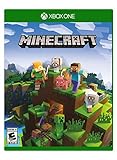
Minecraft – Xbox One | $84.96 | Buy on Amazon |
| 4 |

|
Minecraft: Starter Collection – Xbox One | $55.00 | Buy on Amazon |
| 5 |

|
Minecraft - Xbox One (Renewed) | $49.98 | Buy on Amazon |
Why an Xbox purchase may not work on PC
Minecraft has different platform editions and purchase records. Using the same Microsoft account across Microsoft services does not itself provide a license for every platform. Minecraft’s PC store treats Java & Bedrock Edition for PC as a PC product, and tells people who already bought Minecraft for PC to sign in with the Microsoft account used for that purchase and install it from their library.
Minecraft’s EULA also distinguishes platform terms: Microsoft-platform purchases, including through the Microsoft Store and Xbox, are subject to Microsoft account terms, while purchases on other platforms are governed by those platforms’ terms. That shared account infrastructure should not be mistaken for a guarantee that an Xbox-console purchase includes the PC license. Minecraft End User License Agreement.
#1 Best Overall
- CREATE YOUR WORLD — Build whatever you imagine in an infinite world that is unique in every playthrough.
- EXPLORE AND CRAFT — Discover biomes, resources, and mobs, then craft your way through a sandbox world full of surprises.
- SURVIVAL ADVENTURES — Face mysterious foes, travel across varied landscapes, and venture into perilous dimensions.
- PLAY TOGETHER — Play solo or join friends in local split-screen and cross-platform play across console, mobile, and PC. Online multiplayer supports up to 8 players.
- COMMUNITY PLAY — Connect with players on community servers, or subscribe to Realms Plus (sold separately) to play with up to 10 friends on a private server.
If the PC game opens in trial mode
A trial screen is a different problem from an Xbox purchase not including a PC license. If you believe you already own the PC edition, Minecraft Help recommends checking the account in the launcher, confirming that Game Pass is active if you access the game through a subscription, and repairing the Windows launcher. Minecraft Help: Remove Trial Mode in Minecraft: Bedrock Edition.
- Wrong account: Sign out and back in with the Microsoft account used for the PC purchase or relevant Windows Store purchase.
- Game Pass access: If you rely on Game Pass rather than a separate PC purchase, check that the subscription is currently active.
- Launcher issue: If ownership is present but Bedrock still shows trial mode, use Windows’ repair option for the Minecraft Launcher and reopen it.
Choose the PC edition that matches your Xbox friends
For standard multiplayer with friends on Xbox, launch Bedrock Edition on PC. Minecraft describes Bedrock cross-play across Windows 10/11, Xbox, Nintendo Switch, PlayStation, and mobile. Java Edition supports cross-play with Java players on Windows, Mac, and Linux. Players need matching editions to join a world, server, Realm, or LAN game, so Java on PC cannot join an Xbox player’s Bedrock session. Minecraft: Java or Bedrock Edition and Minecraft multiplayer requirements.
Rank #2
- This renewed game has been cleaned, tested, and shows minimal wear. It may come repackaged in a generic case.
- Create and explore your very own world where the only limit is what you can imagine
- Play on your own, or with up to 4 players split screen, or 8 players online
- Import your favorite Xbox 360 worlds to the Xbox One Edition
- Play in Creative Mode with unlimited resources or mine deep into the world in Survival Mode, crafting weapons and armor to fend off the dangerous mobs
- Friends are playing on Xbox: use Bedrock on PC.
- You need Java cross-play with Windows, Mac, or Linux players: use Java Edition.
- You are unsure whether you own either PC edition: check each edition’s button in the launcher under the purchasing account.
Owning or launching the game is separate from meeting online multiplayer requirements. Console multiplayer may require the platform’s active online subscription, and Minecraft also lists matching editions, current releases, and child-account permissions among the requirements.
Independent reader supportYour contribution helps us test, update, and keep practical guides available for everyone.What to do if the launcher still says “Buy”
First confirm that you checked both Java and Bedrock and are signed into the correct Microsoft account. If the PC library still offers Buy, that account does not show ownership of that edition. An Xbox-console purchase alone does not settle whether you have the Windows license; the PC account’s ownership screen is the practical check. If you decide to buy a PC copy, the relevant product is Minecraft: Java & Bedrock Edition for PC.
Quick Recap
Best Value
Rank #4
- This collection includes: The Minecraft base game, 700 Minecoins and the Starter Pack DLC, an amazing selection of Mash-ups, Texture Packs, Skin Packs and other fun content to discover.
- Create your very own world and build to the limits of your imagination.
- Explore mighty mountains and living oceans of infinite worlds, amazing community-made maps, servers, thrilling minigames and more
- Survive online with friends who are on console, mobile, and Windows 10, or share the adventure at home in split-screen multiplayer.
Rank #3
- Create your very own world and build to the limits of your imagination
- Explore mighty mountains and living oceans of Infinite worlds, amazing community-made maps, servers, thrilling mini games and more!
- Survive online with friends on Console, mobile, and Windows 10, or share the Adventure at home in split-screen multiplayer
Product prices and availability are accurate as of the date/time indicated and are subject to change. Any price and availability information displayed on Amazon at the time of purchase will apply.



