Repeated Apex Legends disconnects can come from an EA service issue, the route between your internet provider and EA, your home network, or a game or platform error. The disconnect alone does not identify which one is responsible. Check EA’s service reports first, note the exact error, then use the game’s connection display and a few controlled network checks to narrow it down.
First, check whether Apex is having a service issue
Before changing router settings, check EA’s server-status page and reports from the official @PlayApex account. EA recommends checking status and reports when troubleshooting connection errors. If there is an outage or maintenance, local network changes are unlikely to restore access; wait for the service issue to be addressed and check again.
What error message or code do you see?
Record the exact wording and when it appears—on launch, while matchmaking, loading into a match, or during play. Different messages point to different checks. EA’s error-code guide may change, so use its current instructions for the code you see.
- code:net: EA describes this as the game timing out because the server stops answering. code:leaf indicates EA servers are not responding and the game cannot connect you to a match. EA suggests restarting the router, trying Ethernet, and restarting the PC or console. If the error continues, it may need a service-side fix.
- Code 429: EA says this is usually associated with maintenance or downtime. Check service reports, restart only if no incident is reported, and check for a game update.
- “Game version does not match host”: Update Apex before treating the message as a network fault; it indicates the game patch is out of date.
- code:clock: For “unable to connect [code:clock],” EA advises checking service reports, running an internet speed test, changing data center, and restarting the router and platform.
Check latency and packet loss in Apex
Ping, or latency, is the round-trip time for game data to travel between your platform and a data center, measured in milliseconds. Packet loss is the share of packets that fail to make that round trip. EA’s general guidance says 50–150 ms is a typical ping range; under 100 ms generally keeps the game running well, under 50 ms is particularly good, and above 100 ms may bring lag. These are broad guidance figures, not a guarantee that lower ping prevents disconnects.
#1 Best Overall

- Frequency response 15Hz–25,000 H.Headphones fit type:Over-Ear.The versatile Cloud Alpha is designed to work on PC, PS4, Xbox, Nintendo Switch, and other platforms with a 3.5mm port.
- HyperX Dual Chamber Drivers for more distinction and less distortion
- Signature award winning HyperX comfort
- Durable aluminum frame with expanded headband
- Detachable braided cable with convenient in line audio control
- Open Settings → Gameplay and turn on Performance Display. It shows FPS, latency, and packet loss.
- Watch the display across matches and note whether elevated latency or packet loss recurs, and whether it is limited to a particular data center.
- From the launch screen, open Data Center and select one near your location. EA says a distant center can raise ping and packet loss because the data has farther to travel.
- If every data center looks poor, check service status and official reports before concluding the problem is your home connection.
EA’s current guidance on interpreting these readings is in its Apex ping, packet-loss, and lag troubleshooting article.
Compare Wi-Fi with a wired connection
Wi-Fi signal quality and household network demand can affect connection quality. EA lists several possible contributors to high ping or packet loss: many people sharing Wi-Fi, a wireless connection, numerous background applications, or a router that is blocked or far away.
Rank #2
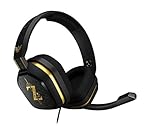
- The A10’s durable aluminum headband with damage-resistant rubberized cover and detachable cable system is designed to withstand wins, losses, and everything in between.
- Tuned for Gaming, ASTRO Audio was developed with pro gamers and game designers to deliver clarity and detail at every frequency and volume level.
- Featuring over-the-ear construction with premium ear cushions and headband, these lightweight ASTROs lower fatigue and extend the duration of any gaming session.
- Crystal clear communication and easy flip-to-mute action puts you in control of your voice com.
- The A10 connects to any audio source with a 3.5 millimeter jack – perfect for console controllers and most PCs and Macs.
- If possible, play a session over Ethernet and compare it with Wi-Fi under similar conditions. EA recommends Ethernet for code:net and code:leaf errors.
- Close unnecessary bandwidth-heavy apps and reduce competing network use where practical.
- Move the router to an open, more central location if it is obstructed or distant, and restart it when troubleshooting the relevant connection errors.
A better Wi-Fi signal or Ethernet may help identify or reduce a local-network problem, but neither can fix an EA outage or a fault elsewhere on the internet route.
Independent reader supportYour contribution helps us test, update, and keep practical guides available for everyone.Why the internet route can matter even when other apps work
A connection can work for browsing while still having trouble reaching Apex reliably. In an April 28, 2021 developer explanation, Apex lead engineer Ricklesauceur described packet loss occurring within an ISP network or at the connection, known as peering, between an ISP and EA’s data-center network. Return traffic can also take a different route. That means a persistent issue may be outside both your home network and EA’s servers.
PC Slower Than It Used to Be?
A free scan shows the junk files, broken settings and background clutter dragging Windows down - then fixes them in one click.Free scan · Windows 10 & 11Outdated Drivers Are Slowing You Down
One free scan finds every outdated or missing driver and matches the right update for your exact hardware.Free scan · exact hardware matchRank #3

- Hybrid blue mechanical gaming switches – The tactile click of a blue mechanical switch plus a smooth membrane – guaranteed for 20 million keypresses
- OLED smart display – Customize with gifs, game info, discord messages, and more.
- Aircraft-grade aluminum alloy frame – Manufactured for unbreakable durability and sturdiness
- Dynamic per-key RGB illumination – Gorgeous color schemes and reactive effects for every key
- Premium magnetic wrist rest – Provides full palm support and comfort
If service checks, a nearby data center, and local connection comparisons do not resolve the problem, gather the details that help support distinguish causes:
- Date and time of each disconnect
- Platform and exact error message or code
- Selected data center
- Performance Display readings for latency and packet loss
- Whether the issue occurs on Ethernet as well as Wi-Fi, if you can compare them
For unresolved PC or game issues, EA’s Apex Legends FAQ directs players to EA support; Xbox and PlayStation players can also follow the relevant Microsoft or Sony support route.
Quick Recap
Rank #4

- Up to 15m wireless range: Removing the boundaries of wires, the 2.4 GHz wireless signal provides a range of up to 15m
- Cross-platform connectivity: With our new USB transmitter, you can easily connect cross-platform between console and PC; separately sold console-specific USB transmitters allow for cross-console compatibility using the same headset
- 15+ hours battery life: Enjoy anxiety-free marathon gaming sessions with more than 15 hours of battery life; recharge the headset using the included USB-C to USB-A cable
- Flip-to-mute microphone: Be in charge of your full audio experience with the flip-to-mute uni-directional microphone which delivers clear and accurate communication with easy mute functionality
- EQ presets: Choose between 3 different audio presets to make sure you have the best equalizer settings for the game you’re playing
Product prices and availability are accurate as of the date/time indicated and are subject to change. Any price and availability information displayed on Amazon at the time of purchase will apply.



