What’s actually slowing this PC down?
Pick the symptom - the matching free tool is one click away.
When a PlayStation 2 stops reading discs, the cause is most often the disc, its format, or a playback setting rather than the console itself. Work through the checks below in order. If several clean, supported discs still fail, Sony’s published guidance does not establish which internal part has failed, and the final section explains what to do next.
Start with the disc
Sony’s PS2 help guide uses the heading “A disc cannot be played” for this symptom, and its first checks concern the disc. Inspect the disc for dirt, fingerprints, scratches, or damage before assuming anything is wrong with the console.

Clean and inspect the disc
If the surface is dirty, wipe it gently with a soft cloth. A soft microfiber cloth works for this. Wipe from the center outward in straight lines rather than in circles, and let the disc dry before you insert it. Cleaning a disc does nothing to the console’s optical drive, so it only helps when the disc surface is the problem.
Confirm the disc is label-side up
Sony’s PS2 manual says to insert a disc label-side up. A disc loaded upside down will not play, and this is an easy mistake to make when a disc has been removed and returned to the tray.
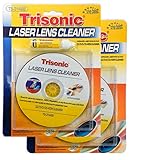
#1 Best Overall

- BRAND: TRISONIC
- PRECISION BRUSH CLEANING SYSTEM KEEPS OPTICAL LASER LENS CLEAN AND DUST-FREE
- RESTORES LASER LENS TO ORIGINAL PERFORMANCE LEVEL
- COMPATIBLE WITH CD-ROM, CD-R/RW DVD-ROM CONTAINS A VOICE GUIDE
- CLEANING LIQUID INCLUDED
Confirm the disc format is supported
PS2 playback depends on the disc type. Confirm that the disc is a format the console supports before testing further.
Unfinalized DVD-R and DVD-RW discs
According to Sony’s PS2 guidance, an unfinalized DVD-R or DVD-RW disc cannot be played. If you burned the disc yourself, check that the recording software completed the finalization step. A disc that was burned but never finalized will look normal in a computer but fail on the console.
Rank #2

- 【Why to Use】Laser Lens Cleaner for CD/VCD/DVD players experiencing slow loading, skipping or freezing of discs during playback.
- 【Special Technology】The 2-brush clean process removes dirt and dust deposits that cause audio and video dropouts and distortions.
- 【Usage Effect】Cleaning the laser lens can extend the service life of CD / VCD / DVD player, and improve the sound and image quality at the same time.
- 【Compatible Players】Works with CD/VCD/DVD player. Not compatible with PS1/2/3/4,Xbox/Xbox 360/Xbox One/Xbox X,Wii/Wii U/Bose player.
- 【What You will Get】Cleaner disc*1, A piece of glasses cloth*1, User manual*1.
DVD region and broadcast standard
For DVD video, check the disc’s region code against the console and confirm that the broadcast standard is suitable for your setup. A mismatch in either can stop playback even though the disc itself is in good condition. These are compatibility limits, not signs of a drive fault.
Test more than one disc
Sony’s general disc-player guidance recommends trying several commercially produced discs. The result tells you whether the problem follows one disc or affects the whole player. The table below shows how to read the most common patterns.
Outdated Drivers Are Slowing You Down
One free scan finds every outdated or missing driver and matches the right update for your exact hardware.Free scan · exact hardware matchPC Slower Than It Used to Be?
A free scan shows the junk files, broken settings and background clutter dragging Windows down - then fixes them in one click.Free scan · Windows 10 & 11Rank #3

- 【Why to Use】Laser Lens Cleaner for CD/VCD/DVD players experiencing slow loading, skipping or freezing of discs during playback.
- 【Special Technology】The 2-brush clean process removes dirt and dust deposits that cause audio and video dropouts and distortions.
- 【Usage Effect】Cleaning the laser lens can extend the service life of CD / VCD / DVD player, and improve the sound and image quality at the same time.
- 【Compatible Players】Works with CD/VCD/DVD player. Not compatible with PS1/2/3/4,Xbox/Xbox 360/Xbox One/Xbox X,Wii/Wii U/Bose player.
- 【What You will Get】Cleaner disc*1, A piece of glasses cloth*1,Disc cleaning fluid*2, After Sales Card*1. If any problem, please contact us, we are 24 hours standby to serve you.
| What you observe | What it most likely points to | What to do next |
|---|---|---|
| Only one disc fails; other discs play | That disc: surface damage, dirt, orientation, or format | Clean and inspect that disc, confirm label-side up, and check its format and region |
| Only burned DVD-R or DVD-RW discs fail | Finalization of the burned discs | Re-burn with finalization completed, then test again |
| Only one DVD video fails | Region code, broadcast standard, or a parental-control restriction on that disc | Check the region code and broadcast standard, then review parental-control settings |
| Several clean, supported, commercially produced discs fail | Possibly the player; the sources do not identify the failed component | Work through the pickup and condensation steps below |
Check parental controls
Sony’s PS2 guidance notes that a disc can carry parental controls that restrict playback. When a DVD video will not start, follow the on-screen instructions to temporarily raise the restriction level. This is a settings check and does not indicate a drive fault.
If several good discs still fail
When the earlier checks pass and several known-good discs still fail, Sony’s general disc-player guidance suggests the following steps. This advice is written for disc players in general. Sony’s published PS2 guidance does not present it as a PS2-specific repair procedure.
- Remove all discs. Take out every disc from the tray.
- Leave the console on with the tray open. Keep the power on and the tray open for approximately one hour, if possible. Sony’s general guidance gives this step to address possible moisture condensation, so it is worth trying before anything else if the console has recently moved from a cold location to a warm one.
- Test again with a known-good disc. If the console reads discs after this step, the problem was likely moisture. If it still fails, the pickup may be dirty.
- Arrange professional cleaning if the pickup may be dirty. Sony’s general guidance recommends cleaning by a factory-trained technician in this situation.
Do not use over-the-counter CD or DVD lens-cleaning discs. Sony USA states, in its support article “There is an error message displayed and discs will no longer play”: “IMPORTANT: Sony does not recommend the use of over-the-counter CD/DVD player lens cleaners.”
Independent reader supportYour contribution helps us test, update, and keep practical guides available for everyone.What the official guidance does not establish
Sony’s PS2 help material and its general disc-player guidance cover disc condition, disc format, orientation, DVD finalization, region and broadcast standard, parental controls, condensation, and pickup cleaning. They do not provide a model-specific diagnosis that separates a worn laser from a motor, alignment, or other hardware fault. They also do not establish a failure rate, a repair cost, or how long a PS2 drive should last. Sony’s sources reviewed here do not confirm whether a repair service for PS2 consoles is currently available, so check with Sony’s support channels before assuming one exists.
If the console still will not read several good discs after the steps above, the most useful next move is to describe the symptom to Sony support, including which discs you tried and what happened, and ask about current repair options for your region.
Keep the disc surface clean
Store discs in their cases, handle them by the edges, and wipe fingerprints off the disc surface before inserting. Keeping discs in good condition removes the most common cause of playback failures that the official checks identify.
Quick Recap
Product prices and availability are accurate as of the date/time indicated and are subject to change. Any price and availability information displayed on Amazon at the time of purchase will apply.




