The Tool Desk
Outbyte PC Repair FREEClear out junk files and repair common Windows errorsFree Scan →Outbyte Driver Updater FREEFix the driver behind crashes, sound loss and screen glitchesFind Drivers →“Overwatch 2 setup not starting” can mean the installer will not open, a download or update is stalled, or the game closes after you press Play. The right fix depends on which stage fails and whether you use Steam, Battle.net, PlayStation, Xbox, or Nintendo Switch. The steps below cover general PC checks—especially for Steam—and do not establish a specific console fix or a current service outage.
First, identify where Overwatch 2 gets stuck
Note your platform and the last thing that happens before the problem: the installer fails to open, the download or update stops, or the game fails to launch. Also write down any error message or code. Steam’s launch guidance is for PC games launched through Steam; its menus do not apply to Battle.net or console versions.
| # | Preview | Product | Price | |
|---|---|---|---|---|
| 1 |

|
Overwatch Legendary Edition - Xbox One | $16.82 | Buy on Amazon |
| 2 |

|
Overwatch - Origins Edition - PlayStation 4 | $34.99 | Buy on Amazon |
| 3 |
|
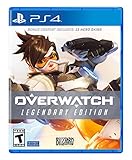
Overwatch Legendary Edition - PlayStation 4 | $27.92 | Buy on Amazon |
| 4 |

|
Overwatch - Origins Edition - Xbox One (Renewed) | $6.60 | Buy on Amazon |
- Steam on PC: Follow the checks below, including Steam’s installed-files verification.
- Battle.net on PC: Use Blizzard’s current support instructions for the launcher and the specific error. The steps available here do not establish Battle.net menu procedures.
- PlayStation, Xbox, or Nintendo Switch: Use the relevant console’s official support guidance. The PC steps below do not establish a console-specific fix.
If you are not sure whether the problem is installation, updating, or launching, reproduce it once and note the exact point where it stops.
Try these PC checks in order
Steam Support recommends several general checks for games that fail to launch. Causes vary across hardware and software configurations, so none of these steps guarantees a fix or identifies the cause in your case. See Steam Support’s launch troubleshooting guidance.
PC Slower Than It Used to Be?
A free scan shows the junk files, broken settings and background clutter dragging Windows down - then fixes them in one click.Free scan · Windows 10 & 11Crashes, No Sound, or Screen Glitches?
Random freezes, missing sound and display glitches usually trace back to one bad driver. Find and replace yours safely.Free scan · under a minute#1 Best Overall
- Experience the extraordinary
- Play as heroes, not classes
- Fight for the future together
- The world is your battlefield
- Overwatch legendary edition includes 5 Epic and 5 legendary skins; Entertainment Software Rating Board (ESRB) Content Description: Blood, violence, use of tobacco
- Restart the PC. Restart Windows, then try opening the game from the same launcher again.
- Install pending Windows and device-driver updates. Check Windows Update and obtain graphics or other device drivers from the relevant official vendor. Try launching again after updates finish.
- Verify the game files in Steam. In your Steam Library, open Overwatch 2’s properties and use the installed-files verification option. Wait for Steam to finish, then try launching again. This is a Steam-specific check; do not assume its menus apply to Battle.net.
- Temporarily close non-essential background software. Exit overlays and other utilities that are not needed to run the game, then test whether it opens. If that changes the result, re-enable programs selectively to identify a possible conflict.
- Compare your PC with the current requirements. Check processor, memory, graphics, operating system, and available storage against the live store listing. A shortfall may explain a launch problem, but do not buy hardware based on a generic checklist without comparing your actual system first.
Check the published PC requirements
The Steam Overwatch 2 listing gives the following minimum and recommended PC specifications. These listing values were checked on October 8, 2026; requirements can change, so confirm the current Steam listing before relying on them.
| Specification | Minimum | Recommended |
|---|---|---|
| Operating system | Windows 10 64-bit | Windows 10 64-bit |
| Processor | Intel Core i3 or AMD Phenom X3 8650 | Intel Core i7 or AMD Ryzen 5 |
| Memory | 6 GB RAM | 8 GB RAM |
| Graphics | NVIDIA GeForce GTX 600-series or AMD Radeon HD 7000-series | NVIDIA GeForce GTX 1060 / GTX 1650, AMD R9 380 / RX 6400, or Intel Arc A770 |
| DirectX | Version 11 | Version 11 |
| Internet | Broadband internet | Broadband internet |
| Available storage | 50 GB | 50 GB |
These are the store’s published specifications, not a diagnosis of your PC. In particular, the 50 GB listing value does not show that your drive is short on space; check the available space on the drive where the game is installed.
Rank #2
- Experience the extraordinary
- Play as heroes, not classes
- Fight for the future... together
- The world is your battlefield
- Games requires PlayStation Plus to play
If Overwatch 2 still will not start
Gather the details that can help the relevant support team distinguish a launch crash from an installation or update problem:
- Platform and launcher, including whether you use Steam or Battle.net on PC.
- Whether the installer, download/update, or game launch is failing.
- The exact error text or code, if one appears.
- Your operating system and PC hardware, if applicable.
- Which troubleshooting steps you tried and what happened after each.
Send those details through the support channel for your platform or launcher. Steam notes that a game can appear not to launch when it crashes immediately, and that causes vary; a general checklist cannot determine the cause of an individual failure. The information available here also does not establish whether Blizzard is experiencing a service issue.
Do these 3 things before closing this tab:
1Repair Windows errors before they cause bigger problems2Fix the driver behind crashes, sound loss and screen glitches3Clear out junk files and repair common Windows errorsQuick Recap
Rank #4
- Experience the extraordinary
- Play as heroes, not classes
- Fight for the future.together
- The world is your battlefield
- Game requires Xbox Live Gold to play
Rank #3
- Experience the extraordinary
- Play as heroes, not classes
- Fight for the future together
- The world is your battlefield
- Overwatch legendary edition includes 5 Epic and 5 legendary skins
Product prices and availability are accurate as of the date/time indicated and are subject to change. Any price and availability information displayed on Amazon at the time of purchase will apply.




