
The Tool Desk
Outbyte PC Repair FREERepair Windows errors before they cause bigger problemsFix Now →Outbyte Driver Updater FREEScan for outdated or missing drivers - takes under a minuteDriver Scan →Windows 8 was Microsoft’s 2012 Windows release built around a touch-friendly Start screen while retaining the traditional desktop. Its most notable changes included a redesigned Windows Explorer, a stronger Task Manager, improved multi-monitor handling, and faster language switching. The release also introduced a separate Windows RT platform for ARM tablets, so “Windows 8” does not describe one identical software and hardware experience.
For anyone using it now, the decisive fact is security: Windows 8 and Windows 8.1 are legacy, unsupported releases. A Windows 8 computer can still be useful for offline software or older games, but it should not be treated as a fully supported everyday machine connected to the internet. If its hardware cannot run a supported Windows release, Microsoft recommends replacing it with a Windows 11-compatible device.
As an Amazon Associate I earn from qualifying purchases.
When Windows 8 launched and what it was intended to change
Microsoft announced global availability on October 25, 2012. Microsoft’s lifecycle record uses October 29, 2012, as the product start date. Windows 8 followed Windows 7 and was designed for a period when desktop PCs, laptops, tablets, and touch displays were increasingly expected to share one operating-system family.
The design therefore combined two environments. A full desktop remained available for conventional Windows programs, keyboard-and-mouse work, and familiar file management. Alongside it was a touch-oriented Start screen made of tiles rather than the classic Start-menu layout. On a touchscreen, large tiles and edge gestures made the interface easier to operate with fingers; on a conventional PC, users could still reach the desktop and use a mouse and keyboard.
#1 Best Overall

- 8.5GB OR 240-MINUTE CAPACITY: Each single-sided DVD+R DL disc stores up to 8.5GB or approximately four hours of high-quality video—twice the capacity of a standard recordable DVD.
- UP TO 8X WRITE SPEED: Supports recording speeds up to 8X for fast, reliable burning with compatible DVD+R DL writers.
- WIDE DVD COMPATIBILITY: Compatible with supported dual-layer writers and ready for playback with most standard DVD players and DVD-ROM drives.
- RELIABLE WRITE-ONCE FORMAT: Helps preserve movies, music, photos, backups, and other important files from accidental erasure.
- 25-PACK SPINDLE: Includes 25 Verbatim LifeSeries DVD+R DL discs and a Limited Lifetime Warranty.
That dual personality explains much of Windows 8’s reputation. It was not simply a faster Windows 7. It changed how users launched applications and moved between system areas, while also making less visible improvements to everyday administration and multitasking.
The Windows 8 features that mattered most
Touch-oriented Start experience
The Start screen was the visual centerpiece of Windows 8. Applications appeared as tiles that could be arranged into groups, and some tiles could display changing information without opening the application. The layout was intended to scale from a touch tablet to a large monitor, although people who preferred the older Start-menu workflow often found the transition abrupt.
Windows 8’s touch emphasis did not remove the desktop. Desktop applications, windows, folders, and conventional input devices remained central, particularly on business PCs and gaming systems. The practical experience depended heavily on the device: a tablet could feel purpose-built for the new shell, while a mouse-only desktop exposed more of the interface’s compromises.
What’s actually slowing this PC down?
Pick the symptom - the matching free tool is one click away.
Updated Windows Explorer
Microsoft specifically highlighted an updated Windows Explorer in the Pro feature announcement. Explorer handled the same core jobs—opening folders, copying files, and organizing drives—but its command layout made common operations more visible. For users moving from an older release, the improvement was less about a new file format than about exposing file-management commands where they could be found without opening multiple menus.
A more capable Task Manager
The revised Task Manager was another named Windows 8 improvement. It presented running applications and background processes more clearly and gave administrators a better view of startup activity and resource use than earlier versions. That made it easier to identify an unresponsive program or a process consuming unusual amounts of CPU, memory, disk, or network capacity.
Rank #2

- Plug and Play: Equipped with both USB 3.0 and USB-C ports, this external CD/DVD drive requires no external drivers or power supplies. Automatically detected by laptops and desktops. Warming: It serves as the perfect companion for devices lacking a built-in DVD drive. NOTE: The integrated cable is non-detachable to prevent loss.
- Reliable Design & High Speed Quiet: Made of high-quality materials, shockproof, low noise, and strong fault tolerance. Ensures smooth and fast reading and writing of CDs/DVDs without stuttering or noise. Offers max 8x DVD rewrite/read speed and max 24x CD write/read speed. Supports data transmission up to 5Gbps. Ultra-thin design with a subtle machine size, easily fits into travel bags. Perfect for business and travel use.
- Wide Compatibility: Works with Windows XP/2003/Vista/7/8/10, Linux OS, and all Mac OS versions. Plays movies, burns/rips CDs, installs software, and backs up data. NOTE: Not suitable for cars, TVs, mobile phones, Blu-ray discs. You can use this external CD/DVD player to play movie DVDs, burn/rip CDs, install software/system, DVD games, back up data to CD/DVD,and more. (Not support TV, car player, Chromebook, Surface Pro, Ubuntu.)
- Technical Support & Usage Tips: If the device is not recognized, try restarting your computer or testing with a different disc. Requires 3V-5V (1.3A-2A) output from your computer’s USB port. Keep the external CD/DVD drive away from magnetic objects. Ensure your laptop has sufficient power—low power may cause recognition failure. Our dedicated customer service team is always available to assist with any compatibility or connectivity issues to ensure satisfied experience.
- Troubleshooting & Solutions: Common Causes of Freezing - 1. Insufficient power supply through USB; 2. Damaged or dirty disc; 3. Compatibility issues with certain software programs. [Check Your Drive: 1. Make sure the disc is clean and not scratched; 2. Try a different disc to see if the problem persists; 3. Ensure the drive's lens is clean.] --- Quick Fixes: 1. Try a different USB port - Use a USB 3.0 port (usually blue); 2. Connect directly to your computer - Avoid using USB hubs, as they may not provide enough power; 3. Restart your computer with the drive disconnected, then reconnect it; 4. Check the disc - Try a different CD/DVD to see if the issue is with the specific disc.
Better multi-monitor support
Microsoft also called out improved multi-monitor support. Windows 8 was better suited to a desk with two or more displays, where users needed the taskbar, desktop, and application windows to remain useful across screens. The improvement matters to editors, developers, streamers, and PC gamers who keep a game or full-screen application on one display while placing chat, documentation, or monitoring tools on another.
On-the-fly language switching
Pro-level feature material listed on-the-fly language switching. Users working in more than one language could change language settings during normal use instead of treating language configuration as a one-time installation decision. The exact language options depended on the edition and installed language resources, so the feature should not be read as a promise that every language was available in every copy.
Windows RT and touch-optimized Office applications
Windows RT was related to Windows 8 but was not the same platform. It targeted ARM-based tablet hardware rather than the x86 and x64 processors used by conventional Windows PCs. Microsoft supplied touch-optimized desktop versions of Word, Excel, PowerPoint, and OneNote with Windows RT. That gave tablets familiar productivity software while preserving the power and battery characteristics of ARM hardware.
The distinction is important when checking software compatibility. A Windows RT device should not be assumed to run the same traditional desktop programs as an x86 or x64 Windows 8 computer. Before buying installation media or planning an upgrade, identify the device’s processor architecture and its exact Windows edition.
Windows 8 editions and how they differed
Microsoft listed several Windows 8 edition names, and the names do not all describe identical capabilities. The following comparison keeps to the distinctions identified in Microsoft’s launch and edition material.
Rank #3

- 【PROBLEMS SOLUTIONS】If your Windows 10/11 laptop PC cannot recognize this CD/DVD drive,Please connect the extra power cable to solve the problem of unrecognized caused by insufficient power supply.or you might find a solution by searching for "AyPhnwzyuoI" on YouTube. There are repair methods shown in the video that may help If it is not solved, reach out to us for a driver troubleshooting tool, the download link is not allowed here.
- 【8 IN 1 Optical Drive】 Our portable DVD player is not only a CD/DVD reader, but also a CD/DVD burner, including 1 port USB 3.0 hub, 3 USB 2.0 port, SD or TF card reader and 1 USB-C Port, is perfect for transferring photo and video files from your camera by cards to your computer. (Note: SD and TF card cannot be used at the same time).
- 【Plug and Play】 The external DVD drive is powered by a USB 3.0 port, no internal DVD driver and external power required, is the perfect companion for laptop or desktop that can be used directly by plugging it into USB port. No need for additional drivers. PLUG and PLAY. The CD Rom external drive for laptop has strong error correction, anti-skid and quiet capabilities.
- 【Best Choice of Data Backup】Discs are designed to last up to 1,000 years, making them ideal for long-term data archiving and backup.a DVD Disce can store up to 4.7GB of data, equivalent to 2,000 photos/5 movies
- 【USB 3.0 HIGH-SPEED DATA TRANSFER】CD Burner with high speed USB 3.0 technology, many of the port cluster connectors are labelled by blue color and backward compatible with USB 2.0. USB 3.0 is an updated version of USB 2.0 which provides higher data transfer rates up to 5 Gigabits/S (625MB/S). It is approximately 10 times faster than USB 2.0. Besides that, The cd drive offers Max 8x DVDR Read Speed and Max 24x CD Write/Read speed, faster than you expected.
| Edition or family | Platform context | Capabilities or positioning identified by Microsoft | Important qualification |
|---|---|---|---|
| Windows 8 basic home feature set | x86/x64 PCs | Core desktop and touch-oriented Windows experience | Business administration features such as domain join and Group Policy were not part of the basic home feature set. |
| Professional | x86/x64 PCs | Professional edition for users needing capabilities beyond the basic home release | Microsoft’s feature announcement discussed updated Explorer, Task Manager, improved multi-monitor support, and on-the-fly language switching in the Pro feature set. |
| Pro with Media Center | x86/x64 PCs | A listed Pro variant with Media Center in its name | The name identifies the edition; the launch material does not establish current licensing or availability. |
| Professional N | x86/x64 PCs | Microsoft-listed Professional N edition | The supplied launch material does not specify every component difference for the N variant. |
| Enterprise | x86/x64 PCs | Enterprise-oriented edition with business administration positioning | Exact feature entitlement depended on edition and licensing program. |
| Enterprise N | x86/x64 PCs | Microsoft-listed Enterprise N edition | The supplied launch material does not specify every component difference for the N variant. |
| N | x86/x64 PCs | Microsoft-listed N edition family | Do not infer a particular feature set without matching the license and installation media. |
| Single Language | x86/x64 PCs | Edition limited by its single-language positioning | Check the installed language and license before attempting a reinstall. |
| Windows RT | ARM tablet hardware | Touch-optimized desktop versions of Word, Excel, PowerPoint, and OneNote | It was a separate ARM platform, not a conventional x86/x64 Windows 8 installation. |
For business deployment, domain join and Group Policy are the practical dividing line to check first. A home-oriented copy may be perfectly adequate for personal applications but unsuitable for an organization that centrally manages users, computers, and policies. Edition labels alone are not enough: verify the license, processor architecture, and exact installation media together.
Windows 8, Windows 8.1, and Windows RT are not interchangeable
Windows 8.1 was the successor update to Windows 8, not a separate hardware architecture. It retained the Windows 8 family identity while changing parts of the interface and system behavior. A machine described as “Windows 8.1” should therefore be treated differently from a machine running the original Windows 8 release when checking support dates, recovery media, and upgrade paths.
Windows RT requires a separate explanation. Its ARM foundation and bundled touch-optimized Office applications made it suitable for certain tablets, but it did not provide the same traditional application compatibility as x86/x64 Windows. An installer intended for a conventional PC cannot automatically turn an RT tablet into a standard desktop Windows machine.
Support ended: the dates and the security consequence
Microsoft’s lifecycle page records extended support for Windows 8 ending on January 12, 2016. Windows 8.1 reached the end of extended support on January 10, 2023. Microsoft’s lifecycle wording is unambiguous: “Support for this product has ended.”
“An unsupported version of Windows doesn’t receive software updates from Microsoft.”
Recommended Free Tools
Special offer. See more information about Outbyte and uninstall instructions. Please review EULA and Privacy policy.Rank #4
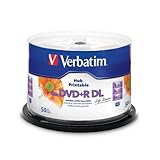 Verbatim LifeSeries DVD+R DL 8.5GB 8X Hub Printable Discs, 50 Pack
- 8.5GB OR 240-MINUTE CAPACITY: Each single-sided DVD+R DL disc stores up to 8.5GB or approximately four hours of video—twice the capacity of a standard DVD+R disc.
- UP TO 8X WRITE SPEED: Supports recording speeds up to 8X for reliable performance with compatible DVD+R DL writers and duplicators.
- WIDE DEVICE COMPATIBILITY: Compatible with supported dual-layer drives, most standard DVD players, DVD-ROM drives, and leading inkjet disc printers.
- WHITE HUB PRINTABLE SURFACE: Create full-color, high-quality, edge-to-edge labels directly on each disc using a compatible inkjet disc printer.
- 50-PACK SPINDLE: Includes 50 Verbatim LifeSeries DVD+R DL discs and a Limited Lifetime Warranty.
That means no normal stream of Microsoft security fixes, reliability updates, or compatibility improvements should be expected. Antivirus software, a router firewall, and cautious browsing can reduce some exposure, but they do not recreate operating-system security support. A Windows 8 PC used for email, account management, online shopping, or game services is accepting a risk that a supported release is designed to reduce.
Can you still install Windows 8?
Technically, an installation may still be possible if you have compatible hardware, genuine media, and a valid license. The practical difficulty is obtaining trustworthy media and confirming that the edition on the media matches the license. Current marketplace inventory and licensing status vary, so a listing should never be treated as proof that a copy is genuine or transferable.
- Identify the existing installation. Record whether the computer runs Windows 8 or Windows 8.1, the edition name, activation status, processor architecture, and whether it is a conventional x86/x64 PC or an ARM-based RT device.
- Back up before changing anything. Copy documents, game saves, photographs, browser data, and license information to storage that is not part of the system drive. A clean installation can erase the existing partition.
- Verify the media and license. Match the edition—Professional, Enterprise, N, Single Language, or another label—to the key and to the device’s original entitlement. Do not assume that a cheap product key includes legal transfer rights.
- Check drivers and recovery options. Confirm that storage, graphics, network, audio, and input drivers exist for the target hardware. Save the manufacturer’s recovery image or recovery partition instructions before replacing the current system.
- Install only with a recovery plan. Keep the backup and original media available, and understand how to return to the previous operating system if activation or drivers fail.
- Limit exposure after installation. Because the operating system is unsupported, avoid using it as the machine for sensitive accounts. If it must remain connected, segment it from more important devices and use it primarily for offline tasks.
These steps can make a legacy installation orderly, but they cannot make Windows 8 supported. Installation success is not the same as receiving security updates or having a reliable path for modern applications.
Independent reader supportYour contribution helps us test, update, and keep practical guides available for everyone.Should you upgrade the Windows 8 PC or replace it?
Upgrade the operating system when the hardware is eligible
If the computer satisfies the requirements for a currently supported Windows release, an in-place upgrade or clean installation may extend its useful life. Check processor support, firmware settings, memory, storage, graphics, driver availability, and application compatibility before committing. Preserve a complete backup because an upgrade can expose old drivers or software that worked only with Windows 8.
Quick wins for a faster PC:
Fix the driver behind crashes, sound loss and screen glitchesFind Drivers →Repair Windows errors before they cause bigger problemsFix Now →Replace the computer when requirements cannot be met
Microsoft’s support guidance says: “If your devices don’t meet the technical requirements to run a more current release of Windows, we recommend that you replace them with one that supports Windows 11.” That recommendation applies especially when the PC has an older processor, inadequate firmware support, failing storage, or no dependable drivers for a supported release.
Best Value

- Plug & Play Function with Simple Operation for All Users: No extra drivers or complicated installation steps are required for this external cd drive and external dvd drive. Just connect the cd burner for laptop to your computer’s USB 3.0 or Type-C port, and the device will be automatically recognized instantly. Designed with user-friendliness in mind, this dvd player for laptop and cd reader for laptop is suitable for both tech beginners and professional users. To ensure stable operation and sufficient power supply, we recommend direct connection to the computer’s original USB port instead of USB hubs or extension cables, bringing you a hassle-free using experience.
- Wide System & Device Compatibility for Universal Use: This external cd drive for laptop and cd burner for laptop delivers broad compatibility with multiple operating systems including Windows XP, Vista, 2000, ME, 7, 8.1, 10, 11, Linux and all macOS versions. It works perfectly with mainstream computer brands such as Apple, Dell, HP, Lenovo, ASUS, Samsung and more. This external cd/dvd drive for laptop is only compatible with laptops, desktop computers, all-in-one PCs and mini PCs. For better reading stability, desktop users are suggested to plug it into the rear USB port of the computer case. Please note that it is not compatible with TVs, tablets and in-car entertainment systems.
- High-Speed Transmission: Built with USB 3.0 and Type-C interfaces, high-performance external cd drive for laptop delivers fast data transfer speeds up to 5Gbps for quick disc reading and writing. This versatile external cd/dvd drive for laptop works with mainstream disc formats like DVD+R, DVD-R, CD-R, and CD-RW, boasting 8X max DVD read speed and 24X max CD read/write speed. It doubles as a functional cd burner for laptop to meet your daily disc operation needs. and an extra USB power cable is included to fix insufficient power issues for stable reading (power cable only for power supply, no data transfer). Note: It does not support DVD-RAM, Blu-ray discs and proprietary formats.
- Multifunctional & Stable Performance with Anti-Shock Technology: Equipped with intelligent error correction and anti-shock protection technology, this multifunctional external cd/dvd drive for laptop supports professional disc reading, writing and burning functions, serving as a practical cd burner, cd reader for laptop and dvd player for laptop. It effectively reduces reading errors and ensures smooth and stable disc operation during use. If the device fails to recognize discs or cannot read files, you can restart the computer or replace with standard CD-R/DVD-R discs for a retry. The thoughtful pop-up button and hidden built-in cable design greatly improve daily usability and portability.
- Slim Portable & Integrated Cable Design for Easy Carry: The lightweight external CD/DVD drive for laptop features a ultra-slim body and premium matte finish, paired with a practical built-in cable design for plug-and-go convenience. As a portable external cd drive and external dvd drive, it boasts durable construction and a compact size that fits effortlessly into laptop bags, taking up minimal space. This versatile cd reader for laptop and dvd player for laptop is an ideal daily companion for home entertainment, data backup, movie viewing, software installation, office work and business travel, allowing you to access and enjoy your CD and DVD collections anytime and anywhere.
A replacement does not have to be a premium new gaming machine. A refurbished business desktop or laptop can be appropriate if it has documented Windows 11 compatibility, a supported processor, solid-state storage, sufficient memory for the intended games and applications, and a legitimate operating-system license. Verify those points before purchase rather than relying on a generic “Windows PC” description.
Keep the old machine for offline or archival use
An otherwise healthy Windows 8 computer can still serve as an offline archive, a legacy-game station, a writing machine, or a test box. Disconnecting it from the internet removes many network attack paths, but removable drives and downloaded files can still carry malware. Transfer files through a scanned, controlled process and keep irreplaceable data on a separate backup.
What the 2012 launch price means today
Microsoft announced an estimated US$39.99 retail price for a qualifying Windows XP, Windows Vista, or Windows 7 upgrade offer at launch. That was a 2012 promotional or historical upgrade figure, not a current Windows 8 price. It should not be used to judge the value or legitimacy of installation media offered today.
Crashes, No Sound, or Screen Glitches?
Random freezes, missing sound and display glitches usually trace back to one bad driver. Find and replace yours safely.Free scan · under a minutePC Slower Than It Used to Be?
A free scan shows the junk files, broken settings and background clutter dragging Windows down - then fixes them in one click.Free scan · Windows 10 & 11Microsoft’s launch announcement also named Amazon among retailers carrying Windows 8 PCs, devices, and software. Retail availability in 2012 does not establish that a listing today is genuine, supported, or transferable. Check authenticity, edition, activation rights, and return protection before spending money on legacy media.
A practical decision checklist for Windows 8 owners
- Need online banking, work accounts, or daily browsing? Move to a supported operating system or replace the PC.
- Need a specific old game or peripheral? Test it on a supported computer first; retain Windows 8 offline only if compatibility requires it.
- Have a Windows RT tablet? Treat it as ARM hardware and do not assume x86 desktop installers will work.
- Need business management? Confirm domain join, Group Policy, edition rights, and licensing before deployment.
- Considering installation media? Match architecture, edition, key, and transfer rights; avoid treating historical prices as current market guidance.
- Hardware fails current requirements? Follow Microsoft’s replacement guidance and choose a Windows 11-compatible device.
Windows 8’s lasting contribution was its attempt to unify touch and desktop computing, backed by concrete improvements to Explorer, Task Manager, multi-monitor work, and language switching. Its usefulness today is constrained not by whether it can boot, but by the end of Microsoft support and the security cost of keeping an unsupported operating system connected.
Quick Recap
Product prices and availability are accurate as of the date/time indicated and are subject to change. Any price and availability information displayed on Amazon at the time of purchase will apply.

