
WooCommerce can track stock, reserve units for unpaid orders, release inventory when payment windows expire, notify staff at defined thresholds, and control whether shoppers can buy unavailable items. Reliable results require two layers of setup: enable stock management in WooCommerce > Settings > Products > Inventory, then configure inventory behavior on every product or variation that needs quantity tracking.
Antihost offers managed WordPress hosting with free migration, one-click staging and a 14-day free trial.
This guide explains the complete workflow, from preventing overselling and handling backorders to managing variations, bundles, bulk edits, purchase planning, and API synchronization.
As an Amazon Associate I earn from qualifying purchases.
Recommended Free Tools
What WooCommerce inventory management actually controls
WooCommerce’s managed inventory is a quantity ledger attached to products and, where applicable, to individual variations. When a customer places an order, WooCommerce can reduce the available quantity. When an order is canceled, refunded, or otherwise returns stock according to your order-status rules, the quantity can be increased again. The result is different from a simple availability label.
- Managed inventory: WooCommerce stores a numeric quantity and changes it as orders and returns are processed.
- Unmanaged inventory: WooCommerce keeps only an In stock, Out of stock, or On backorder status; it does not maintain a count.
- Hold stock: Units can be reserved temporarily for unpaid orders in Pending payment.
- Backorders: You decide whether an out-of-stock item is blocked, allowed without notice, or allowed with a customer-facing notice.
- Notifications: Low-stock, out-of-stock, and backorder emails are operational alerts, not forecasts of future demand.
WooCommerce documentation summarizes the core behavior as: “WooCommerce automatically tracks and updates product inventory as customers make purchases.” That statement applies only when inventory management is enabled globally and for the relevant product or variation.
#1 Best Overall

- 【3-in-1 Multifunction Inventory Barcode Scanner】- The wireless barcode scanner is a multi-functional inventory scanner that integrates a inventory barcode reader, data collector, and inventory counter. You can create 180 storage libraries and store 400,000 data. Our inventory barcode scanners are mainly used in warehouses, medical, cosmetics stores, supermarkets, banks, logistics, libraries, shops, etc
- 【Super 1D & 2D Code Recognition Capability】- The barcode scanner can scan 1D and 2D codes, no matter whether the barcode is blurred, reflective, or broken, including the screen code, it can be quickly identified.Identify 1D: Codabar, Code 11, Code93, MSI, Code 128, EAN,UPC,Code 39, UPC-A, ISBN, Industrial 25, Standard25, Matrix; Recognize 2D: QR, DataMatrix, PDF417, Aztec, Micro PDF417. (Note: Not compatible with Square.)
- 【2.4G Wireless Long-distance Transmission】- Our wireless barcode scanner is connected to the computer through a 2.4G wireless USB receiver, supports WINDOWS XP/7/8/10 system, and is compatible with office software such as WORD/EXCEL/Text; the inventory barcode scanner transmits distance when there is no obstacle outdoors It can reach 150M/492 feet, and it can reach 50M/164 feet when there are obstacles or indoors
- 【2000mAh battery and 16M storage space】- The portable barcode scanner has a built-in lithium polymer battery, which can be charged with a USB data cable. The capacity is 2000 mAh. Our bar code scanners readers can be fully charged in about two hours and can be used for 60 hours. When you want to transmit 10,000 barcodes, you can use text upload to improve your work efficiency
- 【Plug and play for Easy Portability】- Insert the USB wireless receiver into the computer, turn on the inventory scanner and connect to the computer immediately, plug and play, no need to install drivers or software; support lightning scanning and upload of blurry or broken barcodes under strong and dim light , make scan more easier , Compatible with Windows 7, Vista, XP, Windows 2000, work with Word, Excel, etc. Data Tools: Please contact us to send, if you did't dowload the tool
Enable stock management before editing quantities
Configure the global settings first. Otherwise, product-level quantities may not behave as expected.
- Open WooCommerce > Settings > Products > Inventory.
- Tick Enable stock management. This enables managed inventory counts for physical products.
- Set Hold stock (minutes) for unpaid orders. The timer applies to orders in Pending payment. When the limit expires, WooCommerce cancels the pending order and releases the held quantity.
- Enable the notification types your staff need: low stock, out of stock, and backorders.
- Enter the recipient addresses for those notifications.
- Define the global Low stock threshold and Out of stock threshold.
- Choose whether out-of-stock products are hidden from catalog pages.
- Choose the stock display format: show the exact quantity, show only a low-quantity message, or show no amount.
- Save the settings, then open a representative product and verify that its own inventory controls are enabled.
The global switch does not automatically make every product quantity-managed in the way your catalog requires. WooCommerce troubleshooting guidance specifically recommends enabling management both in the global settings and on each individual product to prevent overselling.
The Tool Desk
Outbyte PC Repair FREEClear out junk files and repair common Windows errorsFree Scan →Outbyte Driver Updater FREEScan for outdated or missing drivers - takes under a minuteDriver Scan →Choose a hold-stock duration deliberately
Hold stock protects a unit from being sold twice while a shopper is completing payment, but it also temporarily removes that unit from availability. A short duration reduces unnecessary reservations; a longer duration gives customers more time to complete delayed payment methods. Use an interval your payment process can realistically support, and test what happens when the timer expires.
Hold stock is not a general reservation system. It applies to unpaid orders in Pending payment. Orders in other statuses follow their own stock-reduction and restoration behavior, so test the complete status path used by your gateways.
Set thresholds as triggers, not forecasts
The low-stock threshold tells WooCommerce when to send a notification. The out-of-stock threshold determines when the product reaches the unavailable state under your stock rules. Neither setting calculates demand, supplier lead time, seasonality, minimum order quantities, or safety stock.
Rank #2

- Widely Compatible: Bluetooth Barcode Scanner for iPhone iPad Android Tablet PC, Support HID / SPP / BLE mode via bluetooth, Work with Windows XP/7/8/10, Mac OS, Windows Mobile, Android OS, iOS, Linux.
- Strong Recognition Ability: With the 2500 pixels high-resolution CCD sensor Engine, Rapidly decodes all 1D and stacked barcodes (including ISBN book), even worn, damaged or tightly spaced codes. Scan 1D codes directly from paper or screen, such as a computer monitor, smartphone, or tablet, or scan through glass surfaces, plastic shrink wrap, a CCD scanner is likely the best way to go.
- Automatic Scanning: NT-1228bc barcode scanner have three scanning modes: manual trigger mode, continuous scanning mode and auto-sensing scanning mode. In addition, there is a storage mode. Storage mode can be used when you are out of range of Bluetooth and wireless connectivity. Supports storage of up to 100,000 barcodes. Note: Before use, you need to scan the corresponding setting barcode on the manual.
- 2600mAh Battery Upgraded: Continuous scanning up to 200,000 times on a full charge. After a full charge the scanner can be used for one month at least, even in warehouses and at pos checkout counters where scanners are frequently used. In libraries and hospitals it can be used even longer.
- Programmable Configuration: Add custom prefixes/ suffixes, delete characters, Add keyboard keys/ combinations (terminator TAB, CR&LF, Home etc.), Enable or disable the barcode type as you want. Buzzer can be set to mute to allow for a quiet operation.(Note: It does not work with square POS / Divalto / DoorDash / Lightspeed POS system)
A threshold of five means “alert at five units” for that product; it does not mean five units will cover the time until your next delivery. Set values using sales velocity, replenishment lead time, and the service level you want to maintain. Products with different demand patterns should not all share one arbitrary number.
Free tools Windows power users keep installed
One-click scans. No signup required.
Decide what shoppers should see
Exact quantity displays can help customers decide whether to buy, but they also reveal purchasing information and can make a small remainder look like a shortage. A low-quantity message communicates urgency without exposing the precise count. Hiding the amount presents only availability. Apply one approach consistently, then override it only where a product has a clear reason for different treatment.
Configure each product and variation
Open a product in Products, select its Inventory panel, and decide whether the item should have its own quantity ledger.
Simple products
- Enter a consistent SKU. Use one convention across the catalog so imports, reports, and integrations identify the same item.
- Tick Manage stock? when WooCommerce should maintain a numeric quantity.
- Enter the current Stock quantity.
- Choose the product’s Allow backorders? policy.
- Set a product-level Low stock threshold when this item needs a different alert point from the global default.
- Save or update the product, then place a test order in a staging store to confirm the quantity changes as expected.
If the item is not physically countable or is supplied on demand, leaving numeric management disabled may be appropriate. In that case, maintain the correct availability status manually and make the policy clear to customers.
Variable products: choose where the quantity lives
Variable products can use product-level, variation-level, or combined inventory management. The correct choice depends on whether the variations share one pool or have separate physical counts.
Do these 3 things before closing this tab:
1Scan for outdated or missing drivers - takes under a minute2Clear out junk files and repair common Windows errors3Fix the driver behind crashes, sound loss and screen glitchesRank #3

- 【Unique Designed Screen Setting】It allows you to customize the screen display according to your preferences. With this innovative feature, you can easily set the language, adjust volume settings, select connection options, and view stored and total barcodes. Experience unparalleled convenience and flexibility as you personalize the settings of your Tera HW0009 to suit your specific needs. 【Package Includes: Barcode Scanner x1, Charging Cradle x1, Charging Cable x1, User Manual x1】
- 【Superior Global CMOS Imaging Scanning】This advanced scanner excels in fast and accurate reading of both ordinary and high-density barcodes, including challenging formats like PDF417 found on driver's licenses. Its exceptional performance effortlessly handles various scanning scenarios, including underwater scanning, reading barcodes on silver paper, reflective materials, and more.
- 【Charging Cradle & 2500mAh Large Battery】Designed with a convenient charging cradle, the HW0009 barcode scanner allows you to easily charge it whenever it's not in use. In addition, the scanner itself is equipped with a powerful 2500mAh battery, ensuring seamless all-day operation without the need for frequent charging.
- 【3-in-1 Connections & Widely Compatible】 Tera HW0009 wireless barcode scanner can work with bluetooth & 2.4G wireless & usb wired. The transmission distance can be 328ft in barrier free environment and 114ft in obstacles environment using 2.4G USB dongle. It can be connected with a variety of devices, such as smartphones, computers, POS, tablets. In addition, it is also compatible with various operating systems, such as windows 11/10/8/7/xp, Mac OS, iOS, android, linux.
- 【1D 2D QR code Programmable】2D: QR code, Data Matrix, PDF417(including PDF417 on driver’s license), Aztec, Maxicode, Micro QR, Micro PDF417; 1D: UPC/EAN, Code 128/EAN128, GS1-128, ISBT-128, Standard 2 of 5, Matrix 2 of 5, Code 39, Code 32, Code 93, Code 11, Codabar, PLESSEY, MSI, GSI Databar, ITF-14, GS1.
| Inventory model | Use it when | Controls to verify |
|---|---|---|
| Product-level stock | All variations draw from one shared quantity. | Confirm a purchase of any variation reduces the shared product quantity and that the backorder policy matches every option. |
| Variation-level stock | Each size, color, region, or configuration has its own physical count. | Set stock quantity, backorder behavior, and low-stock threshold on every managed variation. |
| Combined or coordinated model | A catalog requires shared limits while still exposing variation-specific behavior. | Test parent-product and variation settings together; confirm the rule that actually blocks or permits checkout. |
Variation-level settings support their own stock quantity, backorder behavior, and low-stock threshold. Do not assume the parent product’s values will protect a variation with a separate inventory pool. Test the most popular and the least-stocked variation, not just the first option in the list.
Choose a backorder policy instead of letting stock status decide for you
Backorders allow customers to order an item whose available quantity is zero or below the configured selling limit. WooCommerce exposes three practical choices:
| Setting | Customer experience | Operational requirement |
|---|---|---|
| Do not allow | Checkout is blocked when the item is unavailable. | Keep stock counts accurate and provide another purchasing option if demand continues. |
| Allow, but notify customer | The order can be placed and the storefront indicates that fulfillment will follow. | Communicate an honest fulfillment expectation and monitor supplier commitments. |
| Allow without notifying customer | The order proceeds without a stock warning in the product experience. | Use only when your fulfillment process can absorb the obligation and customer support can answer delivery questions. |
Backorders are a commitment, not a substitute for purchasing discipline. Before enabling them, confirm that suppliers can replenish the item, that order queues are visible to staff, and that your shipping or customer-service messages explain the expected delay.
Prevent overselling by testing the full order lifecycle
Overselling usually comes from a mismatch between global settings, product settings, payment timing, or an integration that writes stale quantities. Use a staging store to test these paths before changing production rules.
Outdated Drivers Are Slowing You Down
One free scan finds every outdated or missing driver and matches the right update for your exact hardware.Free scan · exact hardware matchWindows Errors? Fix Them Before They Spread
Repair common Windows errors and clear accumulated junk for a smoother, more stable PC - no reinstall needed.Free scan · no reinstall- Create a test product with a small, known quantity and enable Manage stock?.
- Place an order and observe when the quantity decreases under your payment gateway’s order-status sequence.
- Leave another order unpaid and confirm that it enters Pending payment and holds stock.
- Wait for the configured hold period, or use a controlled staging test, and verify that the order is canceled and the quantity is released.
- Place an order that consumes the remaining quantity. Check the product page, cart, and checkout behavior.
- Repeat with backorders disabled, customer-notified backorders, and silent backorders if those policies are part of your catalog.
- Cancel, refund, or return an order according to your real workflow and verify that the expected quantity is restored.
- Repeat the test with a variable product and with each component of a bundle that matters to fulfillment.
Run this test after changing payment gateways, order-status automation, caching, fulfillment integrations, or inventory extensions. A staging result is not a guarantee that every production integration is correct; it is a controlled check that your rules agree.
Rank #4
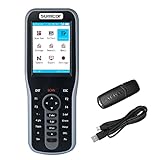
- Manage Inventory System: No need extra inventory manage software, equipped with the inventory scanner. Display customized and exclusive goods information on screen by simply make database Excel dowload to device. You have full visibility into real-time inventory levels. Scanner is compatible with Windows 10, Windows 7, Vista, XP, Windows 2000, Linux and Mac OS that has USB port, work with Word, Excel, Text, Quickbooks.
- Large Capacity Storage & Rechargeable Battery: The inventory data collector with 16MB memory storage, store more than 400,000 data, and built-in 1800mAh battery, charge about 3 hours, working about 20 hours in intermittent scanning.
- Wireless & Easy to Use: Wireless barcode scanner adopt with 2.4Ghz wireless technology, 100m/328ft long transmission in open air and 10-30m/30-100ft transmission indoor depending on the complexity of obstacle environment, even if offline also can store data. Plug & Play, no driver needed, make the process of tracking inventory easier, ideal for ecommerce businesses, store and warehouse.
- Lightweight & New Design: Ergonomic designed handheld inventory barcode scanner with the specially designed curve and wavy stripes for a better hold feeling. Mini size as a mobile phone, portable to carry and full put into your pocket, enough to keep with you all day long.
- Super 1D Decoding Capacity: Support scanning barcode from screen, almost all 1D Barcodes: Codabar, UPC-A, UPC-E, EAN-8, EAN-13, ISSN, ISBN, Code 128, ISBT 128, Code 39, Code 93, Code 11, Interleaved 2 of 5, Matrix 2 of 5, Industrial 2 of 5, Standard 2 of 5(IATA), MSI Plessey, China Post, UPS, USPS, FedEx, DHL, BOOK barcode, etc. Read damaged, fuzzy, reflective and smudged barcodes.
Build thresholds around replenishment, not guesswork
WooCommerce’s low-stock threshold is a notification trigger. A replenishment decision needs more information:
- Recent sales velocity and open orders, including backorders.
- Inbound purchase orders and quantities already committed by suppliers.
- Supplier lead time, including normal and disrupted delivery windows.
- Pack sizes and minimum order quantities.
- A minimum-stock or safety-stock level that protects against expected variation.
- Seasonal demand, launches, promotions, and planned closures.
For a small catalog, a spreadsheet and a scheduled review may be sufficient. For a larger catalog or constrained supply chain, the official Inventory Management for WooCommerce documentation describes Shelf Planner capabilities such as weeks-of-stock calculations, supplier and product lead times, pack sizes, minimum order quantities, minimum stock as safety stock, ideal-stock calculations, purchase orders, and two-way synchronization back to WooCommerce.
Keep two concepts separate: the extension’s minimum stock is used in order-proposal calculations, while WooCommerce’s low-stock threshold triggers a notification. Setting one does not automatically configure the other.
Quick wins for a faster PC:
Scan for outdated or missing drivers - takes under a minuteDriver Scan →Repair Windows errors before they cause bigger problemsFix Now →A practical replenishment loop
- Review sales velocity, current stock, open orders, and existing backorders.
- Add inbound purchase orders and account for supplier lead time.
- Apply a safety-stock or minimum-stock rule appropriate to the item.
- Review low and critical items, checking for unusual demand or data errors.
- Create or approve a purchase order using supplier pack sizes and minimum order quantities.
- Receive the shipment and reconcile the delivered quantity against the purchase order.
- Update WooCommerce stock and investigate any difference rather than silently overwriting it.
- Audit the resulting change so staff can identify who changed the quantity and when.
Use bulk editing and logs when SKU volume outgrows manual editing
Editing products one by one is risky during catalog migrations, cycle counts, warehouse reconciliation, or large receiving events. Product Stock Manager adds a Stock Manager menu with dashboard views and lists for low-stock, out-of-stock, and overstock items. It can filter by category, product type, status, and SKU, perform bulk stock edits, import and export CSV files, and maintain a stock log with time and date stamps for revisions.
Bulk tools reduce repetitive work but increase the impact of a mistake. Establish a controlled process:
Best Value

- ❤️ Better Barcode Scanner, More Convenient Work ❤️
- 🔥Setting Keypad & LCD Display & Al Voice: Compared with traditional barcode scanners on the market, ❶Customizable Menu - Setting keypad helps you to set up various functions (No more need to scan the complex barcodes for settings). ❷1.5" LCD Screen to display the Setting, Wireless, Bluetooth, Battery, Scanning and Storage Status for easier and more intuitive operation. ❸Say goodbye to the buzzer, AI Voice will prompt the usage status like friend.
- ✨800 X 600 Pixel CMOS Scanning Technology: KUIIYER Bluetooth Barcode Scanner adopts the international advanced CMOS image sensor and upgraded to 800 × 600 pixels, Supports 1D, 2D, QR, screen code and compatible with universal POS systems (Note: Not Compatible with Square POS system), 360 ° Scanning barcodes in any direction, Longer reading distance, Reading faster and more accurate than traditional CCD or laser scanner.
- 🔋Bluetooth/Wireless + 2000mAh Larger Capacity Battery: Continuous working for 6-7 hours (Scanning every 5 seconds) after full charge, Meet more application scenarios. KUIIYER Handheld Barcode Scanner can directly connect with PC/ POS by 2.4Ghz Wireless USB or USB cable, No drive/ software needed. Compatible with Computers' Windows, Macos, Linux and universal POS systems. Bluetooth Connection will support for iPad, iPhone, Android, Tablet etc.
- 💡3 Scanning Modes + 2 Data Uploading Modes & Built-in Auxiliary Light: ❶Setting 3 scanning modes through the user manual, 1. Manual Trigger Mode, 2. Auto-sensing Scan Mode, 3. Continuous Scan Mode. ❷In addition to the normal mode of instant upload, KUIIYER wireless Barcode Scanner is equipped with the Inventory mode for storing over 50,000 barcodes. ❸Built-in Auxiliary Light can be used in different lighting environments, Highly applicable.
- Export a backup before a large import.
- Restrict who can approve and upload stock changes.
- Use stable SKUs rather than product names as the matching key.
- Validate CSV columns, decimal formats, duplicate rows, and variation identifiers.
- Import a small sample first, then compare the admin product view with the source count.
- Keep the stock log and receiving documents together for later reconciliation.
Model bundles and kits as component inventory
A bundle is a catalog presentation; fulfillment still depends on the stock of its components. Product Bundles groups existing simple, variable, and subscription products and supports multiple instances, quantity limits, bulk discounts, item visibility, and several layouts. Its documented requirements are WooCommerce 8.2 or newer, PHP 7.4 or newer, and WordPress 6.2 or newer.
Model each independently stocked component as a real product. Then verify that selling the bundle decrements the correct component quantity, including the correct variation, and that checkout responds when one component is unavailable. A bundle can appear available while one component is not if the inventory relationship has been configured incorrectly.
Bundle validation checklist
- Every component that is physically counted has its own SKU and stock quantity.
- Component variations map to the exact options offered inside the bundle.
- Component backorder rules agree with the promise made for the bundle.
- Quantity limits and multiple instances do not allow a customer to bypass a component limit.
- Returns and cancellations restore the same component quantities that the original order consumed.
Synchronize inventory through the REST API carefully
WooCommerce’s REST API exposes inventory-related fields including manage_stock, stock_status, and backorder controls. An integration that updates products should treat the relevant WooCommerce values as authoritative and maintain a clear reconciliation process.
- Use stable product and variation identifiers, with SKUs as a human-auditable reference.
- Make updates idempotent so retries do not apply the same stock change twice.
- Log request, response, timestamp, product identifier, and failure reason.
- Handle permission scopes and API-version compatibility explicitly.
- Reconcile periodically against the WooCommerce admin product view.
- Alert an operator when a remote system reports success but the resulting quantity does not match.
Check the current WooCommerce developer documentation for the API version and permissions used by your deployment. Do not assume that a connector’s field names or behavior remain unchanged after a WooCommerce, WordPress, PHP, or extension upgrade.
Decide whether you need an inventory extension
Core WooCommerce is often enough for a small catalog with straightforward replenishment. An extension becomes justified when the operational problem is larger than a threshold alert.
| Requirement | Core WooCommerce fit | When to add tooling |
|---|---|---|
| Small number of SKUs and simple counts | Global management, product quantities, alerts, and backorders may be sufficient. | Add tools only if manual updates are causing errors or consuming unacceptable time. |
| Many variations or shared component stock | Possible, but requires careful variation configuration and testing. | Use tooling that provides clearer bulk views and component-level controls. |
| Supplier lead times, safety stock, or minimum order quantities | Thresholds alone do not calculate these factors. | Use forecasting and purchase-planning features that model lead time and replenishment constraints. |
| Frequent catalog-wide edits or cycle counts | Individual product editing is slow and difficult to audit. | Use bulk editing, CSV import/export, and revision logs with an approval process. |
| External warehouse, marketplace, or ERP synchronization | REST API fields are available, but the integration must handle retries and reconciliation. | Use a connector with tested version compatibility, logging, and conflict handling. |
| Bundles and kits | Possible when component relationships are modeled correctly. | Use bundle functionality that supports the product types and stock behavior your catalog needs. |
Evaluate any extension against your current WooCommerce, WordPress, and PHP versions, as well as variation rules, component relationships, API permissions, and the people responsible for approving stock changes.
What’s actually slowing this PC down?
Pick the symptom - the matching free tool is one click away.
Quick Recap
Troubleshoot common inventory failures
The store oversells despite having stock management enabled
- Check that Enable stock management is active globally.
- Open the affected product and confirm Manage stock? is enabled.
- For a variable product, inspect the purchased variation rather than only the parent product.
- Review whether backorders are allowed.
- Trace the payment gateway’s order statuses and confirm that pending orders are handled by the configured hold period.
- Check integrations, caching, and bulk imports for stale or overwritten quantities.
Held stock never returns
- Confirm the order is actually in Pending payment.
- Verify that Hold stock (minutes) is set to a nonzero duration appropriate to your workflow.
- Check whether custom order-status automation prevents cancellation or changes the status before the timer is evaluated.
- Review the order notes and stock log, if available, to identify the event that changed the quantity.
Low-stock emails arrive too late or too often
- Compare the product-level threshold with the global threshold.
- Relate the trigger to sales velocity and supplier lead time; a notification point that is numerically correct can still be operationally useless.
- Check recipient addresses and email delivery logs.
- Separate WooCommerce’s alert threshold from any extension’s minimum-stock or safety-stock rule.
A bundle sells when a component is unavailable
- Confirm the component is a real product with managed stock.
- Verify the bundle points to the correct variation and quantity.
- Test component availability at cart and checkout, not only on the bundle page.
- Check whether a backorder policy on the component is intentionally permitting the sale.
Use this operating checklist
- Global stock management is enabled.
- Every quantity-tracked product and variation has Manage stock? enabled.
- SKUs are unique and consistent.
- Hold-stock duration matches payment behavior.
- Low-stock, out-of-stock, and backorder recipients are correct.
- Thresholds reflect sales velocity, lead time, and service goals.
- Backorder policies are intentional and customer-facing messages are accurate.
- Variable products use the correct shared or variation-level inventory model.
- Bundle components are modeled and tested independently.
- Returns, cancellations, and refunds have been reconciled in a staging test.
- Bulk imports have backups, approvals, and SKU validation.
- API integrations are idempotent, logged, permissioned, and periodically reconciled.
- Forecasting or purchase-planning tooling is used when thresholds cannot represent lead time, seasonality, safety stock, or supplier constraints.
Product prices and availability are accurate as of the date/time indicated and are subject to change. Any price and availability information displayed on Amazon at the time of purchase will apply.

