What’s actually slowing this PC down?
Pick the symptom - the matching free tool is one click away.
There is no verified public figure for the current WWE 2K26 patch download, and no current patch-number table in the official support article reviewed. WWE 2K26 is listed for Steam, PlayStation 5, Xbox Series X|S, and Nintendo Switch 2. If an update will not download or install, restart the system completely, install pending console software updates, test the network, check free storage, and protect save data before reinstalling. Do not delete reserved space: 2K warns that doing so can cause update problems and possible save corruption.
What is the current WWE 2K26 update size?
The exact download size of the latest WWE 2K26 update is not confirmed by the official information currently available. WWE 2K Support’s “WWE 2K26: Patches and Updates Information” article, published February 5, 2026 and updated March 5, 2026, directs players to the WWE 2K Discord #game-updates channel and the Help Center update area as patches roll out. It does not provide a patch-size table or a current patch number.
| # | Preview | Product | Price | |
|---|---|---|---|---|
| 1 |
|
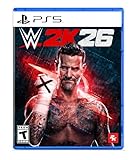
WWE 2K26 - PlayStation 5 | $29.99 | Buy on Amazon |
| 2 |

|
WWE 2K26 | Standard Edition | XBOX Series X|S Digital | $28.00 | Buy on Amazon |
| 3 |

|
WWE 2K26 | Monday Night War Edition | XBOX Series X|S Digital | $75.00 | Buy on Amazon |
| 4 |
![WWE 2K26 Monday Night War - PC Steam [Online Game Code]](https://m.media-amazon.com/images/I/51XKJJiDWuL._SL160_.jpg)
|
WWE 2K26 Monday Night War - PC Steam [Online Game Code] | $149.99 | Buy on Amazon |
As an Amazon Associate I earn from qualifying purchases.
That means a reliable answer cannot be given in gigabytes without knowing the platform, patch, and delivery date. The number shown on a console or in Steam when your system starts the download is the authoritative figure for that installation. It may differ between platforms because each storefront packages files differently.
Do not confuse download size with installed size
A game’s total storage footprint is not the same thing as the amount downloaded for an update. A patch can replace or add files inside the existing installation, while the console may temporarily require additional working space during unpacking. Conversely, a large-looking installation can receive a relatively small incremental patch. Do not estimate an update from the base game’s installed footprint, a different edition, an earlier patch, or another platform’s screenshot.
#1 Best Overall
- THE SHOW NEVER STOPS: Run the world’s greatest show your way and live out your WWE fandom to the fullest. Experience the most expansive gameplay to date with rebellious Legends of the Attitude Era and Superstars of today.
- MORE SUPERSTARS THAN EVER BEFORE: Featuring the most stacked lineup in franchise history with 400+ playable WWE Superstars and Legends including The Rock, Triple H, John Cena, Rhea Ripley, and fan-favorites like Rey Fénix, Rusev, and Blake Monroe.
- 2K SHOWCASE: Rewrite wrestling history and relive CM Punk’s greatest rivalries in a world where The Voice of the Voiceless never left, including fantasy historical scenarios. Punk’s rise, rebellion, and return make this the most personal Showcase yet.
- NEW MATCH TYPES AND MORE: Bring the chaos to every corner of the ring with new match types, including I Quit, Inferno, and Dumpster. Plus, take the fight to The Island in the new Scrapyard Brawl arena, experience an updated progression system, and test your skills in MyFACTION with Quick Swap, a fast-paced, team-based mode. Enjoy interactive entrances, new crowd interactions, and fresh commentary from Booker T and Wade Barrett.
Where to verify a patch announcement
Use the official WWE 2K update channels rather than undated community posts. The patches article specifically identifies the WWE 2K Discord’s #game-updates channel and the WWE 2K Help Center update area. The general 2K support directory also directs WWE players to the dedicated WWE 2K Support site. Check the date and platform in any notice before assuming it applies to your copy.
The patches article was last updated March 5, 2026, so it should not be treated as evidence of an October 2026 patch size. If a later notice supplies a number, record whether it is a download amount, an installed-size change, or a temporary free-space requirement.
Which platforms support WWE 2K26?
The official “WWE 2K26: Order and Edition FAQ,” updated July 8, 2026, lists four supported platforms. It describes them as Gen 9 platforms and says they include access to The Island.
| Platform | Format information in the official FAQ | What to check before updating |
|---|---|---|
| Steam | Digital only | Confirm the game is installed in the intended Steam library and that the library drive has working free space. |
| PlayStation 5 | Standard Edition listed as physical or digital | For a disc copy, insert the same disc used to install the game; for a digital copy, use the purchasing account. |
| Xbox Series X|S | Standard Edition listed as physical or digital | Check that the console is signed in to the account that owns the digital license, or that the disc is available for a physical license. |
| Nintendo Switch 2 | Standard Edition listed as physical or digital | Check whether the installation is on internal storage or a compatible expansion device and leave additional free space for patching. |
The same FAQ does not list PlayStation 4, Xbox One, or the original Nintendo Switch as WWE 2K26 platforms. A general 2K troubleshooting article discusses those older systems because it covers console support broadly; that does not add them to the WWE 2K26 platform list. Use the WWE 2K26 edition FAQ as the platform authority.
Before troubleshooting: identify the failure
Note exactly what happens. “The update is not offered,” “the download is stuck,” “the download finishes but installation fails,” and “the game starts but cannot connect” require different checks.
- Update not appearing: check the platform, ownership, disc presence, and whether the game is already current.
- Download stuck or repeatedly restarting: test the network, restart the system, and check available storage.
- Installation fails near completion: free additional space, install pending system software, and avoid interrupting file retrieval.
- Error code or server message: write down the exact code and submit it to official support if the error repeats.
Take a screenshot or photograph of the message before changing settings. Include the platform model, game edition, update number if displayed, free storage, and whether the copy is physical or digital when you seek help.
Rank #2
- THE SHOW NEVER STOPS: Run the world’s greatest show your way and live out your WWE fandom to the fullest. Experience the most expansive gameplay to date with rebellious Legends of the Attitude Era and Superstars of today.
- MORE SUPERSTARS THAN EVER BEFORE: Featuring the most stacked lineup in franchise history with 400+ playable WWE Superstars and Legends including The Rock, Triple H, John Cena, Rhea Ripley, and fan-favorites like Rey Fénix, Rusev, and Blake Monroe.
- 2K SHOWCASE — Rewrite wrestling history and relive CM Punk’s greatest rivalries in the most personal Showcase yet.
- NEW MATCH TYPES — Bring chaos with I Quit, Inferno, Dumpster matches, and more, plus the new Scrapyard Brawl arena.
- EXPANDED UNIVERSE MODE — Control your WWE Universe with the new Draft, Creation Wizard, Watch Show mode, and more Promo types.
Step-by-step fixes for a WWE 2K26 update that will not install
1. Perform a complete restart
- Close WWE 2K26 rather than leaving it suspended.
- Use the platform’s power command to shut the console or computer down completely; do not merely put it into rest or sleep mode.
- Wait until the system has finished shutting down, then start it again and retry the update.
2K’s general console troubleshooting guidance recommends a full restart because it allows the system to resynchronize and process pending system or game-update tasks. A restart will not repair a damaged installation by itself, but it is the least disruptive first step.
2. Install pending system software
An outdated operating system can block a game update even when the game itself is eligible. Menu wording changes with system versions, so treat these paths as the current locations to look for the system-update command:
- PlayStation 5: open Settings > System > System Software > System Software Update and Settings, then apply any available update and restart.
- Xbox Series X|S: open Settings > System > Updates and install the available console update. If no update is shown, use the console’s network and update status screen to check again.
- Nintendo Switch 2: open System Settings > System > System Update and complete the update before launching WWE 2K26.
- Steam: allow the Steam client and the operating system to finish their own pending updates, then restart Steam before checking the game’s download queue.
The 2K guide also documents paths for Xbox One, PlayStation 4, and the original Switch, but those instructions are generic. They do not mean WWE 2K26 is supported on those systems.
3. Test the internet connection
A connection can be good enough for browsing yet fail during authentication or a large file transfer. Run the platform’s built-in test, then retry from the update screen:
- PlayStation 5: Settings > Network > Connection Status > Test Internet Connection.
- Xbox Series X|S: Settings > General > Network settings > Test network connection.
- Nintendo Switch 2: System Settings > Internet > Test Connection.
- Steam: verify that Steam shows you online, pause other downloads, and retry the WWE 2K26 download from the Downloads view.
If the test fails, restart the network equipment if practical, move to a more stable connection, or use a wired connection where available. Do not repeatedly cancel and restart a download while the connection is unstable; each interruption can leave the client rechecking files.
The Tool Desk
Outbyte Driver Updater FREEScan for outdated or missing drivers - takes under a minuteDriver Scan →Outbyte PC Repair FREERepair Windows errors before they cause bigger problemsFix Now →4. Check free storage and leave working room
2K states that updates and new content cannot install when console storage is completely full. Check the free-space figure on the same drive that holds WWE 2K26, not only the total capacity of another attached drive. Remove games, captures, or add-ons you no longer need through the platform’s storage-management tools, or move eligible content to supported external storage.
Rank #3
- MONDAY NIGHT WAR EDITION — Includes the Monday Night War Pack (Shawn Michaels ’97, Macho Man ’98, Roddy Piper ’98, WCW Thunder ’98 Arena), Attitude Era Pack, King of Kings Pack, Joe Hendry Pack, WrestleMania 42 Pack, 100,000 VC, MyRISE Boost, and Season Pass (Ringside Premium Seasons 1–6).
- WWE VS. WCW RIVALRY RETURNS — Reignite the legendary Monday Night War with iconic Superstars, classic arenas, and exclusive content spanning WWE and WCW history.
- THE SHOW NEVER STOPS: Run the world’s greatest show your way and live out your WWE fandom to the fullest. Experience the most expansive gameplay to date with rebellious Legends of the Attitude Era and Superstars of today.
- MORE SUPERSTARS THAN EVER BEFORE: Featuring the most stacked lineup in franchise history with 400+ playable WWE Superstars and Legends including The Rock, Triple H, John Cena, Rhea Ripley, and fan-favorites like Rey Fénix, Rusev, and Blake Monroe.
- 2K SHOWCASE — Rewrite wrestling history and relive CM Punk’s greatest rivalries in the most personal Showcase yet.
Leave more room than the displayed download amount when possible. Installation may require temporary space to unpack and replace files. If the update reports insufficient capacity despite apparently adequate free space, restart after deleting ordinary unwanted content and try again. Do not select reserved space as a routine cleanup target.
5. Reinstall only after protecting saves
2K’s general troubleshooting guide lists a complete reinstall as a way to flush potentially corrupted back-end files. Reinstallation removes the local game installation, so treat it as a later step rather than a first response.
- Confirm that your save data is backed up using the platform’s available cloud or external-storage option. Cloud-save requirements and membership rules differ by platform.
- Record your account, edition, installed add-ons, and any error code.
- Uninstall WWE 2K26 through the platform’s normal game-management menu, not by deleting unrelated system data.
- Restart the platform, reinstall from your library or disc, and allow the initial file retrieval to finish without canceling it.
- Install all updates before launching modes that require current online data, then verify that your save is present.
Reinstalling can remove a corrupted local file set, but it is not a guaranteed fix for server outages, account licensing problems, defective storage, or a platform-wide service issue.
Quick wins for a faster PC:
Clear out junk files and repair common Windows errorsFree Scan →Scan for outdated or missing drivers - takes under a minuteDriver Scan →Repair Windows errors before they cause bigger problemsFix Now →Why you must not delete reserved space
Reserved space is storage the game uses for patches, updates, and other working data. 2K’s “Reserved Space and Deleting It (Don’t Do It!)” guidance warns that deleting it can create further problems, including possible save corruption. It is not the same as ordinary user-installed content that can safely be removed to make room.
Therefore, do not recommend clearing reserved space to force an update. If reserved space was already deleted or a retrieval was interrupted, 2K describes a possible recovery sequence:
- Reinstall the game if necessary.
- Start the file retrieval and do not cancel it.
- Allow the game’s updates and synchronization to finish completely.
- Check whether the platform now reports a required update, then install it.
- Verify save data before entering a mode that writes new progress.
This is general WWE 2K and 2K guidance, not a WWE 2K26-specific guaranteed repair. If the save is missing or corrupted afterward, stop making changes and contact official support with the platform, account, error text, and a description of what was deleted.
Rank #4
- The Monday Night War Edition Includes: Monday Night War Edition Pack (Playable Superstar: Shawn Michaels DX, Playable Superstar: Macho Man Randy Savage ’98, Playable Superstar: Rowdy Roddy Piper ’98, Arena: WCW Thunder ’98, MySUPERSTAR Island emote: DDP’s Bang!), Attitude Era Edition Pack (Playable Superstar: The Rock ’99, Playable Superstar: Kane ’98, Playable Superstar: Chyna ’97, MyFACTION EVO Card: Stone Cold Steve Austin, MyFACTION EVO Card: The Rock, Arena: RAW is WAR ’98, MySUPERSTAR Island emote: Undertaker Thumb Across the Neck, MySUPERSTAR Island emote: HBK DX Crotch Chop), King of Kings Pack (Playable Superstar: Triple H ’98, Playable Superstar: Stephanie McMahon ’00, MySUPERSTAR Island Emote: Triple H Signature Taunt), the Joe Hendry Pack (New Playable Superstar: Joe Hendry, MyFACTION EVO Card: Joe Hendry, MySUPERSTAR CAS Part: Joe Hendry T-Shirt, and MySUPERSTAR Island Emote: Joe Hendry Spin), Superstar Mega-Boost (100,000 VC and My Rise Mega-Boost), Ringside Pass Premium Season 1, 32,500 VC, and 7-day Early Access.
- THE SHOW NEVER STOPS: Run the world’s greatest show your way and live out your WWE fandom to the fullest. Experience the most expansive gameplay to date with rebellious Legends of the Attitude Era and Superstars of today.
- MORE SUPERSTARS THAN EVER BEFORE: Featuring the most stacked lineup in franchise history with 400+ playable WWE Superstars and Legends including The Rock, Triple H, John Cena, Rhea Ripley, and fan-favorites like Rey Fénix, Rusev, and Blake Monroe.
- 2K SHOWCASE: Rewrite wrestling history and relive CM Punk’s greatest rivalries in a world where The Voice of the Voiceless never left, including fantasy historical scenarios. Punk’s rise, rebellion, and return make this the most personal Showcase yet.
- NEW MATCH TYPES AND MORE: Bring the chaos to every corner of the ring with new match types, including I Quit, Inferno, and Dumpster. Plus, take the fight to The Island in the new Scrapyard Brawl arena, experience an updated progression system, and test your skills in MyFACTION with Quick Swap, a fast-paced, team-based mode. Enjoy interactive entrances, new crowd interactions, and fresh commentary from Booker T and Wade Barrett.
When the update downloads but the game still will not start
Check ownership and edition
A digital copy must be launched from the account that owns it, while a physical console edition may require the original disc as a license check. Confirm that the installed game is WWE 2K26 rather than another WWE 2K entry and that any required add-on is installed for the same platform and account.
Do these 3 things before closing this tab:
1Repair Windows errors before they cause bigger problems2Scan for outdated or missing drivers - takes under a minute3Clear out junk files and repair common Windows errorsLet synchronization finish
After a reinstall or interrupted retrieval, leave the console online until downloads, updates, and save synchronization have completed. Starting the game while those operations are still running can produce a stale-version or connection message.
Capture repeatable errors
For a recurring error, record the exact wording or numeric code, the update number if shown, the platform and system-software version, available storage, network-test result, and the steps already attempted. This information gives support a reproducible case instead of a general report that “the update fails.”
How to escalate a persistent WWE 2K26 update problem
Start with the official WWE 2K update channel or Help Center identified by WWE 2K Support. The dedicated 2K support directory points WWE players to that support site. Search the current notices first, because a service-side issue may affect many players and cannot be repaired locally.
If no notice matches your problem, submit a support request with:
Windows Errors? Fix Them Before They Spread
Repair common Windows errors and clear accumulated junk for a smoother, more stable PC - no reinstall needed.Free scan · no reinstallCrashes, No Sound, or Screen Glitches?
Random freezes, missing sound and display glitches usually trace back to one bad driver. Find and replace yours safely.Free scan · under a minute- Platform: Steam, PlayStation 5, Xbox Series X|S, or Nintendo Switch 2.
- Physical or digital format and the edition you own.
- Exact error text or code and the point at which it appears.
- Displayed update number, if any, and the date and time of the attempt.
- Free storage on the installation drive and the result of the network test.
- Whether you fully restarted, updated system software, reinstalled, or deleted reserved space.
Do not include passwords or payment details. Keep the ticket open until support confirms whether a further diagnostic or save-recovery step is safe.
Quick Recap
Key takeaways for players checking an update today
- The official platform list is Steam, PlayStation 5, Xbox Series X|S, and Nintendo Switch 2.
- The current official patches article does not establish an October 2026 download size or patch number.
- Use the WWE 2K Discord
#game-updateschannel and WWE 2K Help Center for dated update notices. - Restart fully, update the console or client, test the network, and free ordinary storage before attempting a reinstall.
- Never delete reserved space as a routine fix; 2K warns of update failures and possible save corruption.
Product prices and availability are accurate as of the date/time indicated and are subject to change. Any price and availability information displayed on Amazon at the time of purchase will apply.




