Verdict: The XFX Mercury Radeon RX 9070 XT OC Magnetic Air is a premium partner card for buyers who want an unusually large cooler, removable fans, RGB, and flagship-style construction. It is not a fundamentally faster GPU than a cheaper RX 9070 XT. Buy it when the price premium is modest and your case, power supply, and expansion-slot layout can accommodate it. Otherwise, an XFX Swift, Quicksilver, or another well-priced RX 9070 XT should deliver nearly the same gaming performance.
This review covers the black RX-97TMARGB9. XFX also sells a white version, the RX-97TMARGW9; specifications and physical requirements should be checked against the exact SKU before purchase.
What the Mercury Magnetic Air actually is
The Mercury Magnetic Air is an overclocked Radeon RX 9070 XT, not a separate GPU tier. It uses AMD’s RDNA 4 architecture, 64 compute units, 4,096 stream processors, and 16 GB of GDDR6 memory on a 256-bit bus. AMD’s reference RX 9070 XT launched with a $599 U.S. suggested price on March 6, 2025, but that figure describes the reference-class GPU—not this oversized premium implementation. AMD’s reference specifications list a 304 W total board power, a 2.4 GHz game clock, and boost up to 3.0 GHz.
XFX advertises this model with a game clock up to 2,570 MHz and boost up to 3,100 MHz. “Up to” is important: it does not mean the card will sustain 3,100 MHz in every game. Actual frequency depends on workload, temperature, voltage, power limits, and the individual GPU.
Quick wins for a faster PC:
Fix the driver behind crashes, sound loss and screen glitchesFind Drivers →Clear out junk files and repair common Windows errorsFree Scan →Scan for outdated or missing drivers - takes under a minuteDriver Scan →#1 Best Overall

- Chipset: AMD RX 9070 XT
- Memory: 16 GB GDDR6
- XFX SWFT Triple Fan Cooling Solution
- Boost Clock Up to 2970 MHz
Specifications at a glance
| Specification | XFX Mercury Magnetic Air OC |
|---|---|
| GPU | AMD Radeon RX 9070 XT, RDNA 4 |
| Memory | 16 GB GDDR6, 20 Gbps |
| Memory interface | 256-bit |
| Maximum bandwidth | Up to 640 GB/s |
| Game clock | Up to 2,570 MHz |
| Boost clock | Up to 3,100 MHz |
| Interface | PCIe 5.0 |
| Outputs | 3 × DisplayPort 2.1, 1 × HDMI 2.1 |
| Power connectors | 3 × PCIe 8-pin |
| Recommended PSU | 800 W minimum, according to XFX |
| Official dimensions | 360 × 155 × 72 mm |
| Included accessories | GPU support stand and ARGB sync cable |
These details come from XFX’s official product listing. The official 3.5-slot designation understates the planning difficulty slightly: at roughly 72 mm thick, treat the card as a four-slot-class component when designing a build.
Design, construction, and installation
The Mercury is built around a premium black or white shroud, an aluminum backplate, a three-fan cooler, and an illuminated RGB light bar. XFX includes an ARGB synchronization cable for motherboard lighting control and a support stand to help manage the card’s substantial mass. Independent roundup measurements put the card at approximately 349 mm long, 142 mm high, 72 mm thick, and 1,705 g; small differences from XFX’s measurements are normal because manufacturers and reviewers may measure brackets, shrouds, or protruding sections differently. TechSpot’s roundup provides useful independent size and market-position context.
The support stand is more than a decorative extra. A card this heavy can sag if the case’s horizontal support and the motherboard slot are doing all the work. Use the included stand if it can sit securely on the case floor or PSU shroud. It must not press against fan blades, obstruct bottom intake airflow, or interfere with cables.
The three power sockets are positioned on the card’s edge, but the practical clearance depends on the case and side panel. Plan for the connector bodies and the cable bend—not just the 72 mm heatsink thickness. Whenever possible, use three separate PCIe power leads from the PSU rather than one heavily loaded daisy-chained cable.
Free tools Windows power users keep installed
One-click scans. No signup required.
Case compatibility: measure, do not guess
This is the Mercury’s biggest buying risk. A case that claims support for a 360 mm graphics card may still reject it once a front radiator, front fans, drive cage, power plugs, or side-panel structure are installed.
- Measure GPU length with the front radiator and fans installed.
- Allow for the three 8-pin plugs and their bend radius.
- Check side-panel clearance for the 155 mm official height.
- Reserve approximately 72 mm of slot width and inspect the next PCIe slots.
- Confirm that bottom intake fans will not contact or starve the card.
- Check whether vertical mounting leaves enough room for airflow.
- Verify that the support stand fits without blocking cables or case hardware.
- Look for blocked motherboard headers or expansion cards.
Do not rely on the case’s bare maximum GPU-length number. The relevant measurement is the remaining clearance in your exact configuration.
Magnetic Air fans: the real benefit
“Magnetic Air” refers primarily to serviceability. The fans are removable rather than permanently integrated into the shroud, making dust cleaning and possible fan replacement more practical. That can be valuable for a card intended to remain in service for years.
It should not be treated as proof of superior frame rates or automatically lower temperatures. Independent coverage of the smaller XFX Quicksilver Magnetic Air found essentially identical cooling performance between Magnetic Air and standard versions. That result should not be transferred directly to the Mercury without a direct, same-condition comparison, but it does establish the right expectation: the removable-fan mechanism is chiefly a maintenance feature.
Rank #2

- Chipset: AMD RX 9070 XT
- Memory: 16 GB GDDR6
- XFX MERC Triple Fan Cooling Solution and RGB
- Boost Clock Up to 3100 MHz
Before buying, verify three details with XFX or the regional seller: whether fan removal is completely tool-free, whether a cable must be disconnected, and whether replacement fans are sold separately in your country. Also confirm whether removing the fans affects warranty coverage. Do not assume premium positioning guarantees a dual BIOS, replacement-fan availability, or a particular fan-stop threshold.
Cooling and noise: what a proper review must report
The large heatsink, vapor chamber, and PTM7950 thermal interface material give the Mercury substantial cooling potential. They do not produce one universal temperature or noise result. A meaningful test should state the ambient temperature, case and fan layout, driver, BIOS, game or benchmark, resolution, graphics settings, stabilized test duration, automatic or fixed fan speed, GPU temperature, hotspot, memory temperature where available, fan RPM, and acoustic measurement position.
Idle fan-stop behavior also needs to be recorded separately from load acoustics. A card can be silent on the desktop and still produce audible fan or coil noise under a high-frame-rate workload. Coil whine varies by sample, game, frame rate, power supply, and system, so one review sample cannot establish that every Mercury is quiet or noisy.
TechPowerUp has a dedicated Mercury temperature and fan-noise review, but the complete test context was not available in this research dossier. Its measurements should not be reproduced without verifying the original methodology. The safe conclusion from the design is that the Mercury is engineered for low-temperature operation, while the actual noise advantage over cheaper RX 9070 XT cards remains test-dependent.
Gaming performance: pay for the cooler, not a new GPU
At the GPU level, the Mercury remains an RX 9070 XT. Its factory overclock can provide a small advantage over a reference-clocked card, but the performance difference is normally much smaller than a large partner-card price gap. The useful comparison is not the advertised 3,100 MHz number; it is the measured average FPS and 1% lows against a cheaper RX 9070 XT using the same driver, BIOS, game patch, power settings, and test platform.
A complete test suite should cover 1080p, 1440p, and 4K rasterization, plus ray tracing at 1440p and 4K where performance permits. Report averages alongside minimums or 1% lows, and separate native rendering from AMD FSR 4, frame generation, and HYPR-RX. Upscaling and frame generation can materially change displayed performance, but they do not represent the same thing as native GPU throughput.
For most buyers, the card is best suited to high-refresh 1440p and conventional 4K gaming. The 16 GB VRAM capacity is favorable for current high-resolution gaming, but it is not a guarantee of future-proofing. Ray tracing performance and game support should be evaluated title by title rather than summarized with a blanket claim.
AMD features and connectivity
The card supports AMD Software: Adrenalin Edition features including Radeon Super Resolution, HYPR-RX, Radeon Anti-Lag, Radeon Boost, and FSR 4 where supported. AMD describes FSR 4 as using machine-learning acceleration and RDNA 4 hardware features, but support is game- and software-dependent; it is not available universally. AMD’s RDNA 4 announcement explains the platform-level feature support.
Do these 3 things before closing this tab:
1Repair Windows errors before they cause bigger problems2Fix the driver behind crashes, sound loss and screen glitches3Clear out junk files and repair common Windows errorsRank #3
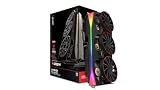
- Chipset: AMD RX 9070 XT
- XFX MERC Magnetic Air Triple Fan Cooling Solution and RGB
- Memory: 16 GB GDDR6
- Boost Clock Up to 3100 MHz
DisplayPort 2.1 and HDMI 2.1 make the card suitable for modern high-refresh monitors and televisions, subject to the display’s own capabilities and cable requirements. Nvidia may still be the better choice for CUDA-dependent applications, particular creator workloads, encoder requirements, or software ecosystems where Nvidia-specific acceleration matters. Those are application-specific decisions, not reasons to dismiss the Mercury’s gaming performance.
Power, connectors, and PSU requirements
XFX specifies three PCIe 8-pin connectors and recommends an 800 W power supply. A high-quality 750 W unit may operate a particular system successfully, but that is not the manufacturer’s stated recommendation and depends on the CPU, overclocking, total system draw, transient behavior, PSU age, and available native connectors.
Do not buy a PSU based on wattage alone. Confirm that it has three suitable PCIe leads, adequate sustained output on the relevant rail, and a reputable platform. Avoid generic splitters. Separate cables are preferable for cable management and connector loading, especially in a high-power gaming system.
Undervolting may matter more than overclocking
The Mercury’s large cooler makes it an interesting candidate for undervolting. A successful tune could reduce noise or power consumption while preserving most stock performance. However, no voltage, frequency, or power result should be assumed from the cooler alone.
What’s actually slowing this PC down?
Pick the symptom - the matching free tool is one click away.
If you tune the card, validate the setting across multiple games and workloads. Record core frequency, memory frequency, voltage, power limit, performance change, temperature, fan speed, and noise. A setting stable in one benchmark may fail in a different engine. Maximum overclocking should likewise be judged by repeatable stability and the performance gained, not by a single peak clock.
Mercury versus cheaper XFX models
The regular Mercury Gaming Edition uses a conventional three-fan design, lower advertised clocks, and two 8-pin connectors. It is the more sensible Mercury for buyers who want the branding and general premium positioning without specifically valuing removable fans or the Magnetic Air OC configuration. Check the exact listing because XFX’s naming is easy to confuse.
The Quicksilver Magnetic Air is a separate, smaller and lower-tier design. Independent roundup coverage placed it around $740 in its captured comparison, versus approximately $780 for the Mercury, though these are historical observations rather than current prices. The Quicksilver is the logical compromise for buyers who want removable fans but cannot justify the Mercury’s size or premium.
TechSpot described the Swift as XFX’s most affordable tested RX 9070 XT at approximately $720 in its captured coverage. It is the strongest value comparison: if it is substantially cheaper and your case can accommodate it, the Swift is likely to offer most of the Mercury’s gaming performance without paying primarily for the cooler, styling, and serviceability.
Crashes, No Sound, or Screen Glitches?
Random freezes, missing sound and display glitches usually trace back to one bad driver. Find and replace yours safely.Free scan · under a minuteWindows Errors? Fix Them Before They Spread
Repair common Windows errors and clear accumulated junk for a smoother, more stable PC - no reinstall needed.Free scan · no reinstallRank #4

- Powered by Radeon RX 9070 XT
- WINDFORCE Cooling System
- Hawk Fan
- Server-grade Thermal Conductive Gel
- RGB Lighting
Other relevant alternatives include Sapphire Pulse and Nitro+, PowerColor Hellhound and Red Devil, Asus Prime and TUF, ASRock Steel Legend and Taichi, and Gigabyte Gaming and Aorus models. Compare actual price, dimensions, connector count, warranty terms, and measured noise—not just the brand name.
Independent reader supportYour contribution helps us test, update, and keep practical guides available for everyone.Price and value
Captured buying pages provide useful historical context but not a current price guarantee. Tom’s Hardware listed a range of RX 9070 XT cards from roughly $600 to $760 and showed the XFX Mercury OC at $799.99 at Newegg in its page capture. A Best Buy capture showed the black Magnetic Air at $849.99, while Tom’s table listed the white version at $849.99. These observations should be refreshed at publication and are not reliable quotes for September 4, 2026. See the dated Tom’s Hardware price comparison and the retailer listing for reference.
Use this decision rule:
- Good buy: the Mercury is close in price to other premium RX 9070 XT cards and you value its cooler, appearance, support stand, and removable fans.
- Conditional buy: it costs a moderate premium, but your case and PSU are ready and long-term serviceability matters to you.
- Poor value: it is substantially more expensive than a Swift, Quicksilver, or competing RX 9070 XT with equivalent gaming performance.
Who should buy the XFX Mercury?
Buy it if you have a spacious ATX or mid-tower case with verified clearance, a quality 800 W-or-better PSU with three suitable PCIe leads, and a genuine preference for premium construction, RGB, a very large cooler, or removable fans. It is also a reasonable long-term gaming choice if 16 GB of VRAM fits your workload and the street price is near competing premium models.
Skip it if you use a compact case, need two power connectors, want maximum frames per dollar, already own a good RX 9070 XT, or need CUDA and Nvidia-specific professional software. The Magnetic Air system does not by itself justify a large premium, and the factory overclock does not transform the RX 9070 XT into a faster GPU class.
Recommended Free Tools
Frequently Asked Questions
Is the XFX Mercury Magnetic Air faster than other RX 9070 XT cards?
It is still the same RX 9070 XT GPU. Its factory overclock may provide a small advantage, but the principal benefits are the cooler, construction, aesthetics, and removable fans.
How large is the XFX Mercury RX 9070 XT Magnetic Air?
XFX lists 360 × 155 × 72 mm and a 3.5-slot profile. Independent measurements are slightly different, so plan for roughly 36 cm of length, 15.5 cm of height, and four-slot-class width.
What power supply does it need?
XFX recommends an 800 W minimum PSU and the card uses three PCIe 8-pin connectors. Actual suitability depends on the CPU, PSU quality, total system draw, and native cable availability.
Are the Magnetic Air fans worth paying extra for?
They are most valuable for cleaning and potential replacement. They should not be assumed to improve gaming performance or cooling substantially without a direct comparison.
The Tool Desk
Outbyte PC Repair FREERepair Windows errors before they cause bigger problemsFix Now →Outbyte Driver Updater FREEFix the driver behind crashes, sound loss and screen glitchesFind Drivers →Should I buy the Mercury or a cheaper RX 9070 XT?
Choose the Mercury when its premium is modest and you value its design, cooler, or serviceability. Choose a Swift, Quicksilver, or another cheaper model when frames per dollar and easier installation matter more.
The Bottom Line
Bottom line: The XFX Mercury RX 9070 XT Magnetic Air is an impressive premium board design, but its value depends almost entirely on price and fit. Its oversized vapor-chamber cooler and removable fans are meaningful ownership features; the factory overclock is not a reason to expect a dramatic FPS advantage. Measure your case, confirm three independent PCIe power leads, and compare the live price with cheaper RX 9070 XT cards before buying.
Quick Recap
Product prices and availability are accurate as of the date/time indicated and are subject to change. Any price and availability information displayed on Amazon at the time of purchase will apply.



