The Tool Desk
Outbyte Driver Updater FREEScan for outdated or missing drivers - takes under a minuteDriver Scan →Outbyte PC Repair FREEClear out junk files and repair common Windows errorsFree Scan →ザ・シムズ3のModは、まずファイルの拡張子で導入先を判断します。.packageはユーザーの「The Sims 3」フォルダー内に作るModsフレームワークへ、.Sims3PackはDownloadsフォルダーに入れてゲームランチャーからインストールします。ゲーム本体のインストール先ではなく、Documents内のユーザーフォルダーを使うのがポイントです。
最初に確認:ダウンロードしたファイルの種類
アーカイブを展開した後、ファイル名の末尾を確認してください。.packageと.Sims3Packでは導入方法が異なります。
| # | Preview | Product | Price | |
|---|---|---|---|---|
| 1 |

|
The Sims 3 - PC | $24.27 | Buy on Amazon |
| 2 |
|
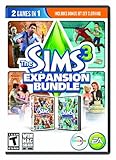
The Sims 3 Expansion Bundle - PC/Mac | $14.00 | Buy on Amazon |
| 3 |

|
Sims 3 Starter Pack PC | $43.99 | Buy on Amazon |
| 4 |
|
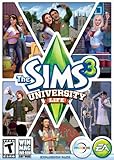
The Sims 3 University Life | $4.05 | Buy on Amazon |
| 5 |
|
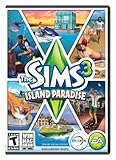
The Sims 3 Island Paradise - PC/Mac | $12.95 | Buy on Amazon |
| ファイル形式 | ユーザーフォルダー内の場所 | 導入方法 |
|---|---|---|
.package |
Mods/Packages。resource.cfgはMods直下 |
ファイルを配置し、ゲーム内で読み込まれるか確認 |
.Sims3Pack |
Downloads |
ランチャーのDownloadsタブで選択してInstall |
.packageをランチャーの通常のSims3Pack導入手順に通してもインストールされません。The Sims Resourceの導入案内とEAのStore案内も、形式に応じた別の経路を示しています。
ModsフォルダーはDocuments内に作る
Mod用フォルダーは、ゲームをインストールしたProgram Filesなどの場所ではなく、ユーザーのDocuments内にあるThe Sims 3フォルダーに作ります。代表的なパスは次のとおりです。
Do these 3 things before closing this tab:
1Fix the driver behind crashes, sound loss and screen glitches2Clear out junk files and repair common Windows errors3Scan for outdated or missing drivers - takes under a minute#1 Best Overall
- New Seamless, Open Neighborhood—Explore the neighborhood freely
- New Create A Sim—Create any Sim you can imagine
- New Realistic Personalities—Every Sim is a unique person, with a distinct personality
- New Unlimited Customization—Everyone can customize everything
- The freedom of The Sims 3 will inspire you with endless possibilities and amuse you with unexpected moments of surprise and mischief
- Windows:
C:Users<username>DocumentsElectronic ArtsThe Sims 3 - macOS:
/Users/<username>/Documents/Electronic Arts/The Sims 3/
Documentsの保存先をOneDriveなど別の場所へ変更している場合は、実際にゲームデータが入っているユーザー側のThe Sims 3フォルダーを探してください。ゲームのインストールフォルダーと、セーブやカスタムコンテンツを置くユーザーフォルダーは別です。Mod The Simsのフレームワーク例およびThe Sims Resourceのresource.cfg案内が示す配置先もDocuments側です。
.package形式のModを導入する
- The Sims 3のユーザーフォルダーを開く。前項のDocuments内にある
Electronic Arts/The Sims 3を開きます。 Modsを作成する。まだ存在しなければ、The Sims 3フォルダー直下にModsという名前のフォルダーを作ります。resource.cfgを配置する。ファイルはMods直下に置きます。Packagesの中に入れてはいけません。Packagesを作成する。Modsの中にPackagesフォルダーを作り、展開済みの.packageファイルをそこへ入れます。- Modごとの互換性を確認する。作者が指定するゲームのパッチや拡張パックの条件を確認してから起動します。
基本構成は次のようになります。
The Sims 3/Mods/resource.cfgThe Sims 3/Mods/Packages/ModName.package
The Sims Resourceのresource.cfg説明によると、この設定ファイルはサブフォルダーを含むパッケージの読み込みを可能にし、最大5階層のサブフォルダーを想定しています。最初はフォルダー分けを深くしすぎず、基本のPackagesに置いて動作確認するのが分かりやすい方法です。フレームワーク例にはOverridesフォルダーもありますが、通常の配置で必要な基本要素はresource.cfgとPackagesです。
Rank #2
- The Sims 3 World Adventures: New challenges and skills await you; Find treasure in your explorations; Customize your homes with styles and artifacts you find along the way
- The Sims 3 Generations: Sims of every age can enjoy new activities; From a raging all teen party to an official wedding ceremony, there are always new hijinx and drama to see
- Bonus Downloadable Content: Get your Sims ready to travel and play in style with popular clothing selections from the Jet Set pack
.Sims3Pack形式のコンテンツを導入する
- ファイルをDownloadsへ置く。Documents内の
Electronic Arts/The Sims 3/Downloadsに.Sims3Packを入れます。 - ゲームランチャーを開く。Downloadsタブを選び、導入したいコンテンツにチェックを付けます。
- Installを実行する。処理が終わったらランチャー上でインストール済みになったことを確認します。
個別の.Sims3Packはダブルクリックでインストールできる場合もあります。インストール後、EA StoreのコンテンツはランチャーによってDCCache内の.ebcに、サードパーティーのカスタムコンテンツは.dbcにまとめられます。これらはインストール済みのデータであり、元のダウンロードファイルやMods/Packagesへ置く.packageとは区別してください。EAのThe Sims 3 Store案内を参照してください。
ZIPなどのアーカイブは先に展開する
ダウンロードがZIPファイルなら、まず展開し、中にある.packageまたは.Sims3Packを取り出します。ZIPの展開にはOS標準の機能を利用でき、専用の有料ソフトは必須ではありません。展開後に拡張子を確認し、それぞれの導入手順に進んでください。The Sims Resourceの案内も、圧縮ファイルを解凍してから導入する手順を説明しています。
Rank #3
Modが表示されないときの確認項目
- 配置先:ゲームのインストール先ではなく、Documents側のThe Sims 3ユーザーフォルダーを使っているか確認します。
- 階層:
resource.cfgがMods直下にあり、ModファイルがMods/Packages内にあるか確認します。 - 拡張子:
.Sims3PackをPackagesに置いたり、.packageをランチャーのDownloadsタブから導入しようとしたりしていないか確認します。 - 展開状態:ZIPのまま置かず、アーカイブ内のファイルを取り出したか確認します。
- 互換性:Mod作者が指定するゲームパッチや拡張パックの条件に合っているか確認します。
EAは、カスタムコンテンツがゲーム読み込み時のクラッシュを引き起こすことがあると案内しています。Modを入れた後に起動できない場合は、次の手順で原因を切り分けます。EA HelpのThe Sims 3トラブルシューティングを参照してください。
- ランチャーを終了して再起動します。
- Installed Contentを開き、「Run without custom content」を選択してゲームを起動します。
- それで起動するなら、コンテンツを一つずつ戻して、問題を起こす項目を特定します。
- 問題の項目はランチャーから削除します。
Macでキャッシュを消す場合
EAのMac向け案内では、カスタムコンテンツやModを取り除く前にバックアップするよう勧めています。問題が続く場合の対処として、次のキャッシュファイルは削除してもゲームが再生成します。
Rank #4
- Sims 3:University Life Exp.Pk.PC/MAC
CASPartCache.packagecompositorCache.packagescriptCache.packagesimCompositorCache.package
EAはあわせてサムネイルファイルの削除を案内し、それでも解決しない場合はWorld Cachesの削除も提案しています。これらはEAのMac向けトラブルシューティングで示されている対処です。作業前にカスタムコンテンツとModをバックアップし、ファイル削除の手順はEAの案内に従ってください。
Quick Recap
Best Value
- Be it by paddleboat or speedboat, your Sims can now leave port to discover new lands and explore like never before, from inter-island travel to discovering their own uncharted island
- Create a family-friendly resort of waterslides and buffet tables, a romantic retreat dotted with minimalist cottages, or a singles resort featuring multiple pool bars where Sims can mingle and flirt. Choose and fine-tune your amenities, set your price
- See what surprises await under the sea as your Sims build their skills in snorkeling/scuba diving. Your Sims may find them on the shore of a new island or discover sunken or buried treasure
- New stilted foundations give your Sims the best of both worlds, a home that's partially on the water and partially on land. Build a resort, create travelling houseboats, and customize your very own island paradise for your Sims
- Requires The Sims 3 to play
Product prices and availability are accurate as of the date/time indicated and are subject to change. Any price and availability information displayed on Amazon at the time of purchase will apply.
What’s actually slowing this PC down?
Pick the symptom - the matching free tool is one click away.




