Do these 3 things before closing this tab:
1Repair Windows errors before they cause bigger problems2Scan for outdated or missing drivers - takes under a minute3Clear out junk files and repair common Windows errorsDoes The Elder Scrolls IV: Oblivion Remastered support mods? No. Bethesda Support says the remaster does not support mods, so the options below are unofficial community projects—not Bethesda features or supported fixes. Their availability in a mod catalog is not proof that they work with the current PC build. Check each author’s latest page for compatibility, requirements, and installation instructions before changing your game.
Five community-made enhancements to consider
These picks represent five different ways players may want to tailor the PC experience: visuals, interface, exploration, performance, and gameplay. Compatibility and installation details can change; treat each as a candidate to investigate, not a verified recommendation for every game version.
1. Ayleid Reshade: adjust color and lighting
Nexus Mods describes Ayleid Reshade as a preset intended to bring back colors and lighting associated with the original Oblivion while using the remaster’s Unreal Engine visuals. It changes the game’s presentation rather than adding quests or mechanics. Review the author’s current instructions and screenshots to see whether the look suits you, and confirm that the preset supports your game build.
Reshade installation may sit outside a standard mod-manager workflow. Nexus Mods’ game-extension documentation says Vortex does not officially manage reshades, save-game or configuration edits, or external tools other than UE4SS. A mod manager therefore may not handle every part of an installation. Nexus Mods game-extension documentation.
What’s actually slowing this PC down?
Pick the symptom - the matching free tool is one click away.
#1 Best Overall

- The Elder Scrolls IV: Oblivion Remastered brings the game of the year 2006 up to date with all-new stunning graphics and enhanced gameplay.
- Explore the vast landscape of Cyrodiil like never before in one of the greatest RPGs of all time from award-winning Bethesda Game Studios, preventing the powers from the realm of forgetting from conquering the land.
- The Elder Scrolls IV: Oblivion Remastered - Physical Deluxe Edition includes the main game, unique digital Akatosh and Mehrunes Dagon armor, weapons and horse armor sets, Shivering Isles and Knights of the Nine story expansions, access to the digital artbook and soundtrack app, plus additional content to download. en: Fighter's Stronghold, Spell Tomes, Vile Lair, Mehrune's Razor, The Thieves Den, Wizard's Tower, Orrery and Horse Armor Pack.
- Travels through the magnificent world of Tamriel and struggles on the plains of the realm of oblivion. The hand-crafted details have been meticulously recreated so that your exploration becomes an unforgettable experience.
- Create your own way from the noble warrior to the sinister assassin to the wrinkled wizard or funny blacksmith and play in your way.
2. Better HUD: choose a less prominent interface
PC Gamer’s July 24, 2026 guide describes Better HUD as offering smaller compass options and a more minimalist presentation. This is a matter of preference: a reduced compass may make the screen feel less cluttered, but it may also be less visible while navigating. Check the mod’s current author page for supported game versions and installation notes before using it. PC Gamer’s Oblivion Remastered mod guide.
3. A More Complete World Map: add detail for exploration
PC Gamer also discusses A More Complete World Map as an exploration aid. Its appeal is map coverage or detail; consult the author’s current feature list to learn exactly what it changes rather than assuming the name describes every feature. Verify its compatibility and installation instructions for your version of the remaster.
Rank #2

- The Elder Scrolls IV: Oblivion Remastered modernizes the 2006 Game of the Year with all new stunning visuals and refined gameplay. Required Content Download
- Explore the vast landscape of Cyrodiil like never before and stop the forces of Oblivion from overtaking the land in one of the greatest RPGs ever from the award-winning Bethesda Game Studios.
- The Elder Scrolls IV: Oblivion Remastered Physical Deluxe Edition includes the base game, unique digital Akatosh and Mehrunes Dagon Armors, Weapons, and Horse Armor Sets, Shivering Isles and Knights of the Nine story expansions, access to the Digital Artbook and Soundtrack App, and additional downloadable content: Fighter’s Stronghold, Spell Tomes, Vile Lair, Mehrune’s Razor, The Thieves Den, Wizard’s Tower, The Orrery, and Horse Armor Pack.
- Journey through the rich world of Tamriel and battle across the planes of Oblivion where handcrafted details have been meticulously recreated to ensure each moment of exploration is awe inspiring.
- From the noble warrior to the sinister assassin, wizened sorcerer, or scrappy blacksmith, forge your path and play the way you want.
4. Ultimate Graphics Quality Engine FPS Performance Boost: approach performance claims cautiously
This title appears in Nexus Mods search results, but the available listing information does not establish measured frame-rate gains or broad hardware compatibility. Any performance benefit should be treated as an author claim unless independent, reliable testing supports it. Results can depend on settings and hardware, so read the current description and configuration guidance before applying changes; do not assume it will increase your FPS.
5. A maintained gameplay or quality-of-life mod: verify before choosing
Community listings include utilities and gameplay enhancements, but the available information does not establish a specific fifth gameplay mod with verified current requirements. To choose one, start with a mod whose author page has recent maintenance information. Read its changelog, dependencies, compatibility reports, and installation instructions, and confirm that it explicitly covers the remaster and your game version. Do not install an original Oblivion mod just because it sounds relevant.
Rank #3

- The Elder Scrolls IV: Oblivion Remastered modernises the 2006 Game of the Year with all new stunning visuals and refined gameplay.
Why original Oblivion mods are not automatically compatible
The remaster combines a modified version of the 2006 game’s engine with Unreal Engine 5.3, according to Nexus Mods’ modding overview. That hybrid context means a file made for the original Oblivion is not automatically suitable for the remaster. The same overview says porting an old mod requires the original author’s permission unless permission has already been granted on the original mod page. Nexus Mods’ Oblivion Remastered modding overview.
Nexus Mods’ catalog includes tools such as UE4SS and OBSE64, which expand modding capabilities; they are tools or potential dependencies, not enhancements to install by default. Check a chosen mod’s own page to see whether it requires either tool and whether the relevant versions are compatible. A catalog listing or ranking alone does not confirm compatibility with the latest game build. Nexus Mods’ Oblivion Remastered catalog.
Rank #4
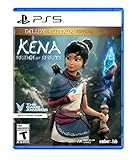
- Kena: Bridge of Spirits - Deluxe Edition includes: Base Game, Official Digital Soundtrack, Unique Kena Staff, Golden Rot Skin, Retail Exclusive Sticker Sheet, Unique Celebration Hats for Rot
- Find the Rot: Timid and illusive spirits scattered throughout the forest. They maintain balance by decomposing dead and rotting elements
- Build Your Team: Find and collect Rot to gain powerful abilities, make discoveries, and transform the environment
- Explore: A forgotten village and a strange curse; Draw on the power of the Spirit Realm to restore this once-majestic world
- Fast-Paced Combat: Spirits have become corrupt, trapped, and unable to move on, challenging Kena at every turn
How to evaluate a mod before installing it
- Confirm the target game. Use a page that explicitly identifies Oblivion Remastered, not merely the original Oblivion. Check the author’s notes for your current PC game version.
- Understand the change. Identify whether the file alters visuals, HUD, map data, performance settings, or gameplay, and read the current feature list for specifics.
- Check requirements and installation type. Look for dependencies such as UE4SS or OBSE64, and determine whether the instructions call for a mod manager, manual files, a reshade, or configuration edits.
- Review maintenance and compatibility reports. Read the changelog and recent reports for conflicts, known issues, and compatibility with the current build. Treat silence as unknown, not confirmation.
- Follow the author’s instructions and preserve a recovery path. Back up saves and relevant configuration before making changes, and use the author’s documented removal or rollback method if one is provided.
Official support versus community projects
Bethesda’s product page describes the remaster as modernizing the 2006 game with new visuals and refined gameplay, but that does not make third-party mods official or supported. Bethesda Support’s answer is categorical: the remaster does not support mods. Players who choose to use community files should rely on the individual authors’ current instructions and accept that compatibility is not established merely by a listing. Bethesda Support: “Does The Elder Scrolls IV: Oblivion Remastered support mods?” · Bethesda’s Oblivion Remastered product page.
Quick Recap
Product prices and availability are accurate as of the date/time indicated and are subject to change. Any price and availability information displayed on Amazon at the time of purchase will apply.
Recommended Free Tools




