Kuki Shinobu’s Elemental Skill spends some of her HP, but its cost cannot take her below 20%. That floor does not protect her from enemy attacks. To keep her alive, cast the skill when she is not about to take heavy damage, then switch to the character who needs healing; the ring’s first healing tick is delayed.
Why does Kuki lose HP when you use her Skill?
Sanctifying Ring consumes some of Kuki’s current HP when she casts it. The ring follows the active character, deals Electro damage periodically, and heals the active character in range based on Kuki’s Max HP. Its first healing tick is delayed, so Kuki may be exposed before the healing starts. KeqingMains’ Kuki Shinobu Quick Guide documents these mechanics.

The Skill’s HP cost cannot reduce Kuki below 20% of her HP. This is only a limit on the cost of casting the Skill: enemies can still defeat her. Avoid casting while she is in the path of an imminent heavy hit, and move or switch characters if the situation is unsafe.
Should you keep Kuki below 50% HP?
At or below 50% HP, Kuki’s Breaking Free passive grants 15% Healing Bonus. Her Burst also lasts longer at that threshold, but staying low leaves her with less room to absorb enemy damage. Treat the passive as a bonus when it happens, not a target to maintain during dangerous encounters.
The Tool Desk
Outbyte PC Repair FREEClear out junk files and repair common Windows errorsFree Scan →Outbyte Driver Updater FREEFix the driver behind crashes, sound loss and screen glitchesFind Drivers →How can you make Kuki heal more?
Choose stats based on what Kuki is doing for the team. Her Heart’s Repose passive adds skill healing equal to 75% of her Elemental Mastery (EM), so EM is not wasted on a healer. For a dedicated healer, HP% and Healing Bonus are more direct ways to increase healing. The KeqingMains guide lists HP% or EM sands and goblets, and a Healing Bonus, HP%, or EM circlet for that role; it prioritizes HP% over EM for a pure healer.
Which build is safer for your team’s needs?
| Role | Main focus | Trade-off |
|---|---|---|
| Dedicated healer | Prioritize HP%; use Healing Bonus where appropriate. Four-piece Tenacity of the Millelith is one option for HP and team utility. | More direct healing investment, but less reaction damage than a full-EM build. KeqingMains |
| Hyperbloom trigger with healing | Prioritize EM main stats and overall EM. Hyperbloom damage scales with EM, and EM also contributes to Kuki’s skill healing. | HP% may be lower, so healing is less directly emphasized. KeqingMains |
For a Hyperbloom team, do not replace the reaction-focused build with HP% by default just to raise healing. If survival is the problem, safer timing and positioning help without sacrificing the build’s core purpose.
What should you level first?
For typical reaction teams, KeqingMains prioritizes Kuki’s character level and Skill ahead of her Burst. Skill levels improve healing, while character level matters for reaction damage. These are build priorities, not a guarantee that she can survive every hit.
Independent reader supportYour contribution helps us test, update, and keep practical guides available for everyone.Does C6 stop Kuki from dying?
C6 prevents one lethal damage instance from leaving Kuki below 1 HP, once every 60 seconds. It is a limited backup, not reliable protection: damage-over-time effects and multi-hit attacks can still defeat her, according to KeqingMains.
Quick Recap
Best Value

- Wide Compatibility: Get one Megadream iPhone controller to meet your different need on multiple devices; This game controller connect to iOS 13.0+ iPhone, iPhone 17 series, iPhone 16 series, iPhone 15 series, iPad, Android 6.0+ phone, Galaxy S24/S23/S22 series, tablet, PC, NS-Switch 2 (No ‘C’ key function), NS-Switch device by wireless connection directly
- Play Any Game That Supports Controllers: The wireless Android controller can directly play hundreds of controller-enabled games on iPhone/Android/PC/NS-Switch, such as Call of Duty, Roblox, Minecraft, Genshin Impact, Diablo Immortal and more; Supports virtually all cloud-based gaming services including GeForce Now, Netflix, Xbox Cloud Gaming, Luna, MFi A-pple Arcade and Delta Emulator
- Hall Effect Joysticks/Hall Trigger: Megadream PC controller with Hall Effect Sensor joystick, providing seamless 360° precision control, delivering the accuracy and durability mobile gamers demand; Hall-effect analog triggers provide unrivaled smoothness and responsiveness, giving you a competitive edge in any game
- Dual Vibration & 6-Axis Gyro: This Switch game controller features dual haptic feedback with 3 adjustable vibration intensity levels (100% - 70% - 0%), plus a highly responsive 6-axis gyro sensor for an immersive gaming experience
Rank #4

- WIDE SCREEN COMPATIBILITY — PHONE TO TABLET: X5 Lite is a versatile phone controller that stretches up to 213mm to fit iPhone 15/16, most Android phones, iPad mini 6/7, and compatible Android tablets. Secure Type-C connection keeps gameplay stable and responsive.
- MOBILE, CLOUD & REMOTE GAMING: Play supported mobile games like Zenless Zone Zero, or stream console and PC games through Xbox Game Pass, Steam Link, Moonlight, and remote play. Enjoy physical controls wherever you play.
- HALL EFFECT STICKS — PRECISE CONTROL: GameSir Hall Effect sensing sticks deliver smooth 360° control for accurate aiming, movement, and camera adjustments. Built for fast-paced mobile games and streamed console or PC titles.
- LIGHTWEIGHT & ERGONOMIC — 135.4G: At just 135.4g, X5 Lite stays lightweight during extended gaming. Ergonomic, laser-engraved textured grips provide a secure, comfortable hold at home or on the go.
- CUSHIONED MEMBRANE CONTROLS — COMFORTABLE & QUIETER: Cushioned membrane buttons and triggers provide comfortable feedback for repeated inputs while keeping operation quieter. Ideal for extended sessions or gaming in shared spaces.
Rank #3
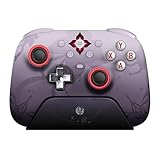
- Officially licensed by Honkai: Star Rail
- Compatible with Windows PC, Apple, Steam, and Android devices – 2.4G and wired connection for Windows, and Bluetooth for SteamOS, Apple and Android.
- TMR Joysticks - Delivers higher sensitivity, precision, and durability, featuring an RGB Fire Ring and wear-resistant joystick rings.
- Integrated charging dock keeps your controller always charged and ready, with auto-reconnection. Features customizable 6-Axis motion control, turbo, and rumble. Supports 8BitDo Ultimate Software V2.
- 1000Hz polling rate (for 2.4G and wired connection) & 8Speed Wireless Technology.
Product prices and availability are accurate as of the date/time indicated and are subject to change. Any price and availability information displayed on Amazon at the time of purchase will apply.




