Change your Uplay profile picture through Ubisoft’s account website or Ubisoft Connect PC. Both methods let you choose an avatar from Ubisoft’s game-avatar gallery; the website confirms with Select, while the PC app uses Save Changes.
Change your avatar on the Ubisoft account website
- Open Ubisoft’s avatar-change help page and follow its link to Account Information, then sign in.
- Under Public Profile, click your current avatar.
- Choose a game from the dropdown to browse the avatars available for it.
- Select an avatar, then click Select to confirm.
Change your avatar in Ubisoft Connect PC
- Open Ubisoft Connect PC and sign in to your Ubisoft account.
- Click your avatar icon in the upper-left corner.
- Choose a game from the dropdown to see its available avatars.
- Select an avatar and click Save Changes.
Can you upload a custom profile picture?
Ubisoft’s documented steps offer game avatars from its gallery and do not describe uploading a new image. Ubisoft says an already-used custom avatar can remain in use, but if you change it, you must choose a gallery avatar; the previous custom image can no longer be used through the documented process. See Ubisoft’s avatar instructions.
Avatar rules to know
Ubisoft’s US Terms of Use say usernames and avatars may be linked to an account and publicly displayed. They prohibit avatars already used by another user or associated with another account, as well as avatars containing “Ubi,” “Ubisoft,” or the Ubisoft logo; Ubisoft also reserves the right to refuse an avatar. These are terms for the US and may not describe the complete policy in every region. Check the terms that apply to your location: Ubisoft Terms of Use 5.0 (US), Article 2.3.
Which methods are covered?
Ubisoft’s instructions cover its account website and Ubisoft Connect PC. They do not establish a separate avatar-change procedure for mobile or console.
Quick Recap
Best Value
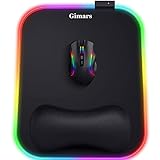
- 【10 RGB Lighting Modes & Easy Control】 This rgb mouse pad offers 10 lighting modes (7 solid colors plus 3 breathing marquee mode); tap once to switch modes, hold 3 seconds to turn your light up mouse pad on or off, and it remembers the last setting—simple for any gamer mouse pad setup
- 【12 x 10 in XL Surface】 Oversized 12 x 10 in design gives about 20% more room than a standard gaming mouse pad, so you can aim and swipe freely; the detachable 4.9in USB cable makes it easy to pack with your rig as part of your gaming laptop accessories
- 【Ergonomic Memory Foam Wrist Support】 Slow-rebound memory foam turns this mouse pad with wrist rest into an ergonomic mouse pad, supporting your wrist’s natural angle and helping relieve pressure for gamers, typists and creators during long sessions
- 【Smooth Tracking Surface & Non-Slip Base】 Ultra-smooth Lycra lets any mouse glide and track precisely on this led mouse pad, while the textured non-slip rubber base grips the desk so your mouse pad stays put even in fast-paced games
- 【Durable & Gift-Ready For Any Gamer】 With a 4 mm thick base and reinforced stitched light bar, this long-lasting Gimars gaming mouse pad makes a cool christmas gift for men or christmas gift for boyfriend, and thoughtful gifts for men and gifts for women who love RGB setups
Rank #4
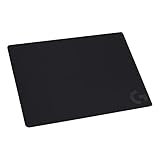
- Moderate Surface Friction: Gaming mousepad with cloth surface gives the right amount of resistance to the mouse feet when starting or stopping a rapid or sudden movement common to low DPI gaming
- Consistent Surface Texture: Provides optimal imagery for the sensor to translate mouse movement into cursor movement in high speed gaming
- Designed for Optimal Performance: A surface texture close to the optimal testing environment gives PC gamers access to the fullest Logitech G Mouse sensor accuracy and precision
- No-Slip Rubber Base: Prevents bunching and slipping, keeping the cloth mouse pad in place with rapid, sweeping movements during low-DPI gaming
- Strong, Flexible and Portable: Made with durable materials, the mouse mat rolls up for easy transport
Rank #3

- Large Mouse Pad: The gaming mouse pad is available in several sizes, providing a spacious area for your keyboard and mouse to move freely. It is versatile for gaming, work, or everyday use, making it a valuable addition to any desk setup
- Non-Slip Base: Crafted with a soft and smooth cloth surface, our gaming mouse pad ensures effortless gliding for your mouse. The bottom features a non-slip rubber pad that securely anchors the pad in place, preventing unwanted movement
- Stitched Edges: Our mouse pad is crafted with wear-resistant and precision-stitched edges to prevent fraying and ensure long-lasting performance. It is designed to withstand continuous use and maintain its high quality
- Water Resistant: The heat-resistant and spill-proof material provides protection against accidental damage from scratches, stains, spills, heat, and scuffs. It is easy to clean with just a wipe of a damp cloth. This mouse pad offers a protective, waterproof, and colorful surface for your home office desk
- Customer Service: If you have any issues with the quality or service of our gaming mouse pad, reach out to us and we’ll resolve your problem
Rank #2

- 【SMOOTH SURFACE AND ANTI-SLIP BASE】We AREYLO gaming mouse pad features a soft and smooth cloth surface that allows the mouse to glide smoothly. the bottom is equipped with a non-slip rubber pad that effectively prevents the mouse and keyboard from sliding, ensuring optimal speed and precise control. it offers consistent and accurate performance for your work or gaming needs.
- 【LARGE GAMING MOUSEPAD】Size of 31.5 x 15.7 INCH (80 CM X 40 CM), will fit your desktop perfectly and provide perfect movement space, offers plenty of room for gaming or office works all while protecting your desk, applies to all types of mouse keyboards and more.
- 【HIGHLY STITCHED EDGES】AREYLO Mouse pad with Anti-Fray Stitched Edges: Reinforced stitching along the edges prevents fraying and peeling over time. The advanced cloth textile is tested for durability, ensuring consistent performance and long-term use for gaming and daily work. This Large Extended mouse pad is flexible enough to be rolled up for easy transport, to move around so you can work or game wherever you want.
- 【WATERPROOF COATING AND WASHABLE】 This extended mouse pad is made of 2.5MM thickend soft fabric and a fine spill-proof coating, which can effectively prevent from scratches, Gaming Keyboard pad stains and scuffs. if the accidental coffee or drinks spilled, wiping with a damp cloth to keep this simple mouse pad clean and dry. If you use it for a long time, you can wash it in water.
- 【WIDE APPLICABILITY】This aesthetic terrain line mouse pad with high clear nature style pattern is great for your laptop, mouse, coffee cup and keyboard.its comfortable durable surface can be work as a gaming pad,placemat,and writing pad etc. unique awesome patterns, vibrant colors, best gift idea.give you a new feeling for your office life.
#1 Best Overall

- ULTRA-DURABLE MICRO-WOVEN CLOTH — With over 10 million sold, the SteelSeries QcK is the does-it-all surface, empowering gamers around the world and champions on the biggest esports stages to play their best.
- COMPLETE DESKTOP COVERAGE — Encompass your battlestation with a surface you can trust; empower yourself to tackle any challenge with QcK XXL coverage for your keyboard, mouse, and monitor for a clean, sleek gaming setup. 35 inches x 16 inches x .08 inches
- PINPOINT MOUSE ACCURACY — Tested by the top mouse sensor manufacturer, the high thread count and smooth surface optimizes mouse tracking accuracy for both optical and laser sensors.
- NEVER-SLIP BASE — The durable, non-slip rubber base is designed to eliminate unwanted movement and provide a solid platform for competitive gaming.
- LEGENDARY PROFESSIONAL PERFORMANCE — For the past 15 years, esports pros have trusted the QcK as their mousepad of choice, and for good reason: SteelSeries products have won more prize money than any other brand.
Product prices and availability are accurate as of the date/time indicated and are subject to change. Any price and availability information displayed on Amazon at the time of purchase will apply.
Independent reader supportYour contribution helps us test, update, and keep practical guides available for everyone.



