To save progress in Dolphin, use the game’s own save menu, checkpoint, or save point. Dolphin does not provide one universal way to save any game at any moment. If you want to resume from an exact point, use a save state as a separate emulator feature—not as a replacement for the game’s regular save.
Save progress through the game
Play and save as you would on the original GameCube or Wii: open the game’s save menu, reach a checkpoint, or use an in-game save point. The exact method depends on the game, and some games only allow saving at specific places. Dolphin’s official Ripping Games — Retrieving Game Saves guide covers retrieving and transferring existing saves; it does not specify one universal in-game save command.
Save states are different from game saves
A save state is an emulator snapshot for resuming a session from a particular point. It is distinct from the save data the game creates through its normal save system. If you need lasting game progress, make an in-game save as well. Dolphin’s available controls and labels can vary by build and platform, so check the menus or documentation for your version rather than relying on a universal shortcut.
Transfer a GameCube save between a console and Dolphin
GameCube saves use memory-card data. For a transfer from a physical GameCube, Dolphin’s guide describes using GCMM and an SD card. GCMM can extract an individual save as a .GCI file or dump a whole memory card; place an extracted save in Dolphin’s GC directory. This is a console migration process, not a requirement for ordinary saving in Dolphin.
#1 Best Overall

- 【One-Button Wake-up】: This gamecube switch controller support clicking the Home button to wake up the switch system when the game console is in sleep mode. Easy to pair with switch console. This switch controller also syncs up very quickly on PC by a bluetooth dongle.
- 【Full Button Layout with Switch Pro controller】: This wireless Gamecube pro Switch Controller is designed to recall the look and feel of a GameCube controller, but also let players have fun with Super Smash Bros and other switch games.
- 【Auto Turbo & Adjustable Rumble】: The gamecube switch controller has turbo function is available by holding "T" button and pressing any bottons (A/B/X/Y/L/R/ZL/ZR) to come to Turbo version; Do it again to make the button you have chosen to Auto Turbo. 3 adjustable levels (20/s, 12/s, 5/s) will meet different needs of different action shooters.
- 【6 Axis Gyro Motion & High Precision Joysticks】: With the 6-axis gyro sensor, this switch pro gamecube controller will ensure a precise direction control with sensitive and immersize expericence on all sensor motion games.High precision joystick design, make you control the game better and provide you a more fluent and comfortable game playing experience.
- 【600mAh Built-in Battery】:The switch pro controller is built in 600mAh rechargeable battery, you can play game up to 15 hours after 3-4 hours fully charging, providing you with more immersive gaming experience without interruption.
The guide also describes transferring Dolphin-created GameCube data back to a real memory card with GCMM and an SD card. Follow the guide’s relevant transfer instructions for the direction you need: Dolphin’s save-transfer guide.
Transfer an individual Wii or vWii save
Wii and Wii U’s vWii mode store saves differently from GameCube memory cards: Wii save data is part of the console’s internal NAND storage. To move an individual save from a Wii or vWii to Dolphin, Dolphin’s guide documents using SaveGame Manager GX on the console to copy the save to an SD card.
Rank #2

- Retaining the GameCube layout, Optimized for Switch 1/2 console; GameCube receiver + USB receiver
- The preferred gamepad for Super Smash Bros; Ultimate
- Lag-Free 2.4 GHz wireless, 10m/33ft range, no delay, plug & play
- Octagonal gated analog stick and analog triggers for pinpoint precision
- Built-in rumble vibration for immersive gameplay
For the reverse direction, Dolphin can export a Wii save in the X:privatewii[GAMEID] format. SaveGame Manager GX can then put it back into the console’s NAND. These instructions concern individual game saves; importing a complete Wii system backup is a separate procedure.
Import a whole Wii NAND backup
A Wii NAND contains more than game saves: it also houses downloaded channels and the Wii Menu. If you need to bring over the console’s whole internal storage rather than one game’s save, Dolphin’s NAND Usage Guide describes creating a BootMii NAND backup on an SD card and importing it in Dolphin. Automatic BootMii NAND import is available in Dolphin 5.0-3416 or newer; the guide gives the menu path as Tools > Import BootMii NAND Backup.
Recommended Free Tools
Rank #3
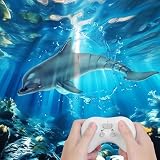
- 【Realistic design】Our remote control dolphin toy features a highly simulated ABS plastic tail, and a double paddle design, which can swing flexibly like the real dolphin, the motion looks very real and it's easy to assemble. Loads of fun for all ages.
- 【Long-time Use】This remote control dolphin can play for 30 mins, so you can alternate, and has no downtime.
- 【Waterproof Remote controller】The remote control is waterproof. We have made a technical upgrade specifically for this, hoping to make children more happy when playing in the water. The valid remote distance is up to 40M/ 131FT.
- 【Premium Quality RC Boat】We've upgraded the motor and propeller for stronger power, making it easy to swim fast. Waterproof cover and rubber sealing ring are added to effectively prevent water from entering the interior. The dolphin has the function of sensing water, and the motor will stop running when the dolphin is removed from the water.
- 【Kids' Favorite Partner】Don't miss it! kids will be very excited when watching the dolphin swimming, they will be in love with it! It's the best gift for children. Our pool water toy also comes with nice-looking packaging, perfect for Christmas, Birthday, or Party Favours.
What happens to saves in Dolphin Netplay?
Netplay has save-data modes that affect the session. Dolphin’s Netplay Guide describes three choices:
Quick Recap
Rank #4

- IR replacement remote control as shown
- No batteries or instructions included
- No programming needed
- Easy to Use;Just put in fresh batteries then it will work
- No persistent save: the session does not keep save data.
- Load the host’s save without saving progress: players start with the host’s save, but progress is not written back to it.
- Load and write the host’s save data: the session uses the host’s save and updates it during play. This setting does not overwrite clients’ local saves.




