PC Slower Than It Used to Be?
A free scan shows the junk files, broken settings and background clutter dragging Windows down - then fixes them in one click.Free scan · Windows 10 & 11Crashes, No Sound, or Screen Glitches?
Random freezes, missing sound and display glitches usually trace back to one bad driver. Find and replace yours safely.Free scan · under a minuteModerate NAT on an Xbox Series X or Series S usually does not block all multiplayer: Microsoft says a Moderate console can connect with players whose NAT is Moderate or Open. To troubleshoot it, test the Xbox connection, check UPnP and router layout, then investigate upstream ISP NAT if the local network looks correctly configured.
What Moderate NAT means for Xbox multiplayer
NAT affects which consoles can establish peer-to-peer connections with one another. Microsoft’s NAT classification documentation and Xbox Live network access documentation describe the practical reach:

| NAT type | Peer connectivity described by Microsoft |
|---|---|
| Open | Can connect with consoles using Open, Moderate, or Strict NAT. |
| Moderate | Can connect with consoles using Open or Moderate NAT. |
| Strict | Can connect only with consoles using Open NAT. |
So Moderate is less restrictive than Strict, but it can still prevent a connection to a Strict-NAT peer. The label describes general peer-network reachability; it does not establish that every game’s matchmaking, party, or multiplayer feature has identical requirements. If one specific game or feature is failing, consult that game’s current support guidance as well.
Check the Xbox result before changing router settings
- On the console, open Settings > General > Network settings and run the available network test. Note the NAT type and any multiplayer or service warning shown.
- Restart the Xbox and home router, then run the test again. Retesting gives you a baseline before making configuration changes.
- Change one network setting at a time and retest after each change. This helps identify whether a local adjustment changed the result.
Enable UPnP on the router
Microsoft documents Universal Plug and Play (UPnP) as the way the home router configures the Xbox’s preferred local UDP multiplayer port. Check your router’s management interface or its manufacturer’s documentation for UPnP and confirm whether it is enabled. Router menus vary by manufacturer and model, so do not assume a particular menu path.
#1 Best Overall

- - Adaptateur Réseau Sans fil Occasion [ Xbox 360 ]- Vendu sans boite
Microsoft’s preferred local UDP multiplayer port documentation says the Xbox uses UDP 3074 by default, but it can automatically fall back to another port when needed or use a port selected through Xbox network settings. If UPnP cannot be used and you configure manual port forwarding, forward the port currently selected by the console—not automatically 3074. Consult the router manufacturer’s instructions and Microsoft’s Xbox network ports reference for current guidance.
Check for more than one router doing NAT
If your setup includes an ISP gateway and a separate router, determine whether both devices are routing traffic and performing NAT. Having more than one routing layer can complicate local port configuration. Use the documentation for each device to understand its current mode and available settings; the correct adjustment depends on the equipment and service, so avoid changing modes based on a guessed menu label.
Rank #2

- This Certified Refurbished product is tested and certified to look and work like new. The refurbishing process includes functionality testing, basic cleaning, inspection, and repackaging. The product ships with all relevant accessories, a minimum 90-day warranty, and may arrive in a generic box. Only select sellers who maintain a high performance bar may offer Certified Refurbished products on Amazon.com
- Compact, high-performance design
- Ideal for larger homes, multiple rooms, and congested wireless environments
- Works with 802.11a, 802.11b, and 802.11g wireless routers and access points.
- Dual band 5 GHz and 2.4 GHz Wireless A/B/G home network compatible
Ask the ISP about upstream NAT if Moderate persists
If UPnP and the router layout appear correct but the Xbox still reports Moderate, ask your ISP whether the connection is behind upstream NAT and whether a public IPv4 option is available. An ISP may not offer that option, and an upstream restriction is only a possibility to investigate—not a diagnosis that follows from the Moderate label alone. A setting on the Xbox or home router cannot be assumed to override a restriction applied elsewhere in the network.
When a router replacement is worth considering
Consider another router only if the current device cannot configure UPnP or the port forwarding required by your setup. Replacing a router is not a guaranteed fix when the limiting NAT is upstream with the ISP; establish that the local router is the constraint before spending money.
Rank #3

- Compact, high-performance design
- Ideal for larger homes, multiple rooms, and congested wireless environments
- Works with 802.11a, 802.11b, and 802.11g wireless routers and access points
- Dual band 5 GHz and 2.4 GHz Wireless A/B/G home network compatible
Use Microsoft’s Xbox support pages for additional cases
Microsoft maintains pages for troubleshooting NAT errors and multiplayer issues and Xbox Live network ports. Their contents can change, so check the current pages for Xbox-specific steps and port details that apply to your console and network.
Quick Recap
Rank #4
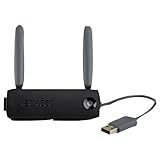
- Connect to Xbox LIVE wirelessly with ease.
- Highest Wireless N technology standard and dual band for maximum speed, coverage and reliability
- The best solution for streaming and downloading HD movies
Product prices and availability are accurate as of the date/time indicated and are subject to change. Any price and availability information displayed on Amazon at the time of purchase will apply.




