Outdated Drivers Are Slowing You Down
One free scan finds every outdated or missing driver and matches the right update for your exact hardware.Free scan · exact hardware matchWindows Errors? Fix Them Before They Spread
Repair common Windows errors and clear accumulated junk for a smoother, more stable PC - no reinstall needed.Free scan · no reinstallIf Madden NFL 26 crashes or freezes on an Xbox Series X|S, work through EA’s general Xbox troubleshooting steps in order: update the console, disconnect USB devices, restart and power-cycle it, then reinstall the game. EA’s support material does not confirm a specific Madden NFL 26 Xbox crash cause or guarantee that any one step will fix it.
Is Madden NFL 26 crashing on Xbox a confirmed game bug?
EA’s Madden NFL 26 support page links players to general crash and freezing guidance. The material reviewed does not identify a confirmed Madden NFL 26-specific Xbox Series X|S crash or announce a title-specific fix. Individual forum reports describe particular players’ experiences, but do not establish a cause affecting other consoles.
EA published closed-beta notes on June 18, 2025 that mentioned Xbox Series S frame-rate behavior and certain Xbox Series X graphics-mode performance issues, and said those issues were fixed for launch. Those beta performance notes are not evidence of a current retail-game crash. They should not be used to diagnose a crash on your console.
Try EA’s Xbox crash troubleshooting steps
EA’s Xbox crash and freezing guide recommends the following general sequence. It is a checklist, not a promise that every step will resolve every crash.
The Tool Desk
Outbyte PC Repair FREEClear out junk files and repair common Windows errorsFree Scan →Outbyte Driver Updater FREEFix the driver behind crashes, sound loss and screen glitchesFind Drivers →#1 Best Overall

- BUILT FROM SUNDAYS — A new AI‑powered machine‑learning system uses nearly a decade of real NFL data to deliver more explosive gameplay, authentic play styles, and adaptive counters that mirror real quarterback and coaching strategies.
- QB DNA — All‑new QB DNA makes star NFL quarterbacks move, look, and feel like their real‑world counterparts with player‑specific throwing motions, pocket behavior, and decision‑making.
- COACH DNA & STRATEGY — Adaptive counters are informed by real NFL coaching trends, forcing players to adjust their tactics as opponents respond dynamically to on‑field decisions.
- ROSTER MANAGEMENT EVOLVED — Modernized depth charts, new positional roles, and the Wear & Tear system add deeper strategy to roster management, weekly preparation, and long‑term game planning.
- FOOTBALL WEATHER & PRESENTATION — Game‑impacting weather, team traditions, stadium light shows, and dynamic halftime presentations with Scott Hanson deliver immersive NFL authenticity across every matchup.
- Install the latest Xbox system software update. Check the console’s system update settings and apply any available update before testing Madden again.
- Disconnect USB devices temporarily. Unplug accessories connected to the Xbox’s USB ports, then launch the game again. Reconnect devices one at a time after testing if you need to narrow down whether one affects the issue.
- Restart the console, then power-cycle it. First use the Xbox restart option. If the crash continues, follow Xbox’s power-cycle instructions. These are troubleshooting steps; they do not establish that cached data caused the crash.
- Reinstall Madden NFL 26. Remove and reinstall the game. If it is currently installed on an external drive, try installing it on the Xbox’s internal drive instead. Treat this as a test of installation location, not a reason to buy additional storage.
- Clear the alternate MAC address. EA lists this dashboard route: Settings → All Settings → Network → Network Settings → Advanced Settings → Alternate MAC address → Clear. Restart the Xbox afterward. Menu wording can vary by system software version.
- Consider deleting local saved data only after checking the console’s prompts. EA links to Xbox instructions for this step but does not detail the data consequences on its crash guide. Read the current confirmation prompts carefully and make sure you understand what local data will be removed before proceeding.
- Contact EA support if the crash remains. Include the exact error, when and where it happens, the game mode, your Xbox model, and the steps you have already tried. EA’s Madden connection-help page asks for details such as date and time, platform, attempted steps, exact errors, and screenshots or video where available; that guidance is for connection support, but those details can also help explain a crash report.
Separate a game crash from a wider console problem
Before contacting support, record what the console actually does. A crash that closes Madden to the dashboard is different from a console that powers off, and either symptom may be limited to one mode or happen across several games. These observations help support staff understand the issue; on their own, they do not prove a particular cause.
- Does Madden close to the dashboard, freeze in place, or does the whole Xbox shut down?
- Does it happen in one mode or in several?
- Do other games also crash, or only Madden NFL 26?
- Is Madden installed on internal storage or an external drive?
- Does an exact error message appear? Save a screenshot or video if possible.
When to treat it as an online connection issue
If the problem is failed online access, disconnection, or an error during an online session rather than the game closing or freezing, use EA’s Madden connection troubleshooting guidance. It recommends checking service status and updates, restarting the game and console, and power-cycling Xbox for connection or cache-related problems. That page is connection guidance, not confirmation of a Madden NFL 26 crash bug.
Quick Recap
Best Value

- ULTIMATE TEAM UPGRADE — Get 2,800 Madden Points to strengthen your Ultimate Team roster with player packs, boosts, and in-game content that helps you compete at a higher level
- IN‑GAME CURRENCY — Madden Points are the official digital currency for Madden NFL 26 Ultimate Team and customization systems.
- CUSTOMIZATION OPTIONS — Spend Madden Points on Ultimate Team packs, avatar uniforms, and select in‑game content as available.
- BASE GAME REQUIRED — Requires Madden NFL 26 (sold separately), an internet connection, and an EA Account to redeem and use.
Rank #4
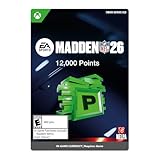
- ULTIMATE TEAM UPGRADE — Get 12,000 Madden Points to strengthen your Ultimate Team roster with player packs, boosts, and in-game content that helps you compete at a higher level
- IN‑GAME CURRENCY — Madden Points are the official digital currency for Madden NFL 26 Ultimate Team and customization systems.
- CUSTOMIZATION OPTIONS — Spend Madden Points on Ultimate Team packs, avatar uniforms, and select in‑game content as available.
- BASE GAME REQUIRED — Requires Madden NFL 26 (sold separately), an internet connection, and an EA Account to redeem and use.
Rank #3

- BUILT FROM SUNDAYS — A new AI‑powered machine‑learning system uses nearly a decade of real NFL data to deliver more explosive gameplay, authentic play styles, and adaptive counters that mirror real quarterback and coaching strategies.
- QB DNA — All‑new QB DNA makes star NFL quarterbacks move, look, and feel like their real‑world counterparts with player‑specific throwing motions, pocket behavior, and decision‑making.
- COACH DNA & STRATEGY — Adaptive counters are informed by real NFL coaching trends, forcing players to adjust their tactics as opponents respond dynamically to on‑field decisions.
- ROSTER MANAGEMENT EVOLVED — Modernized depth charts, new positional roles, and the Wear & Tear system add deeper strategy to roster management, weekly preparation, and long‑term game planning.
- FOOTBALL WEATHER & PRESENTATION — Game‑impacting weather, team traditions, stadium light shows, and dynamic halftime presentations with Scott Hanson deliver immersive NFL authenticity across every matchup.
Rank #2

- EA SPORTS Madden NFL 26 is the premier American football video game, officially licensed by the NFL; The physical Standard Edition contains the full game
- QB DNA; star NFL quarterbacks move, look and feel like the superstars they are
- Explosive NFL gameplay; burst upfield like Saquon with updated player movement to reflect the explosive athleticism only the NFL can deliver; physics-based interactions now include catch tackles, stiff-arms, and trucks for improved collision control
- Defensive control and strategy; control your pass-coverage depth with new custom zones; perfect your pass rush strategy with new stunts and twist options at the line
- Coach DNA: Experience real coaching styles like Dan Campbell's fourth-down aggression, Kevin O'Connell's creative offensive approach, and more, adding new layers of strategy to every matchup
Product prices and availability are accurate as of the date/time indicated and are subject to change. Any price and availability information displayed on Amazon at the time of purchase will apply.




