To use custom hitsounds in an osu! beatmap, copy correctly named audio files into that beatmap’s folder, then select the matching Custom sample set in the editor. For example, a file named soft-hitclap.wav supplies a clap for the Soft sample set when the map is set to Custom 1.
How to add custom hitsounds to a beatmap
- Choose or create the audio. osu!’s hitsound guide recommends WAV or OGG for playback without delay and correct looping. MP3 can work for effects such as applause or ambient audio when file size matters, but may have a slight playback delay.
- Open the beatmap’s folder. Open the map in the editor and choose File → Open Song Folder. Copy your audio files into the folder that opens. For macOS installations, the guide describes locating beatmaps inside the osu! application package at
drive_c → osu! → Songs. - Name each file for the sample set and sound. Use the pattern
<sampleset>-<sound>.wav. The basic sample sets arenormal,soft, anddrum; common sound names includehitnormal,hitclap,hitwhistle, andhitfinish. The file-format reference documents hit-sample fields and custom filenames. A file replaces only the matching sound for its named sample set. If the map uses more than one set, add a matching file for each set you want to customize. - Select the custom sample set. In the map editor’s timing setup, select Custom 1 for the relevant sample set. osu! then uses matching custom files from the beatmap folder. You do not have to provide a replacement for every sound: if a matching file is absent, the default sound remains.
How to add a second custom sound group
Use a number from 2 onward for another group. For example, name its clap file soft-hitclap2.wav, then select the corresponding custom sample-set number on an inherited timing point. The first group is unnumbered: soft-hitclap1.wav is not the correct first-group filename. A group selected at an inherited timing point remains in effect until a later inherited point selects a different one.
Beatmap hitsounds versus skin sounds
Beatmap-specific hitsounds are files in a map’s folder, controlled by that map’s timing setup. Skin sounds are audio clips supplied by a skin, and the player’s sound preferences can affect which sounds are heard. These options are documented in the client options reference and skin sounds reference.
If the map’s custom audio seems to be ignored, check whether Use skin’s sound samples is enabled; it uses the selected skin’s hitsounds instead of those included with the beatmap. The option Ignore beatmap hitsounds also favors skin sounds. These settings are useful when you want your skin’s sounds across maps, but can obscure a beatmap’s custom audio.
Do these 3 things before closing this tab:
1Scan for outdated or missing drivers - takes under a minute2Clear out junk files and repair common Windows errors3Fix the driver behind crashes, sound loss and screen glitches#1 Best Overall
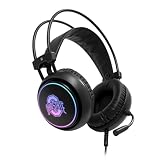
- RGB color changing LED lights
- Adjustable headband & comfort foam ear pads
- Built-in boom mic & 3.5 MM audio jack
- Works with Playstation/ XBOX/ PC / Nintendo Switch
- Officially Licensed Product
Why custom hitsounds may not play
- The wrong sample set is selected. Make sure the filename prefix (
normal,soft, ordrum) matches the set used at that point in the map. A file for one set does not automatically replace the same sound in the other sets. - The custom group is not active. Check that the timing setup selects the corresponding Custom sample set. For a numbered group, confirm the inherited timing point selects that group.
- The filename or file is missing. Check the spelling and naming pattern, and confirm the file is in the beatmap folder. A missing match falls back to the default sound.
- A skin is taking priority. Review the skin sound options above if the sound differs in play from the custom file you added.
Adjusting sample settings for the map
The editor’s Song Setup Audio section includes custom overrides and a global sample-volume control. If the map has custom timing adjustments, you may need to change the relevant section’s timing settings instead of relying on a global adjustment. See the Song Setup reference.
Quick Recap
Best Value

- 3-in-1 Connection Ways & Multi-platform Compatibility: E5BT wireless pc headset supports low latency, lossless 2.4GHz USB A+C dongle and the latest Bluetooth stable connection, while supporting 3.5mm wired connection mode. Unique 3 in 1 connection design make this wireless headset widely compatible with PS5, PS4, PC, Mac, phone, pad, switch(Invalid Microphone). Please Note that the BT Function not support PS5 or PS4 and Xbox series only compatible with 3.5mm wired mode.
- Stable Connection & 3D Stereo Sound: E5BT wireless gaming headset combines high performance 2.4GHz lossless wireless technology for the accessible connection up to 49 feet in an unobstructed space. Lower latency (≤20ms) and featuring 50mm driver with 33% extra sound effect ensure that the wireless gaming headphones provide higher quality stereo sound, which makes you sense voice of directions, footsteps and every details clearly in games for a better immersive gaming experien
- Rotatable Noise-reduction Microphone: E5BT wireless ps5 headset with 120° rotatable omni-directional microphone, providing high-end noise cancellation, which not only can be adjusted to the angles you want, also enables you to chat with your teammates with crystal clarity dialogue by this bluetooth gaming headset to coordinate with every scene of your game. Enhancing your ability to triumph in battles by this PS5 gaming headset.
- Long Battery Life & On-ear Function Control: The EKSA E5BT wireless USB headphones with mic have 52 hours of headset usage time, and it can standby more than 120 hours. It can be used for work during the day, listen to music and watch movies during rest, full-day power support. Delicate and convenient on-ear function control, with Indicator Light/BT/2.4G/Power Button/Mic On/Off/Volume Control/Type C for Charge or 3.5mm, making you could have your operating easier and more portable without distracting you from your games.
- All-day Comfort & Professional Services: Ergonomically designed with superior comfortable and good air protein over-ear pads. Soft leatherette ear cups allow for long gaming sessions without fatigue. Adjustable headbands and comfortable leatherette ear cups allows your long-time wearing without fatigue. Meanwhile, it is suitable for various head shapes.Meantime, we have experienced engineers and professional support team to provide comprehensive help for each customer
Rank #4
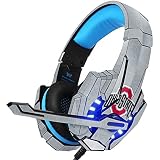
- Comes with 1 skin compatible with BENGOO G9000 Gaming Headset
- Precision cut for a flawless fit
- 3M vinyl decals printed with 3D Print Technology
- Made in the USA
- 3M adhesive backing - easy on, easy off & residue-free
Rank #3

- 【Multiple Gaming Devices Compatible】This gaming headset with mic includes 3.5mm jack and 1 to 2 port adapter, which support Ps5, Ps4, New Xbox One, Xbox Series X/S, Switch, PC, Laptop, iOS, Mobile Phone and other devices with 3.5mm jack.
- 【Ozeino Professional Immersive Surround Sound】Do you want to distinguish exactly where the enemy's footsteps, and cars are coming from in the game? Our gaming headphones bring you a immersive gaming experience. This headphones have shocking, clear and deep bass sound, which is perfect for games, movies and music.
- 【Noise Cancelling Microphone】120° flip omni-directional microphones collect your voice while eliminating unnecessary noise. Highly sensitive sound pickup function allows you to communicate clearly and smoothly with your teammates at any time. Easily adjust the volume and turn the microphone on/off during the game through the controller.
- 【Cool Style Gaming Experience】7 automatically converted led lights create a wonderful game atmosphere, giving you an gaming experience of an immersive. Perfect for a wide range of games devices.
- 【Soft Leather Earmuffs】Soft memory foam ear cushions allow you to wear them for long periods of time without stress. Over earmuffs create a closed environment, isolating noise from the external environment and allowing you to enjoy stereo surround sound.
Rank #2

- 【Immersive Gaming Experience】The gaming headset features premium 50mm, neodymium-magnet drivers. It provides high-quality simulated surround sound, such as gunshots, enemy footsteps, and more, to enhance the immersive gaming experience. You can more accurately distinguish the source direction of the sound.
- 【Scientific and Comfortable Design】The PS4 headset provides game lovers with a comfortable wearing experience, the headband is retractable and adjustable and uses upgraded lightweight materials. The earmuffs are larger, softer, and more comfortable than ordinary headsets, reducing the pressure on the head. You can wear it for hours without pain.
- 【Multi-Platform Compatibility】This gaming headset with mic is compatible with multiple game devices, such as PS4, PS5, PC, Xbox (adapter required), Xbox S/X, iOS, Android device. Note that it does not work with Xbox 360 and PS3; older Xbox require a Microsoft adapter (not included).
- 【Noise Reduction Microphone】The Xbox headset features a sensitive adjustable microphone with upgraded noise-canceling technology. It filters out most of the ambient noise around you, allowing you to talk in real-time with no lag. Lets you chat with other gamers in crystal clear audio.
- 【High-quality after-sales service】 We provide comprehensive and professional after-sales service for each gaming headphone. If you have any questions, you can contact our Amazon store, customer service will reply to you within 24 hours.
Product prices and availability are accurate as of the date/time indicated and are subject to change. Any price and availability information displayed on Amazon at the time of purchase will apply.
Independent reader supportYour contribution helps us test, update, and keep practical guides available for everyone.



