xemu is a free, open-source full-system emulator for original Microsoft Xbox hardware. It runs on Windows, macOS, and Linux, and it needs a GPU that supports OpenGL 4.0. Meeting that requirement does not guarantee that a given game will run well: the project states that performance varies by host system and may change over time. You also supply your own Xbox system files and a compatible game disc image, because the project does not distribute copyrighted firmware.
What xemu is and where it runs
The project describes itself in its own overview as “free and open-source software that emulates the original Microsoft Xbox game console, enabling people to play their original Xbox games on Windows, macOS, and Linux systems.” It is intended to run software written for the original console, including official retail releases and homebrew titles. The project’s overview page is the primary reference for these scope statements: xemu project overview.
| # | Preview | Product | Price | |
|---|---|---|---|---|
| 1 |
|
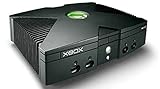
Microsoft Xbox Original Console Only - Black (Renewed) | $219.99 | Buy on Amazon |
| 2 |
|
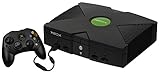
Microsoft Original Xbox Console with Controller, Power Supply, and AV Cable,Black | $232.99 | Buy on Amazon |
| 3 |
|
Microsoft Xbox Console | $229.99 | Buy on Amazon |
| 4 |
|
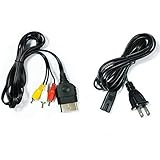
AV Cable and AC Power Cord for Xbox | $7.98 | Buy on Amazon |
| 5 |

|
XBOX Console (Renewed) | $200.35 | Buy on Amazon |
Before you install, confirm that your system meets these baseline requirements:
- Operating system: Windows, macOS, or Linux.
- Graphics: A GPU with OpenGL 4.0 support. Check your driver’s reported OpenGL version before assuming it qualifies.
- Game library: Your own Xbox system files and disc images (covered below).
The project’s stated GPU requirement is a minimum for running the emulator, not a performance promise. Two systems that both meet OpenGL 4.0 can produce very different frame rates and visual results.
The Tool Desk
Outbyte PC Repair FREEClear out junk files and repair common Windows errorsFree Scan →Outbyte Driver Updater FREEFix the driver behind crashes, sound loss and screen glitchesFind Drivers →#1 Best Overall
The three files xemu needs
The project’s required-files guide lists three items. The project states that some of these files are copyrighted and are not included with xemu, and its guidance is to obtain them by dumping them from your own physical Xbox. The guide is maintained in the project’s website repository: xemu required-files guide.
MCPX boot ROM image
The MCPX boot ROM is the first code the console executes at startup. xemu requires an image of it to begin the boot sequence.
Xbox-compatible Flash ROM (BIOS)
The Flash ROM holds the BIOS. The project’s documentation says a compatible BIOS is required and that an unmodified retail BIOS cannot currently boot games, because key DRM functions are not implemented in the emulator. The same documentation reports that users have had success with a modified retail BIOS. Because the source of that firmware is copyrighted, the project’s own guidance on dumping from your own console is the only path it describes.
Rank #2
- Great condition, comes with 5 games, a remote and receiver to play DVD's, and all necessary cords.
Hard-disk image
The emulated console needs a hard-disk image. The project offers a basic preformatted image for getting started. It contains an unsigned dashboard that is intended only to let you begin using the emulator. xemu states that it cannot legally ship the original Xbox dashboard, so a placeholder screen on a fresh installation is the expected result, not a sign of a broken setup.
Free tools Windows power users keep installed
One-click scans. No signup required.
Installing xemu
The project’s download documentation covers Windows, macOS, and Linux. Options differ by platform, as shown below. The download page is the place to confirm current builds and installation steps, since packaging can change between releases: xemu documentation and downloads.
| Platform | Options listed in project documentation | Notes |
|---|---|---|
| Windows | Archive download | Extract and run according to the download page instructions. |
| macOS | Archive download | Follow the installation steps on the download page. |
| Linux | AppImage, Flatpak, Ubuntu PPA | Choose one format; the documentation does not state a preferred format. |
Disc images: what xemu will and will not load
xemu expects a compatible disc image. It is not designed to launch an extracted default.xbe file directly. According to the project’s FAQ, redump-style ISO files and CHD compressed images are not supported directly. The FAQ points users to the project’s disc-image documentation for preparing or converting images into a compatible form: xemu FAQ.
Rank #3
- Beneath the cool, tough exterior is a system capable of powering the very best single and multiplayer gaming experiences available today
- Designed to push gaming to the absolute limit, the Xbox console delivers incredible graphics and cinematic sound
If a game will not start, check the image format before you check anything else. An image in an unsupported format is a configuration problem, not a compatibility verdict on the game.
Checking whether a game is known to work
The project maintains a compatibility tracker, but it is not a certification. Entries are volunteer reports of official-release titles, and each report reflects the xemu version and the reporter’s computer at the time it was filed. Reports may go out of date as the emulator changes, so treat an entry as evidence from a specific build and hardware setup.
When you check a title, note three things: the game’s listed status, the xemu version named in the report, and whether the reporter’s hardware resembles yours. The project does not publish compatibility percentages, and no independent benchmark of compatibility across titles is cited in its materials. The FAQ addresses the question of whether a specific game works in the same volunteer-report terms: xemu FAQ.
Rank #4
- Made of 4N oxygen-free copper (OFC) imported terminals, plastic and other materials, the wire body is soft, flexible, environmentally friendly, non-toxic, and has super wear resistance
- AV cable is designed according to the connection requirements of the XBOX series host and TV and audio equipment, which can effectively solve the audio and video transmission problems of the XBOX host
- Yellow is used for video, red and white are used for left and right stereo audio input.
- AC Power Cord has many uses. It is suitable for most devices that require a 2-pin AC power cord, such as PS2 game consoles, and Samsung LED LCD TV smart displays, Xbox One S X, PS4 PlayStation 4 consoles, PS3, printers, scanners, game consoles, entertainment systems, etc.
- Includes every power cord needed for the Xbox console to work.
Troubleshooting a game that freezes or reports a dirty disc
The FAQ lists four common causes when a title freezes or reports a dirty disc:
- System files: The BIOS, MCPX boot ROM, or hard-disk image is missing, mismatched, or incorrectly dumped.
- Corrupted cache: Cached data from an earlier session or build is damaged.
- Bad disc dump: The image was created incorrectly or is incomplete.
- Emulator regression: A change in a newer xemu build broke behavior that worked before.
Work through these in order. Verify the system files against the required-files guide first, since that is the most common and cheapest thing to correct. Then rebuild or re-dump the disc image. If the title worked on an earlier xemu version and fails on a current one, that points toward a regression, and the compatibility tracker entry for the earlier version is a useful reference.
Independent reader supportYour contribution helps us test, update, and keep practical guides available for everyone.Controllers and local multiplayer
xemu supports multiple controllers for local multiplayer. Controller recognition depends on how the emulator reads input. The troubleshooting guide explains that xemu uses SDL3 for input. A controller that SDL does not recognize as a standardized gamepad may not appear in xemu’s controller selection menu until an SDL gamepad mapping is added for it: xemu troubleshooting guide.
Best Value
- Original Xbox Console by Microsoft
A standard PC game controller is a reasonable choice for this setup, but the project does not promise compatibility with any particular model. Detection and button mapping depend on the controller’s behavior on your host system, so confirm it in xemu’s controller menu before starting a game.
Display: resolution scaling and widescreen
xemu can scale rendered resolution, and some games allow higher resolutions through their own settings. Higher scaling increases the workload on your GPU and may reduce performance. Widescreen is also not universal: not every title supports it, so a widescreen option in xemu does not guarantee that a particular game will display correctly in that mode. The FAQ covers these resolution and widescreen points: xemu FAQ.
Networking options
The project’s networking guide lists three modes. Each serves a different purpose, and the guide’s notes on wired and wireless connections matter for choosing between them: xemu networking guide.
| Mode | What it does | Notes from the project guide |
|---|---|---|
| NAT | Gives Xbox software network access. | The simplest starting point for games that use online features. |
| UDP tunnel | Creates a virtual LAN with other xemu users. | Connects emulated consoles over the internet rather than a local network. |
| Bridged adapter | Connects to a real Xbox on a local network or through a tunneling service. | Intended for wired interfaces. The guide says bridging may not work as expected over Wi-Fi. |
If you plan to bridge to a physical console, use a wired connection on the host computer. A wireless adapter is the most likely reason a bridged setup fails to see the other device.
Quick Recap
Product prices and availability are accurate as of the date/time indicated and are subject to change. Any price and availability information displayed on Amazon at the time of purchase will apply.




