Yes—the Ryzen 5 7600X3D can beat the newer Ryzen 7 9700X in games. In the PC Games Hardware gaming index reported by Guru3D and PCGamesN, AMD’s six-core Zen 4 X3D chip was approximately 6% faster on average than the eight-core Zen 5 9700X.
That is a gaming-index result, not a universal performance victory. The 7600X3D’s 96 MB of L3 cache gives it the advantage in many cache-sensitive games, while the 9700X’s two extra cores, newer architecture, and higher clocks make it substantially stronger for rendering, encoding, compiling, streaming with CPU encoding, and heavy multitasking.
- Choose the Ryzen 5 7600X3D for a gaming-first AM5 system, especially near $200–$250 in the United States.
- Choose the Ryzen 7 9700X if gaming is only part of the job or if productivity performance and eight-core headroom matter.
- At 1440p and 4K, your graphics card often masks most of the CPU difference.
The short verdict
The Ryzen 5 7600X3D is generally the faster gaming processor in CPU-limited testing, despite having six cores compared with the Ryzen 7 9700X’s eight. Its 3D V-Cache is the reason: the 7600X3D has three times as much L3 cache as the 9700X, which can reduce memory traffic in games with large simulation states, NPC logic, world data, and frequently reused assets.
The Ryzen 7 9700X is the better all-round CPU. Its Zen 5 cores, higher 5.5 GHz maximum boost clock, and 8-core/16-thread configuration give it much more capacity for all-core workloads and simultaneous tasks. It is not a bad gaming processor—in some games it ties the 7600X3D or narrows the gap—but it is not automatically faster simply because it is newer and has more cores.
The Tool Desk
Outbyte Driver Updater FREEScan for outdated or missing drivers - takes under a minuteDriver Scan →Outbyte PC Repair FREEClear out junk files and repair common Windows errorsFree Scan →| Use case | Better choice | Why |
|---|---|---|
| Maximum gaming FPS in CPU-limited titles | Ryzen 5 7600X3D | Large 3D V-Cache commonly outweighs the 9700X’s core and clock advantages. |
| 1080p high-refresh gaming with a powerful GPU | Ryzen 5 7600X3D | This is where the CPU difference is most visible. |
| 1440p or 4K with a midrange GPU | Usually whichever is cheaper | The GPU is likely to determine frame rate. |
| Rendering, encoding, compiling, virtual machines | Ryzen 7 9700X | Eight Zen 5 cores and 16 threads provide substantially more threaded capacity. |
| Gaming plus serious multitasking | Ryzen 7 9700X | Extra cores provide more room for background workloads and CPU-based streaming. |
What the two processors actually are
| Specification | Ryzen 5 7600X3D | Ryzen 7 9700X |
|---|---|---|
| Architecture | Zen 4 with 3D V-Cache | Zen 5 |
| Cores / threads | 6 / 12 | 8 / 16 |
| Base clock | 4.1 GHz | 3.8 GHz |
| Maximum boost clock | Up to 4.7 GHz | Up to 5.5 GHz |
| L2 cache | 6 MB | 8 MB |
| L3 cache | 96 MB | 32 MB |
| Total L2 + L3 cache | 102 MB | 40 MB |
| Default TDP | 65 W | 65 W |
| Socket | AM5 | AM5 |
| Memory | DDR5 | DDR5; AMD lists DDR5-5600 support |
| Integrated graphics | Basic Radeon graphics | Basic Radeon graphics |
| Launch timing | September 5, 2024 | August 2024 |
| Cooler | Not included | Verify the particular retail package; do not assume one is included |
AMD’s official 7600X3D specification page lists six Zen 4 cores, a 4.1 GHz base clock, up to 4.7 GHz boost, 96 MB of L3 cache, a 65 W default TDP, and an 89°C maximum operating temperature. AMD’s 9700X product page and TechSpot’s review document the 9700X’s eight-core/16-thread design, Zen 5 architecture, 3.8 GHz base clock, 5.5 GHz boost clock, 32 MB of L3 cache, and 65 W TDP.
#1 Best Overall

- Cool for R7 | i7: Four heat pipes and a copper base ensure optimal cooling performance for AMD R7 and Intel i7.
- Quiet Cooling Fan: SickleFlow 120 Edge with Dynamic PWM control (690–2,500 RPM), designed for low noise and peak cooling performance.
- Simplify Brackets: Redesigned brackets simplify installation on AM5 and LGA 1851|1700 platforms.
- Versatile Compatibility: 152mm tall design offers performance with wide chassis compatibility.
- Easy Installation: Easy to install with included thermal paste for hassle-free setup and optimal cooling performance.
Why a six-core CPU can beat an eight-core CPU in games
3D V-Cache changes the bottleneck
The 7600X3D adds a large slab of stacked SRAM to its Zen 4 compute die. Its 96 MB of L3 cache is designed to keep more game data close to the cores, reducing the number of times the processor has to retrieve information from comparatively slow system memory.
This matters most in workloads that repeatedly access large, changing datasets. Open-world games, strategy and simulation titles, busy city scenes, NPC-heavy areas, and some competitive games can benefit considerably. The result can be higher average frame rates and, in some cases, better frame-time consistency.
Cache is not universally better than core performance. A game that benefits from Zen 5’s stronger per-core throughput, higher clocks, or additional threads can narrow the gap or favor the 9700X. That is why the correct statement is “the 7600X3D is faster on average in the cited gaming suites,” not “the 7600X3D wins every game.”
Recommended Free Tools
As an illustration of how game-dependent the effect can be, Tom’s Hardware measured the 7600X3D approximately 35% faster than the ordinary Ryzen 5 7600X in Baldur’s Gate 3. The CPUs have the same core count and Zen 4 foundation; the major difference is the X3D chip’s additional cache.
The 9700X’s advantages remain real
The 9700X has two more cores, four more threads, a newer Zen 5 design, and a much higher rated maximum boost clock. Those features are especially valuable outside games. In a heavily threaded application, the 9700X can keep working across eight cores while the 7600X3D is already using all six.
Even in games, the 9700X can perform well when the workload scales across more cores or favors raw core throughput. TechSpot found strong 9700X results in Assetto Corsa Competizione, Counter-Strike 2, and Homeworld 3 in its broader Zen 5 review, although those results should not be confused with a direct 7600X3D-versus-9700X aggregate.
Gaming benchmark results
The reported 6% aggregate lead
The most direct evidence for this comparison comes from PC Games Hardware’s gaming index, as reported by Guru3D and PCGamesN. It put the Ryzen 5 7600X3D approximately 6% ahead of the Ryzen 7 9700X on average.
The reported individual results show why the average is plausible:
- Cyberpunk 2077: 102.9 FPS on the 7600X3D versus 92.2 FPS on the 9700X.
- Baldur’s Gate 3: 117.4 FPS versus 102.2 FPS.
These figures are attributed to PC Games Hardware through the secondary reports. The original PCGH page was not accessible during the research process, so these are not independently reproduced measurements in this article. The approximately 6% number should therefore be treated as a reported index result, not as a guaranteed result for every system.
Rank #2

- [Brand Overview] Thermalright is a Taiwan brand with more than 20 years of development. It has a certain popularity in the domestic and foreign markets and has a pivotal influence in the player market. We have been focusing on the research and development of computer accessories. R & D product lines include: CPU air-cooled radiator, case fan, thermal silicone pad, thermal silicone grease, CPU fan controller, anti falling off mounting bracket, support mounting bracket and other commodities
- [Product specification] Thermalright PA120 SE; CPU Cooler dimensions: 125(L)x135(W)x155(H)mm (4.92x5.31x6.1 inch); heat sink material: aluminum, CPU cooler is equipped with metal fasteners of Intel & AMD platform to achieve better installation, double tower cooling is stronger((Note:Please check your case and motherboard for compatibility with this size cooler.)
- 【2 PWM Fans】TL-C12C; Standard size PWM fan:120x120x25mm (4.72x4.72x0.98 inches); fan speed (RPM):1550rpm±10%; power port: 4pin; Voltage:12V; Air flow:66.17CFM(MAX); Noise Level≤25.6dB(A), leave room for memory-chip(RAM), so that installation of ice cooler cpu is unrestricted
- 【AGHP technique】6×6mm heat pipes apply AGHP technique, Solve the Inverse gravity effect caused by vertical / horizontal orientation, 6 pure copper sintered heat pipes & PWM fan & Pure copper base&Full electroplating reflow welding process, When CPU cooler works, match with pwm fans, aim to extreme CPU cooling performance
- 【Compatibility】The CPU cooler Socket supports: Intel:115X/1200/1700/17XX AMD:AM4;AM5; For different CPU socket platforms, corresponding mounting plate or fastener parts are provided(Note: Toinstall the AMD platform, you need to use the original motherboard's built-in backplanefor installation, which is not included with this product)
ComputerBase game-by-game results
ComputerBase’s review is useful because it shows individual games rather than only one overall index. The following average-FPS figures are reproduced from its charts and should be read under ComputerBase’s own test conditions. They are not blended with the PCGH results above.
| Game | Ryzen 5 7600X3D | Ryzen 7 9700X | 7600X3D lead |
|---|---|---|---|
| Cyberpunk 2077: Phantom Liberty | 141.7 FPS | 141.5 FPS | Essentially tied |
| Dragon’s Dogma 2 | 84.1 FPS | 76.0 FPS | About 11% |
| F1 24 | 217.6 FPS | 199.9 FPS | About 9% |
| Ghost of Tsushima | 174.1 FPS | 168.8 FPS | About 3% |
| Horizon Forbidden West | 202.0 FPS | 195.1 FPS | About 4% |
| Starfield | 81.4 FPS | 68.5 FPS | About 19% |
| The Last of Us Part I | 127.6 FPS | 109.4 FPS | About 17% |
The spread is more important than any one number. Cyberpunk 2077 is effectively a tie in this ComputerBase test, while Starfield and The Last of Us Part I show much larger 7600X3D advantages. Dragon’s Dogma 2, F1 24, Ghost of Tsushima, and Horizon Forbidden West also favor the X3D chip, but by different margins.
Outdated Drivers Are Slowing You Down
One free scan finds every outdated or missing driver and matches the right update for your exact hardware.Free scan · exact hardware matchPC Slower Than It Used to Be?
A free scan shows the junk files, broken settings and background clutter dragging Windows down - then fixes them in one click.Free scan · Windows 10 & 11ComputerBase’s results also demonstrate why a direct review must disclose memory and platform settings. Its charts use different official memory configurations for the processors, including DDR5-5200 for the 7600X3D and DDR5-5600 for the 9700X. That is a defensible way to test each retail platform, but it is not identical to manually matching both CPUs with the same DDR5 kit. For a controlled head-to-head, use the same capacity, speed, timings, and subtimings where the platform allows it.
Newer testing reinforces the pattern—but not every result
Tom’s Hardware’s April 26, 2026 7600X3D review uses a newer 17-game suite, including newer titles such as Borderlands 4, Crimson Desert, and Marvel Rivals. Its relevant findings include:
- The 7600X3D was only 4.5% behind the Ryzen 7 7800X3D in the 17-game geometric mean, despite having two fewer cores.
- It was 19% faster than the 9700X in Baldur’s Gate 3.
- It was 6% behind the 7800X3D in Counter-Strike 2.
- The 7600X3D and 9700X were effectively tied in The Last of Us Part I at roughly 156 FPS in that test.
- The 7800X3D was 10% faster than the 7600X3D in Starfield, showing that additional cores can matter in some workloads even within the X3D family.
Tom’s accessible article text does not provide one single 7600X3D-versus-9700X geometric-mean number. It would be misleading to invent one from that review. The useful conclusion is that newer testing still shows a game-by-game spread: the 7600X3D can be dramatically faster in cache-sensitive titles, but the lead can disappear in another game.
Average FPS is not the whole gaming result
Averages tell you how much work the processor completed over the benchmark run. They do not fully describe stutter, hitching, or frame-time consistency. A game can show a small average-FPS difference but a more noticeable difference in its slowest frames; it can also show a larger average lead without a proportionally better 1% low.
ComputerBase publishes both average-FPS and 1% percentile charts in its review. Those charts should be consulted for simulation-heavy, open-world, and streaming scenarios rather than assuming the average result automatically predicts smoothness.
The available dossier does not provide the exact 1% low values for each game, so this comparison does not manufacture them. A fair independent test should report the average, 1% low or 1% percentile, and preferably a frame-time plot after multiple benchmark passes.
What changes at 1080p, 1440p, and 4K?
1080p: the clearest CPU comparison
At 1080p with a powerful graphics card, the GPU has less rendering work per frame and the CPU is more likely to become the limiting component. This is the environment in which a 4–6% average advantage—or a much larger game-specific lead—can show up most clearly. It matters most if you are targeting a 240 Hz or faster monitor, playing competitive games, or trying to maximize minimum frame rates with a high-end GPU.
Rank #3

- [Brand Overview] Thermalright is a Taiwan brand with more than 20 years of development. It has a certain popularity in the domestic and foreign markets and has a pivotal influence in the player market. We have been focusing on the research and development of computer accessories. R & D product lines include: CPU air-cooled radiator, case fan, thermal silicone pad, thermal silicone grease, CPU fan controller, anti falling off mounting bracket, support mounting bracket and other commodities
- [Product specification]AX120R SE; CPU Cooler dimensions: 125(L)x71(W)x148(H)mm (4.92x2.8x 5.83 inch); Product weight:0.645kg(1.42lb); heat sink material: aluminum, CPU cooler is equipped with metal fasteners of Intel & AMD platform to achieve better installation
- 【PWM Fans】TL-C12C; Standard size PWM fan:120x120x25mm (4.72x4.72x0.98 inches); fan speed (RPM):1550rpm±10%; power port: 4pin; Voltage:12V; Air flow:66.17CFM(MAX); Noise Level≤25.6dB(A), the fan pairs efficient cool with low-noise-level, providing you an environment with both efficient cool and true quietness
- 【AGHP technique】4×6mm heat pipes apply AGHP technique, Solve the Inverse gravity effect caused by vertical / horizontal orientation. Up to 20000 hours of industrial service life, S-FDB bearings ensure long service life of air-cooler radiators. UL class a safety insulation low-grade, industrial strength PBT + PC material to create high-quality products for you. The height is 148mm, Suitable for medium-sized computer case
- 【Compatibility】The CPU cooler Socket supports: Intel:1150/1151/1155/1156/1200/1700/17XX/1851,AMD:AM4 /AM5; For different CPU socket platforms, corresponding mounting plate or fastener parts are provided
1440p: more representative, but more GPU-limited
At 1440p, the graphics card usually does more work, so the gap between the processors becomes smaller in many games. A powerful GPU and a high-refresh target can still expose the 7600X3D’s advantage, particularly in CPU-heavy titles, but a mainstream or upper-midrange GPU may produce nearly identical frame rates.
Do these 3 things before closing this tab:
1Scan for outdated or missing drivers - takes under a minute2Repair Windows errors before they cause bigger problems3Fix the driver behind crashes, sound loss and screen glitches4K: often a graphics-card decision
At 4K, the GPU is commonly the bottleneck. If both CPUs can feed the graphics card quickly enough, the two systems may deliver essentially the same FPS. That does not prove the 9700X and 7600X3D have identical CPU performance; it means the test is measuring the GPU ceiling rather than the CPUs’ maximum gaming capability.
For a fair CPU comparison, reviewers normally use a top-tier GPU, a low enough resolution or quality setting to expose CPU differences, identical drivers, and the same game build. A benchmark performed at 4K with a GPU running at full utilization can be useful for estimating a complete PC’s real-world result, but it is poor evidence for determining which CPU is intrinsically faster.
How to run a fair 7600X3D-versus-9700X test
Before trusting a benchmark chart, check whether it controls the variables that can move CPU results:
- Use the same graphics card, motherboard model where possible, BIOS settings, Windows build, chipset driver, GPU driver, and game patches.
- Match memory capacity, speed, timings, and subtimings. If using each processor’s official memory specification instead, label that choice.
- Use the same cooler, thermal paste, fan curve, case, and ambient temperature.
- State whether Resizable BAR or Smart Access Memory is enabled.
- Close or standardize background applications and record whether game overlays are active.
- Test the 9700X at its default 65 W setting and separately, if relevant, at a higher motherboard-configured power mode. A 105 W 9700X is not the same test subject as a default 65 W chip.
- Run several passes and report both average FPS and 1% lows or percentile frame rates.
These details matter because mixing memory profiles, BIOS power limits, or test resolutions can make a nominally direct comparison less useful than it appears.
Productivity, streaming, and multitasking
The gaming result should not be generalized to applications. The 9700X is the clear choice when the PC regularly renders 3D scenes, encodes video, compiles large projects, runs virtual machines, performs CPU-based simulation, or handles several demanding jobs at once.
Tom’s Hardware found the 7600X3D approximately 8% behind the ordinary Ryzen 5 7600X in multithreaded performance and approximately 16% behind the Ryzen 5 9600X at the 65 W setting. It also recorded the 7600X3D as the slowest average single-threaded performer in that particular application test pool. The 9700X’s eight Zen 5 cores and four additional threads give it a substantial advantage in this category.
PassMark’s comparison reports the 7600X3D approximately 30% slower in multithreaded CPU Mark and approximately 22% slower in single-thread testing than the 9700X. Those results are synthetic database scores, so they should supplement—not replace—benchmarks in the applications you actually use.
For streaming, the answer depends on the encoder. If you use CPU encoding while playing, the 9700X’s extra cores provide more headroom and reduce the chance that encoding competes with the game. If you use a modern GPU’s hardware encoder, the CPU difference is less important, and the 7600X3D remains a sensible gaming-first choice. Ordinary desktop use—Discord, browser tabs, launchers, office applications, and occasional recording—is well within the 7600X3D’s capability; “adequate” simply does not mean “competitive with the 9700X in workstation workloads.”
What’s actually slowing this PC down?
Pick the symptom - the matching free tool is one click away.
Power, temperatures, and cooling
Both processors carry a nominal 65 W TDP, but that number is not a direct measurement of package power, wall power, heat output, or electricity cost.
Rank #4

- Support Intel LGA 1200/1156/1155/1150/1151
- Low Profile Design. Air flow - 31.343 CFM. Noise level - 21.3 decibels
- Optimized for low power CPU's
- 7-Bladed Low Noise Fan
- Quick and Easy Installation
Ryzen 5 7600X3D
Tom’s Hardware measured the 7600X3D at approximately 65 W on average across its gaming test suite and reported that it often used less than 70 W while gaming. That gives it a strong gaming-efficiency result: it can produce higher gaming performance than the 9700X in many CPU-limited tests without requiring high gaming power.
AMD specifies an 89°C maximum operating temperature and recommends liquid cooling for optimal performance. The processor does not include a cooler, so budget for an aftermarket solution and verify that the cooler supports AM5.
Ryzen 7 9700X
The 9700X is also rated at 65 W by AMD, but motherboard firmware can change the practical result. ComputerBase reports power data for both a default 65 W/88 W package-power configuration and a higher 105 W/142 W configuration. Reviews must identify which mode they use, especially for all-core productivity tests.
Free tools Windows power users keep installed
One-click scans. No signup required.
The 9700X can therefore deliver much more application throughput at similar nominal TDP, but it may also use more power and generate more heat when allowed to run in a higher power mode. Do not compare a stock 7600X3D with a 105 W-configured 9700X and call the result a like-for-like efficiency test.
Price and availability decide the value verdict
Prices below are U.S. snapshots from the cited research, not permanent MSRPs. Check the retailer and stock status on the day you buy.
| Processor | Relevant U.S. price information | Value implication |
|---|---|---|
| Ryzen 5 7600X3D | $299.99 launch MSRP; later cited at about $200 in Micro Center stores, roughly $230–$250 online depending on listing | Outstanding for gaming around $200; still attractive at $230–$250 |
| Ryzen 7 9700X | $359 launch price; cited price-history entry around $302 | More compelling when close to or below the 7600X3D price, especially for mixed use |
The 7600X3D originally launched in the United States as a Micro Center exclusive. Micro Center initially offered it in a three-part bundle with a motherboard and 32 GB of DDR5-6000 memory for $449.99. The Micro Center product page continues to identify the processor as a Micro Center exclusive, but local inventory and store pricing vary.
Tom’s Hardware’s April 2026 review recorded the 7600X3D at approximately $200 in-store and approximately $240 online, with listings around $250 also appearing. TechSpot’s July 27, 2026 price-history entry listed approximately $229 for the 7600X3D and approximately $302 for the 9700X. These figures can change quickly, and a third-party listing at a substantial premium can completely reverse the 7600X3D’s value advantage.
Quick wins for a faster PC:
Fix the driver behind crashes, sound loss and screen glitchesFind Drivers →Clear out junk files and repair common Windows errorsFree Scan →At approximately $200, the 7600X3D is an exceptional gaming buy. At $230–$250, it remains attractive for a gaming-first build. At roughly $300 for each, choose the 7600X3D for gaming and the 9700X for mixed use. Always compare complete platform prices: a discounted Micro Center motherboard-and-memory bundle may be worth more than a small CPU price difference.
Independent reader supportYour contribution helps us test, update, and keep practical guides available for everyone.AM5 platform and long-term headroom
Both CPUs use AM5 and DDR5, so the choice does not lock you into entirely different motherboard platforms. AMD lists the 7600X3D as compatible with A620, B650/B650E, X670/X670E, X870/X870E, B840, and B850 chipsets, subject to motherboard support and BIOS requirements.
Best Value
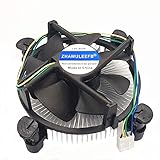
- Desktop CPU Cooling FAN with Heatsink
- Conditon : New&Genuine
- Important note: Before buying, please check the pictures on the link, indicate the applicable machine model and spare parts number of the accessories and other parameters! In order to reduce the loss caused by your wrong purchase and return and discard, thank you!
Before buying, check the motherboard’s CPU support list and required BIOS version. Also verify EXPO memory support, VRM quality, firmware behavior, PBO and Curve Optimizer options, and whether the board can update its BIOS without a CPU installed.
The 9700X is the more conservative long-term choice for someone who expects to keep the same processor for many years and values immediate eight-core capacity. Future games may use more than six cores, and eight cores provide more multitasking headroom. But there is no evidence that eight cores automatically make the 9700X faster in current games; the 7600X3D’s cache can still win today’s CPU-limited workloads.
Both are also upgradeable within AM5. That makes the “future-proofing” argument less absolute: a buyer can choose the 7600X3D for current gaming value and upgrade later, provided a suitable future AM5 processor and compatible BIOS are available.
Which CPU should you buy?
Buy the Ryzen 5 7600X3D if:
- Your PC is primarily for gaming.
- You have, or plan to buy, a powerful discrete GPU.
- You play at high-refresh 1080p or 1440p.
- Your library includes cache-sensitive games such as Baldur’s Gate 3, simulation-heavy titles, strategy games, or some open-world games.
- You can buy it near $200–$250, particularly through a worthwhile Micro Center bundle.
- Low gaming power draw matters.
- Productivity is occasional rather than central.
- You are comfortable using EXPO, PBO, and Curve Optimizer rather than traditional manual multiplier overclocking.
Buy the Ryzen 7 9700X if:
- You split your time between games and demanding productivity applications.
- You render, encode, compile, run virtual machines, or perform heavy CPU-based simulations.
- You stream with CPU encoding or routinely run demanding background tasks while gaming.
- You want eight cores immediately and do not expect to upgrade the CPU for a long time.
- The 9700X is significantly cheaper than the available 7600X3D.
- Your graphics card is midrange and you will mostly play GPU-limited games at 1440p or 4K.
- Your most-played games favor raw core throughput and show little benefit from extra cache.
Neither is automatically the right upgrade
If you already own a capable AM5 processor, upgrading the graphics card may produce a larger improvement than changing between these CPUs—particularly at 1440p and 4K. Likewise, if your monitor is 60–100 Hz and both processors already exceed its refresh rate in your games, the difference may not be noticeable. A newer X3D processor may also be preferable if it is available at a similar total-system price.
Alternatives worth checking
- Ryzen 7 7800X3D: A useful reference point with eight cores and 3D V-Cache. Tom’s Hardware placed the 7600X3D only 4.5% behind it across a 17-game geometric mean, so buy the 7800X3D only when its current price justifies the extra cores and performance.
- Ryzen 5 7500X3D: A newer budget X3D option. Compare current independent gaming tests, price, and availability rather than assuming it is automatically faster or cheaper.
- Ryzen 5 9600X: Six newer Zen 5 cores without the 7600X3D’s large 3D V-Cache. It can make sense at the right price, but it is not a direct gaming replacement when the 7600X3D is similarly priced.
- Ryzen 7 9800X3D and newer X3D models: Better choices for buyers seeking maximum gaming performance, but they belong to a higher price class and should be compared using current pricing.
- Intel Core Ultra 5 250K Plus: A relevant alternative for a balanced gaming/productivity system. Tom’s Hardware identifies it as a strong competitor around the 7600X3D’s price range with substantially stronger application performance and competitive gaming results.
Bottom line
The Ryzen 5 7600X3D really can beat the Ryzen 7 9700X in gaming. The approximately 6% average lead reported from PC Games Hardware is credible as an aggregate result, and individual games such as Baldur’s Gate 3 and Starfield can show much larger advantages. But the result varies by game, resolution, GPU, memory configuration, BIOS power mode, and benchmark method.
The 7600X3D is the better gaming chip per dollar when you can find it near $200–$250. The 9700X is the better all-round processor and the safer choice for rendering, encoding, compiling, CPU-based streaming, and heavy multitasking. At 1440p and 4K with a GPU bottleneck, buy based primarily on price and the rest of the system—not on a 6% CPU-index result that your graphics card may never expose.
Frequently Asked Questions
Is the Ryzen 5 7600X3D faster than the Ryzen 7 9700X in every game?
No. The 7600X3D is faster on average in the cited gaming indexes, but the CPUs trade wins and ties. ComputerBase found them essentially tied in Cyberpunk 2077: Phantom Liberty, while the 7600X3D led by much larger margins in games such as Starfield and The Last of Us Part I under its test conditions.
Is the Ryzen 5 7600X3D better for 1440p gaming?
It can be, but the difference depends on the graphics card and game. A powerful GPU and high-refresh target can expose the 7600X3D’s CPU advantage at 1440p. With a midrange GPU, the system is more likely to be GPU-limited and both processors may perform nearly identically.
Does the Ryzen 7 9700X’s extra core count make it more future-proof?
Eight cores and 16 threads provide more headroom for future games, streaming, and background applications, so the 9700X is the safer mixed-use choice. However, six cores are sufficient for excellent performance in the tested gaming workloads, and extra cores do not guarantee higher gaming FPS than the 7600X3D.
Can the Ryzen 5 7600X3D be overclocked?
It does not offer traditional manual multiplier overclocking in the same way as a non-X3D processor. AMD does support EXPO memory profiles, Precision Boost Overdrive, Curve Optimizer, and Ryzen Master, subject to motherboard firmware and safe configuration.
Quick wins for a faster PC:
Fix the driver behind crashes, sound loss and screen glitchesFind Drivers →Repair Windows errors before they cause bigger problemsFix Now →Scan for outdated or missing drivers - takes under a minuteDriver Scan →Is the 7600X3D worth buying at $300?
At $300, it is still a strong gaming processor, but the value case is less decisive. Compare it with the Ryzen 7 9700X, Ryzen 7 7800X3D, newer X3D models, and any bundle pricing. Around $200 it is an exceptional gaming value; around $230–$250 it remains attractive; at equal prices near $300, choose according to workload.
The Bottom Line
For gaming, buy the Ryzen 5 7600X3D when its price is right: it generally beats the Ryzen 7 9700X in CPU-limited games because its 96 MB of L3 cache can matter more than Zen 5’s newer cores. For gaming plus serious work, buy the Ryzen 7 9700X: its eight cores and 16 threads are substantially better for productivity, encoding, compiling, and multitasking. Neither result should be projected unchanged into a GPU-limited 1440p or 4K system.
Quick Recap
Product prices and availability are accurate as of the date/time indicated and are subject to change. Any price and availability information displayed on Amazon at the time of purchase will apply.




