Quick wins for a faster PC:
Clear out junk files and repair common Windows errorsFree Scan →Fix the driver behind crashes, sound loss and screen glitchesFind Drivers →Repair Windows errors before they cause bigger problemsFix Now →Short answer: Microsoft no longer includes 3D Pinball for Windows—Space Cadet with current Windows releases, and there is no established current Microsoft standalone installer for it. The safest modern approach is to use the official SpaceCadetPinball project or its Releases page, then supply original game data from a Windows XP installation or Full Tilt! Pinball copy you are legally entitled to use.
Do not download a randomly named “Space Cadet Pinball.exe” from an anonymous mirror. The community port provides the game engine, but its documentation states that the original resource files are not included.
What you need
- A Windows 10 or Windows 11 PC. Compatibility is not guaranteed on every hardware configuration.
- A Windows build of the open-source SpaceCadetPinball project, preferably from its official Releases page.
- The original Space Cadet game resources from a Windows or Full Tilt! Pinball copy that you are entitled to use.
- A folder in which to keep the executable and its resource files together.
The original Microsoft-era executable and the community port are not the same thing. The old executable is software from the Windows XP era; the port is a modern, reverse-engineered implementation designed to run on current desktop systems. Neither distinction changes the need to treat the original game data carefully.
Recommended method: use the maintained Windows port
1. Download the project from its official source
Open the SpaceCadetPinball GitHub repository and check its Releases page for a published Windows build. A published build is generally easier than compiling the project yourself.
#1 Best Overall
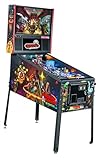
- Stern Pinball invites players to embark on an epic journey into the Forgotten Realms of Dungeons & Dragons: The Tyrant's Eye! in a one-of-a-kind gameplay experience, brought to life specifically for pinball. Players join Ann Darrow, Jack Driscoll, and Karl Denham on their journey to the mysterious Terror Island which results in King Kong traveling back to New York City with disastrous (and fun) consequences.
- In celebration of 50 years of the World's Greatest Roleplaying Game, players will experience iconic elements such as the red dragon, mimics, the beholder, Xanathar, Sammaster the Lich, and over 45 different monsters to battle along your campaigns.
- Choose an adventurer from the Paladin, Wizard, Cleric, and Rogue, with the ability to unlock the Ranger, Barbarian, and Bard through a campaign with 28 different modes and Multiballs and 3 different endings depending on the choices you make.
- Stunning hand-drawn art by prolific D&D artist Vincent Proce and original orchestrated custom soundtrack music from world-renowned composer Cris Velasco.
- The game is brought to life with custom speech and voice talent including Michael Dorn, Kevin Smith, Luke Gygax, Chris Prynoski, Brendon Small, Gerarg Way, Matthew Mercer, Laura Bailey, Marisha Ray, Anthony Carboni, and Mica Burton.
Check that the download is actually from the project’s repository or official Releases page. Avoid repackaged “one-click installers,” torrents, and executable files hosted on download sites with no clear provenance. If Windows displays a security warning, verify the source and scan the file with Windows Security before allowing it to run.
2. Obtain the original resource files lawfully
The project does not include the original Space Cadet resources. Its documentation says that it supports data files from Windows and from Full Tilt! Pinball. You therefore need to obtain the required files from a copy or installation you are entitled to use.
Do not assume that the download is complete simply because it contains an executable. If the port starts with missing-file errors, the resource files are the first thing to check.
3. Put the files in one folder
Create a dedicated folder, such as C:GamesSpaceCadetPinball. Place the Windows executable from the port in that folder alongside the required original resource files. The exact filenames can vary with the source data and project version, so follow the project’s current README rather than copying files based on an unofficial tutorial.
Keeping the executable and resources together also makes troubleshooting easier. It avoids a common failure in which a shortcut points to one directory while the game looks for its data in another.
4. Launch the game
Open the folder and run the executable directly the first time. If it works, create a desktop shortcut afterward. Running it from the folder helps distinguish a broken shortcut or working-directory problem from a genuine compatibility issue.
If the game opens, test the keyboard before connecting a controller. If it does not open, work through the troubleshooting section below instead of downloading a replacement executable from an unknown source.
Rank #2

- INTERACTIVE MINI PINBALL GAME: Engage in fast-paced fun with the New Era Pinball Game. Launch 1, 2, or 3 balls at once and experience exciting LED scoring, vibrant lights, and thrilling sound effects!
- FUN FOR ALL AGES: Enjoy arcade game pinball excitement designed for kids and adults alike! Perfect for family game nights, it's portable for tabletop or floor use and measures 21" L x 10' W x 4" H.
- ENHANCES HAND EYE COORDINATION: Boost reflexes and coordination as you test your skills with fast-paced pinball action. Great for building focus and quick decision-making for young and experienced players.
- VIVID LIGHTS & SOUNDS: Equipped with 8 unique sound effects and 6 blinking LED lights for a captivating arcade-like experience. Feel the thrill of real pinball action with every score!
- IDEAL GIFT FOR BIRTHDAYS & HOLIDAYS: Surprise loved ones with this fun, interactive gift. Perfect for Christmas, birthdays, and special occasions, it delivers hours of entertainment and challenge.
Alternative method: recover the original game from Windows XP
If you have a valid Windows XP installation that includes 3D Pinball, historical Microsoft community-support guidance commonly identifies the game folder as:
Windows Errors? Fix Them Before They Spread
Repair common Windows errors and clear accumulated junk for a smoother, more stable PC - no reinstall needed.Free scan · no reinstallOutdated Drivers Are Slowing You Down
One free scan finds every outdated or missing driver and matches the right update for your exact hardware.Free scan · exact hardware matchC:Program FilesWindows NTPinballThis is a historical recovery technique, not a current Microsoft-supported distribution method. It is not a guarantee that the copied program will run on every Windows 10 or Windows 11 build.
- On the old or virtualized Windows XP installation, locate the complete
Pinballfolder. - Copy the entire folder, not just
PINBALL.EXE. The executable depends on associated game data. - Transfer the folder to the modern Windows PC, preferably to a simple location such as
C:GamesPinball. - Run the executable directly from that folder.
- If it works, right-click it, choose Show more options if necessary, select Send to > Desktop (create shortcut), or create a shortcut manually.
If you need recovery material for a Windows installation you already own, legitimate Windows XP installation media may be relevant, but authenticity, edition, activation, licensing, and your right to use the files all matter. Buying an old disc does not automatically establish a right to redistribute the game files.
Do not describe this method as downloading a free copy of the game. The research available does not establish that the original game is freeware, abandonware, or public domain.
Advanced option: compile SpaceCadetPinball yourself
Compiling is mainly useful if no suitable Windows binary is available or if you want to inspect and build the project yourself. The repository describes a C++11 project with SDL2 dependencies and a Windows build process using SDL2, SDL2_mixer, CMake configuration, and Visual Studio. It also documents MinGW cross-compilation.
What’s actually slowing this PC down?
Pick the symptom - the matching free tool is one click away.
The project notes that its Windows build uses SDL2 and SDL2_mixer development packages and that paths may need to be configured in CMakeLists.txt. Visual Studio 2019 was tested by the project, but that should not be read as a promise that every current Visual Studio or SDL2 release has been tested.
- Read the project’s current Windows build instructions in the repository.
- Install the required C++ build tools, CMake, and matching SDL2 development libraries.
- Configure the SDL2 and SDL2_mixer paths as required by the project.
- Generate the Visual Studio solution or use the documented MinGW process.
- Build the Windows target.
- Place the resulting executable with the legally obtained original resource files, then launch it from that folder.
For most readers, a published Windows build from the official Releases page is the more practical choice.
Troubleshooting
The EXE does nothing
- Confirm that the file came from the official project repository or Releases page.
- Run it directly from its installation folder, not from a shortcut.
- Confirm that the original resource files are in the same folder as the executable.
- Right-click the file, open Properties, and check whether Windows has blocked the file. Only unblock it if you have verified its source.
- Scan the file with Windows Security.
- Try Windows’ Program Compatibility Troubleshooter. On current Windows builds, it is generally found under Settings > System > Troubleshoot > Other troubleshooters, although labels can vary by release.
If the port itself fails, check its issue tracker and release notes before replacing it with an unofficial download.
Rank #3

- Pinball Game Room Tin Sign: 1 pcs of iron-made funny tin sign designed in pinball themes with saying "play pinball", a pinball machine,for game room decor.
- Indoor & Outdoor Decorations: Vintage style tin metal signs add that special touch of nostalgic fun to every room in your home, bar, or game room. Offer an ideal possibility to bring taste and personality to the privacy of one’s home.
- Size: The tin sign is about 8x12in/20x30cm. The material stands for quality and endurance and the tin sign design stands out against alternatives like posters or plastic products. You can use it alone or with other tin paintings.
- Easy to Use & Durable: The vintage art signs are made of quality iron that can be used for a long time. Mounting holes on each of the 4 corners for versatile mounting options.
- Gift Choices: It’s suitable for many places, such as bar, cafe, billiard house, hotel, club wall decoration, creating contracted but fashionable atmosphere as absolutely a wonderful gift for your families, friends, colleagues and relatives for holiday Birthdays Halloween Christmas Or Thanksgiving New Year or any time.
The game reports missing files
This usually means the executable was copied without the original game resources, or that the shortcut is launching it with the wrong working directory. Recheck the folder contents, launch the executable directly, and consult the project README for the expected data-file arrangement.
The Tool Desk
Outbyte PC Repair FREEClear out junk files and repair common Windows errorsFree Scan →Outbyte Driver Updater FREEFix the driver behind crashes, sound loss and screen glitchesFind Drivers →Do not “fix” missing files by downloading a random archive. Obtain the data from a legitimate Windows or Full Tilt! source you are entitled to use.
The game is tiny, stretched, or surrounded by black bars
Space Cadet was designed for older display resolutions, so modern scaling can produce a small window, stretching, or black bars. Try these in order:
- Use the port’s own display or scaling options, if provided by the version you installed.
- Right-click the executable, choose Properties > Compatibility, and test the available high-DPI or compatibility settings.
- Check Windows display scaling and resolution settings.
- Update the graphics driver through Windows Update or the graphics-card manufacturer.
Do not expect perfect fullscreen behavior from the original XP executable. Older programs can flicker, become unresponsive, or display other glitches on newer Windows versions.
The controls do not respond
- Click the game window so it has keyboard focus.
- Test the keyboard before troubleshooting a controller.
- Disconnect and reconnect any USB input device, then test it in another Windows application.
- Install current drivers from the device manufacturer or Windows Update if the device is malfunctioning generally.
- If the port documents controller support, configure the controller according to that project version’s instructions.
A Windows-compatible gamepad is optional; it is not required to install or play the game, and a controller cannot correct missing game resources or a damaged executable.
Microsoft’s built-in compatibility tools and official hardware-vendor drivers should come before third-party driver software. An optional driver troubleshooting tool such as Outbyte Driver Updater may help some users inspect, back up, or restore drivers on supported Windows versions, but it is not required for Space Cadet Pinball and results can vary.
Windows says the app is incompatible
The original executable is old software, and compatibility varies with Windows architecture, display scaling, graphics drivers, and security settings. Open Properties > Compatibility for the executable and test an older Windows compatibility mode. You can also run the Program Compatibility Troubleshooter.
If reliable modern operation matters more than preserving the original executable, use the maintained port with legally obtained resources instead. The project documents a cross-platform desktop implementation and says its decompiled game can operate in x64 mode, which is why it is generally the better starting point for current Windows systems.
Independent reader supportYour contribution helps us test, update, and keep practical guides available for everyone.Safety and legal boundaries
- Use original resources from media or a copy you are entitled to use.
- Do not claim that Space Cadet Pinball is freeware, abandonware, or public domain.
- Do not redistribute the original game data unless you have verified that you have the legal right to do so.
- Do not treat a download named
3D Pinball Space Cadet.exeas automatically safe. - Prefer a project with visible source code, build instructions, license information, issue tracking, and release history.
- Keep the community port and the original resources conceptually separate: the port supplies the implementation, while the resource files come from an entitled copy of the game.
The available research does not establish a current Microsoft-issued standalone installer for the original game or a definitive license allowing redistribution of its original assets. That is why this guide does not link to an anonymous installer.
Rank #4

- Classic Arcade Pinball Action at Your Fingertips: Pull the spring-loaded launcher to fire steel balls across three elevated tracks. Use the side control buttons to activate the flippers and keep the ball in play, recreating the fast-paced thrill of retro arcade pinball in a compact desktop form
- Smart Scoring with Immersive Light & Sound: Built-in infrared sensors track every score across the tracks and bumper zones. Each successful hit lights up a star on the central display and triggers clear celebratory sound effects, delivering that satisfying arcade feedback with every shot
- Intricate Multi-level Track Challenges: Navigate winding tunnels, elastic bumpers, and three ringing copper bells across a layered course. Built-in restart channels send stray balls straight back to the launcher, keeping the action smooth and uninterrupted for hours of replay fun
- Nostalgic Circus-style Desk Display: Ornate vintage carvings, top-hat soldier figures and warm integrated lighting bring classic carnival charm to any space. It doubles as an eye-catching decorative piece for desks, man caves, game rooms and living room shelves
- Rewarding Build & Unique Gift: Precision laser-cut wooden pieces assemble into a fully working pinball machine for a satisfying screen-free project. It makes a standout gift for birthdays, Christmas, or family game nights, loved by puzzle fans, retro gamers and kids alike
If you want a supported modern pinball game instead
Pinball FX is a current Windows pinball alternative distributed through Steam. Its listing describes free access to three tables, with additional paid tables, and minimum support for 64-bit Windows 10. It is not the original Space Cadet table and does not install or recreate the Microsoft game; it is simply the better choice if you want a currently supported commercial pinball platform.
Frequently Asked Questions
Is 3D Pinball for Windows—Space Cadet included with Windows 10 or Windows 11?
No. Current Windows releases do not include it, and the research does not establish a current Microsoft standalone installer for the original game.
Can I download Space Cadet Pinball for free?
Be cautious with that wording. The original game is not established here as freeware, abandonware, or public domain. A safer approach is to use the official SpaceCadetPinball port with original resources from a Windows or Full Tilt! copy you are legally entitled to use.
Can I copy Pinball from Windows XP to Windows 11?
You can try copying the complete historical Pinball folder, commonly found at C:Program FilesWindows NTPinball, but success is not guaranteed. Use Compatibility settings or the Program Compatibility Troubleshooter if it fails.
Do these 3 things before closing this tab:
1Clear out junk files and repair common Windows errors2Fix the driver behind crashes, sound loss and screen glitches3Repair Windows errors before they cause bigger problemsWhy does the community port say that files are missing?
The port does not include the original game resources. Put the required resources from an entitled Windows or Full Tilt! copy in the folder with the executable, following the project’s current README.
Do I need a controller or driver updater?
No. Keyboard play and built-in Windows or manufacturer driver support should be your starting point. A controller is optional, and third-party driver software is not required to install the game.
The Bottom Line
Best current route: download a Windows build from the official SpaceCadetPinball project, place it with original Space Cadet resources from a copy you are entitled to use, and troubleshoot compatibility through Windows before trying third-party tools. The old XP executable can sometimes be recovered, but it is less predictable on Windows 10 and 11.
Quick Recap
Product prices and availability are accurate as of the date/time indicated and are subject to change. Any price and availability information displayed on Amazon at the time of purchase will apply.
Free tools Windows power users keep installed
One-click scans. No signup required.




