The Radeon RX 9070 GRE is a strong native-1440p graphics card, but it is not an automatic recommendation. At the reported US street price of about $499.99 in August 2026, it makes sense for raster-first gamers who want high-refresh 1440p performance. At its approximately $549 launch price—or higher—it becomes difficult to justify beside the faster RX 9070 and competing RTX 5070.
The GRE’s main compromises are its 12GB of VRAM, weaker ray tracing than Nvidia’s alternatives, and a performance gap of roughly 17% versus the standard RX 9070 at 1440p. Buy it at around $499 or less; compare very carefully at $500–$549; and generally skip it above $549.
As an Amazon Associate I earn from qualifying purchases.
Quick verdict
| Category | Verdict |
|---|---|
| Best use | Native 1440p raster gaming |
| Main strength | Strong performance for high-refresh 1440p play |
| Main weakness | 12GB VRAM and weaker ray tracing than Nvidia’s competing cards |
| Recommended price | $499 or less in the US |
| Best alternative | RX 9070 if it costs only modestly more |
| Long-term outlook | Good for a two- to three-year 1440p upgrade; less comfortable for four- to five-year Ultra gaming |
This is a price-sensitive recommendation. The RX 9070 GRE was positioned at approximately $549 when it launched globally in June 2026. Price-watch coverage later reported listings as low as about $499.99 in the United States, while other cards remained around $539–$549. Prices vary by retailer, region, taxes, stock and board-partner model.
Quick wins for a faster PC:
Clear out junk files and repair common Windows errorsFree Scan →Scan for outdated or missing drivers - takes under a minuteDriver Scan →Repair Windows errors before they cause bigger problemsFix Now →At $499, the GRE has a clear role: it is faster than the lower-tier RX 9060 XT 16GB and RTX 5060 Ti 16GB in conventional gaming, while costing less than higher-tier cards. At $549, its 12GB framebuffer and reduced performance compared with the RX 9070 become much harder to overlook.
#1 Best Overall

- OC mode (GPU Tweak III): Up to 2880 MHz (Boost Clock)/ up to 2300 MHz (Game Clock)
- OC mode (GPU Tweak III): up to 2880 MHz (Boost Clock)/up to 2300 MHz (Game Clock) Default mode: up to 2860 MHz (Boost Clock)/up to 2280 MHz (Game Clock)
- Axial-tech fans now feature a smaller fan hub that facilitates longer blades and a barrier ring that increases downward air pressure
- Phase-change GPU thermal pad helps ensure optimal heat transfer, lowering GPU temperatures for enhanced performance and reliability
- 2.5-slot design allows for greater build compatibility while maintaining cooling performance
What is the RX 9070 GRE?
The RX 9070 GRE is a cut-down RDNA 4 GPU from the same general Navi 48 family as the RX 9070 and RX 9070 XT. It sits between the RX 9060 XT and RX 9070, targeting demanding 1440p gaming rather than uncompromised 4K Ultra performance.
AMD’s official specifications list 48 compute units, 3,072 stream processors and 48 ray accelerators. The card uses 12GB of GDDR6 memory over a 192-bit interface, with up to 432GB/s of memory bandwidth and 48MB of Infinity Cache.
| Specification | RX 9070 GRE |
|---|---|
| Architecture | RDNA 4 |
| Compute units | 48 |
| Stream processors | 3,072 |
| Ray accelerators | 48 |
| AI accelerators | 96 |
| Game clock | 2,220 MHz |
| Boost clock | Up to 2,790 MHz |
| Memory | 12GB GDDR6 |
| Memory bus | 192-bit |
| Memory bandwidth | Up to 432GB/s |
| Typical board power | 220W |
| Recommended PSU | 650W |
| Power connectors | 2 × 8-pin |
| Display outputs | DisplayPort 2.1a and HDMI 2.1b |
These are AMD’s specifications; the exact cooler, dimensions, fan profile, factory overclock, BIOS power limit and warranty depend on the board partner. ASUS, PowerColor and XFX all list RX 9070 GRE variants, but a compact dual-fan card should not be treated as identical to a large triple-fan model.
Official specifications: AMD Radeon RX 9070 GRE.
1440p raster performance
Native raster performance is the RX 9070 GRE’s strongest argument. Tom’s Hardware recorded an average of approximately 86.6 frames per second at 1440p across an 11-game raster suite. That figure is specific to its games, settings, test system and drivers—not a guarantee for every title—but it places the card comfortably in the high-performance 1440p class.
TechSpot measured the GRE at approximately 17% slower than the RX 9070 at 1440p. That is a meaningful difference rather than a minor benchmark variation, particularly when both cards are priced close together.
In practice, the card is best understood in four groups:
- Competitive and lighter games: suitable for high-refresh 1440p monitors, assuming the rest of the system is fast enough.
- Modern AAA raster games: generally appropriate for high or very high settings with strong frame rates.
- Ultra settings with demanding textures: playable, but 12GB of VRAM can become a constraint before the GPU’s raw shader performance does.
- Open-world and heavily modded games: more likely to expose memory pressure, texture streaming problems and inconsistent frame times.
For 4K, the GRE can be usable with reduced settings or upscaling, but it is not the ideal target. TechSpot found it approximately 22% slower than the RX 9070 at 4K, and the smaller memory capacity becomes more relevant as resolution and texture demands rise.
AMD also publishes figures such as 100 fps in Arc Raiders, 115 fps in Call of Duty: Black Ops 7, 82 fps in The Last of Us Part 2 and 86 fps in Horizon Forbidden West at 1440p Ultra. Those numbers are AMD’s own vendor-tested results and should not be combined directly with independent review averages.
Rank #2
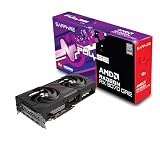
- Memory Size: 12 GB
- Memory Interface: 192-bit GDDR6
- Output: 2 x HDMI, 2 x DisplayPort
Independent results: Tom’s Hardware testing and TechSpot’s RX 9070 GRE review.
RX 9070 GRE versus RX 9070
The standard RX 9070 is the GRE’s most important competitor—and AMD’s own product makes the GRE difficult to recommend at a small discount.
With the GRE approximately 17% slower at 1440p and 22% slower at 4K in TechSpot’s testing, the RX 9070 offers more performance headroom and, according to AMD’s product materials, 16GB of memory. The GRE should be meaningfully cheaper to compensate for that difference.
Do these 3 things before closing this tab:
1Clear out junk files and repair common Windows errors2Fix the driver behind crashes, sound loss and screen glitches3Repair Windows errors before they cause bigger problemsAs a practical buying rule, prefer the RX 9070 when it costs less than roughly 10–15% more. That is an editorial value heuristic, not an industry standard. A $50–$100 saving can make the GRE reasonable; a $20–$40 saving usually does not.
| Price relationship | Better choice |
|---|---|
| RX 9070 costs less than about 10% more | RX 9070 |
| RX 9070 costs $50–$100 more | GRE can make sense for raster-first 1440p |
| Both cards cost nearly the same | RX 9070 by a wide margin |
RX 9070 GRE versus RTX 5070
The answer changes when ray tracing and Nvidia’s software ecosystem matter.
TechSpot’s seven-game ray-tracing comparison put the GRE approximately 10% behind the RTX 5070 at 1440p and 14% behind at 4K. The GRE averaged about 82 fps at 1440p in that ray-tracing suite, matching the RX 7900 GRE but trailing Nvidia’s card.
That does not mean the RTX 5070 wins every raster workload. Different reviews use different game selections, presets, CPUs, drivers and upscaling settings, and some testing has found the GRE close to the RTX 5070 in raw gaming performance. The reliable conclusion is narrower:
Recommended Free Tools
- For native raster gaming, the GRE can be competitive if its price is lower.
- For ray tracing, the RTX 5070 has the stronger position in the cited comparison.
- For CUDA-dependent creative, scientific or AI applications, Nvidia may be the safer choice.
- For upscaling and frame generation, game support and image-quality preferences matter more than a simple specification comparison.
Do not treat generated frames as equivalent to the same number of traditionally rendered frames. Frame generation can improve perceived smoothness, but it does not reduce input latency proportionally and can vary considerably by game.
Rank #3

- OC mode(GPU Tweak III): up to 2610 MHz (Boost Clock)/up to 2140 MHz (Game Clock)/ Default mode: up to 2590 MHz (Boost Clock)/up to 2120MHz (Game Clock)
- Axial-tech fans now feature a smaller fan hub that facilitates longer blades and a barrier ring that increases downward air pressure
- Phase-change GPU thermal pad helps ensure optimal heat transfer, lowering GPU temperatures for enhanced performance and reliability
- 2.5-slot design allows for greater build compatibility while maintaining cooling performance
- Dual-ball fan bearings last up to twice as long as standard conventional sleeve bearings designs
RX 9070 GRE versus RTX 5060 Ti 16GB and RX 9060 XT 16GB
The RTX 5060 Ti 16GB and RX 9060 XT 16GB offer more VRAM but occupy a lower raw-performance tier. The GRE is the better choice when the priority is higher native 1440p frame rates and the price gap is reasonable.
The 16GB alternatives become attractive when the buyer values memory headroom, lower purchase cost, Nvidia software compatibility or a smaller and lower-power system more than maximum performance. AMD claims a 21% average 1440p advantage over the RTX 5060 Ti 16GB, but that is a vendor claim and should not be treated as an independent universal average.
| Card | Why consider it | Why avoid it |
|---|---|---|
| RX 9070 GRE | Strong 1440p raster performance at about $499 | 12GB VRAM; weaker ray tracing than Nvidia |
| RX 9070 | Substantially faster and equipped with 16GB | May not justify a large price premium |
| RTX 5070 | Stronger ray tracing and Nvidia software ecosystem | 12GB VRAM and potentially higher price |
| RTX 5060 Ti 16GB | 16GB memory and CUDA/Nvidia compatibility | Lower conventional gaming performance |
| RX 9060 XT 16GB | Cheaper 16GB option | Noticeably slower performance tier |
Is 12GB of VRAM enough for 1440p?
Generally, yes for current 1440p gaming—but it is not generous. At High settings, especially in competitive games, 12GB is unlikely to be a major problem. At Ultra settings with ray tracing, high-resolution textures, large open worlds or extensive mods, the margin is much smaller.
The Tool Desk
Outbyte Driver Updater FREEFix the driver behind crashes, sound loss and screen glitchesFind Drivers →Outbyte PC Repair FREERepair Windows errors before they cause bigger problemsFix Now →VRAM pressure may show up as texture quality needing to be reduced, stutter, inconsistent 1% lows or texture-streaming problems rather than an immediate collapse in average fps. Tom’s Hardware specifically identified the GRE’s 12GB capacity as a weakness in ray-traced 1440p testing, where it barely outperformed the RX 9060 XT 16GB and RX 7800 XT in its comparison.
The practical assessment is:
- Two- to three-year 1440p upgrade: 12GB is acceptable.
- Four- to five-year ownership: 16GB is the safer choice.
- 4K Ultra: 12GB is a meaningful limitation.
- Modded games and high-resolution texture packs: expect to compromise texture settings sooner.
When memory pressure appears, reduce settings in this order: ray tracing, texture quality if usage is excessive, shadows, volumetric effects and then the upscaling mode. Texture quality is not always the first setting to lower, but it is the one most directly tied to VRAM capacity.
Independent reader supportYour contribution helps us test, update, and keep practical guides available for everyone.Ray tracing and AMD’s features
RDNA 4 improves AMD’s ray-tracing capability compared with older Radeon generations, but the RX 9070 GRE does not erase Nvidia’s lead. Native ray tracing is usable at 1440p, though demanding ultra-RT presets may require upscaling and selective settings reductions. Ray tracing also increases memory pressure, making the 12GB capacity more relevant.
The card supports AMD’s current feature set, including:
- FSR Redstone
- Fluid Motion Frames
- Radeon Super Resolution
- Smart Access Memory
- Anti-Lag 2
- FreeSync
- AV1, H.264 and H.265 encode and decode
- DisplayPort 2.1a and HDMI 2.1b
Hardware support does not guarantee identical results in every game. FSR quality, frame-generation behavior, Anti-Lag support and the usefulness of driver-level features depend on game integration and implementation. AV1 support also does not guarantee that every editing application will use AMD’s encoder equally efficiently.
Rank #4

- OC mode (GPU Tweak III): Up to 2880 MHz (Boost Clock)/ up to 2300 MHz (Game Clock)
- Axial-tech fans now feature a smaller fan hub that facilitates longer blades and a barrier ring that increases downward air pressure
- Phase-change GPU thermal pad helps ensure optimal heat transfer, lowering GPU temperatures for enhanced performance and reliability
- 2.5-slot design allows for greater build compatibility while maintaining cooling performance
- Dual-ball fan bearings last up to twice as long as standard conventional sleeve bearings designs
Power, cooling and system requirements
AMD specifies a 220W typical board power, a 650W recommended PSU and two 8-pin power connectors. The 220W figure is a typical board-power specification, not a universal wall-draw measurement.
TechSpot reported approximately 348W of total system consumption in Starfield, combining CPU and GPU power. That result is specific to its test system and cannot be read as the card’s standalone consumption.
Before buying, check:
- Case length and GPU thickness clearance.
- Whether the card blocks adjacent expansion slots.
- PSU quality, not just its wattage label.
- Availability of two suitable PCIe 8-pin power leads.
- Case airflow, particularly for large factory-overclocked triple-fan models.
- Whether the chosen model’s premium is justified by its cooler, warranty and acoustics.
Use two separate PCIe power cables where possible rather than relying on one daisy-chained cable. A quality 650W unit meets AMD’s recommendation, but an old or low-quality PSU should not be treated as equivalent to a modern, reliable model.
What’s actually slowing this PC down?
Pick the symptom - the matching free tool is one click away.
Price bands and buying advice
The following bands are editorial decision points derived from the card’s measured performance and reported pricing. They are not official AMD categories.
| RX 9070 GRE price | Recommendation |
|---|---|
| $475 or less | Very compelling |
| $476–$499 | Strong 1440p value |
| $500–$549 | Conditional; compare RX 9070 and RTX 5070 |
| $550–$599 | Usually poor value |
| $600 or more | Buy a higher-tier card instead |
Premium partner cards can erase the value advantage. A larger cooler may improve temperatures and acoustics, but a major premium for a small factory overclock is difficult to justify if it places the card near an RX 9070.
Who should buy the RX 9070 GRE?
Buy it if:
- You primarily play rasterized games at 1440p.
- You find a model around $499 or less.
- The RX 9070 is at least roughly $75–$100 more expensive.
- You want more performance than the RX 9060 XT 16GB or RTX 5060 Ti 16GB.
- You are comfortable lowering ray tracing, textures or other settings as newer games become more demanding.
- You do not depend on CUDA-specific software.
Skip it if:
- It costs $549 or more and the RX 9070 is close in price.
- Ray tracing is a primary reason you are upgrading.
- You want to keep the card for years at Ultra settings.
- You use CUDA-dependent creative, scientific or AI applications.
- You want a strong 4K Ultra card.
- A 16GB alternative is available for only a small premium.
Final verdict
The RX 9070 GRE is a capable 1440p GPU with strong native raster performance. Its approximately 86.6-fps average in Tom’s Hardware’s 11-game raster suite shows that it is fast enough for demanding 1440p gaming and high-refresh play in lighter titles.
But the product’s value depends almost entirely on price. The 12GB VRAM buffer is adequate for current 1440p gaming with sensible settings, not a guarantee of years of Ultra-quality gaming. Ray tracing is improved but still behind Nvidia’s competing position, and the approximately 17% performance deficit versus the RX 9070 makes a small price gap unacceptable.
Windows Errors? Fix Them Before They Spread
Repair common Windows errors and clear accumulated junk for a smoother, more stable PC - no reinstall needed.Free scan · no reinstallOutdated Drivers Are Slowing You Down
One free scan finds every outdated or missing driver and matches the right update for your exact hardware.Free scan · exact hardware matchBuy the RX 9070 GRE at $499 or less. At $500–$549, compare it directly with the RX 9070 and RTX 5070. Above $549, choose a faster or better-balanced alternative unless the market changes substantially.
Sources: AMD specifications, TechSpot testing, Tom’s Hardware performance and pricing coverage, and PC Gamer price-watch reporting.
Quick Recap
Product prices and availability are accurate as of the date/time indicated and are subject to change. Any price and availability information displayed on Amazon at the time of purchase will apply.




