PC Slower Than It Used to Be?
A free scan shows the junk files, broken settings and background clutter dragging Windows down - then fixes them in one click.Free scan · Windows 10 & 11Outdated Drivers Are Slowing You Down
One free scan finds every outdated or missing driver and matches the right update for your exact hardware.Free scan · exact hardware matchEA has documented a specific cause of some missing Apex Legends badges: during Cross Progression, certain legacy items tied to stats could be lost because stats could not be merged. That does not confirm a new, widespread missing-rewards bug. Recent reports about other missing items—including a July 2026 report of Apex Packs after a Battle Pass Upgrade—remain individual cases, not proof of a game-wide defect.
What EA has confirmed about missing badges
EA’s Apex Legends FAQ explains that some legacy content was tied to stats that could not be merged during Cross Progression. EA says this could affect Ranked Rewards, Battle Pass badges, Collection Event reward-track badges, and achievement badges. Its wording is that these items “may be lost in the process”; it does not say every missing badge is covered or that all players lost these items.
If your badge disappeared around the time your accounts were combined, identify which account was primary and which badge category is missing. That context may help distinguish the documented Cross Progression issue from an account mismatch or another cause.
What is known about badge restoration
In a historical EA Forums reply, community manager EA_Mako said Respawn was investigating ways to return badges that could not be re-earned in-game. The reply said restoration would happen in the future, could not be handled manually one account at a time, and had no further details at that time. This is not a current status update, and the reply does not confirm that restoration work is complete. Read the forum reply.
What’s actually slowing this PC down?
Pick the symptom - the matching free tool is one click away.
#1 Best Overall

- Frequency response 15Hz–25,000 H.Headphones fit type:Over-Ear.The versatile Cloud Alpha is designed to work on PC, PS4, Xbox, Nintendo Switch, and other platforms with a 3.5mm port.
- HyperX Dual Chamber Drivers for more distinction and less distortion
- Signature award winning HyperX comfort
- Durable aluminum frame with expanded headband
- Detachable braided cable with convenient in line audio control
Is there a newly acknowledged missing-rewards bug?
No broad, current EA acknowledgement matching a general missing-rewards-and-badges bug is established by the available official material. A July 2026 forum post reports that a Steam player did not receive the “additional Apex Packs” expected after buying a Battle Pass Upgrade and says support described the case as a possible bug. That is an individual report under review, not confirmation that the same defect affects other players.
Other community reports about lobby problems and missing rewards do not establish that all missing content is part of one acknowledged issue. EA’s news index has not confirmed a matching broad announcement. EA’s Apex Legends news index.
Rank #2
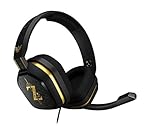
- The A10’s durable aluminum headband with damage-resistant rubberized cover and detachable cable system is designed to withstand wins, losses, and everything in between.
- Tuned for Gaming, ASTRO Audio was developed with pro gamers and game designers to deliver clarity and detail at every frequency and volume level.
- Featuring over-the-ear construction with premium ear cushions and headband, these lightweight ASTROs lower fatigue and extend the duration of any gaming session.
- Crystal clear communication and easy flip-to-mute action puts you in control of your voice com.
- The A10 connects to any audio source with a 3.5 millimeter jack – perfect for console controllers and most PCs and Macs.
Check these things before reporting content as lost
- Fully quit and relaunch Apex. If the item is still absent, restart your system and check again.
- Verify the EA Account. Sign in to the account where you earned or bought the content. EA says it cannot transfer content that was sent to the wrong EA Account.
- Check service status. Look for an outage affecting EA services or the platform you use, and check official Apex communications for relevant notices.
- Look in the right inventory location. Check the Loadout and Legends tabs; for Legend-specific cosmetics, inspect that Legend’s Locker.
- Confirm the item was actually claimed or opened. For Packs, check whether they were opened; for currency, confirm it was spent. For event rewards, verify you completed the requirements and opened any required packs before the event ended.
- Check platform restrictions. EA says Apex Coins purchased on Nintendo Switch can only be accessed on Switch. Some content is platform-exclusive, so check the platform on which you earned or purchased the item.
- For a purchase, confirm the transaction and allow time for delivery. EA’s missing-content guidance says to contact support with proof of purchase if paid content remains missing after 24 hours.
EA’s Apex Legends missing-content guide and general missing currency, items, and rewards guide provide additional account and inventory checks.
Which kind of missing content are you dealing with?
| Situation | What is established | Next step |
|---|---|---|
| Legacy badge after Cross Progression | EA says some stat-linked legacy items may have been lost because stats could not be merged. | Note the primary account and missing badge category; do not assume every missing badge is part of this issue. |
| Recent Battle Pass Upgrade reward report | One Steam player reported missing Apex Packs and said support called the case a possible bug. | Treat it as an individual case, not a confirmed widespread defect. |
| Account or platform mismatch | EA advises checking the correct account and notes platform-specific limits, including Switch-only access for Switch-purchased Apex Coins. | Verify the EA Account and platform used to earn or buy the content. |
| Event reward missing | EA says event items cannot be earned after an event ends. | Check event eligibility, completion, and timing before concluding the reward disappeared because of a bug. |
How to contact EA about a missing purchase
If a paid item is still absent more than 24 hours after the transaction, contact EA through its Apex Legends support hub. Include proof of purchase and identify your platform, EA Account, the item or currency, and when you expected it to arrive. For missing badges or other non-purchase content, use the same support hub to find the relevant account or lost-progress guidance.
Quick Recap
Rank #4

- Up to 15m wireless range: Removing the boundaries of wires, the 2.4 GHz wireless signal provides a range of up to 15m
- Cross-platform connectivity: With our new USB transmitter, you can easily connect cross-platform between console and PC; separately sold console-specific USB transmitters allow for cross-console compatibility using the same headset
- 15+ hours battery life: Enjoy anxiety-free marathon gaming sessions with more than 15 hours of battery life; recharge the headset using the included USB-C to USB-A cable
- Flip-to-mute microphone: Be in charge of your full audio experience with the flip-to-mute uni-directional microphone which delivers clear and accurate communication with easy mute functionality
- EQ presets: Choose between 3 different audio presets to make sure you have the best equalizer settings for the game you’re playing
Rank #3

- Hybrid blue mechanical gaming switches – The tactile click of a blue mechanical switch plus a smooth membrane – guaranteed for 20 million keypresses
- OLED smart display – Customize with gifs, game info, discord messages, and more.
- Aircraft-grade aluminum alloy frame – Manufactured for unbreakable durability and sturdiness
- Dynamic per-key RGB illumination – Gorgeous color schemes and reactive effects for every key
- Premium magnetic wrist rest – Provides full palm support and comfort
Product prices and availability are accurate as of the date/time indicated and are subject to change. Any price and availability information displayed on Amazon at the time of purchase will apply.




