What’s actually slowing this PC down?
Pick the symptom - the matching free tool is one click away.
ASUS ROG x Hatsune Miku is not one uniform product family. It is a themed ecosystem with two layers: high-end ROG components for a custom gaming PC and a separate TUF Gaming peripheral lineup for existing desks. The ROG range covers the motherboard, RTX 5080 graphics card, 360 mm cooler, monitor, case, power supply, SSD enclosure, and apparel; TUF adds a keyboard, headset, mouse, and mouse pad. Availability is regional and limited-edition stock should be rechecked before buying.
What the ASUS x Hatsune Miku collaboration includes
ASUS’s Hatsune Miku collaboration is best understood as two connected but distinct product layers. The ROG collection is the high-end PC-build and showcase layer: it includes a motherboard, graphics card, liquid cooler, monitor, case, power supply, SSD enclosure, and apparel. The separate TUF Gaming x Hatsune Miku collection is the more accessible desktop-peripheral layer, with a keyboard, headset, mouse, and mouse pad.
As an Amazon Associate I earn from qualifying purchases.
That distinction matters when shopping. There is no single all-in-one Hatsune Miku gaming PC or guaranteed bundle containing every product. A themed build still requires the same compatibility checks as any other PC, and availability can vary substantially by country, retailer, and product.
Do these 3 things before closing this tab:
1Clear out junk files and repair common Windows errors2Scan for outdated or missing drivers - takes under a minute3Repair Windows errors before they cause bigger problemsThe ROG Hatsune Miku hardware lineup
ASUS’s ROG event announcement lists the following core ROG products:
#1 Best Overall

- Compact, portable design: 98-key layout is highly portable and frees up more space for the mousing hand, and rear cable management slot allows for neater desktop setups
- IP57 waterproofing and dust resistance: Industry-leading protection for easy cleaning and long-lasting durability
- Optical-mechanical RGB switches: Featuring n-key rollover, 100% anti-ghosting, and 100-million-keypress lifespan
- Silicone-gasket mount and dampening foam: Absorbs pinging noises and echoes for improved keyboard acoustics and unrivaled typing experiences
- Detachable top plate: Allows for different looks and easy maintenance
| Product | Role | Notable specifications or features |
|---|---|---|
| ROG Strix X870E-H Gaming WiFi7 Hatsune Miku Edition | AM5 motherboard | AMD Ryzen 9000, 8000, and 7000 support; PCIe 5.0 x16; Wi-Fi 7; dual USB4 Type-C; four M.2 slots |
| ROG Astral GeForce RTX 5080 O16G Hatsune Miku Edition | Graphics card | Quad-fan cooling, vapor chamber, 50-amp MOSFETs, Aura Sync lighting, Miku-themed shroud and backplate |
| ROG Ryuo IV 360 ARGB Hatsune Miku Edition | 360 mm all-in-one CPU cooler | Movable curved 6.67-inch AMOLED display, high-flow pump, pre-mounted daisy-chained ARGB fans |
| ROG Strix XG27ACMEG-G Hatsune Miku Edition | Gaming monitor | 27-inch QHD Fast IPS panel; up to 260 Hz overclocked refresh; 0.3 ms GTG; DisplayHDR 400; G-SYNC and FreeSync Premium compatibility |
| ROG Strix Helios II Hatsune Miku Edition | Showcase PC case | EATX support, graphics cards up to 450 mm, pre-installed 140-by-28 mm fans, full-body Miku artwork on the front grille |
| ROG Strix Arion Hatsune Miku Edition | External M.2 NVMe enclosure | Supports 2230, 2242, 2260, and 2280 PCIe NVMe SSDs; aluminum body; thermal pads; tool-free installation |
| ROG Thor 1200W Platinum III Hatsune Miku Edition | Power supply | 1200 W capacity, GaN MOSFETs, GPU-First voltage stabilizer, magnetic OLED power-draw display |
| ROG T-Shirt I and ROG T-Shirt II Hatsune Miku Edition | Apparel | Sorona fabric, reflective details, moisture-wicking properties, and Hatsune Miku/ROG graphics |
ASUS also identifies the ASUS A23 Hatsune Miku Edition as a related chassis. It is an ASUS-branded ATX case rather than part of the core ROG Helios II list, so the two cases should not be treated as interchangeable versions of the same product.
ROG Strix X870E-H motherboard: the platform foundation
The ROG Strix X870E-H Gaming WiFi7 Hatsune Miku Edition is an ATX motherboard for AMD’s AM5 desktop platform. ASUS lists compatibility with Ryzen 9000, 8000, and 7000 series processors, making it the component that determines the CPU family and much of the system’s expansion capability.
Its important practical features include a PCIe 5.0 x16 slot, Wi-Fi 7, two USB4 Type-C connections, and four M.2 slots. ASUS also lists M.2 and PCIe Q-Release mechanisms intended to make removing storage and expansion cards easier. The Hatsune Miku treatment appears across the heatsinks and rear area, with matching BIOS and Armoury Crate visuals. Compatible lighting can be coordinated through Aura Sync.
For a real build, the board’s appearance does not change the normal AM5 checklist: confirm the processor is supported, install compatible DDR5 memory and storage, and check the motherboard’s physical fit against the selected case. The Ryzen support generations listed by ASUS are the appropriate starting point, but buyers should still check the current support information for the exact CPU and BIOS state before assembling a system.
ROG Astral RTX 5080: the performance centerpiece
The ROG Astral GeForce RTX 5080 O16G Hatsune Miku Edition is the flagship performance component of the themed ROG build. ASUS describes it as a quad-fan graphics card with vapor-chamber cooling, 50-amp MOSFETs, Aura Sync lighting, and Miku artwork across the shroud and backplate.
Those are manufacturer specifications, not independent frame-rate results. The card’s real gaming performance will depend on the game, resolution, graphics settings, drivers, CPU, and power limits. Its physical dimensions and power connectors also need to be checked against the case and power supply before purchase. A case’s stated maximum graphics-card length alone does not confirm clearance for every card design, because thickness, cable bend space, and radiator placement can also matter.
ROG Ryuo IV 360 ARGB: cooling with a display
The Ryuo IV 360 ARGB Hatsune Miku Edition is a 360 mm all-in-one liquid CPU cooler. Its most visible feature is a movable curved 6.67-inch AMOLED display, which ASUS says can show 3D-effect video or system information. The cooler also uses a high-flow pump and pre-mounted daisy-chained ARGB fans, reducing cable clutter in a themed showcase build.
PC Slower Than It Used to Be?
A free scan shows the junk files, broken settings and background clutter dragging Windows down - then fixes them in one click.Free scan · Windows 10 & 11Crashes, No Sound, or Screen Glitches?
Random freezes, missing sound and display glitches usually trace back to one bad driver. Find and replace yours safely.Free scan · under a minuteA 360 mm radiator requires a case position with sufficient radiator and fan clearance. The Helios II is the more obvious match within the ROG lineup, but buyers should still verify the desired mounting position and clearance for the motherboard heatsinks, memory, graphics card, and tubing. The A23 supports radiators up to 360 mm, but its other clearance limits are different from the Helios II’s.
Rank #2
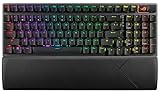
- TKL Size with Full-Size Functionality and Num Pad: Experience a compact, space-saving design that's only 1 cm wider than a standard 80 percent keyboard, while still retaining the keys and number pad you would have in a 96 percent keyboard.
- Versatile Tri-Mode Connectivity: Seamlessly connect via Bluetooth (supporting up to 3 devices), low-latency 2.4GHz wireless with ROG SpeedNova technology, or a reliable USB wired connection. Compatible with both PC and Mac, and boasts an exceptional battery life of up to 1,500 hours in 2.4GHz wireless mode.
- Enhanced Acoustics: Integrated sound-dampening foam and switch-dampening pads effectively absorb pinging noises and echoes, resulting in improved keystroke acoustics.
- Hot Swappable, Pre-Lubed Mechanical Switches: Customize your typing experience with your choice of ROG NX Snow linear switches (for smooth, thocky keystrokes) or ROG NX Storm clicky switches (for crisp, tactile keystrokes). Both switch types are factory-lubricated for enhanced stability and optimized acoustics. Features per-key RGB lighting.
- Optimized for Gaming, Streaming, and Daily Work: Pre-programmed hotkeys (F1-F5) provide convenient control over the Xbox Game Bar and recording functions. A multi-function wheel allows for intuitive media and lighting adjustments. All keys are fully macro-programmable for advanced customization.
ROG Strix XG27ACMEG-G: the matching display
The ROG Strix XG27ACMEG-G Hatsune Miku Edition is a 27-inch QHD monitor built around a Fast IPS panel. Its listed resolution is 2560 × 1440, with a refresh rate of up to 260 Hz when overclocked and a listed 0.3 ms GTG response time. It is DisplayHDR 400 certified and supports both G-SYNC and FreeSync Premium compatibility.
The themed details extend beyond the rear shell. ASUS lists a Miku-inspired phone holder and a Hatsune Miku-style on-screen display interface. The monitor is therefore a useful centerpiece even for someone who does not build the entire ROG PC.
ASUS’s U.S. Store listed the monitor at $529 at the time covered by the supplied research. That is a historical reference rather than a current price promise; monitor pricing, promotions, and stock should be checked again before buying.
Free tools Windows power users keep installed
One-click scans. No signup required.
ROG Strix Helios II: the showcase chassis
The ROG Strix Helios II Hatsune Miku Edition is designed to display the build. Its front aluminum diamond grille carries a full-body Hatsune Miku illustration, making the case one of the most visually important parts of the collection.
ASUS lists support for EATX motherboards, graphics cards up to 450 mm, and pre-installed 140-by-28 mm fans. That makes it the more flexible choice for a large, high-end themed build, but the published maximums should still be compared with the exact GPU and cooler being installed.
The related ASUS A23 Hatsune Miku Edition is a smaller or more conventional alternative in terms of platform support. It accepts ATX motherboards, radiators up to 360 mm, graphics cards up to 380 mm, and CPU coolers up to 165 mm. Those limits are materially different from the Helios II specifications, so a buyer should select the case before finalizing the graphics card and cooling layout.
ROG Strix Arion: an enclosure, not an SSD
The ROG Strix Arion Hatsune Miku Edition is an external enclosure for an M.2 PCIe NVMe SSD. It has an aluminum-alloy body, themed exterior graphics, thermal pads, and support for 2230, 2242, 2260, and 2280 drive lengths. ASUS says the installation is tool-free and does not require a screwdriver.
The enclosure does not constitute a complete storage drive by itself. You need to provide a compatible M.2 NVMe SSD. Once populated, it can serve as portable storage or a way to carry a game library between compatible systems, but the enclosure’s practical performance depends on the installed drive, connection standard, host device, and cable.
Rank #3

- Compact & portable layout: 97-key design frees up more space for the mousing hand, and better portability.
- IP57 waterproof & dust resistance: Industry-leading protection for easy cleaning and long-lasting durability.
- Silicone gasket mount & dampening foam: Absorb pinging noises and echoes provide improved keystrokes acoustics for unrivaled typing experiences.
- Optical-mechanical RGB switches: Featuring N-key rollover, 100% anti-ghost, 100-million-keypress lifespan, along with RGB LEDs for all-round per-key lighting.
- Detachable top plate: Create different looks and allows for easy cleaning and maintenance.
ROG Thor 1200W Platinum III: power for a high-end build
The ROG Thor 1200W Platinum III Hatsune Miku Edition is the power-delivery component intended for a powerful themed system. ASUS highlights its 1200 W output, GaN MOSFETs, GPU-First voltage stabilizer, magnetic OLED display for power draw, and cyan-and-magenta Miku finish.
A 1200 W unit is not automatically required simply because the other parts carry the Hatsune Miku branding. Select the power supply based on the complete system’s graphics card, processor, other components, connector requirements, and desired headroom. Verify that the unit includes the connections required by the exact graphics card and that cables can be routed without stressing the GPU connector.
ROG apparel
The ROG T-Shirt I and ROG T-Shirt II Hatsune Miku Edition products are collector and lifestyle items rather than PC components. ASUS describes Sorona fabric, reflective elements, moisture-wicking properties, and Miku/ROG graphics. They extend the collaboration beyond the desk but have no bearing on PC compatibility or performance.
Quick wins for a faster PC:
Clear out junk files and repair common Windows errorsFree Scan →Fix the driver behind crashes, sound loss and screen glitchesFind Drivers →The TUF Gaming x Hatsune Miku peripheral lineup
ASUS separately announced four TUF Gaming x Hatsune Miku products in collaboration with Crypton Future Media. Their design combines TUF’s mechanical-armor visual language with Hatsune Miku’s blue-green and pink color palette:
| Product | Type | Key specifications |
|---|---|---|
| TUF Gaming K3 Gen II Hatsune Miku Edition | Keyboard | 97-key compact optical-mechanical design, RGB lighting, silicone-gasket mounting, dampening foam, IP57 protection, detachable top plate, Aura Sync compatibility |
| TUF Gaming H1 Gen II Hatsune Miku Edition | Wired headset | USB-A connection, PC and PlayStation 4/5 support, 40 mm ASUS Essence drivers, virtual 7.1-channel audio, TeamSpeak-certified unidirectional microphone, 297 g weight, two-metre cable |
| TUF Gaming Mini Wireless Hatsune Miku Edition | Wireless mouse | 65 g compact ambidextrous body, 12,000 dpi optical sensor, six programmable buttons, tri-mode connectivity, up to 134 hours in Bluetooth mode |
| TUF Gaming P1 Hatsune Miku Edition | Mouse pad | 260 × 360 mm cloth surface, water-resistant coating, anti-fray stitching, non-slip rubber base |
K3 Gen II keyboard: the clearest U.S. shopping opportunity
For buyers who want the collaboration without building a complete themed PC, the ASUS TUF Gaming K3 Gen II Hatsune Miku Edition keyboard is the most straightforward starting point. It is a 97-key compact optical-mechanical keyboard with RGB lighting, silicone-gasket mounting, dampening foam, IP57 protection, a detachable top plate, and Aura Sync compatibility.
ASUS’s U.S. where-to-buy page listed Amazon, Newegg, and Mobile Advance as purchase paths and showed the keyboard in stock when the supplied research was collected. That is the strongest verified U.S. retail signal for the collection, but it should not be read as a permanent stock or price guarantee. Check the retailer, seller, price, shipping terms, and return policy at the time of purchase.
H1 Gen II headset: wired console and PC support
The TUF Gaming H1 Gen II Hatsune Miku Edition is a wired USB-A headset for PC and PlayStation 4/5. ASUS lists 40 mm ASUS Essence drivers, virtual 7.1-channel audio, a TeamSpeak-certified unidirectional microphone, a 297 g weight, and a two-metre cable.
ASUS’s technical page includes a black product-color field despite the limited-edition treatment. It is safer to identify the product by its official edition name than to infer its complete appearance from that metadata alone.
Rank #4
- Compact & portable layout: 97-key design frees up more space for the mousing hand, and better portability.
- IP57 waterproof & dust resistance: Industry-leading protection for easy cleaning and long-lasting durability.
- Silicone gasket mount & dampening foam: Absorb pinging noises and echoes provide improved keystrokes acoustics for unrivaled typing experiences.
- Optical-mechanical RGB switches: Featuring N-key rollover, 100% anti-ghost, 100-million-keypress lifespan, along with RGB LEDs for all-round per-key lighting.
- Detachable top plate: Create different looks and allows for easy cleaning and maintenance.
Tom’s Guide published hands-on impressions of the H1 Gen II platform, including observations about comfort and microphone clarity, while also noting limitations in the inline controls and customization software. Those are reviewer observations from a test unit, not universal performance results for every buyer or a substitute for the manufacturer’s specifications.
Mini Wireless mouse and P1 mouse pad
The TUF Gaming Mini Wireless Hatsune Miku Edition mouse is a compact 65 g ambidextrous model with a 12,000 dpi optical sensor, six programmable buttons, and tri-mode connectivity. ASUS lists up to 134 hours of battery life in Bluetooth mode. Battery life varies by connection mode and usage, so the Bluetooth figure should not be treated as a universal runtime across all three modes.
The matching TUF Gaming P1 mouse pad measures 260 × 360 mm. Its cloth surface has a water-resistant coating, anti-fray stitching, and a non-slip rubber base. It is a desk accessory rather than an electronic device, but it may be the least expensive way to add the collaboration’s visual identity to an existing setup.
Availability: limited drops, regional stock, and changing designs
The TUF collection’s launch history points to a limited-edition strategy. ASUS introduced it in June 2025 through an iBUYPOWER Anime Expo activation in Los Angeles, where limited quantities were offered before the broader launch. That establishes the collection’s limited-drop origin; it does not prove that every product remains permanently stocked.
ASUS publicly announced the ROG collection in August 2025. The ROG event page also warned that some product designs were still subject to final approval and could change. Product names and specifications should therefore be checked against the final regional listing rather than assumed from early promotional images.
Availability should be reported by product and geography. For U.S. shoppers, the ASUS retailer locator’s Amazon listing for the K3 keyboard is a concrete verified commerce signal from the research period. The official pages reviewed did not provide an equivalent Amazon in-stock confirmation for every ROG component. It would be inaccurate to say that the complete ROG ecosystem is universally available on Amazon or through one global retailer.
Prices are equally volatile. The $529 U.S. Store listing for the monitor, for example, is useful context but not a current quote. Limited-edition hardware can also appear at different retailers, launch events, or regional ASUS stores at different times.
Compatibility checklist for building the themed PC
The visual coordination is appealing, but the parts remain ordinary PC hardware under the artwork. Use this checklist before ordering:
Best Value

- Full-Size Premium Wired Keyboard: The ROG Strix Scope II X is a 100% keyboard with a number pad and wired USB-C connectivity. The aluminum top plate and PBT doubleshot keycaps give it a weighty, durable presence while keeping each key resistant to wear
- Hot Swappable, Pre-Lubed Mechanical Switches V2: Create your own custom aesthetics and typing experience with your choice of ROG NX Snow linear switches (for smooth, thocky keystrokes) or ROG NX Storm clicky switches (for crisp, tactile keystrokes)
- ROG NX V2 Switches: These switches retain the dust-proof, wall-stem design of the original V1 switches while adding an LED lens for enhanced RGB illumination
- Enhanced Acoustics: Integrated sound-dampening foam and switch-dampening pads effectively absorb pinging noises and echoes, resulting in improved keystroke acoustics
- Optimized for Gaming, Streaming, and Daily Work: Pre-programmed hotkeys (F1-F5) for control over Xbox Game Bar and recording functions. A multi-function wheel allows for intuitive media and lighting adjustments. All keys are fully macro-programmable
- Choose the CPU platform first. The X870E-H is an AM5 motherboard for AMD Ryzen 9000, 8000, and 7000 series desktop processors. Confirm the exact processor and current motherboard support information before assembly.
- Select the case before locking in the GPU and cooler. The Helios II supports EATX boards and graphics cards up to 450 mm. The A23 supports ATX boards, graphics cards up to 380 mm, radiators up to 360 mm, and CPU coolers up to 165 mm. Compare those limits with the exact card thickness, radiator position, tubing route, and cooler clearance.
- Confirm graphics-card clearance in three dimensions. Length is only one part of the fit. Check card thickness, available expansion slots, front-radiator interference, and the space needed to route and bend the power cable.
- Match the power supply to the finished system. The Thor is a 1200 W high-end option, not a mandatory accessory. Calculate the needs of the chosen GPU, CPU, drives, pumps, fans, and other accessories, then verify the required connectors and sensible headroom.
- Plan storage separately. The Arion enclosure requires a separately purchased M.2 PCIe NVMe SSD. Confirm that the drive is one of the supported 2230, 2242, 2260, or 2280 sizes.
- Decide whether the monitor matches the build’s goal. The XG27ACMEG-G is a QHD, high-refresh display with up to 260 Hz overclocked refresh. The useful result depends on the games and settings you intend to run; the product specifications do not constitute a benchmark.
- Plan lighting around the components that actually support it. Aura Sync can coordinate compatible RGB devices, including the motherboard, graphics card, cooler, and supported peripherals. The apparel, mouse pad, and SSD enclosure are primarily visual accessories and should not be expected to join an RGB lighting ecosystem.
Common assumptions to avoid
- Matching branding does not mean a prebuilt bundle. You still need a CPU, memory, an SSD for internal storage, an operating system, and the usual build components unless you already own them.
- The Arion is not a finished SSD. It is an enclosure that needs a compatible NVMe drive.
- The 1200 W Thor is not required by the theme. Power requirements come from the actual system configuration.
- The Helios II and A23 are different cases. Their motherboard, GPU, radiator, and cooler limits are not the same.
- Manufacturer specifications are not independent testing. Cooling claims, response times, audio features, and lighting functions should not be turned into guaranteed gaming results.
Which parts make sense for different buyers?
For an enthusiast PC builder
The ROG motherboard, RTX 5080 graphics card, Ryuo IV cooler, Helios II case, Thor power supply, and XG27ACMEG-G monitor form the most complete expression of the collaboration. They are suited to someone who wants a high-end custom build and values the display aesthetics as much as component selection.
There is no technical requirement to buy every matching part. A builder could use the motherboard and cooler with a conventional graphics card, or use the Miku case and monitor around otherwise standard components. That approach may be more practical if a specific ROG item is unavailable or carries a large limited-edition premium.
For a peripheral-focused Hatsune Miku fan
The TUF lineup is the sensible entry point. The keyboard, headset, mouse, and mouse pad can be added to an existing PC or console setup without changing the internal hardware. The keyboard is the most substantial single purchase, while the P1 mouse pad offers a simple desk-level upgrade with no software or compatibility concerns.
Recommended Free Tools
For a collector
The limited-edition case, Arion enclosure, apparel, and themed monitor have value as visible or displayable parts of the collaboration. Collectors should pay close attention to regional release timing, packaging, final product design, and seller authenticity. A product being shown in an announcement does not by itself establish continuous retail availability.
For a practical gamer
The strongest value proposition is selective customization. Buy the ordinary components that meet your performance and reliability needs, then add one or two pieces that matter most visually—such as the TUF keyboard, monitor, case, or mouse pad. This avoids paying for coordinated branding on parts whose technical role is already satisfied by less specialized alternatives.
Bottom line
ASUS ROG x Hatsune Miku is a genuine ecosystem, but not a single uniform product family. ROG supplies the high-end PC-build identity, while TUF Gaming supplies the more approachable keyboard, headset, mouse, and mouse pad. The best buying strategy is to choose the layer that fits your goal, verify regional stock at the time of purchase, and perform normal PC compatibility checks before treating the themed parts as a matched build.
Frequently Asked Questions
No. It is a collection of separately sold components and accessories. The ROG layer includes PC hardware, a monitor, an enclosure, and apparel, while the TUF layer includes four peripherals. A complete PC still needs a CPU, memory, internal storage, and other standard components.
Is the ASUS ROG x Hatsune Miku collection one complete PC bundle?
The Tool Desk
Outbyte PC Repair FREERepair Windows errors before they cause bigger problemsFix Now →Outbyte Driver Updater FREEFix the driver behind crashes, sound loss and screen glitchesFind Drivers →No. The Arion is an external M.2 PCIe NVMe SSD enclosure. You must supply a compatible 2230, 2242, 2260, or 2280 M.2 NVMe drive.
Does the ROG Strix Arion Hatsune Miku Edition include an SSD?
No. The Helios II is the core ROG showcase case and supports EATX motherboards and graphics cards up to 450 mm. The related A23 is an ATX case with support for graphics cards up to 380 mm, radiators up to 360 mm, and CPU coolers up to 165 mm.
Are the ROG Helios II and ASUS A23 Hatsune Miku cases the same product?
The ASUS U.S. retailer locator listed the TUF Gaming K3 Gen II Hatsune Miku Edition keyboard with Amazon, Newegg, and Mobile Advance, and showed it in stock during the research period. Stock and price can change, and that signal does not establish availability for every ROG product.
Which Hatsune Miku ASUS product has the clearest U.S. retail availability?
The Bottom Line
Best overall approach: treat the ROG lineup as a premium custom-build palette and the TUF lineup as the practical plug-in peripheral collection. For most fans, starting with the TUF keyboard or mouse pad is simpler than chasing every ROG component. For builders, confirm AM5 support, case clearances, radiator placement, GPU cabling, PSU capacity, and the separate SSD requirement for the Arion enclosure.
Quick wins for a faster PC:
Clear out junk files and repair common Windows errorsFree Scan →Scan for outdated or missing drivers - takes under a minuteDriver Scan →



