
Verdict: The EVO revisions of ASUS’s TUF Gaming X3 Radeon RX 5700 and RX 5700 XT fixed the main weakness of the earlier TUF design with a much more capable triple-fan cooler. They were substantially quieter than AMD’s reference blower card, and the RX 5700 XT EVO was the better value when it cost only about $30 more at launch. In 2026, however, these are discontinued-generation GPUs: buy one only at an appropriate used price, after checking its condition, compatibility, and sustained-load behavior.
The review covers the ASUS TUF 3-RX5700-O8G-EVO-GAMING and TUF 3-RX5700XT-O8G-EVO-GAMING. HotHardware published its original review on August 20, 2020; the buying advice below updates that verdict for the used market rather than presenting either card as a current new-product recommendation.
As an Amazon Associate I earn from qualifying purchases.
What are the ASUS TUF X3 EVO cards?
These are ASUS custom versions of AMD’s first-generation RDNA, or Navi, graphics cards:
- ASUS TUF Gaming X3 Radeon RX 5700 EVO — model TUF 3-RX5700-O8G-EVO-GAMING.
- ASUS TUF Gaming X3 Radeon RX 5700 XT EVO — model TUF 3-RX5700XT-O8G-EVO-GAMING.
The EVO suffix matters. The cards are not simply the original TUF Gaming X3 RX 5700-series products with a name change. ASUS revised the cooler after criticism of the earlier design, using a larger fin array, redesigned fans, and a different thermal layout.
#1 Best Overall

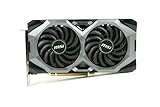
- GPU MODEL: MSI Radeon RX 5700 graphics card featuring 8GB of high-speed GDDR6 memory for smooth gaming and content creation performance
- COOLING SYSTEM: Dual-fan Mech GP design with advanced thermal solution and heat pipes to maintain optimal temperatures during intensive workloads
- FACTORY OVERCLOCKED: OC edition comes pre-overclocked from the factory for enhanced performance right out of the box without manual tuning
- CONNECTIVITY: Multiple display outputs allow you to connect several monitors simultaneously for immersive multi-screen gaming or productivity setups
- COMPACT DESIGN: No backplate configuration reduces overall weight and thickness, making it ideal for smaller PC builds with limited space
They should also be distinguished from AMD’s reference cards. AMD’s reference RX 5700 and RX 5700 XT used blower-style coolers that expelled heat through the rear of the case but could become very loud. ASUS’s EVO cards use open-air triple-fan cooling instead, trading easier case exhaust for lower cooler noise in a well-ventilated system.
Specifications
| Specification | RX 5700 EVO | RX 5700 XT EVO |
|---|---|---|
| Architecture | AMD Navi, first-generation RDNA | AMD Navi, first-generation RDNA |
| Stream processors | 2,304 | 2,560 |
| Memory | 8GB GDDR6 | 8GB GDDR6 |
| Memory speed | 14 Gbps | 14 Gbps |
| Memory interface | 256-bit | 256-bit |
| Game clock | Up to 1,720 MHz Gaming; 1,725 MHz OC | Up to 1,795 MHz Gaming; 1,905 MHz OC |
| Boost clock | Up to 1,750 MHz | Up to 1,870 MHz Gaming; 1,980 MHz OC |
| Outputs | 3× DisplayPort 1.4; 1× HDMI 2.0b | 3× DisplayPort 1.4; 1× HDMI 2.0b |
| Power connectors | 1× 6-pin plus 1× 8-pin | 1× 6-pin plus 1× 8-pin |
| Recommended PSU | 600W | 600W |
| Cooler | Triple-fan, open-air, 2.7-slot design | |
ASUS lists the RX 5700 EVO at approximately 11.13 × 5.06 × 2.12 inches. The 2.7-slot cooler is the more important fit consideration than length alone. Confirm the exact XT dimensions on the seller’s or ASUS’s model-specific specification page before buying, particularly if the card must fit beside a capture card, sound card, or radiator.
Both models provide HDCP 2.3, three DisplayPort 1.4 outputs, and one HDMI 2.0b output. That works well for many high-refresh 1080p and 1440p monitors, but HDMI 2.0b is not HDMI 2.1. Buyers connecting a modern high-resolution, high-refresh television should verify that DisplayPort or HDMI 2.0b meets the required resolution and refresh rate.
Recommended Free Tools
The EVO cooler was the major improvement
ASUS advertised the EVO heatsink as having 44% more surface area than the previous TUF cooler. That is a manufacturer specification for the heatsink, not a promise of a 44% temperature reduction or performance increase.
The cooler uses three Axial-tech fans with a smaller hub and barrier-ring design intended to improve static pressure. The heatsink includes contact points for the GPU, voltage-regulation circuitry, and onboard memory. ASUS also specified:
- Semi-passive 0dB fan operation below approximately 55°C.
- A full-length protective backplate.
- Dual-ball fan bearings.
- A stated 144-hour validation process.
The 0dB feature is useful at the desktop, but fan-stop behavior depends on temperature, firmware, driver settings, and the individual card. A used card with worn bearings may also make noise that a new sample did not.
Test conditions and performance
HotHardware tested the cards with a Ryzen 7 3700X, 32GB of DDR4-3200 memory, Windows 10 Pro 1909, and the cards’ default Gaming profile. Testing covered 1920×1080 and 2560×1440 gaming. Those results are period measurements from the 2020 driver and game environment, not universal performance guarantees for every current title.
Quick wins for a faster PC:
Clear out junk files and repair common Windows errorsFree Scan →Scan for outdated or missing drivers - takes under a minuteDriver Scan →Rank #2

- Raw II - introducing the XFX raw II 5700 XT. Built with style and dynamic cooling power in mind to yield lower temperatures and heightened performance that adapt to the intensity of the moment.Thanks to new, vivid XFX logo LED integrated into the XFX raw II you can play and look like a Pro
- Gpu - AMD Rx 5700 XT
- Memory - 8GB of GDDR6
- Gpu boost Clock up to 1905 MHz
- "Game Clock" is the expected GPU clock when running in typical gaming applications, set to typical TGP (Total Graphics Power). Actual individual game clock results may vary
The practical conclusion remains clear:
- 1080p: Both cards are suitable for high-refresh gaming when paired with an appropriate CPU and settings. The XT’s extra performance is less valuable if the display is limited to 60Hz or if the games already run comfortably above the monitor’s refresh rate.
- 1440p: The RX 5700 XT has more useful headroom for high and ultra settings and is the stronger choice for a 1440p gaming build.
- Longer-term use: The XT’s additional shader resources and higher clocks give it more breathing room, although neither card has hardware-accelerated ray tracing.
HotHardware found performance gains for the XT that reached approximately 12–13% in some tests. At the review’s approximate launch prices—$389.99 for the RX 5700 EVO and $419.99 for the RX 5700 XT EVO—the XT cost only about 7.7% more. That made the XT the more compelling purchase even though both cards shared 8GB of GDDR6 memory and a 256-bit bus.
The RX 5700 EVO was still a capable performer and was broadly comparable to the RTX 2060 SUPER in the review’s conclusion, but that comparison excludes ray tracing. In the used market, compare either card against newer GPUs at the same price instead of assuming the 2020 value proposition still applies.
Thermals and noise: much better than the reference blower
In HotHardware’s stated test setup, the cards were controlled around 85°C under the tested workload. Measured noise was approximately:
| Card or configuration | Measured noise |
|---|---|
| RX 5700 EVO at stock | 41 dBA |
| RX 5700 XT EVO at stock | 43 dBA |
| RX 5700 XT EVO overclocked | 51 dBA |
| AMD reference RX 5700 XT blower | 63 dBA |
These are reviewer measurements from one workload and one test system, not guaranteed owner experiences. The testing used a particular high-airflow setup with the side panel open. Ambient temperature, case intake restrictions, dust, fan curves, BIOS settings, and room noise can all change the result.
Do these 3 things before closing this tab:
1Fix the driver behind crashes, sound loss and screen glitches2Clear out junk files and repair common Windows errors3Scan for outdated or missing drivers - takes under a minuteThe open-air design is quieter partly because it does not force all heat through a small rear exhaust. That is its trade-off: the cooler dumps heat into the case. In a well-ventilated tower, this is usually the preferable arrangement. In a compact or poorly ventilated case, GPU heat can raise CPU and motherboard temperatures, and the fans may run faster than HotHardware’s measurements suggest.
Also, GPU core temperature is not the same as junction or hotspot temperature. When inspecting a used card, monitor the core, junction/hotspot, clock stability, fan speed, and power draw during a sustained load rather than relying on a single temperature reading.
Overclocking: possible, but not a free upgrade
The EVO cooler gives the cards thermal room, but it does not change the limits of the underlying Navi GPUs. HotHardware found limited driver-control headroom on the RX 5700 XT. Pushing the XT beyond the tested settings introduced stability problems, while higher clocks also increased power consumption and noise.
The RX 5700 reportedly responded to manual tuning, but memory overclocking was limited. Any overclock should therefore be treated as optional experimentation, not part of the purchase case. A stable stock card with a good return policy is more valuable than a seller’s claim that it was previously overclocked.
Crashes, No Sound, or Screen Glitches?
Random freezes, missing sound and display glitches usually trace back to one bad driver. Find and replace yours safely.Free scan · under a minutePC Slower Than It Used to Be?
A free scan shows the junk files, broken settings and background clutter dragging Windows down - then fixes them in one click.Free scan · Windows 10 & 11Do not flash a BIOS as a routine optimization. ASUS maintains product support and BIOS pages, including a January 30, 2020 XT BIOS tool described as improving stability, but buyers should identify the exact model before using any firmware. A BIOS update can fail, may affect return assumptions, and is unnecessary unless it addresses a documented problem.
Independent reader supportYour contribution helps us test, update, and keep practical guides available for everyone.RX 5700 EVO or RX 5700 XT EVO?
Choose the RX 5700 XT EVO when:
- The used-market premium over an equivalent RX 5700 is modest.
- You play at 1440p or want more headroom for demanding games.
- The case has adequate intake and exhaust airflow.
- The individual card passes a sustained test and has a reasonable return policy.
Choose the RX 5700 EVO when:
- It is materially cheaper than the XT.
- You mainly play at 1080p and do not need the XT’s additional performance.
- Your power or thermal budget favors the lower-tier model.
- The RX 5700 sample is in substantially better condition than the available XT.
Do not pay extra merely for the TUF badge or triple-fan cooler. A clean, tested competing card may be a better purchase than a neglected ASUS card, and a newer GPU may provide better efficiency, video features, or warranty coverage at a similar price.
Compatibility checklist
Before buying, verify all of the following:
- Measure clearance from the rear expansion slots to the front drive cage, radiator, or fans.
- Reserve approximately three usable expansion-slot positions for the 2.7-slot cooler.
- Check clearance around the motherboard’s lower PCIe slots.
- Confirm that the power supply has one 6-pin and one 8-pin PCIe connector.
- Use a reputable power supply meeting ASUS’s 600W recommendation.
- Provide a clear front-to-back airflow path; do not install an open-air card in a sealed or severely restricted case.
- Verify that the card’s DisplayPort and HDMI outputs match the monitor or television you intend to use.
Used-card inspection checklist
Because these cards are now used-market purchases, condition matters at least as much as the original review result.
- Confirm the exact model and make sure it is an EVO, not an earlier TUF X3 revision.
- Ask for a GPU-Z screenshot showing the GPU, 8GB memory, BIOS version, and PCIe link.
- Inspect the fans for wobble, grinding, rattling, or inconsistent operation.
- Check the heatsink for dust blockage, corrosion, bent fins, missing screws, PCB flex, or removed warranty labels.
- Run a demanding game or benchmark for at least 20–30 minutes.
- Monitor core temperature, junction/hotspot temperature, clock stability, fan speed, and power draw.
- Test every display output you need.
- Reject samples showing artifacts, driver resets, black screens, unusual fan behavior, or instability.
- Treat mining history as a risk factor, not automatic disqualification; testing and physical condition matter more than the seller’s description.
- Prefer a seller offering a meaningful return period. Do not assume ASUS warranty coverage transfers automatically to a second-hand owner; regional terms must be checked.
How it compares with other RX 5700-series cards
Sapphire Pulse and Nitro+, PowerColor Red Dragon and Red Devil, and MSI Gaming X models are relevant alternatives. There is no universal winner among them without model-specific measurements and a current listing price.
Compare the actual card you are considering on:
- Used price and seller return policy.
- Fan, heatsink, and thermal-paste condition.
- Noise and temperature under sustained load.
- Length, slot width, and power connectors.
- Factory clocks and available BIOS options.
- Warranty transferability.
The ASUS EVO’s clearest advantage over AMD’s reference RX 5700 XT is acoustics: HotHardware measured approximately 43 dBA for the stock XT EVO versus 63 dBA for the reference blower in its test. That advantage does not automatically make it better than every Sapphire, PowerColor, or MSI design, particularly if the competing card is newer, cheaper, or in better condition.
Reasons to buy and reasons to pass
Reasons to buy
- Quieter and less intrusive than the reference blower design.
- Strong period performance for 1440p gaming.
- 8GB of VRAM.
- Effective triple-fan cooler and protective backplate.
- The RX 5700 XT EVO was particularly good value when its launch premium was only about $30.
- ASUS support pages and firmware resources remain available.
Reasons to pass
- These are 2019-era GPUs and should be priced against newer used or entry-level cards.
- They lack the hardware ray-tracing acceleration found in newer generations.
- The 2.7-slot cooler can block adjacent expansion slots.
- Open-air cooling depends heavily on case airflow.
- Used examples may have worn fans, clogged fins, dried thermal paste, or altered BIOS settings.
- HDMI 2.0b may not suit modern high-resolution, high-refresh television setups.
- The RX 5700 EVO was difficult to justify when the XT cost only about $30 more at launch.
Final recommendation
The ASUS TUF Gaming X3 EVO revision delivered what the original TUF X3 cards needed: a substantially more convincing cooler. HotHardware’s results show a large noise advantage over AMD’s reference blower, while the cards remained capable 1080p and 1440p performers for their generation.
At the original price gap, buy the RX 5700 XT EVO. Its extra performance outweighed the roughly 7.7% price increase. In 2026, apply that conclusion only as a relative-price rule: choose the XT when its premium over a comparable RX 5700 is small and the card passes testing; choose the RX 5700 when it is substantially cheaper or your 1080p system does not need the extra performance. Either way, verify fit, airflow, condition, outputs, and the availability of a return option before paying.
Quick Recap
Product prices and availability are accurate as of the date/time indicated and are subject to change. Any price and availability information displayed on Amazon at the time of purchase will apply.
What’s actually slowing this PC down?
Pick the symptom - the matching free tool is one click away.

