
“atiddc.dll was not found” — what the message means
PC Slower Than It Used to Be?
A free scan shows the junk files, broken settings and background clutter dragging Windows down - then fixes them in one click.Free scan · Windows 10 & 11Crashes, No Sound, or Screen Glitches?
Random freezes, missing sound and display glitches usually trace back to one bad driver. Find and replace yours safely.Free scan · under a minuteYou may see one of these messages when starting an old game or graphics application:
- “This application failed to start because atiddc.dll was not found.”
- “The file atiddc.dll is missing or corrupted.”
- “A required component is missing: atiddc.dll. Please install the application again.”
- “Error loading atiddc.dll. The specified module could not be found.”
- “The program can’t start because atiddc.dll is missing from your computer.”
- “Failed to load atiddc.dll.”
atiddc.dll is a legacy ATI Radeon display-driver component, not a normal Windows runtime file. The safest fix is to identify the ATI or AMD graphics adapter and reinstall its matching official driver package rather than downloading an isolated DLL.
As an Amazon Associate I earn from qualifying purchases.
The 60-second answer
Do this first:
- Press Win + X and select Device Manager.
- Expand Display adapters and record the exact ATI or Radeon model.
- Download the final compatible driver from AMD’s official support site or the computer manufacturer, especially for a laptop.
- Uninstall the existing ATI/AMD display software from Settings → Apps → Installed apps.
- Restart Windows.
- Install the matching driver package and restart again.
- Start the affected program.
For very old Radeon hardware, a current AMD graphics package may not support the adapter. The correct download may be an archived Catalyst or legacy package, an OEM driver, or a driver delivered through Windows Update. AMD identifies several older Radeon generations as legacy hardware with no further driver development.
Do not copy atiddc.dll from a random DLL download page. A copied file can have the wrong architecture or version, omit related driver files, and leave the graphics installation inconsistent.
#1 Best Overall

- Powered by Radeon RX 9070 XT
- WINDFORCE Cooling System
- Hawk Fan
- Server-grade Thermal Conductive Gel
- RGB Lighting
What atiddc.dll belongs to
atiddc.dll is associated with the ATI Radeon family, originally developed by ATI Technologies. ATI was later acquired by AMD, so current troubleshooting usually involves an AMD Radeon driver package even though the file name uses the older ATI identity.
Historical driver inventories show copies of the file installed under C:WindowsSystem32 beside other ATI display-driver files. Those records contain different historical versions and sizes, so there is no single universal file that can safely be substituted on every computer. A System32 location also does not prove that an individual copy is genuine.
Public metadata primarily identifies atiddc.dll as a Win32, 32-bit DLL. That matters when an old 32-bit application runs on 64-bit Windows: the application may still expect a 32-bit driver-side component. Do not infer the correct replacement solely from the name. Match the graphics adapter, Windows version, driver branch, and application requirements.
Recommended Free Tools
This is not a Visual C++ Redistributable, DirectX, or .NET runtime file. Installing those runtimes is not the primary repair unless the error also names a Microsoft runtime dependency.
Why the error appears
The most likely causes are:
-
An incomplete or damaged ATI/AMD driver installation
A driver update, failed uninstall, disk cleanup, or interrupted installation removed the component or its associated files. -
An old Radeon adapter using an incompatible driver
Newer AMD software may no longer support older ATI-era hardware. Installing a current package can leave the adapter without the legacy components an old application expects. -
Antivirus quarantine or security software removal
Security software may have removed a driver file. Treat this as a possibility until quarantine history confirms it.The Tool Desk
Outbyte Driver Updater FREEScan for outdated or missing drivers - takes under a minuteDriver Scan →Outbyte PC Repair FREERepair Windows errors before they cause bigger problemsFix Now →Special offer. See more information about Outbyte and uninstall instructions. Please review EULA and Privacy policy. -
A wrong driver branch or architecture
A file from a different Radeon generation, Windows version, or application architecture may not load correctly. -
A damaged Windows installation
Windows component corruption can cause broader loading failures, although SFC and DISM do not normally recreate a third-party ATI driver file that was never installed. -
An obsolete application dependency
The program may be expecting an old ATI component, another missing dependency, or a hard-coded path. The error does not prove that the application itself should containatiddc.dll.Rank #2
 maxsun AMD Radeon RX 550 4GB GDDR5 ITX Computer PC Gaming Video Graphics Card GPU 128-Bit DirectX 12 PCI Express X16 3.0 DVI-D Dual Link, HDMI, DisplayPort
- AMD Radeon RX 550 Chipset, Silver plated PCB & all solid capacitors provide lower temperature, higher efficiency & stability
- 9CM unique fan provide low noise and huge airflow for your GPU
- GPU Boost Clock / Memory Speed : up to 1183 MHz / 4GB GDDR5 / 6000 MHz Memory, Stream Processors 512, Perfect for 3D CAD/CAM working, video and photo editing, Video Games @1080p
- Support: DirectX 12, Shader Model 5.0, OpenGL 4.6/4.5, 4K Video Decode
-
A tampered or corrupted replacement
If someone previously copied the DLL from an untrusted source, Windows may report a bad image, an invalid entry point, or that the file is not designed to run on Windows.Recommended: Update Every Outdated Driver on Your PC in One Scan - Free →Recommended: PC Feels Slow? A Free Scan Shows What's Dragging Windows Down →Recommended: Crashes or Glitches? A Free Driver Scan Usually Finds the Culprit →Special offer. See more information about Outbyte and uninstall instructions. Please review EULA and Privacy policy.
Fix 1: Identify the graphics adapter
Before removing anything, find the hardware model. This prevents installing a similar-looking but incompatible driver.
- Press Win + X.
- Select Device Manager.
- Expand Display adapters.
- Record the complete adapter name.
- Right-click the adapter and select Properties.
- Open the Driver tab and record the provider, date, and version.
- Open the Details tab.
- Select Hardware Ids from the property list if available.
- Copy the first hardware ID into a text file for reference.
If Display adapters shows Microsoft Basic Display Adapter, Windows is not currently using the expected ATI/AMD driver. That strongly supports repairing the graphics driver rather than copying a DLL.
If the adapter has a warning icon:
- Right-click it in Device Manager.
- Select Properties.
- Read the Device status box.
- Note any error code before uninstalling the device.
If a copy of atiddc.dll already exists, inspect it without replacing it:
- Open File Explorer.
- Browse to its location.
- Right-click the file and select Properties.
- Check Details for the file description, product name, and file version.
- Check Digital Signatures if that tab is present.
- Note the location.
Historical copies differ materially in version and size. Do not use those details as a universal download specification.
What’s actually slowing this PC down?
Pick the symptom - the matching free tool is one click away.
Fix 2: Reinstall the correct ATI or AMD driver
This is the primary repair.
For a desktop computer
- Identify the exact Radeon model from Device Manager.
- Open AMD’s official Drivers and Support page in your browser.
- Select the graphics family, model, and Windows version.
- If the product is marked legacy, select its final compatible Catalyst or legacy package instead of a current Adrenalin package.
- Download the installer.
- Do not run it yet.
- Open Settings → Apps → Installed apps.
- Search for AMD, ATI, or Radeon.
- Remove the relevant display software.
- Restart Windows.
- Run the downloaded installer.
- Choose the normal installation, or Clean Install if the package offers it and you have already confirmed that the package matches the adapter.
- Restart Windows when installation finishes.
On older systems, the driver may instead be available through Windows Update. Open Settings → Windows Update → Advanced options → Optional updates → Driver updates and check for a compatible display driver. Do not assume that every optional driver is appropriate; compare its provider and model with the adapter you recorded.
For a laptop or all-in-one computer
Use the computer manufacturer’s support page first. Laptop graphics can depend on vendor-specific power management, switchable graphics, firmware, or display behavior.
- Record the computer’s exact model.
- Open the manufacturer’s support application or support page.
- Select the operating system.
- Download the listed ATI, AMD, or Radeon display driver.
- Remove the existing AMD/ATI display software from Settings → Apps → Installed apps.
- Restart.
- Install the manufacturer’s package.
- Restart again.
If the manufacturer package is unavailable, use AMD’s legacy guidance and select the final compatible package. A current driver that supports newer Radeon hardware is not automatically suitable for an ATI-era adapter.
Manually hunting through old driver branches and matching them to an obsolete GPU can take longer than the actual installation. Outbyte Driver Updater can scan for driver status and show what needs attention; its free scan identifies the issue, while driver installation through the full version is optional, and the correct OEM or AMD package remains the definitive choice for this legacy hardware.
How to tell whether the repair worked
After restarting:
- Open Device Manager.
- Expand Display adapters.
- Confirm that the correct ATI or Radeon model is listed rather than Microsoft Basic Display Adapter.
- Open the affected application.
- Check whether the original error has disappeared.
If Windows reports that the driver is incompatible, the display becomes unstable, or the adapter returns to Microsoft Basic Display Adapter, uninstall that package and use the final driver intended for the exact adapter and operating system.
Fix 3: Check antivirus quarantine
Security software may have removed a driver component, but do not restore a quarantined file blindly.
Rank #3

- ATI Radeon HD 3450 256 MB GDDR2 PCI Express Low Profile Video Card General Features:
- Low profile PCB ATI Radeon HD 3450 graphics processing unit (GPU) 40 stream processing units
- 256 MB GDDR2 memory 64-bit memory interface PCI Express x16 interface
- Superscalar unified shader architecture High-speed 128-bit HDR (High Dynamic Range) rendering
- Custom Filter Anti-Aliasing
- Open Windows Security.
- Select Virus & threat protection.
- Select Protection history.
- Look for an event involving
atiddc.dll, ATI, AMD, or the display-driver installer. - Open the event details.
- Confirm the file path and detection name.
- If the file came from an official signed driver package and the detection is clearly a false positive, follow the security product’s restore process.
- Reinstall the complete ATI/AMD driver package afterward.
Do not restore a copy from an unknown folder merely because its name matches. If the file was found in a game folder, a temporary directory, or an untrusted download location, remove it and reinstall the complete signed driver from the OEM or AMD source.
Run a scan if the file’s signature is missing, the file appeared unexpectedly, or the error began after installing unofficial software:
Do these 3 things before closing this tab:
1Fix the driver behind crashes, sound loss and screen glitches2Repair Windows errors before they cause bigger problems3Scan for outdated or missing drivers - takes under a minute- Open Windows Security.
- Select Virus & threat protection.
- Select Scan options.
- Run a Full scan.
- If the result remains suspicious, use Microsoft Defender Offline scan.
Fix 4: Repair Windows components with DISM and SFC
Use these commands when Windows itself is behaving incorrectly, other system files are failing, or the driver installation is being blocked by component corruption. They are secondary for atiddc.dll because this file belongs to ATI graphics software rather than ordinary Windows servicing.
- Right-click Start.
- Select Terminal (Admin) or Windows PowerShell (Admin).
- Approve the User Account Control prompt.
- Run:
DISM.exe /Online /Cleanup-Image /RestoreHealth
- Wait for it to finish.
- Then run:
sfc /scannow
- Wait until verification reaches 100 percent.
- Restart Windows.
- Retry the ATI/AMD driver installation.
DISM repairs the Windows component store, while SFC checks and replaces protected Windows system files. Neither command is a substitute for the correct Radeon driver package.
Running these commands repeatedly without knowing what changed makes troubleshooting harder. Outbyte PC Repair can scan Windows for repair issues and show what needs attention; its free scan identifies problems, while repair through the full version is optional, and reinstalling the ATI/AMD package remains necessary when the missing file is a driver component.
If DISM reports that source files cannot be found:
- Restart Windows.
- Install pending Windows updates.
- Run DISM again.
- If it still fails, troubleshoot Windows servicing separately rather than downloading
atiddc.dll.
Fix 5: Repair or reinstall the affected application
An old game or graphics program may have bundled an obsolete ATI dependency or may be looking for the driver component from a stale path.
Free tools Windows power users keep installed
One-click scans. No signup required.
Try the application’s own repair process:
- Open Settings → Apps → Installed apps.
- Find the affected program.
- Select the three-dot menu.
- Choose Advanced options if available.
- Select Repair.
- If Repair does not help, select Reset only if you understand that it may remove application data and settings.
- Start the application again.
For a traditional desktop program:
- Open Control Panel.
- Select Programs → Programs and Features.
- Select the program.
- Choose Change, Repair, or Uninstall, depending on what the installer provides.
- Reinstall it from its original official installer or trusted installation media.
If the program has a launcher, use its Verify, Repair, or Scan files function. This can restore application files, but it does not necessarily install the correct Radeon driver.
Do not assume that placing atiddc.dll beside the game executable is an appropriate fix. The program may need a compatible driver installation, additional ATI files, or a different graphics mode.
Fix 6: Check compatibility settings for very old software
If the driver is correctly installed but the application still refuses to start, the program itself may be too old for the current Windows environment.
- Right-click the application’s shortcut or executable.
- Select Properties.
- Open the Compatibility tab.
- Select Run this program in compatibility mode for.
- Choose an older Windows version only if the application documentation or its age makes that reasonable.
- Select Run this program as an administrator only if the program requires elevated access.
- Select Apply, then OK.
- Start the program.
If the error changes to “not designed to run on Windows,” “bad image,” or an entry-point error, stop copying DLLs. Suspect a corrupted file, wrong architecture, or an incompatible legacy dependency.
Use Event Viewer for additional information:
- Press Win + X.
- Select Event Viewer.
- Open Windows Logs → Application.
- Look for an error at the time the program failed.
- Record the faulting application, faulting module, and exception details.
An old application may be 16-bit or may require another dependency that the atiddc.dll message does not identify. In that situation, compatibility settings, a supported replacement, or a virtualized older environment may be necessary.
Rank #4
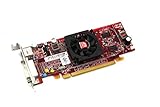
- HP ATI Radeon HD4550 PCIe x16 Video Card
- SP# 584217-001
- AS# 584081-001
- Memory: 512MB DDR3
- Outputs: DMS-59, S-Video
Do not use regsvr32 as a routine fix
regsvr32 is for self-registering COM and OLE DLLs that expose a registration entry point such as DllRegisterServer. It is not a general-purpose command for repairing every missing DLL.
Do not routinely run:
regsvr32 atiddc.dll
There is no reliable evidence that atiddc.dll is a self-registering COM component. If a DLL does not expose DllRegisterServer, Windows may report that the module loaded but the entry point was not found. That result does not repair the graphics driver.
The correct response to a missing ATI driver component is to reinstall the complete matching driver package.
Do Visual C++ or DirectX packages help?
Usually not for this particular file.
Install or repair a Visual C++ Redistributable only when the error names files such as:
msvcp*.dllmsvcr*.dllvcruntime*.dll
Use the architecture required by the application. A 32-bit program may need the 32-bit Redistributable even on 64-bit Windows.
Likewise, DirectX repair is relevant when the application reports a missing DirectX component or the application’s official installer documents that dependency. Neither Visual C++ nor DirectX owns atiddc.dll.
Is Windows Features the answer?
Windows optional features do not normally install ATI Radeon driver files.
Quick wins for a faster PC:
Scan for outdated or missing drivers - takes under a minuteDriver Scan →Repair Windows errors before they cause bigger problemsFix Now →Fix the driver behind crashes, sound loss and screen glitchesFind Drivers →You can check them at Settings → System → Optional features → More Windows features, or by pressing Win + R, entering:
optionalfeatures
and pressing Enter.
Do not enable random features to replace atiddc.dll. The relevant repair is the display-driver package. Features such as legacy components may help a separate old application issue, but they do not establish or restore this ATI driver dependency.
Why downloading the DLL separately is risky
An isolated DLL download can fail in several ways:
- The file may be from the wrong Radeon generation.
- It may be the wrong 32-bit or 64-bit architecture.
- It may not match the application or Windows version.
- Related ATI files may still be missing.
- The driver registry state may remain damaged.
- The file may be corrupted or tampered with.
- Windows may report a bad image or missing entry point.
- The replacement may conceal a malware infection.
Historical records show different atiddc.dll versions and sizes, so a file that works for one old driver package is not automatically suitable for another. Restore the complete official driver instead.
Best Value

- ATI Radeon X1300 256 MB DDR2 PCI Express Low Profile Video Card General Features: Low profile PCB
- Powered by ATI Radeon X1300 chipset Four pixel shaders Two vertex shaders 600 MHz core clock
- 256 MB DDR2 memory 128-bit memory interface PCI Express x16 interface
- Ultra-Threaded Shader engine High Performance Memory Controller Up to 6x anti-aliasing
- Up to 16x anisotropic filtering
When to use System Restore
System Restore is reasonable when the error began immediately after a driver update or removal and no compatible installer is available.
Crashes, No Sound, or Screen Glitches?
Random freezes, missing sound and display glitches usually trace back to one bad driver. Find and replace yours safely.Free scan · under a minuteWindows Errors? Fix Them Before They Spread
Repair common Windows errors and clear accumulated junk for a smoother, more stable PC - no reinstall needed.Free scan · no reinstall- Press Win + R.
- Enter:
rstrui.exe
- Press Enter.
- Select a restore point from before the driver change.
- Review the affected programs and drivers.
- Start the restore.
System Restore is not guaranteed to restore a missing driver component, and it should not replace an available official driver installer. Back up important files before using it.
FAQ
Is atiddc.dll a Windows system file?
No. It is associated with the legacy ATI Radeon display-driver family. Historical installations placed it in Windows system directories, but that does not make it a standard Microsoft Windows component.
Is atiddc.dll safe?
A genuine copy from a matching signed ATI or AMD driver package may be legitimate. The file name alone proves nothing. Check its location, file properties, digital signature, and how it arrived on the computer.
Is there a confirmed 64-bit version?
Public metadata primarily identifies atiddc.dll as Win32. Some archived pages label individual copies differently, but those labels do not establish a universal 64-bit variant. Match the exact driver package instead of relying on an archive label.
Quick wins for a faster PC:
Clear out junk files and repair common Windows errorsFree Scan →Scan for outdated or missing drivers - takes under a minuteDriver Scan →Should I copy the file into System32?
No. Historical drivers used that location, but manually copying a DLL does not restore the complete driver installation and can create an architecture or version mismatch.
Will SFC fix atiddc.dll?
Normally no. SFC repairs protected Windows system files. It may help with broader Windows corruption, but the primary repair for this file is the correct ATI/AMD or OEM graphics driver.
Should I install Visual C++ Redistributables?
Only if the error also names a Visual C++ runtime file or the application’s installer requires one. Visual C++ does not normally provide atiddc.dll.
Why does the error remain after installing a driver?
The package may not match the adapter, the old application may require another dependency, Windows may be using Microsoft Basic Display Adapter, or the program may reference a stale path. Check Device Manager, reinstall the OEM or final legacy package, and review the application’s Event Viewer entry.
What is the safest source for a replacement?
Use the official AMD support site or the computer manufacturer’s support page, selecting the exact Radeon model and operating system. For legacy hardware, use the final compatible driver branch rather than assuming a current AMD package supports it.
Quick Recap
Product prices and availability are accurate as of the date/time indicated and are subject to change. Any price and availability information displayed on Amazon at the time of purchase will apply.

