Start with this diagnostic checklist
atidrab.dll is an old ATI display-driver file, and an atidrab.dll error usually means that Windows or an older application can no longer find the driver component it expects.
Before changing anything, note:
- Which program or game shows the error
- Whether the message appears during startup, when launching an application, or continuously
- Whether the computer still has an ATI or Radeon graphics adapter
- Whether the problem began after a driver update, Windows upgrade, cleanup, antivirus alert, or application reinstall
- Whether the failing application is 32-bit or 64-bit
- Where Windows says it expects the file, if the error provides a path
Do not begin by downloading atidrab.dll from a DLL catalog. The filename alone does not prove that a copy is genuine, compatible, or safe.
As an Amazon Associate I earn from qualifying purchases.
What is atidrab.dll?
Public file records describe atidrab.dll as “ATI2DRAB Display Driver”, part of ATI Display Driver for Windows Whistler, published by ATI Technologies Inc. It is a legacy graphics-driver component rather than a normal Windows system file.
Quick wins for a faster PC:
Clear out junk files and repair common Windows errorsFree Scan →Fix the driver behind crashes, sound loss and screen glitchesFind Drivers →“Whistler” was Microsoft’s development codename for Windows XP. That makes atidrab.dll an XP-era ATI component, not a current Windows 10 or Windows 11 component.
#1 Best Overall

- Powered by Radeon RX 9070 XT
- WINDFORCE Cooling System
- Hawk Fan
- Server-grade Thermal Conductive Gel
- RGB Lighting
There is no reliable evidence that this file belongs to:
- Windows itself
- Microsoft Visual C++ Redistributable
- DirectX
- .NET
- A modern Windows system folder
- A universal graphics package used by every Radeon computer
The exact historical installer that contained a particular copy is not confirmed by current AMD documentation. Public catalogs also disagree about old version and size details, so those values should not be used to identify a legitimate file.
Fix 1: Reinstall the complete ATI or AMD graphics driver
This is the best first fix when the computer still uses old ATI hardware or when the error began after a graphics-driver change.
Windows Errors? Fix Them Before They Spread
Repair common Windows errors and clear accumulated junk for a smoother, more stable PC - no reinstall needed.Free scan · no reinstallCrashes, No Sound, or Screen Glitches?
Random freezes, missing sound and display glitches usually trace back to one bad driver. Find and replace yours safely.Free scan · under a minuteA loose DLL is not a complete driver. The correct package may also contain display services, control-panel components, device files, and other dependencies that Windows needs.
Identify the graphics adapter
- Press Windows key + X.
- Select Device Manager.
- Expand Display adapters.
- Write down the exact adapter name.
- Double-click the adapter.
- Open the Driver tab and record the provider, date, and version if shown.
Also check for warning icons under Display adapters or Other devices. A missing or incorrectly installed display adapter can indicate a larger driver problem than one missing DLL.
Obtain the matching package
For a laptop or branded desktop, use the computer manufacturer’s support page first. OEM graphics packages can contain custom settings that are not included in a generic package.
For a separately assembled computer, use the official AMD Support site and select the exact graphics model and operating system. Legacy products may only have an old final driver rather than a current Windows 10 or Windows 11 release.
Recommended Free Tools
Do not assume that a modern Radeon package will contain atidrab.dll. AMD’s current public documentation does not identify a download specifically containing this historical file.
Install the driver
- Close open applications.
- Run the matching OEM or AMD installer.
- Choose the normal display-driver installation.
- If the installer offers a clean or factory-reset installation, use it only when you are prepared to remove the current graphics settings and driver components.
- Let the installation finish.
- Restart Windows, even if the installer does not insist on a restart.
- Open Device Manager again and confirm that the adapter appears without a warning icon.
- Launch the application that produced the error.
The repair worked if the application starts normally and Device Manager shows the expected adapter with a working driver. If the installer refuses to run, says the hardware is unsupported, or does not recognize the adapter, the graphics card may be too old for the current operating system.
Manually hunting through old driver packages and guessing which of several graphics components is stale can take longer than the repair itself. Outbyte Driver Updater can scan for outdated drivers; its free scan shows what it finds, while driver installation and repair are handled by the full version. It is optional, and the OEM or AMD package remains the preferred source for a specific legacy graphics adapter.
Roll back a recently changed driver
If atidrab.dll started failing immediately after a graphics update:
The Tool Desk
Outbyte Driver Updater FREEFix the driver behind crashes, sound loss and screen glitchesFind Drivers →Outbyte PC Repair FREEClear out junk files and repair common Windows errorsFree Scan →Rank #2

- AMD Radeon RX 550 Chipset, Silver plated PCB & all solid capacitors provide lower temperature, higher efficiency & stability
- 9CM unique fan provide low noise and huge airflow for your GPU
- GPU Boost Clock / Memory Speed : up to 1183 MHz / 4GB GDDR5 / 6000 MHz Memory, Stream Processors 512, Perfect for 3D CAD/CAM working, video and photo editing, Video Games @1080p
- Support: DirectX 12, Shader Model 5.0, OpenGL 4.6/4.5, 4K Video Decode
- Open Device Manager.
- Expand Display adapters.
- Double-click the graphics adapter.
- Select the Driver tab.
- Select Roll Back Driver if the button is available.
- Choose a reason and confirm.
- Restart Windows.
If Roll Back Driver is unavailable, use the OEM-supported package that was installed before the failure, if you still have access to it. Do not use a random older DLL as a substitute for rolling back the driver.
Fix 2: Repair or reinstall the program that reports the error
An old game or graphics application may still reference an ATI component even after the original graphics hardware or driver has been removed. In that situation, reinstalling a graphics driver may not be the definitive repair.
First identify the calling program:
- Read the title bar of the error dialog.
- Check whether the error appears only when one program launches.
- Look in Task Manager for the application name.
- Check Event Viewer if the error appears during startup.
Use the program’s repair option
- Press Windows key + I.
- Select Apps.
- Select Installed apps.
- Find the affected program.
- Select the three-dot menu beside it.
- Choose Advanced options if available.
- Select Repair.
Some desktop programs instead provide their own repair option in Control Panel > Programs > Programs and Features:
- Press Windows key + R.
- Enter
appwiz.cpl. - Press Enter.
- Select the affected program.
- Choose Repair or Change, if available.
- Follow the installer prompts.
- Restart and test the program.
If the application has a launcher, use its Verify files, Repair, or equivalent command before uninstalling it. This replaces damaged application files using the program’s own installer rather than an unrelated DLL source.
What’s actually slowing this PC down?
Pick the symptom - the matching free tool is one click away.
Reinstall the application
If repair does not help:
- Back up the program’s saved games or settings if needed.
- Uninstall the application from Settings > Apps > Installed apps.
- Restart Windows.
- Install it again from its original installer or official publisher source.
- Apply the program’s official updates.
- Test it before restoring optional modifications or plugins.
If the program is no longer needed and the error appears at every startup, uninstalling it is safer than restoring an obsolete ATI file. A stale startup entry may be the only thing still requesting atidrab.dll.
Fix 3: Check whether 32-bit and 64-bit components match
A 32-bit application running on 64-bit Windows can require 32-bit dependencies. Installing a 64-bit replacement does not satisfy that requirement, and copying a file into System32 or SysWOW64 does not reliably solve architecture problems.
Use the application’s documentation or installer information to determine whether it is 32-bit or 64-bit. You can also inspect the process in Task Manager:
- Start the affected application if it opens far enough.
- Press Ctrl + Shift + Esc.
- Open Details.
- Look for the program process.
- On some Windows versions, a 32-bit process is marked with a suffix such as (32 bit).
Architecture is only one possibility. A driver built for Windows XP may also be incompatible with modern Windows even if its bitness appears correct.
If the application is old, test its own compatibility settings:
- Right-click the application shortcut.
- Select Properties.
- Open the Compatibility tab.
- Select Run this program in compatibility mode for.
- Choose an appropriate older Windows version.
- Select Apply, then OK.
- Test the application.
Compatibility mode cannot create a missing driver or make unsupported hardware work. If the program requires an obsolete display interface, running it inside an appropriately supported older environment may be necessary.
Rank #3

- ATI Radeon HD 3450 256 MB GDDR2 PCI Express Low Profile Video Card General Features:
- Low profile PCB ATI Radeon HD 3450 graphics processing unit (GPU) 40 stream processing units
- 256 MB GDDR2 memory 64-bit memory interface PCI Express x16 interface
- Superscalar unified shader architecture High-speed 128-bit HDR (High Dynamic Range) rendering
- Custom Filter Anti-Aliasing
Fix 4: Check antivirus quarantine before restoring anything
Antivirus software may have quarantined an old driver file. This can happen after a security database update, a cleanup operation, or a scan of an old application directory.
- Open Windows Security.
- Select Virus & threat protection.
- Select Protection history.
- Review detections involving
atidrab.dll. - Record the original file path and detection name.
- Scan the computer again.
Restore a quarantined file only when all of these conditions are met:
- The original path was inside a legitimate ATI or AMD driver directory.
- The driver came from the computer manufacturer or AMD.
- The file has a valid digital signature where one is expected.
- A current antivirus scan finds no threat.
- The hardware or application genuinely requires the old component.
Prefer reinstalling the complete, trusted driver package instead of restoring a single quarantined DLL. Do not restore a file merely because its name matches the error.
A copy located in a user-writable folder, a temporary directory, or an unrelated application folder deserves extra scrutiny. A file named atidrab.dll is not automatically authentic.
Fix 5: Repair Windows components with DISM and SFC
atidrab.dll is not known to be a protected Windows system file, so System File Checker may not restore it. These commands are still useful when Windows servicing, system files, or the driver installation infrastructure may be damaged.
Run DISM first
- Open the Start menu.
- Type Command Prompt.
- Right-click Command Prompt.
- Select Run as administrator.
- Select Yes at the User Account Control prompt.
- Run:
DISM /Online /Cleanup-Image /RestoreHealth
- Wait for the command to complete.
- Restart Windows if DISM reports that repairs were made.
Run System File Checker
Open an elevated Command Prompt again and run:
sfc /scannow
Wait until verification reaches 100 percent. Then interpret the result:
- Windows Resource Protection did not find any integrity violations: protected Windows files appear intact.
- Windows Resource Protection found corrupt files and successfully repaired them: restart and test the application again.
- Windows Resource Protection found corrupt files but was unable to fix some of them: review the result, run DISM again, restart, and repeat SFC once.
Microsoft’s documented procedure is to run DISM before SFC. See Microsoft’s System File Checker guidance.
Repeating SFC will not recreate an obsolete third-party ATI file if it was never part of Windows. Outbyte PC Repair can show what its free scan identifies when manually repeating DISM and SFC is not clarifying the problem; repairs are performed by the full version, and it is not required for this fix.
Fix 6: Use System Restore after a recent change
System Restore is appropriate when the error appeared after a driver installation, Windows change, cleanup operation, or application installation and a restore point exists from before the problem.
- Press Windows key + R.
- Enter:
rstrui.exe
- Press Enter.
- Select Next.
- Choose a restore point dated before the error began.
- Select Scan for affected programs if available.
- Review the programs and drivers that will be changed.
- Select Next, then Finish.
- Allow Windows to restart.
System Restore normally preserves personal files, but it can roll back drivers, installed programs, registry settings, and system files. Microsoft explains the process in its System Restore documentation.
If no suitable restore point exists, return to driver or application repair rather than trying to reconstruct the old environment with a downloaded DLL.
Rank #4
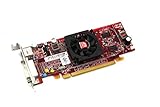
- HP ATI Radeon HD4550 PCIe x16 Video Card
- SP# 584217-001
- AS# 584081-001
- Memory: 512MB DDR3
- Outputs: DMS-59, S-Video
Do not copy atidrab.dll into System32
Random DLL download sites sites are a poor fix for this error. A downloaded file may contain malware, belong to a different driver release, use the wrong architecture, or be altered from the original. It may also satisfy the first loader check while leaving the actual driver, registry entries, and dependent files missing.
Do not copy it into:
C:WindowsSystem32C:WindowsSysWOW64- The application folder, unless the official application installer places it there
The correct location depends on the original driver package and the program that loads it. Reinstalling the complete package is safer and gives Windows the associated files and configuration.
Independent reader supportYour contribution helps us test, update, and keep practical guides available for everyone.Why regsvr32 is usually irrelevant
regsvr32 is not a general-purpose DLL repair command. It registers DLLs that expose the DllRegisterServer entry point, normally for COM components.
Free tools Windows power users keep installed
One-click scans. No signup required.
A display-driver module generally is not repaired by registration. Running commands such as these is therefore not a normal fix:
regsvr32 atidrab.dll
regsvr32 /u atidrab.dll
They may produce an error, change nothing, or confuse the diagnosis. Use regsvr32 only when the software vendor specifically documents that the particular DLL is a self-registering COM component. There is no evidence that atidrab.dll should be registered this way. Microsoft documents the command’s purpose in its regsvr32 reference.
Installing Visual C++ Redistributable, DirectX, or .NET solely because an error mentions a DLL is also not justified for this file. atidrab.dll is identified as an ATI driver component, not as one of those runtimes.
If the error still appears
At this point, determine what is actually loading the file.
Do these 3 things before closing this tab:
1Scan for outdated or missing drivers - takes under a minute2Repair Windows errors before they cause bigger problems3Fix the driver behind crashes, sound loss and screen glitchesCheck the file path and signature
If a copy of atidrab.dll exists:
- Right-click it.
- Select Properties.
- Open General and note the location.
- Open Digital Signatures, if present.
- Select the signer and choose Details.
- Confirm that Windows reports a valid signature.
An old file may not have a current signature, but a file in an unrelated writable directory is still suspicious. Scan it with installed security software and avoid running it until its origin is clear.
Check startup references
If the message appears every time Windows starts but no ATI hardware remains:
- Open Settings.
- Select Apps, then Startup.
- Disable an entry only when you recognize it as the obsolete application.
- Open Task Manager and review the Startup apps tab.
- Check Task Scheduler for tasks belonging to software you have already removed.
- Uninstall the obsolete application or driver through its own uninstaller.
Do not delete random registry entries simply because they contain the filename. Record the calling program first.
Best Value

- ATI Radeon X1300 256 MB DDR2 PCI Express Low Profile Video Card General Features: Low profile PCB
- Powered by ATI Radeon X1300 chipset Four pixel shaders Two vertex shaders 600 MHz core clock
- 256 MB DDR2 memory 128-bit memory interface PCI Express x16 interface
- Ultra-Threaded Shader engine High Performance Memory Controller Up to 6x anti-aliasing
- Up to 16x anisotropic filtering
Consider unsupported hardware
Modern Windows may be using the Microsoft Basic Display Adapter because the old ATI card has no compatible vendor driver. In that case, the missing file may be a symptom of an application or driver package designed for XP rather than a file that can be safely restored.
If the graphics adapter is no longer supported, practical choices include:
- Use the last appropriate OEM or AMD legacy driver.
- Run the old application in a compatible supported environment.
- Replace the graphics hardware.
- Remove the obsolete application that still requests the component.
AMD’s legacy graphics guidance states that such products no longer receive normal driver development and recommends using an existing driver or the final driver available for the product.
Frequently asked questions
Is atidrab.dll a Windows file?
No authoritative evidence identifies it as a Windows system DLL. Public records associate it with ATI Display Driver for Windows Whistler, an old ATI graphics-driver package.
Is atidrab.dll safe?
The filename alone cannot establish that. Check the file’s path, origin, digital signature, and antivirus result. A copy supplied by a legitimate driver installer is more trustworthy than one found in a temporary or unrelated folder.
Which graphics card installed it?
The exact ATI model cannot be identified from the filename alone. Open Device Manager > Display adapters and record the adapter name before selecting a driver package.
What does Windows Whistler mean?
Whistler was Microsoft’s development codename for Windows XP. The reference indicates that this is an XP-era ATI component, not a modern Windows 10 or Windows 11 file.
Can I download atidrab.dll separately?
You should not. A separate download can be malicious, incompatible, or incomplete. Restore the complete driver or repair the application that requests it.
Will SFC restore it?
Usually not. SFC repairs protected Windows components, while atidrab.dll is associated with a third-party ATI driver. Run DISM and SFC when Windows corruption is also suspected, but do not expect them to recreate every old vendor file.
Should I install a Visual C++ package or DirectX?
Not as the normal response to this filename. There is no evidence that atidrab.dll belongs to those components.
Why does the error say the file is not designed to run on Windows?
That wording is a standard type of Windows loader message. It can indicate corruption, incompatible architecture, an incompatible old driver, or a missing dependency. It does not prove that the file itself is the only problem.
What is the safest overall fix?
Identify the graphics adapter and the program reporting the error, then reinstall the complete matching OEM or AMD legacy driver package. If only one old program needs the file, repair or reinstall that program instead.
Quick Recap
Product prices and availability are accurate as of the date/time indicated and are subject to change. Any price and availability information displayed on Amazon at the time of purchase will apply.




