avc_ax_742_jpeg.dll is most strongly associated with AVTECH’s older PlayerLiteHJ, also described as “H.264 & JPEG PlayLite.” It is an application codec file used by legacy DVR and camera playback software, not a normal Windows component.
The safest fix is to repair or reinstall the complete AVTECH playback application from the original DVR media or AVTECH’s official support channels. Do not begin by downloading the DLL separately or copying it into System32.
As an Amazon Associate I earn from qualifying purchases.
What avc_ax_742_jpeg.dll does
The filename and neighboring files indicate a JPEG or video-decoding component. File inventories for PlayerLiteHJ list it alongside related H.264, scaling, and FFmpeg libraries.
The file is not verified as part of:
- Windows
- DirectX
- .NET
- Microsoft Visual C++ Redistributable
- A standard device driver
Public file records describe it as a 32-bit DLL and show the embedded description jpeg_dll 動態連結程式庫. That description does not prove the original publisher. The AVTECH connection comes from the application’s installed-file inventory, so identify the parent program before replacing anything.
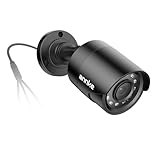
#1 Best Overall

- Crystal Clear 1080p Footage: With this 2MP security camera, you can see everything clearly that matters in 1080p HD, easily recognize the details you need in smooth and clear videos, leaving nothing to the imagination
- NO Power Adapter Included&NEED Connect DVR System to Work: This Camera DOES NOT comes with a power adapter. Customer need to buy extra power adapter. And this security camera CAN NOT be used alone. Need to connect a DVR to work. To avoid compatible issue, we recommend use ANNKE DVRs. Recommended DVRs include B0G3WY418C, B0GFNHR928, B086KQ7WXW, B08HHVQVVS, B07YWPJQ3Z
- 100ft IR Night Vision: The equipped premium IR LEDs are automatically activated in low light conditions so that you can capture clear B&W vision at dawn, dust, night, on rainy days or any conditions with low light illumination
- 4-IN-1 Compatibility: The security camera supports AHD/TVI/CVI/CVBS video output (default AHD), and it is compatible to ANNKE DVRs. By pressing the button of the buttcock line, you can switch the video output mode easily
- IP67 Weatherproof: Built with IP67 weatherproof housing, the CCTV camera is able to endure whatever mother nature brings, thus keep out dust, water and air. It is tested that it can perform well even in extreme temperatures from -4 °F to 122 °F
You may see messages such as:
- “avc_ax_742_jpeg.dll was not found”
- “The program can’t start because avc_ax_742_jpeg.dll is missing”
- “The specified module could not be found”
- “avc_ax_742_jpeg.dll is either not designed to run on Windows or it contains an error”
- “The file avc_ax_742_jpeg.dll could not be loaded or is corrupt”
“The specified module could not be found” can mean that the named DLL is missing, but it can also mean that a dependency used by that DLL is absent.
Fix 1: Identify and reinstall the parent application
Time needed: 10–30 minutes, plus download time
First determine which program is requesting the file.
- Read the application name in the error dialog.
- Open Settings with Windows + I.
- Select Apps, then Installed apps.
- Search for
PlayerLiteHJ,H.264 & JPEG PlayLite, AVTECH, DVR, or a camera playback utility. - Select the application and note its name and install location.
- If it has a Repair option, use that first.
- If repair is unavailable, select Uninstall.
- Restart Windows.
- Reinstall the complete player from the original DVR export media, a trusted backup of the installer, or AVTECH’s official support/download service.
For older desktop software, use this alternative:
- Press Windows + R.
- Enter
appwiz.cpland press Enter. - Select the AVTECH playback program.
- Choose Repair if the installer provides it.
- Otherwise uninstall it, restart, and run the original installer again.
Do not copy only avc_ax_742_jpeg.dll from another computer. The player may also need its H.264 codec, scaling library, FFmpeg files, configuration, and runtime components. A complete reinstall restores those files as a matching set.
Do these 3 things before closing this tab:
1Clear out junk files and repair common Windows errors2Fix the driver behind crashes, sound loss and screen glitches3Repair Windows errors before they cause bigger problemsHow to tell whether this worked
Launch the same DVR or camera recording that produced the error. The repair worked if the player opens without the missing-DLL message and can load the recording.
If the same error returns, confirm that you reinstalled the exact application named by the error. If the original player is no longer available, contact AVTECH support with the DVR model, Windows version, full error text, and the old player’s executable name.
Fix 2: Check Windows Security quarantine
Time needed: 5–10 minutes
Antivirus protection can quarantine an application DLL after installation or during a later scan.
Rank #2
- Crystal Clear 1080p Footage: With this 2MP security camera, you can see everything clearly that matters in 1080p HD, easily recognize the details you need in smooth and clear videos, leaving nothing to the imagination
- NO Power Adapter Included&NEED Connect DVR System to Work: This Camera DOES NOT comes with a power adapter. Customer need to buy extra power adapter. And this security camera CAN NOT be used alone. Need to connect a DVR to work
- 100ft IR Night Vision: The equipped premium IR LEDs are automatically activated in low light conditions so that you can capture clear B&W vision at dawn, dust, night, on rainy days or any conditions with low light illumination
- 4-IN-1 Compatibility: The security camera supports AHD/TVI/CVI/CVBS video output (default AHD), and it is compatible to ANNKE DVRs. By pressing the button of the buttcock line, you can switch the video output mode easily
- IP67 Weatherproof: Built with IP67 weatherproof housing, the CCTV camera is able to endure whatever mother nature brings, thus keep out dust, water and air. It is tested that it can perform well even in extreme temperatures from -4 °F to 122 °F
- Open Start and search for Windows Security.
- Select Virus & threat protection.
- Select Protection history.
- Look for an event involving
avc_ax_742_jpeg.dllor the AVTECH installer. - Expand the event and review its path and detection details.
Do not restore the file blindly. If it came from an unofficial DLL archive, leave it quarantined and remove the untrusted package. If it came from a legitimate AVTECH installer, scan the installer and verify its source before choosing Restore or Allow on device.
The Tool Desk
Outbyte PC Repair FREERepair Windows errors before they cause bigger problemsFix Now →Outbyte Driver Updater FREEFix the driver behind crashes, sound loss and screen glitchesFind Drivers →A safer approach is usually to download or obtain a clean copy of the complete player from AVTECH and reinstall it. Do not create a permanent antivirus exclusion merely to make an unknown DLL run.
Fix 3: Check the application folder and architecture
Time needed: 10–15 minutes
An application-private DLL normally belongs beside the program executable.
- Return to Settings → Apps → Installed apps.
- Open the AVTECH player’s menu and choose Modify, Advanced options, or Open file location, if available.
- In File Explorer, locate the player executable.
- Check whether
avc_ax_742_jpeg.dllis in that same application folder. - If it is absent, repair or reinstall the application rather than placing a copy in a Windows folder.
Public records list 32-bit builds of this file. A 32-bit application can run on 64-bit Windows through Windows compatibility support, but it still needs 32-bit libraries. A 64-bit application cannot load a 32-bit DLL.
Do not use System32 or SysWOW64 as general-purpose storage for third-party application files. Their names are easy to misunderstand: on 64-bit Windows, System32 contains native 64-bit system components and SysWOW64 contains 32-bit system components. Neither folder is the correct default location for this AVTECH codec.
PC Slower Than It Used to Be?
A free scan shows the junk files, broken settings and background clutter dragging Windows down - then fixes them in one click.Free scan · Windows 10 & 11Crashes, No Sound, or Screen Glitches?
Random freezes, missing sound and display glitches usually trace back to one bad driver. Find and replace yours safely.Free scan · under a minuteIf the application was moved manually, restore it to its original folder or reinstall it. Moving only the executable can break the DLL search path and leave companion files behind.
Rank #3

- AI Motion Detection 2.0 – Driving AI to the next level, human&vehicle detection and flexible detection area are more accurate than before. For quicker locating in crucial moments, human&vehicle smart searching in recordings offers you great help.
- Tried-and-True Safe Guard – This one-stop security solution can work with TVI, AHD, CVI, CVBS & IP cameras, the kit includes 1080P cams. The 8CH 3K lite DVR can hook up with 1080P@30fps or 3K/5MP@20fps cams. Therefore, you can also DIY it with other cameras in your home.
- Reliable 24/7 Continuous Recording – With a pre-installed 1TB HDD(Support up to 10TB HDD), providing 24/7 surveillance recording for you. Upgraded H.265+ saves more storage space and uses less bandwidth, recording videos longer and smoother viewing.
- Smart Dual-Light Effectively Guard Your Home – This newly upgraded security system offers you a crisp full color night vision, IR mode and color night vision switch flexibly. Once detect intruders, immediate pushes pop up on your phone, securing your peace of mind day&night.
- Color Night Vision & IP67 Weatherproof – Built-in IR lights and white lights, these cameras can see up to 100ft in B&W night vision, full-color night vision up to 66ft. Rated IP67, these wired cameras can brave all weather, and stand from cold to hot.
Fix 4: Install Visual C++ only when the error names it
Time needed: 10–20 minutes
This DLL is not established as a Microsoft runtime file. Reinstalling Visual C++ alone normally will not recreate avc_ax_742_jpeg.dll.
Check the full error for names such as:
MSVCP*.dllVCRUNTIME*.dllapi-ms-win-crt-*.dll
If one of those is mentioned, install or repair the Microsoft Visual C++ Redistributable that matches the application. For a 32-bit AVTECH player, the x86 package is relevant even when Windows itself is 64-bit. Microsoft provides the supported packages through its Visual C++ documentation.
Install only from Microsoft’s official download pages. Multiple Visual C++ generations can coexist, so do not remove older versions simply because a newer package is present.
Recommended Free Tools
If the error still names only avc_ax_742_jpeg.dll, return to the AVTECH application reinstall. The application package remains the definitive source for this file.
Fix 5: Repair Windows components only for broader corruption
Time needed: 15–30 minutes
Use DISM and System File Checker when Windows has several unrelated errors, damaged system files, failed updates, or built-in applications that also refuse to start. These commands do not normally recreate a third-party AVTECH DLL.
- Open Start.
- Search for Command Prompt.
- Select Run as administrator.
- Run:
DISM.exe /Online /Cleanup-Image /RestoreHealth
- Wait for it to finish.
- Then run:
sfc /scannow
- Restart Windows and test the player again.
Microsoft recommends running DISM before SFC. If both commands report that Windows repaired files but the AVTECH error remains, reinstall the player rather than repeating the commands indefinitely.
Rank #4

- 【AI Motion Detection 2.0】Driving AI to the next level, human&vehicle detection and flexible detection area are more accurate than before. For quicker locating in crucial moments, human&vehicle smart searching in recordings offers you great help.
- 【Tried-and-True Safe Guard】This one-stop security solution can work with TVI, AHD, CVI, CVBS & IP cameras, the kit includes 1080P cams. The 8CH 3K lite DVR can hook up with 1080P@30fps or 3K/5MP@20fps cams. Therefore, you can also DIY it with other cameras in your home.
- 【Reliable 24/7 Continuous Recording】With a pre-installed 1TB HDD(Support up to 10TB HDD), providing 24/7 surveillance recording for you. Upgraded H.265+ saves more storage space and uses less bandwidth, recording videos longer and smoother viewing.
- 【Smart Dual-Light Effectively Guard Your Home】This newly upgraded security system offers you a crisp full color night vision, IR mode and color night vision switch flexibly. Once detect intruders, immediate pushes pop up on your phone, securing your peace of mind day&night.
- 【Color Night Vision & IP67 Weatherproof】Built-in IR lights and white lights, these cameras can see up to 100ft in B&W night vision, full-color night vision up to 66ft. Rated IP67, these wired cameras can brave all weather, and stand from cold to hot.
When manually hunting through Windows components and repeating SFC or DISM does not reveal what changed, Outbyte PC Repair can scan for reported system issues; its free scan shows findings, while repair requires the full version. It is optional, and reinstalling the AVTECH application remains the definitive fix for this application-owned DLL.
Quick wins for a faster PC:
Clear out junk files and repair common Windows errorsFree Scan →Fix the driver behind crashes, sound loss and screen glitchesFind Drivers →Repair Windows errors before they cause bigger problemsFix Now →Fix 6: Update or reinstall related drivers only when evidence points there
Time needed: 15–30 minutes
Driver reinstallation is not a first-line fix for this filename because the evidence connects it to playback software rather than a camera or display driver. Consider it only if Device Manager shows a separate error or the camera hardware itself is failing.
- Right-click Start.
- Select Device Manager.
- Expand Cameras, Imaging devices, Display adapters, and any DVR-related category.
- Look for a warning icon.
- Right-click the affected device and choose Properties.
- Read the status under the General tab.
- Use Update driver only when Windows or the hardware vendor provides a matching driver.
- If you uninstall a device, restart Windows and install the driver from the hardware manufacturer.
Do not uninstall a working device just because the player reports avc_ax_742_jpeg.dll.
If checking numerous hardware drivers manually is the problem, Outbyte Driver Updater can scan for reported driver issues; its free scan shows what it finds, while driver installation through the full version is optional. A driver tool does not replace reinstalling the AVTECH player when that program owns the missing DLL.
Independent reader supportYour contribution helps us test, update, and keep practical guides available for everyone.Why regsvr32 usually does not help
regsvr32 is for DLLs that provide registration entry points such as DllRegisterServer. There is no verified evidence that avc_ax_742_jpeg.dll is a COM or ActiveX component.
Running this command is therefore not a normal repair:
regsvr32 avc_ax_742_jpeg.dll
It may produce an error saying that the module was loaded but the DllRegisterServer entry point was not found. It also cannot repair a missing dependency, restore a quarantined file, or fix an incomplete application installation.
Causes ranked by likelihood
| Likely cause | Appropriate response |
|---|---|
| Incomplete AVTECH installation | Repair or reinstall the complete player |
| Antivirus quarantine | Review Protection History and validate the installer |
| Partial uninstall or moved program | Restore the original installation or reinstall |
| Missing companion DLL | Reinstall the complete application package |
| Wrong architecture or incompatible build | Install the matching 32-bit application package |
| Corrupt DLL | Replace it through a trusted application reinstall |
| Windows component corruption | Run DISM followed by SFC when broader symptoms exist |
| Unsafe downloaded copy | Delete it and obtain the application from a legitimate source |
Avoid random DLL download sites
A loose DLL from an unknown download site can contain malware, belong to the wrong application build, use the wrong architecture, or lack its required dependencies. Even when it is genuine, copying it into a system directory can create a second problem and hide the damaged application installation.
Best Value
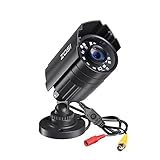
- 【2.0MP HD 1080P 4-IN-1 Security Camera】-- This is 4-in-1 TVI/CVI/AHD/CVBS Bullet Camera. compatible with 960H,720P,1080P,3MP,5MP,8MP,4K HD-TVI, AHD, CVI, and CVBS/960H analog DVRs.
- 【Bulit in OSD Menu】-- It comes with OSD Menu which can change 4 different video output. 1080P AHD, 1080P CVI, 1080P TVI and 960H CVBS .Default Video mode is 960H mode, compatible with all analog DVRs. 1080P video mode must be switched according to your 1080P DVR type. Widely Usage: With OSD Menu, you can change signal mode freely and quickly in 5 seconds.
- 【80ft Night Vision】 Built in 24pcs IR LEDs, Get a sharp and crisp image day or night with the camera's automatic IR-CUT filter. Up to 80ft night vision in total darkness and 120ft Night vision in ambient light. More than 3.0Lux the night vision is color.
- 【IP67 Weatherproof,Indoor and Outdoor use】Aluminum metal vandal proof & waterproof can withstand the toughest of outdoor conditions , adjustable 3-axis camera stand, cable through bracket for hassle free use in rainy or snowy days.
- 【Not Include CCTV Cable and Power Supply】 1, this is a hard-wired camera, it need to connect the cctv cable and power supply(Not included). 2, this camera could not work seperately,it need to connect to the DVR to work
Use the original DVR media, a trusted organizational backup, or AVTECH’s official support channels instead. If the old software is obsolete, ask AVTECH for a supported player or use a standard-format export from the DVR when that option is available.
FAQ
Is avc_ax_742_jpeg.dll a Windows file?
No verified evidence shows that it ships with Windows. It is best treated as an application-private file associated most strongly with legacy AVTECH playback software.
Is it part of Visual C++, DirectX, or .NET?
There is no evidence that Microsoft supplies this DLL through those products. Install a Microsoft runtime only when the error separately identifies a missing runtime file.
Where should the file be located?
Usually in the same folder as the application executable that loads it. It should not normally be copied to System32 or SysWOW64.
Why does reinstalling not always fix “specified module could not be found”?
The named DLL may be present while one of its dependencies is missing. Reinstall the complete package and inspect the application folder for its companion codec and runtime files.
What’s actually slowing this PC down?
Pick the symptom - the matching free tool is one click away.
Can I use System Restore?
It is reasonable only when the problem began after a known recent change and no clean installer is available. A trusted application reinstall is preferable when possible.
What information should I give AVTECH support?
Provide the DVR or camera model, Windows version, application name, full error message, executable path, whether Windows Security quarantined a file, and whether Windows is 32-bit or 64-bit.
Quick Recap
Product prices and availability are accurate as of the date/time indicated and are subject to change. Any price and availability information displayed on Amazon at the time of purchase will apply.




