
The Tool Desk
Outbyte PC Repair FREERepair Windows errors before they cause bigger problemsFix Now →Outbyte Driver Updater FREEScan for outdated or missing drivers - takes under a minuteDriver Scan →The GuliKit RG02 TMR Electromagnetic Joystick Module is a solder-free replacement designed for both 2025 Xbox-branded ROG handhelds: the ROG Xbox Ally (RC73YA) and ROG Xbox Ally X (RC73XA). It replaces the stock potentiometer joystick modules with contactless TMR sensors that are designed to reduce the principal sensor-wear risk behind stick drift.
The “$20” description comes from GuliKit’s announced U.S. launch price of $19.99 on December 20, 2025, not a guaranteed current price. Check the live GuliKit product information and official retailer listing before buying.
As an Amazon Associate I earn from qualifying purchases.
What the GuliKit RG02 kit actually is
This is an internal hardware replacement, not a stick-cap accessory, software utility, dead-zone adjustment, or external controller. The kit is intended to replace the left and right joystick assemblies inside the 2025 ASUS ROG Xbox Ally and ROG Xbox Ally X.
Quick wins for a faster PC:
Scan for outdated or missing drivers - takes under a minuteDriver Scan →Clear out junk files and repair common Windows errorsFree Scan →GuliKit says the RG02 modules were developed with ROG, are officially compatible with both Xbox Ally models, use TMR electromagnetic sensing, and require no soldering. Those compatibility and performance statements come from GuliKit; the kit should not be described as an ASUS-sold or ASUS-warrantied part.
#1 Best Overall

- Compatibility: The 3D Joysticks is for Asus ROG Ally RC71L/ for GPD win3 Windows 10 handheld console. Not for other model. Please confirm your model before placing the order.
- Application: The replacement for Asus ROG Ally RC71L joystick are apply to the problem of the drifting, blind spots, dead spots, can't center, damaged or broken, long time to use, not sensitive, etc. The joystick for GPD win3 Windows 10 will better to solve the problem of drifting.
- Quality Guarantee: For GPD win3 Windows 10 joystick replacement was test before shipment,and for Windows 10 joystick replacement are made of good quality, metal+ABS plastic material make it use more accurately and has longer working life. The handheld console will use as a new one after replacing for win3 Windows 10 joystick, for GPD Windows 10 joystick replacement will bring a new life.
- Installation Suggestion: For ROG Ally RC71L joystick to replace need to WELD, if do not have any installation experience, we suggest to find the professional to replace for Ally RC71L joystick. After replacing the RC71L joystick, if it show the problem of drifting not center, it means it will need to manual calibrate.
- Set of Tools: Comes with set tool:Screwdriver、Opening Tools、Pry Tool and Tweezer. Helps to disassemble and replace more convenient. Please make sure the joystick replacement for Ally RC71L/Windows 10 package is good when you received it, if you have any problem about the product, please leave a message.
GuliKit announced global availability on December 20, 2025, at a U.S. launch price of $19.99. Shipping, taxes, stock, sellers, and the current retail price may differ.
Compatibility: check the model number first
| Handheld | Model | Correct guidance |
|---|---|---|
| ROG Xbox Ally, 2025 | RC73YA | Use the GuliKit RG02 TMR module |
| ROG Xbox Ally X, 2025 | RC73XA | Use the GuliKit RG02 TMR module |
| ROG Ally X, 2024 | RC72LA | Do not assume RG02 compatibility; GuliKit specifies a separate module |
| ROG Ally, 2023 | RC71L | Not covered by this kit |
The names are easy to confuse. The ROG Xbox Ally and ROG Xbox Ally X are 2025 products, while the ROG Ally X is the earlier 2024 model. GuliKit identifies its separate RG01 Hall-effect module for the older Ally X and RG02 TMR module for the 2025 Xbox Ally models. Verify the listing and your device’s model number rather than buying based only on the words “ROG Ally X.” See GuliKit’s model-specific announcement and ASUS’s Armoury Crate SE support documentation.
Why the original sticks can drift
Stick drift is unwanted input while the analog stick is physically at rest. In a game, that can make a character walk, a camera rotate, or a menu selection move without player input.
The Xbox Ally and Xbox Ally X ship with conventional carbon-film potentiometer joystick hardware, according to GuliKit. A potentiometer measures position through resistive surfaces and sliding electrical contacts. Those surfaces can wear, become contaminated, or lose calibration over time.
TMR sensing instead detects changes in a magnetic field without relying on the same sliding contact. That removes the principal sensor-contact wear mechanism. It does not make the complete mechanical joystick assembly immune to every failure: physical damage, rubbing, a damaged ribbon cable, connector problems, board faults, dirt, or incorrect installation can still cause bad input.
TMR versus Hall effect
Both Hall-effect and TMR joystick modules are contactless electromagnetic designs. The relevant replacement for the 2025 Xbox Ally family is the TMR RG02 module, not GuliKit’s similarly named Hall-effect replacement for the 2024 ROG Ally X.
Rank #2
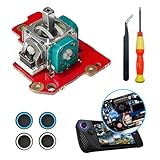
- 【ASUS ROG Ally X replacement Joystick】New replacement left and right analog joystick repair parts for ROG Ally X ,The Replacement Joystick works for the ROG Ally X joystick,,Please confirm your model before placing the order.
- 【Boost Your Gaming Performance】The perfect replacement part to repair your internal worn, damaged, and unusable analog joystick module Made from metal and plastic, these replacement joysticks are sturdy, fixing the drift, stuttering, blind spots, dead zones, no click, non-centered issuesenhances the feel of the game makes control more convenient.
- 【4 × Thumbstick Caps】Perfect Thumbstick Caps for ROG Ally X, work for left and right meta ROG Ally X , The thumb stick caps can protect your joystick from scratches, corrosion, spallingor other damage. It made of high-quality silicone material, very safe, soft and comfortable.
- 【Complete Repair Kit】Equipped with a professional repair tool kit, you can easily fix your broken, insensitive analogue joystick and get your handheld working again,The rocker distinguishes between left and right, and is installed directly after disassembling the handle,Replacing the joystick Easy to install, plug and play, without welding, and can well solve the problem of rocker drift
- 【Package Includes】1 x Left joystick 4 x Thumb Stick Caps 1 x "+" Cross Screwdriver 1 x Tweezer 1 x Triangular Pry Tool.
GuliKit claims that its TMR design offers high precision, long-term stability, and lower power consumption, and markets it as anti-drift or drift-free. Those are manufacturer claims rather than independent laboratory measurements or a verified long-term failure-rate comparison. The defensible conclusion is narrower: replacing a worn potentiometer module with a contactless sensor may reduce the sensor-wear mechanism most associated with conventional potentiometers.
What’s actually slowing this PC down?
Pick the symptom - the matching free tool is one click away.
Is installation really solder-free?
Yes, the reported installation does not require soldering. GuliKit describes the replacement as solder-free, and HotHardware reported that basic work involved a Phillips screwdriver and tweezers.
That does not make it a risk-free beginner repair. You still have to open the handheld, disconnect small internal cables, remove the original modules, install the correct left and right replacements, and reassemble the chassis without pinching cables or damaging connectors.
- Torn or creased ribbon cables
- Broken connector latches
- Stripped screws
- Pinched cables during reassembly
- Damage to the battery or battery connector
- Cosmetic damage to the chassis
- Possible effects on warranty or service eligibility, depending on ASUS’s terms, region, and the nature of the damage
Opening the device does not automatically mean every warranty is void. However, owners of a new handheld should check ASUS and retailer support before attempting self-repair. ASUS provides product, warranty, and repair pathways through its ROG Xbox Ally support page; Ally X owners should use the support page for their exact model and country.
Installation overview
This is a practical overview, not a substitute for a complete model-specific teardown guide. Do not improvise screw locations, connector directions, cable order, or tightening force from a guide for a different ROG handheld.
Do these 3 things before closing this tab:
1Repair Windows errors before they cause bigger problems2Scan for outdated or missing drivers - takes under a minute3Clear out junk files and repair common Windows errors- Back up important data.
- Shut Windows down completely, disconnect the charger, and remove external accessories.
- Remove the rear cover with the correct Phillips screwdriver.
- Disconnect the battery before working around the internal electronics.
- Disconnect the joystick-module cables carefully.
- Remove the stock left and right modules.
- Install the RG02 modules in their correct positions.
- Inspect cable routing, reconnect the modules and battery, and close the chassis.
- Reinstall the screws without forcing them.
- Boot into Windows and calibrate both sticks in Armoury Crate SE.
If you are not comfortable handling compact ribbon connectors or a battery connection, professional repair is the safer option. A repair shop should explicitly confirm that it works on the ROG Xbox Ally family and explain its workmanship warranty.
Rank #3

- Compatibility: The 2PCS 3D Joysticks is for Asus ROG Ally RC71L/ for GPD win3 Windows 10 handheld console. Not for other model. Please confirm your model before placing the order.
- Application: The replacement for Asus ROG Ally RC71L joystick are apply to the problem of the drifting, blind spots, dead spots, can't center, damaged or broken, long time to use, not sensitive, etc. The joystick for GPD win3 Windows 10 will better to solve the problem of drifting.
- Quality Guarantee: For GPD win3 Windows 10 joystick replacement was test before shipment,and for Windows 10 joystick replacement are made of good quality, metal+ABS plastic material make it use more accurately and has longer working life. The handheld console will use as a new one after replacing for win3 Windows 10 joystick, for GPD Windows 10 joystick replacement will bring a new life.
- Protection and Convenient Installation: Come with 4pcs thumbsticks replacement for GPD win3 Windows 10. Good replacement for your broken or cracked joystick.This 3D thumb stick replacement will help you to improve your playing experience. And it comes with set tool:Screwdriver、Opening Tools、Pry Tool and Tweezer. Helps to disassemble and replace for GPD win3 Windows 10 joystick more convenient.
- Installation Suggestion: For ROG Ally RC71L joystick to replace need to WELD, if do not have any installation experience, we suggest to find the professional to replace for Ally RC71L joystick. After replacing the RC71L joystick, if it show the problem of drifting not center, it means it will need to manual calibrate.If you have any problem about the product, please leave a message.
Calibrate the new sticks in Armoury Crate SE
After the handheld is fully reassembled, use ASUS’s calibration controls:
Armoury Crate SE → Settings → Calibration → select the left or right stick → start recalibration → follow the on-screen prompts
ASUS’s current support article lists the 2025 ROG Xbox Ally models and specifies Armoury Crate SE version 2.1.10.0 or later for the documented feature. The application’s current version may have changed since that documentation was published.
Calibrate both sticks, then test the center position, full travel in every direction, and stick-click functions. Test in Windows and in several games, preferably without custom control profiles. A final calibration should be performed with the assembly fully closed if the replacement instructions require complete reassembly.
Independent reader supportYour contribution helps us test, update, and keep practical guides available for everyone.Before replacing anything, confirm the drift
Not every unwanted movement means the hardware is worn. Before opening the handheld:
- Test the stick outside the game where you first noticed the problem.
- Temporarily disable custom Armoury Crate SE and game control profiles.
- Check the stick in Armoury Crate SE’s calibration or control settings.
- Recalibrate once.
- Check the game’s dead-zone settings.
Armoury Crate SE includes calibration, dead-zone, outer-threshold, response-curve, and anti-deadzone controls. Increasing a dead zone can hide minor unwanted input in a game, but it cannot restore a physically worn potentiometer. Use calibration for a calibration problem; use a dead-zone adjustment only when you deliberately accept reduced sensitivity near the stick’s center.
Rank #4

- 【Compatible model】-- The replacement Joysticks is for Asus ROG Ally RC71L and for GPD win3 Windows 10 handheld console. (Not for other model)
- 【What you get】Package include -- 2 x Joystick, 4 x Thumbstick, 2 x Phillips Screwdriver, 1 x Metal Tweezer, 1 x Spudger, 1 x Metal Pry tool.
- 【Quality and Application】Quality -- The joystick replacement was test before shipment. And it is made of high quality metal, ABS plastic material. Make it has longer working life and used more accurately. Application -- Repair your worn-out, damaged, drift, blind spots, dead spots, can't center analog joystick .
- 【Complete Repair Tools】-- Includes all tools for this replacement joystick, no need to buy anything else. Helps to disassemble and replace more convenient.
- 【Installation Suggestion】-- 1. For ROG Ally RC71L joystick to replace no soldering is required for this installation. However, if you are inexperienced, we recommend that you seek help from a professional. 2. After replacing the RC71L joystick, If there is a Deadzone issue, please resolve it through Armory Crate SE – Calibration. It's not caused by Thumb Stick. 3. You can search how to replace the joystick for ROG Ally RC71L on video sites to find installation guides.
If you already have drift, use this escalation path
1. Use warranty or a return first when possible
For a recently purchased handheld, contact ASUS or the retailer before opening it. A warranty repair or exchange avoids turning a potentially covered defect into a self-repair problem. The U.S. ASUS page showed an ROG Xbox Ally price signal of $599.99 when checked on August 18, 2026, which makes preserving service options especially sensible for a new unit. Prices and warranty rules vary by country and seller.
Windows Errors? Fix Them Before They Spread
Repair common Windows errors and clear accumulated junk for a smoother, more stable PC - no reinstall needed.Free scan · no reinstallOutdated Drivers Are Slowing You Down
One free scan finds every outdated or missing driver and matches the right update for your exact hardware.Free scan · exact hardware match2. Choose RG02 when self-repair is appropriate
The kit is a reasonable option when the device is out of warranty, the drift is confirmed across multiple games or Windows, the listing clearly supports RC73YA or RC73XA, and you are comfortable opening the handheld. It is also more meaningful as a hardware repair than simply raising a dead zone.
Common problems after installation
The new stick is not detected
Shut the handheld down completely and disconnect power. If you are comfortable reopening it, check that the relevant ribbon cable is fully seated, the connector latch is closed, and the cable is not folded, torn, or pinched. Confirm that the left and right modules are installed in the correct positions. Do not force a connector. If a latch, cable, or board appears damaged, stop and seek professional repair.
Calibration will not complete
Confirm that the chassis is fully reassembled, Armoury Crate SE is updated through its normal update mechanism, the stick can move freely, the correct left or right stick is selected, and the replacement is the RG02 part for the Xbox Ally family. A software update cannot be assumed to fix a damaged cable, incorrect module, or hardware fault.
The replacement still drifts
Possible causes include incomplete calibration, a loose connector, an incorrect part, a defective module, mechanical rubbing, an input-board fault, or a game-specific profile. Test both sticks in Armoury Crate SE, Windows, and multiple games before deciding that the module itself failed.
The handheld will not boot
A battery or internal-cable connection may have been disturbed during the repair. ASUS’s support guidance includes checking the battery connection and contacting a specialist if a battery-connector warning persists. Do not repeatedly power-cycle a device if the battery, connector, or cable appears damaged or crushed.
Should you buy the kit?
| Situation | Best next step |
|---|---|
| Confirmed drift, out of warranty, and comfortable with repair | Consider the RG02 kit after confirming RC73YA or RC73XA compatibility |
| New device or return window still open | Contact the retailer or ASUS before opening the chassis |
| Input problem occurs only in one game | Check profiles, calibration, and dead-zone settings first |
| Listing only says “ROG Ally X” | Do not buy until the seller confirms the 2025 Xbox Ally models |
| Price is far above the launch figure | Compare it with authorized service or a warranty exchange |
The RG02’s advantages are its contactless sensing, model-specific design claim, solder-free installation, and low cost compared with replacing the handheld. Its disadvantages are the disassembly risk, possible service implications, lack of independent long-term durability data in the available sources, and the fact that it cannot fix every mechanical, electrical, or software cause of drift.
Quick Recap
Product prices and availability are accurate as of the date/time indicated and are subject to change. Any price and availability information displayed on Amazon at the time of purchase will apply.

