Windows Errors? Fix Them Before They Spread
Repair common Windows errors and clear accumulated junk for a smoother, more stable PC - no reinstall needed.Free scan · no reinstallCrashes, No Sound, or Screen Glitches?
Random freezes, missing sound and display glitches usually trace back to one bad driver. Find and replace yours safely.Free scan · under a minuteOn a computer, Baldur’s Gate: Enhanced Edition’s debug console is enabled by editing the game’s configuration file, then opened with Ctrl+Space. The file edit depends on the game version: Beamdog’s pre-v2.0 instructions use Baldur.ini, while later-version forum guidance uses Baldur.lua. Once the console is open, commands use the C: prefix.
Enable the console on a computer
Beamdog’s instructions differ by game version. Check the version you have installed and edit the configuration file for that edition; do not substitute one file or method for the other.

Pre-v2.0: edit Baldur.ini
-
Find
Baldur.iniin the game’s local documents folder. Beamdog’s older support instructions give these example locations:- Windows:
DocumentsBaldur's Gate – Enhanced EditionorMy DocumentsBaldur's Gate – Enhanced Edition. - Mac:
~/Library/Containers/com.beamdog.baldursgateenhancededition/Data/Documents/Baldur's Gate - Enhanced Edition/.
These paths apply to the older setup instructions; your installed edition may store its configuration elsewhere.
Recommended Free Tools
Special offer. See more information about Outbyte and uninstall instructions. Please review EULA and Privacy policy.#1 Best Overall
- Windows:
-
Open
Baldur.iniin a text editor and add this entry to the options table:'Program Options', 'Debug Mode', '1', -
Start the game or load a save, then press Ctrl+Space to open the console.
Rank #2
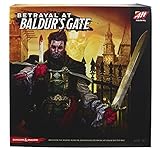 Hasbro Gaming Avalon Hill Betrayal at Baldur's Gate Modular Board Hidden Traitor Game,Ages 12 and Up,D&D,Based on Betrayal at House on The Hill
- NARRATIVE BOARD GAME: In this modular board game, you'll build and explore the city's dark alleys and catacombs, and face monsters from the Dungeons and Dragons universe like beholders and mind flayers
- HIDDEN TRAITOR GAME: What will cause an ally to turn traitor? In this cooperative board game, you must work with fellow adventurers to survive the terrors ahead. Remember to keep your enemies close
- INCLUDES 50 SCENARIOS: This Avalon Hill board game is based on the Betrayal at House on the Hill tabletop game. (Sold separately.) You'll return again and again to discover it's never the same adventure twice
- MINIATURES BOARD GAME: This horror-filled fantasy board game includes 6 pre-painted plastic adventurer figures, with a corresponding 2-sided character card. Each of the 12 characters has a special power
- ENDLESS REPLAYABILITY: Get together with friends for an immersive night of tabletop gameplay with Avalon Hill Betrayal at Baldur's Gate. It's for 3-6 players, ages 12 and up, and takes about 60 minutes to play
Later versions: Baldur.lua guidance
A later-version Beamdog forum search result gives a different method: add or run SetPrivateProfileString('Program Options','Debug Mode','1') in Baldur.lua, then press Ctrl+Space. The forum guidance also says to use the C: command prefix. Because this instruction is version-specific, it should not be treated as confirmed for every current build.
Always locate the configuration file belonging to your installed game. A similarly named file for another Baldur’s Gate edition will not necessarily enable this game’s console.
The Tool Desk
Outbyte Driver Updater FREEScan for outdated or missing drivers - takes under a minuteDriver Scan →Outbyte PC Repair FREEClear out junk files and repair common Windows errorsFree Scan →Rank #3

- EXCITING THIRD EDITION: This edition of the Betrayal at the House on the Hill game is rich with horror-based content, gaming elements, and characters not seen in previous versions
- HAUNTED HOUSE TRAITOR GAME: Players must work together to survive the nightmare…but beware . The house turns one player against the others in this cooperative strategy game
- GREAT FOR NEW PLAYERS: This 3rd Edition of the game features artwork, rule books, trackers, and cards that will help new players navigate the game and jump right in
- MODULAR BOARD PIECES: The Betrayal at House on the Hill tabletop game features 50 blood-curdling scenarios. Each trip to the house promises fresh horrors and a new story is created every time you play
- MINIATURES BOARD GAME: The game includes 6 finely detailed character figures, each with a removable colored disc, and features 12 diverse characters not seen in previous editions
Enter commands and understand their effects
Type a command into the console using the C: prefix. These examples are from Beamdog’s Enhanced Edition customization instructions:
| Command | Effect |
|---|---|
C:ExploreArea() |
Reveals exploration of the current area. It does not remove line-of-sight fog: creatures outside a character’s vision remain hidden. |
C:SetCurrentXP("1000") |
Sets the selected character or characters to 1,000 total XP; it does not add 1,000 XP to their existing total. |
C:AddGold("1000") |
Adds 1,000 gold to the party’s gold. |
C:CreateItem("SW1H01") |
Creates a long sword in the party leader’s inventory. |
C:CreateItem("POTN08", 10) |
Creates ten potions of cure light wounds. |
C:CreateCreature("GIBBER") |
Spawns a gibberling. Pause first if you are spawning a known hostile creature. |
C:MoveToArea("AR2300") |
Moves selected characters to the Friendly Arms Inn. Select the whole party if everyone should travel. |
C:SetGlobal("CHAPTER", "GLOBAL", 2) |
Sets the chapter global to 2, as shown in Beamdog’s example. |
C:Exec("filename") |
Runs console commands from a file in the game directory, according to Beamdog’s customization post. |
The item and area codes above are examples, not a complete catalogue. Other items or destinations require their corresponding valid codes. The older CLUAConsole: prefix is not the prefix given in the later-version instructions; use C:.
Rank #4

- Join forces to help Frodo make his way across Middle Earth and complete his quest to destroy the one ring
- In this cooperative strategy game players will roll dice and draw cards to try and avoid the ring wraiths and save Middle Earth
- Plays up to four players or can be a solo adventure
- Playtime is approximately 50 minutes
- Immerses you in the world of Tolkein
Optional debug keys
Beamdog’s older customization post also lists debug hotkeys. These are not console commands, and the examples are not a complete or risk-free set for an ordinary playthrough.
- Ctrl+J: moves selected party members to the cursor.
- Ctrl+Y: kills the creature under the cursor.
Platform and version limits
Beamdog lists the Enhanced Edition for Windows, macOS, Linux, iOS, Android, Nintendo Switch, PlayStation 4, and Xbox One on its official product page. That availability does not establish that debug-console commands work on every platform. The later-version forum guidance cautions that mobile editions do not fully support keyboard and console use; the official material reviewed does not confirm console-command support on Switch, PlayStation, or Xbox. The documented workflow is therefore most directly applicable to computer versions with usable keyboard input.
Quick wins for a faster PC:
Fix the driver behind crashes, sound loss and screen glitchesFind Drivers →Repair Windows errors before they cause bigger problemsFix Now →Quick Recap
Product prices and availability are accurate as of the date/time indicated and are subject to change. Any price and availability information displayed on Amazon at the time of purchase will apply.




