Quick wins for a faster PC:
Scan for outdated or missing drivers - takes under a minuteDriver Scan →Clear out junk files and repair common Windows errorsFree Scan →Fix the driver behind crashes, sound loss and screen glitchesFind Drivers →These are EA’s default aircraft controls used for helicopter flight in Battlefield 6; they are not a separately published helicopter-only standard-control chart. Bindings can be remapped, so check Settings if an input differs on your setup. You can also turn on Helicopter Control Assist for camera-directed, simplified flying.
Default Battlefield 6 helicopter controls
EA’s vehicle guide lists the following default aircraft controls. Your helicopter bindings may differ if you have changed a preset or remapped an action.
| Action | PC default | Controller default |
|---|---|---|
| Throttle up | W | Left stick up |
| Throttle down | S | Left stick down |
| Pitch down / move forward | Down Arrow | Right stick up |
| Pitch up / move backward | Up Arrow | Right stick down |
| Yaw left | A | Left stick left |
| Yaw right | D | Left stick right |
| Roll left | Left Arrow | Right stick left |
| Roll right | Right Arrow | Right stick right |
| Fire aircraft weapon | Space or right mouse button | RT/R2 |
| Switch aircraft weapon | F or scroll middle mouse up | Y/Triangle |
| Switch first-/third-person view | C | Press right stick |
| Activate freelook | V | D-pad down |
These defaults separate four flight inputs: throttle, pitch, yaw, and roll. PC players can also use mouse movement for directional inputs in the simplified scheme below. EA says vehicle, infantry, and UI actions can be remapped on both controller and mouse and keyboard; see its Battlefield 6 Accessibility Resources.
How to turn on simplified helicopter controls
- Open Settings, then go to Gameplay > Vehicles.
- Turn on Helicopter Control Assist. This setting is separate from Airplane Control Assist, so you can change helicopter flight without changing airplane controls.
- Use the camera-direction inputs below to steer. EA says pitch, yaw, and roll are handled automatically in this mode.
| Direction | PC | Controller |
|---|---|---|
| Up | Up Arrow or mouse up | Right stick up |
| Down | Down Arrow or mouse down | Right stick down |
| Left | Left Arrow or mouse left | Left stick up |
| Right | Right Arrow or mouse right | Left stick down |
Simplified assist is a useful starting point if managing separate flight axes feels unfamiliar. Turn it off if you want direct control over pitch, yaw, and roll. The standard scheme offers more explicit axis control; the assist scheme maps directional movement to where you point the camera. Which feels better depends on your preference and input setup.
Windows Errors? Fix Them Before They Spread
Repair common Windows errors and clear accumulated junk for a smoother, more stable PC - no reinstall needed.Free scan · no reinstallCrashes, No Sound, or Screen Glitches?
Random freezes, missing sound and display glitches usually trace back to one bad driver. Find and replace yours safely.Free scan · under a minute#1 Best Overall

- THE NEW STANDARD OF FPS COMBAT: With overhauled gunplay and tactical movement, from crouch sprint to drag and revive, every shot and movement is more instinctual and precise.The ultimate all-out warfare experience.This is Battlefield 6.
- MULTIPLAYER Victory, however you envision it. Battlefield 6 has more ways to win than ever before.
- GLOBAL SCALE CAMPAIGN Join an elite squad of Marine Raiders fighting relentlessly to save a world on the edge of collapse.
- PORTAL Battlefield Portal is a massive sandbox where creators and players can push Battlefield to the limit. Take unprecedented control of your environment by moving, scaling, and duplicating objects.
- Get Battlefield 6 Phantom Edition and receive: Full Game Download Battlefield Pro Token 1 Token redeemable against the season of first play Includes the season’s Battle Pass, 25 Tier Skips, exclusive rewards, and more …
How helicopter flight inputs work
Throttle controls height; pitch controls forward and backward movement
EA describes flying as balancing the aircraft’s nose position, throttle, and desired direction. In practical terms, throttle strongly affects altitude: increasing it lifts the helicopter, while reducing it can lead to a rapid descent. Pitching the nose down moves you forward but costs some height, so add throttle as needed. Ease off a descent rather than dropping sharply into a hard landing.
Use yaw for turns, then add roll carefully
GamesRadar+ recommends yaw as the main left-or-right turning input for helicopters, with roll added for sharper turns. Too much roll can tip the aircraft toward the ground, so begin with yaw and make smaller roll adjustments rather than holding a steep bank.
Rank #2
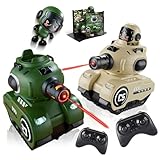
- 【Safe Infrared Toy Battle】 Say goodbye to wet clothes and water marks! Our mini rc tank set uses 100% safe invisible IR beams for clean, mess-free indoor and outdoor play. Enjoy pure strategic fun in 2-player toy battle games right in your living room or backyard
- 【Pro-Grade Dual-Weapon Firing】 Dominate combat with realistic dual-weapon shooting! This remote control tank that shoots features a main cannon dealing 2 damage (5s cooldown) and a sub-weapon dealing 1 damage (2s cooldown). The glowing barrel changes color with each shot for instant visual feedback
- 【Smart Recharge Station & Ejection】 Your remote control tank is never out of the game! Drive over the magnetic Health Recharge Station to restore HP with a 10s cooldown. When life hits zero, the driver pops out for hilarious rc battle tanks victory drama
- 【2.4GHz RC Cars & Tank Battles】 Equipped with 2.4GHz anti-interference technology, allowing multiple RC cars and tanks to play simultaneously without crosstalk. Each military tank toy for boys features 5 LED life indicator lights, taking 3-5 hits for a total knockout
- 【Rechargeable Batteries & Ideal Gift】 Features rechargeable batteries providing 30 minutes of play time per charge (1-2 hours charge time). Whether for remote control tanks or battle bots style toys, this tank toy set makes the perfect birthday or holiday gift for kids ages 6-12
Use assist and sensitivity as starting points, not rules
EA recommends Helicopter Control Sensitivity 100 as a baseline in its vehicle settings guide, while noting that preferred settings vary by player. Treat it as a starting value and adjust if your control inputs feel too sensitive or too sluggish.
Independent reader supportYour contribution helps us test, update, and keep practical guides available for everyone.Stay aware while moving and fighting
Scan without losing your bearings
Use third-person view to scan around the helicopter and freelook to inspect your surroundings; return to the view that works for aiming when you need to fire. EA documents the view and freelook bindings in its Battlefield 6 vehicle guide. GamesRadar+ likewise recommends using camera awareness as part of helicopter handling.
Free tools Windows power users keep installed
One-click scans. No signup required.
Rank #3

- Enhanced Aim & Accuracy Upgrade your gameplay with precision rings designed for PS5, for PS4, and Compatible with Xbox controllers. These rings improve thumbstick control, giving you better aim, especially in FPS games like Fortnite.
- Comfortable & Durable Material Made from soft, durable silicone material, these rings provide just the right amount of resistance for enhanced precision without compromising comfort during long gaming sessions.
- Ideal for Competitive Gaming Whether you're grinding ranked matches or playing casually, these aim assist rings help reduce over-aiming and improve shot accuracy, making them a must-have for serious gamers.
- Universal Fit & Easy to Install Compatible with PlayStation and Compatible with Xbox controllers, the rings are easy to install and remove. Just slide them onto your thumbsticks and you're ready to game with improved control.
- Great Value 6 Pack Each set includes 6 precision rings in varying, allowing you to customize your setup based on your preferred gameplay style and control sensitivity.
Respond to missile locks; do not rely on low altitude as protection
Watch the lock-warning progression and save flares for incoming missiles rather than using them early. Flying low may make a lock-on harder, according to EA, but it also exposes you to other attacks and increases the risk of a crash. Treat terrain as something to navigate carefully, not guaranteed cover.
Balance hovering, aiming, and movement
GamesRadar+ notes that hover assist can help stabilize the helicopter when you stop giving movement inputs. A stationary hover also makes you an easier target. Keep moving when it is safe to do so; slow down enough to aim accurately when firing or supporting a gunner.
PC or controller: choose the input that suits you
EA provides defaults for both mouse and keyboard and controller, and allows remapping for either. Use the input method and bindings you can control reliably; you do not need a separate controller if your current setup works for you. For controller users, GamesRadar+ suggests trying the Alternate preset because it puts throttle on the triggers. That is the guide’s preference, not an EA recommendation; presets can be changed in game.
Quick Recap
Product prices and availability are accurate as of the date/time indicated and are subject to change. Any price and availability information displayed on Amazon at the time of purchase will apply.
What’s actually slowing this PC down?
Pick the symptom - the matching free tool is one click away.



