There is no officially established best sensitivity, field of view, audio mix, or graphics preset for every Black Ops 7 player. Start with the settings that affect your comfort and control, then make small, one-at-a-time adjustments and keep what works on your platform and equipment. Activision says the PC version offers “800+ customization options,” but that is its product-page figure—not a promise that every option is available identically on every platform. Activision’s PC page documents the breadth of customization without publishing universal numeric recommendations.
Which Black Ops 7 settings should you change first?
Begin with input and comfort, then tune audio and visuals to your own setup. That order helps you identify what an adjustment actually changes instead of altering several variables at once.
| # | Preview | Product | Price | |
|---|---|---|---|---|
| 1 |

|
Sonic Frontiers - PlayStation 5 | $19.93 | Buy on Amazon |
| 2 |

|
Crimson Desert: Standard Edition - PlayStation 5 | $69.00 | Buy on Amazon |
| 3 |

|
Call of Duty®: Black Ops 6 - PlayStation 5 | $29.48 | Buy on Amazon |
| 4 |

|
Sonic: Frontiers (PS5) | $25.99 | Buy on Amazon |
| 5 |
|
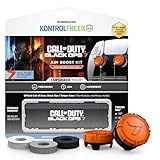
KontrolFreek Call of Duty: Black Ops 7 Aim Boost Kit | Collector’s Edition for PlayStation 5... | $24.99 | Buy on Amazon |
- Choose your input and customize its layout. Use the controller or keyboard-and-mouse setup you prefer, and adjust bindings or layout to suit your hands and habits.
- Make one control change at a time. If you adjust sensitivity or another control option, play with that change before modifying another. There is no official universal sensitivity or dead-zone value to copy.
- Check comfort and audio. Try the motion and hearing-related options that fit your needs; headphone features are optional.
- Tune graphics for your own display and hardware. Start from a stable configuration, then change individual options while watching frame stability and visual clarity.
The official PC page describes extensive keybinding, controller, graphics, audio, and interface customization. Its scope does not establish a single best configuration across PC and consoles.
How should you set controller and keyboard controls?
Choose the input method and layout that feel natural, then adjust one setting at a time. A sensitivity that feels responsive to one player may feel difficult to control for another; the official customization information does not give a recommended number. The same applies to dead zones: do not treat an unverified numeric value as an official best setting.
#1 Best Overall
- Race across five massive overworlcl islands, each with their own unique action-platforming challenges and hidden secrets to uncover
- Blaze a trail as you see fit and discover side quests, solve puzzles, scale enormous structures, go fishing, and encounter a firendly face or two along the way
- Unlock Cyber Space levels featuring signature 3D platforming at Sonic speeds and a variety of challenges to test your skills like never before
- Use the all-new battle system and skill tree upgrades, combining moves such as dodges, parries, counters, combos, and the new Cyloop ability to take down mysterious foes
- Become Sonic and journey to uncover the mysteries of the remains of an ancient civilization plagued by robotic hordes
For controller players, customize the available layout and bindings around the actions you use most. Keyboard-and-mouse players can likewise tailor keybindings. After a change, try it in a low-pressure setting such as the Firing Range, if available to you, before deciding whether to keep it. This is a way to evaluate personal comfort—not a guarantee of improved aim or performance.
Which audio settings are worth testing?
Enhanced Headphone Mode
If you play with headphones, locate and test Enhanced Headphone Mode. Activision lists it as an option for headphone users; it does not say that you need to buy new audio hardware. Use headphones you already own if they work with your platform, and compare the result with your usual audio setup.
Rank #2
- Join Kliff, captain of the Greymanes, and his comrades as they embark on a relentless journey to defend Pywel and fulfill their mission.
- Along your perilous path stands both dependable allies and countless foes who will stop at nothing to see your downfall.
- Face trials to uncover the truth of the catastrophe looming over Pywel and restore peace to the continent.
- Explore the mesmerizing landscapes of the continent where mystical beings, hidden treasures, and thrilling adventures await.
- Pre-order to receive the Khaled Shield (Pre Order Code on Receipt). PS5 Editions include the Grotevant Plate Set DLC as a PS5 exclusive bonus. (In Pack DLC Voucher). Bonus DLC Includes: Grotevan Plate Helm, Grotevan Plate Armor, along with Grotevan cloak, gloves, and boots!
Asymmetrical Hearing Compensation
If you hear differently between your ears, try Asymmetrical Hearing Compensation and adjust it for clarity and comfort. Activision describes this setting as addressing hearing differences between ears. The right result is personal, so do not assume a particular setting is necessary for everyone.
What should you change if camera movement causes discomfort?
Try Advanced Motion Control if camera movement causes discomfort. In its November 20, 2025 accessibility announcement, Call of Duty Staff described the optional feature as providing “simple, optional HUD-based visual anchors to ease motion-related discomfort.” The feature is intended to help, but the announcement does not promise relief for every player. Adjust or disable it according to your comfort.
Rank #3
- Developed by Treyarch and Raven, Call of Duty: Black Ops 6 is a spy action thriller set in the early 90s, a period of transition and upheaval in global politics, characterized by the end of the Cold War and the rise of the United States as a single superpower.
- This is signature Black Ops across a cinematic single-player Campaign, a best-in-class Multiplayer experience, and the epic return of Round-Based Zombies.
- The Black Ops 6 Campaign provides dynamic moment-to-moment gameplay that includes a variety of play spaces with blockbuster set pieces and action-packed moments, high-stakes heists, and cloak-and-dagger spy activity.
- In a best-in-class Multiplayer experience, players will test their skills across 16 new maps at launch, including 12 core 6v6 maps and 4 Strike maps that can be played 2v2 or 6v6.
- Black Ops 6 also marks the epic return of Round-Based Zombies, the fan-favorite mode where players will take down hordes of the undead in two brand-new maps at launch. Post-launch, players can look forward to even more exciting maps and groundbreaking experiences dropping into both Multiplayer and Zombies.
How should you approach PC graphics settings?
Use a stable configuration for your own PC as a starting point. Then adjust one graphics option at a time, paying attention to both frame stability and visual clarity. The official PC page confirms that graphics settings can be customized, but it does not publish a universally recommended preset or values for resolution, field of view, or other individual options.
For PC requirements or game-specific troubleshooting, use the Activision Support hub for Black Ops 7. Consult its current guidance for your system rather than relying on an unsupported hardware requirement or assuming one graphics configuration fits every PC.
Rank #4
- Race across five massive overworlcl islands, each with their own unique action-platforming challenges and hidden secrets to uncover
- Blaze a trail as you see fit and discover side quests, solve puzzles, scale enormous structures, go fishing, and encounter a firendly face or two along the way
- Unlock Cyber Space levels featuring signature 3D platforming at Sonic speeds and a variety of challenges to test your skills like never before
- Use the all-new battle system and skill tree upgrades, combining moves such as dodges, parries, counters, combos, and the new Cyloop ability to take down mysterious foes
- Become Sonic and journey to uncover the mysteries of the remains of an ancient civilization plagued by robotic hordes
Can you use alternative inputs in Black Ops 7?
Players looking for alternatives to standard controller or keyboard input can check Activision’s optional Cephable pilot. In its April 9, 2026 announcement, Activision said the companion app supports voice commands, face expressions, head movement, and customized buttons. The announcement lists Campaign, Zombies, Dead Ops Arcade, and the Firing Range across platforms; pilot availability and support can evolve, so check the official Cephable announcement for current details.
Activision states: “All inputs are processed locally through the Cephable companion apps running on a player’s PC or mobile device and translated into standard in-game commands.”
Recommended Free Tools
Best Value
- MADE FOR CALL OF DUTY - Officially-licensed Black Ops 7 design
- EXCLUSIVE SINPER CASE - Holds Performance thumbsticks and Precision Rings
- INCLUDES IN-GAME ITEM - Comes with in-game weapon charm for Call of Duty Black Ops 7
- PERFECT FOR FPS GAMES - Mixed-rise thumbsticks upgrade your aim and control
- GET MORE CONTROL - Mid-rise left stick upgrades grip and movement
Why not copy settings from a beta guide?
Beta-era guides can point to settings worth exploring, such as layouts, sensitivity, dead zones, graphics, and audio. They do not establish that their exact values remain appropriate for the current game or for your platform and equipment. Treat specific numbers from older coverage as suggestions to test, not verified launch recommendations.
Quick Recap
Product prices and availability are accurate as of the date/time indicated and are subject to change. Any price and availability information displayed on Amazon at the time of purchase will apply.




