Quick wins for a faster PC:
Repair Windows errors before they cause bigger problemsFix Now →Fix the driver behind crashes, sound loss and screen glitchesFind Drivers →If you mean games where players use phones to interact with a game running on a separate screen, the strongest verified picks here are Jackbox Party Pack games and Everybody 1-2-Switch!. They serve different settings: Jackbox can work locally or remotely if everyone can see the host screen; Nintendo’s Smart Device Mode is for players together in the same room. The available official information does not support a reliable list of ten distinct “best” games, so this guide focuses on those two formats rather than padding the list with games that do not fit.
What counts as a second-screen game?
Here, “second-screen game” means a game in which a phone or other secondary device actively supplies player input or game-specific interaction while a separate host device runs or displays the game. That is narrower than games with a companion app, remote-play streaming, or a mobile gaming assistant.
As an Amazon Associate I earn from qualifying purchases.
Two official examples illustrate the distinction: Jackbox uses phones as browser-based controllers for a game shown on a host screen, while Everybody 1-2-Switch! offers a mode in which players use smart devices for local minigames.
What’s actually slowing this PC down?
Pick the symptom - the matching free tool is one click away.
Best for flexible party play: Jackbox Party Pack games
How the phone-controller format works
One person runs a Jackbox game on a compatible host device. Other players visit jackbox.tv in a browser on an internet-capable phone or device, then enter the room code shown on the host screen. Players do not each need to buy a copy; the host’s purchase is on the platform where the game was bought. Jackbox says it does not offer or require a mobile app for this setup: Jackbox’s app information.
#1 Best Overall

- All-in-One Game Console with 21 Games: This video game console includes 11 motion games and 10 controller-based puzzle games, combining active play and brain challenges in one compact game system. Designed as a fun playground game system for home use, it offers a great mix of movement and thinking for kids.
- Motion Games That Get Kids Moving Indoors: The built-in motion camera turns this console into an interactive motion game experience, encouraging kids to jump, stretch, and move naturally. A great way to transform screen time into active games for kids, especially when outdoor play isn’t possible.
- Plug & Play Video Games: No Internet Needed. This plug & play video game console connects easily to your TV via HDMI. No ads, no inappropriate content and no subscriptions required. Simple setup makes it ideal for parents and frustration-free for children.
- Family Games for Kids and Adults: With both motion-based play and wireless controller games, this console offers family games for kids and adults to enjoy together. Parents can join the fun, siblings can play together, and kids can also enjoy solo play.
- Kid-Friendly Video Games & Gift-Ready Design: All included video games are age-appropriate, easy to understand. A thoughtful gift choice for birthdays, holidays, or family gatherings, and a great alternative to traditional game consoles focused purely on sedentary play.
Local and remote play
For a local gathering, make sure everyone can see the host screen. For a remote group, players need a way to view that screen and communicate; Jackbox documents videoconference screen sharing and Steam Remote Play Together as options. The games do not include online matchmaking, so the group must arrange its own viewing and voice connection. Jackbox also recommends wired internet where possible. See Jackbox’s remote-play guidance.
Choosing a platform
Jackbox’s platform overview names Nintendo Switch through the eShop, Xbox One, PlayStation 5, and some smart TVs, with device-model and store limitations. Support varies by individual title and storefront, so check the current listing for the particular Party Pack before buying; the platform overview does not establish physical game-card editions. See Jackbox’s platform information.
Rank #2
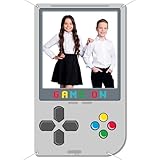
- Large size: You'll get a video game photo booth props and a white rope for effortless hanging and setup. Measuring 185 x 111 cm (73 x 44 inches), this video game party decorations is large enough to grab attention and serves as the ideal backdrop for group photos, helping you create lasting memories with family and friends.
- Reliable material: Crafted from 100% polyester fabric, this game night backdrops features long-lasting colors and clear patterns. The handheld video game birthday decorations is lightweight, durable, and tear-resistant, ensuring repeated use for many celebrations.
- Video game theme design: Adopting the shape of a classic handheld game console, this game on photo booth prop features realistic design and details. This gamer backdrop helps create an immersive gaming atmosphere for your party event and can also serve as a background for capturing unforgettable photos.
- Wide application: This game on photo booth frame is great for a range of events, whether indoors or outdoors, including birthdays, video game-themed parties, kids' parties, baby showers, photo booths, and more. Gamer party backdrop is the ideal backdrop to capture amazing moments with family and friends.
- Easy to setup: The gamer photo backdrop features pre-cut holes for easy and secure hanging with the included rope. The gamer party decorations saves time and effort, helping you quickly create a fun and lively photo setting for your party.imported
Best for a large in-room group: Everybody 1-2-Switch!
Choose Smart Device Mode or Joy-Con Mode
Nintendo’s US product page lists the game for Nintendo Switch and describes two ways to play: Smart Device Mode, using compatible smart devices, or Joy-Con Mode, using Joy-Con controllers. Smart Device Mode supports up to 100 players in certain games; Joy-Con Mode supports up to eight. The 100-player figure is not a capacity claim for every activity, and some minigames are available in only one mode. Check Nintendo’s official product page for product and mode details.
Do these 3 things before closing this tab:
1Fix the driver behind crashes, sound loss and screen glitches2Clear out junk files and repair common Windows errors3Scan for outdated or missing drivers - takes under a minuteKnow the Smart Device Mode requirements
Smart Device Mode requires a Nintendo Account, a compatible smart device, and internet access. Players must be in the same room, so it is not a remote alternative to Jackbox’s screen-sharing setup. Nintendo also lists a physical edition on its US product page; availability and compatibility should be checked for the specific region and device.
Rank #3

- -Disc only. Original case and manual not included. Will come packaged in a generic case.
- -This renewed game has been cleaned, tested, and shows minimal wear.
Which format should you choose?
| Format | Best fit | Screen and connection | Who needs a purchase? |
|---|---|---|---|
| Jackbox Party Pack games | Groups wanting phone-controlled party games, locally or remotely | A host screen must be visible locally or shared remotely; players use a browser at jackbox.tv. Remote groups arrange their own screen-sharing and voice setup. | The host buys the game on its platform; guests do not each need a copy. |
| Everybody 1-2-Switch! Smart Device Mode | Local parties, including certain games for very large groups | Nintendo Switch runs the game; compatible smart devices, Nintendo Accounts, internet access, and the same room are required. | The Nintendo product page describes the Switch game; it does not state that every participant needs a separate purchase. |
| Everybody 1-2-Switch! Joy-Con Mode | Local groups using controllers instead of phones | Nintendo Switch and Joy-Con controllers; up to eight players. | The Nintendo product page describes the Switch game; it does not state that every participant needs a separate purchase. |
Why this guide does not list ten games
“Second screen” is often used loosely for companion apps, remote streaming, and other features that do not make a phone an active controller for a separate game screen. The official sources available for this guide substantiate the two formats above, but do not establish ten distinct, current titles that fit the narrower definition or provide comparable evidence for ranking them. Expanding the list with unrelated multiplayer games or unsupported apps would make the recommendations less useful.
For example, PlayStation’s app materials mention PS4 Second Screen as a feature label, but also cover account, console, purchasing, messaging, and screen-share functions; that is not evidence of a standalone phone-controller game. Xbox’s May 28, 2025 description of Copilot for Gaming Beta concerns a mobile assistant that can answer gaming questions and make recommendations, not a game itself. See PlayStation App features and Xbox Wire’s announcement; the beta description is dated and should not be read as confirmation of its present availability.
Quick Recap
Rank #4

- Gift for Kids Ages 4 to 12:The video game console comes pre-loaded with 28 interactive motion-sensing games, including sports, puzzle, adventure, and educational games to meet the needs of different users. It supports single or two-player game modes, enhancing family interaction. More games are in development—no subscription required. This is a gift that is a valuable investment in your child's happy development, perfect for Christmas, New Year, and birthdays, as a thoughtful growing-up gift
- AR Motion Video Games:The AR camera can accurately capture your body movements in real-time, allowing you to move and play through natural body actions—instantly transforming your living room into the next playground or challenge arena. 28 Built-in Classic Games: Action, Puzzle, Classics—including Fruit Ninja, Ocean Adventure, Treythm Ball, and more. Bring family and friends closer through joyful gaming. This makes family game nights, playdates, and parties even more exciting
- Easy Setup - Plug & Play: Simply connect to TV, monitor, or projector with an HDMI cable to start playing (no internet required). When the weather is bad, parents hope to find a hobby that can both entertain and provide physical exercise, helping children put down and stay away from the screens of mobile phones and tablets, effectively reducing the harm from blue light, protecting their developing eyesight, and allowing children to have more time to interact with their parents
- Designed for Educational Institutions:This interactive game system is an ideal auxiliary tool for classroom breaks. It can turn break time into a vibrant playground, and through a variety of educational and sports games, it enhances students' physical coordination and balance, promoting healthy physical and mental development. It is very suitable as a gift for Children's Day, a back-to-school reward, or as an educational toy to get children moving
- Privacy Protection & Portable Design:When the Ulovingst motion sensor gaming console is not in use, simply turn off the power and store it away. No ads. No inappropriate content. Its lightweight and portable design allows it to be easily packed into a backpack, so you can enjoy vibrant fun anytime, anywhere, whether at home or on vacation.
Product prices and availability are accurate as of the date/time indicated and are subject to change. Any price and availability information displayed on Amazon at the time of purchase will apply.




