
Start with this quick diagnosis
Before changing Windows files, note:
- Which Brother printer model shows the error.
- When it appears: during startup, printing, driver installation, or opening a Brother utility.
- The complete error text, including whether it says “missing,” “not found,” “specified module could not be found,” or “entry point.”
- Your Windows architecture: open Settings > System > About and check System type.
- Whether Windows Security quarantined the file.
- Whether the Brother printer is still installed or is an orphaned queue left after removal.
bribffi01.dll is a Brother printer-driver component identified in public file metadata as Brother Printer Finisher Filter. When Windows reports that bribffi01.dll cannot load, the most likely problem is an incomplete, damaged, or mismatched Brother printer installation rather than a missing Windows component.
What bribffi01.dll is
The file is associated with Brother printer software and driver packages, not with the normal Windows component store. Public package records attribute it to Brother Industries, Ltd., but the filename alone does not identify a particular printer model.
As an Amazon Associate I earn from qualifying purchases.
Different Brother driver builds can contain different copies of the file. Public records disagree about architecture, size, and other file details, so do not use an online file listing as a specification for the copy installed on your computer.
The file may be used by a print filter or related driver process. A printer filter helps Windows and the printer driver process print jobs or apply device-specific processing. It is not normally a general-purpose Windows DLL, a Visual C++ Redistributable file, a DirectX component, or a .NET file.
#1 Best Overall

- Ideal Printer Scanner Cable: UGREEN USB 2.0 printer cable is ideal for connecting your scanner, printer, server, hard drive, camera, piano, and other USB b devices to a laptop, computer (Mac/PC), or other USB-enabled devices for data transfer.
- High-Speed Transfer: Up to 480 Mbps transfers data speed for USB 2.0 devices, the USB Type B cable is backward compliant with full-speed USB 1.1 (12 Mbps) and low-speed USB 1.0 (1.5 Mbps). Compared with a WIFI connection, this USB B Cable provides a more stable data transmission and offers a more efficient work way for you.
- Wide Compatibility: This Printer Cable compatible with HP deskjet 2540 / 3630, HP officejet 5740, HP Envy 4527 / 4520 / 4523 / 5540, HP photosmart 7520 / 5520 / 5510, Canon MG5750 / MG3550 / MG7550, Epson XP225 / XP245 / XP425, Brother DCP-L2520DW, Lexmark MX310DN, Dell C2665DNF, Samsung Xpress SL-C1860FW, Oki ML1120 / 511DN, Schiit Modi 2 Uber, Yamaha digital piano, DAC, etc.
- Premium Quality: Corrosion-resistant gold-plated connectors and foil/braid shielding make the SB 2.0 Male to USB B Male cable cord more long-term performance (without noise or signal loss).
- Plug and Play, No Driver Required. What You Get: a USB 2.0 printer cable. Important Note: This printer USB cable has a USB 2.0 Type B Interface, not USB 3.0 Type B.
What the error usually means
Windows may display messages such as:
- “The program can’t start because BRIBFFI01.DLL is missing from your computer.”
- “BRIBFFI01.DLL was not found.”
- “Error loading BRIBFFI01.DLL.”
- “Failed to load BRIBFFI01.DLL.”
- “The procedure entry point could not be located.”
- “Cannot register BRIBFFI01.DLL.”
If the message says “The specified module could not be found,” the named DLL may be present while one of its dependencies is missing. That is another reason copying a replacement file into a Windows folder often fails.
Fix 1: Reinstall the exact Brother driver package
This is the safest and most likely fix.
- Find the printer’s exact model number. Check the front panel, label, printer settings, or the existing printer entry.
- Open Brother’s official support or software-download page in your browser.
- Search for the model.
- Select your Windows version and architecture when prompted.
- Download the current Printer Driver or Full Driver & Software Package.
- If the installer offers an uninstall option, remove the existing Brother software first.
- Restart Windows.
- Run the downloaded Brother installer.
- Connect or select the printer when the installer asks.
- Allow the installer to create or update the printer queue.
- Open Settings > Bluetooth & devices > Printers & scanners in Windows 11, or Settings > Devices > Printers & scanners in Windows 10.
- Select the Brother printer, choose Printer properties, and click Print Test Page.
The repair worked if the installer completes without the DLL error and the test page prints. If the installer says that an older driver is damaged, continue with the complete removal procedure below instead of repeatedly running the same installer.
When updating or reinstalling drivers manually, identifying the correct model, architecture, and package can mean hunting through several download entries and guessing which old driver remains active. Outbyte Driver Updater can scan for driver problems and show what needs attention; the repair or driver installation is done by the full version. Reinstalling the model-specific Brother package remains the definitive fix for this file.
Free tools Windows power users keep installed
One-click scans. No signup required.
Fix 2: Remove the old Brother printer and driver completely
Use this when a normal reinstall leaves the same error, especially after a Windows update, printer replacement, or failed upgrade.
Remove the printer queue
- Open Settings > Bluetooth & devices > Printers & scanners.
- Select the affected Brother printer.
- Click Remove and confirm.
- Repeat for duplicate or offline Brother queues that refer to the same device.
On Windows 10, open Settings > Devices > Printers & scanners, select the printer, and choose Remove device.
Uninstall Brother software
- Press Windows key + R.
- Enter
appwiz.cpland press Enter. - Uninstall Brother printer utilities, drivers, status monitors, and bundled software associated with the affected model.
- Restart Windows.
You can also check Settings > Apps > Installed apps on Windows 11 or Settings > Apps > Apps & features on Windows 10.
Rank #2
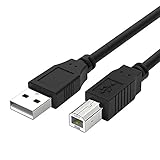
- Compatible with Brother HL-L2380DW,HLL2390DW,HLL2395DW,HL-L2350DW,HL-L6200DW,HL-L5200DW,HL-L3230CDW,HL-L2300D,HL-L2320D,HL-L3290CDW,HL-L8360CDW printer cable cord.
- usb a to usb b printer cable is ideal for connecting your keyboard, mouse, scanner, hard drive, printer, server, camera and more, to a laptop, computer (Mac/PC) or other USB-enabled device.
- Hi-speed transfer Up to 480 Mbps transfers data speed for USB 2.0 devices, the printer cable is backwards compliant with full-speed USB 1.1 and low-speed USB 1.0.
- Corrosion-resistant gold-plated connectors and foil shielding make the printer scanner cable cords more long-term performance without noise or signal loss.
- 10 Feet(3m) USB 2.0 Type-A Male to Type-B Male Connection Cable
Remove the stale driver package
- Press Windows key + R.
- Enter
printui.exe /s /t2and press Enter. - Select the Drivers tab.
- Highlight the Brother driver for the removed printer.
- Click Remove.
- Choose Remove driver and driver package if Windows offers that choice.
- Restart the computer.
- Install the current Brother package again.
Do not remove a driver that is still needed by another working Brother printer unless you are prepared to reinstall that printer too. If Windows refuses to remove the package, disconnect the printer, close Brother utilities, restart, and try again. A driver that remains in the Driver Store can continue to be selected by a newly created queue.
What’s actually slowing this PC down?
Pick the symptom - the matching free tool is one click away.
Fix 3: Check Windows Security quarantine
Antivirus software can quarantine or delete a printer-driver component after an installation or update.
- Open Windows Security from the Start menu.
- Select Virus & threat protection.
- Click Protection history.
- Look for an event involving
BRIBFFI01.DLL, Brother software, or the installer you just used. - Expand the event and inspect its path and source.
- Restore or allow the file only if it came from a genuine Brother installation and the installer was obtained from Brother’s official support channel.
- Run the Brother installer again if the file was removed.
Do not whitelist an arbitrary DLL merely because its filename matches. If the quarantined file came from a random download site, leave it quarantined, run a full scan, remove the suspicious copy, and reinstall Brother software from the official source.
Microsoft notes that restoring a quarantined file can cause Defender to detect it again unless the file is explicitly allowed. If the file is repeatedly quarantined, stop the installation and investigate the file’s origin and digital signature rather than disabling antivirus protection permanently.
Fix 4: Repair Windows components only when Windows is also damaged
System File Checker and DISM repair protected Windows components. They normally do not recreate a third-party Brother driver file, so use them as secondary checks rather than as the main bribffi01.dll repair.
The Tool Desk
Outbyte PC Repair FREEClear out junk files and repair common Windows errorsFree Scan →Outbyte Driver Updater FREEFix the driver behind crashes, sound loss and screen glitchesFind Drivers →Rank #3

- IN THE BOX: (1) 10-foot high-speed multi-shielded USB 2.0 A-Male to B-Male cable
- DEVICE COMPATIBLE: Connects mice, keyboards, and speed-critical devices, such as external hard drives, printers, and cameras to a computer
- ULTRA FAST SPEED: Full 2.0 USB capability with 480 Mbps transfer speed
- DURABLE DESIGN: Corrosion-resistant, gold-plated connectors for optimal signal clarity and shielding to protect against noise, minimizing interference for a clear signal
First install pending updates:
- Open Settings > Windows Update.
- Click Check for updates.
- Install available updates.
- Restart Windows.
Then open an elevated Command Prompt:
- Open Start.
- Type
Command Prompt. - Right-click it and select Run as administrator.
- Run:
DISM /Online /Cleanup-Image /RestoreHealth
- Wait for it to finish.
- Run:
sfc /scannow
- Restart Windows.
- Test the Brother printer again.
DISM should complete successfully, and SFC should report whether it found and repaired protected system files. If both commands report no integrity violations but the Brother error remains, return to the Brother driver removal and reinstall procedure. Repeating SFC will not normally restore a missing Brother filter.
If manually identifying corrupted Windows components and repeating repair commands is becoming guesswork, Outbyte PC Repair can scan and show what needs attention; the repair is completed by the full version. It is not required, and the model-specific Brother reinstall remains the correct fix when only this printer component is missing.
Fix 5: Check Device Manager and the printer connection
A failed driver installation can leave an unknown device or a printer with a warning icon.
- Right-click Start and select Device Manager.
- Expand Printers, Print queues, and Universal Serial Bus controllers.
- Look for the Brother printer, an unknown device, or a yellow warning icon.
- Right-click the affected entry and select Properties.
- Read the status shown under Device status.
- If the device is clearly stale, select Uninstall device.
- Do not select a driver-removal option for a device still used by another printer unless you intend to reinstall it.
- Restart Windows.
- Run the current Brother installer again.
For a USB printer, try a different USB port and reconnect it only when the Brother installer requests the connection. For a network printer, confirm that the printer is on the same network and remove duplicate queues before reinstalling.
A successful repair removes the warning icon, creates a healthy Brother printer queue, and allows a test page to print.
Fix 6: Undo a recent driver or software change
If the error began immediately after a driver update, Windows update, printer replacement, or Brother utility installation, System Restore may help.
Rank #4

- USB 2.0 Printer Cable Overview*** 1.USB-A to USB-B 2.0 Port 2.Durable: Features gold-plated connectors 3.Widely Compatible: Works with various USB B printers and devices 4.Plug and Play: Offers more stability than Wi-Fi 5.Long Length: 6/10 Feet
- High-Speed Connectivity: Connect your printer, scanner, or external hard drive to your computer with this high-quality USB A to USB B cable. Designed for fast and reliable data transfer, this cable ensures a stable connection between your devices.
- Universal Compatibility: The USB 2.0 printer cable is compatible with a wide range of devices, including printers, scanners, servers, hard drives, cameras, electronic pianos, MIDI keyboards, microphones, DAC decoders, and other peripherals that use a USB B port. It easily connects to laptops, computers, PCs, or other USB-enabled devices for data transfer.
- Durable and Reliable: Built with a robust, flexible PVC jacket and corrosion-resistant gold-plated connectors, this printer cable is designed for long-lasting use. The durable construction minimizes interference and signal loss, ensuring smooth and consistent data transmission.
- Plug and Play: Easy to use, simply plug the USB A end into your computer and the USB B end into your printer—no drivers or software installation is required. It's more stable than a Wi-Fi wireless connection.
- Press Windows key + R.
- Enter
rstrui.exeand press Enter. - Select Next.
- Choose a restore point created before the error began.
- Select Scan for affected programs if available.
- Review the changes.
- Select Next, then Finish.
- Restart Windows and test the printer.
System Restore can undo recent driver, application, and system-setting changes without affecting personal files. It does not replace a model-specific Brother reinstall when the driver package itself is damaged.
Independent reader supportYour contribution helps us test, update, and keep practical guides available for everyone.Do not download or register the DLL manually
Avoid DLL download archives and individual replacement files. A downloaded copy may contain malware, belong to a different Brother driver build, use the wrong architecture, or depend on other files that are also absent. It can also conceal the real problem: a broken printer queue or incomplete driver installation.
Recommended Free Tools
Do not copy bribffi01.dll into:
C:WindowsSystem32C:WindowsSysWOW64- An arbitrary application folder
On 64-bit Windows, a 32-bit print component may still be correct if it belongs to a 32-bit driver process. Therefore, do not replace it with a file chosen solely because Windows is 64-bit.
regsvr32 is also not a standard repair here. That command is intended for DLLs that provide registration entry points such as DllRegisterServer. There is no evidence that this Brother printer filter is a COM or ActiveX registration library. Running regsvr32 can produce an entry-point error without repairing printing.
If the error appears at Windows startup
A startup-only message often points to a Brother utility, print monitor, or orphaned printer queue that still references a partly removed driver.
Best Value

- High Speed Transfer : Up to 480 Mbps transfers data speed for USB 2.0 devices, the printer cable is backwards compliant with full-speed USB 1.1 (12 Mbps) and low-speed USB 1.0 (1.5 Mbps).
- Universal Printer Cable : Sweguard USB 2.0 Printer Cable is ideal for connecting your scanner, printer, server, camera such as HP, Canon, Lexmark, Epson, Dell, Xerox , Samsung and other usb b devices to a laptop, computer (Mac/PC) or other USB-enabled device.
- Gold-plated Connectors :Constructed with corrosion-resistant, gold-plated connectors for optimal signal clarity and shielding to minimize interference.
- Nylon Tangle-free Design : Tangle-free Nylon Braided Design, this USB 2.0 Printer Cord is far more dependable than others in its price range. Premium nylon braided cable adds additional durability and tangle free.
- What You’ll Get : - 1*pack Printer Cable,24/7 Friendly Customer Service,18 months warranty.Once there’s any questions,please feel free to contact us.Thanks!
- Open Settings > Apps > Startup.
- Disable obsolete Brother utilities temporarily.
- Restart Windows.
- If the message disappears, uninstall the unused Brother software through Settings > Apps or Programs and Features.
- Remove the orphaned printer queue.
- Reinstall the current package only if the printer is still needed.
If no Brother printer is installed, remove the orphaned software and driver instead of trying to restore the DLL.
Do these 3 things before closing this tab:
1Scan for outdated or missing drivers - takes under a minute2Clear out junk files and repair common Windows errors3Fix the driver behind crashes, sound loss and screen glitchesFAQ
Which Brother printer requires bribffi01.dll?
The filename alone is not enough to identify the compatible model. Use the exact printer model and let Brother’s installer select the appropriate package.
Is bribffi01.dll part of Windows?
Available evidence associates it with Brother printer drivers. It should not be treated as a general Windows system DLL.
Should I install Visual C++ Redistributable?
Not for this error alone. Install or repair a Microsoft runtime only when the complete diagnostic message identifies that runtime as a separate missing dependency.
Is the file 32-bit or 64-bit?
Public records conflict. Different Brother packages can contain different builds, and a 32-bit component can be used on 64-bit Windows. Let the official model-specific installer provide the file.
Crashes, No Sound, or Screen Glitches?
Random freezes, missing sound and display glitches usually trace back to one bad driver. Find and replace yours safely.Free scan · under a minuteWindows Errors? Fix Them Before They Spread
Repair common Windows errors and clear accumulated junk for a smoother, more stable PC - no reinstall needed.Free scan · no reinstallWhat if the file exists but Windows still says it is missing?
The message may refer to a missing dependency rather than the named DLL. Reinstall the complete Brother package and inspect the installer or driver package instead of copying unrelated DLLs.
When should I use System Restore?
Use it after a recent driver or software change when a suitable restore point exists. If the issue has continued for a long time, completely removing and reinstalling the Brother package is usually more direct.
What information should I provide when asking for further help?
Include the exact printer model, Windows 10 or Windows 11 edition, system architecture, full error text, when the error appears, and whether Windows Security quarantined a Brother file.

