Call of Duty: Black Ops 7 launched on November 14, 2025. Its original preload began on November 10, 2025, at 9:00 a.m. PT across platforms. Because that window has passed, current players should use their platform’s installation controls and select only the Black Ops 7 content they need. Activision does not publish one universal download or install size: the requirement varies by platform, content packs, existing Call of Duty files, and later updates.
Black Ops 7 preload and launch times
The original preload opened on November 10, 2025, at 9:00 a.m. Pacific Time on all supported platforms. That was a launch-period schedule, not a currently pending preload date.
| # | Preview | Product | Price | |
|---|---|---|---|---|
| 1 |
|
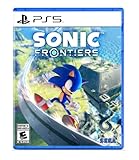
Sonic Frontiers - PlayStation 5 | $19.93 | Buy on Amazon |
| 2 |

|
Crimson Desert: Standard Edition - PlayStation 5 | $69.00 | Buy on Amazon |
| 3 |

|
Call of Duty®: Black Ops 6 - PlayStation 5 | $29.48 | Buy on Amazon |
| 4 |
|
Sonic: Frontiers (PS5) | $25.99 | Buy on Amazon |
| 5 |
|
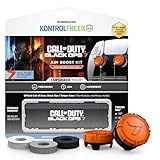
KontrolFreek Call of Duty: Black Ops 7 Aim Boost Kit | Collector’s Edition for PlayStation 5... | $24.99 | Buy on Amazon |
As an Amazon Associate I earn from qualifying purchases.
Black Ops 7 released for all editions on November 14, 2025. There was no edition-based early access; buying the Vault Edition did not unlock the campaign or full game early.
Free tools Windows power users keep installed
One-click scans. No signup required.
| Platform | Launch time |
|---|---|
| Xbox consoles, Xbox on PC and PlayStation | Midnight local time on November 14, 2025 |
| Battle.net and Steam | 9:00 p.m. PT on November 13 / midnight ET on November 14, 2025 |
For example, console players on the U.S. West Coast could play at midnight PT on November 14, while Battle.net and Steam players could start at 9:00 p.m. PT on November 13. The same launch moment was midnight ET for players on the U.S. East Coast. See Activision’s current PC information and installation guide for the current platform list and setup details.
#1 Best Overall
- Race across five massive overworlcl islands, each with their own unique action-platforming challenges and hidden secrets to uncover
- Blaze a trail as you see fit and discover side quests, solve puzzles, scale enormous structures, go fishing, and encounter a firendly face or two along the way
- Unlock Cyber Space levels featuring signature 3D platforming at Sonic speeds and a variety of challenges to test your skills like never before
- Use the all-new battle system and skill tree upgrades, combining moves such as dodges, parries, counters, combos, and the new Cyloop ability to take down mysterious foes
- Become Sonic and journey to uncover the mysteries of the remains of an ancient civilization plagued by robotic hordes
How large is Black Ops 7?
There is no single current “Black Ops 7 is X GB” answer. Activision’s installation documentation tells players to select individual content to reduce the download, rather than giving one fixed universal figure.
Launch-period reports listed approximate figures of:
- PlayStation: about 97 GB
- Xbox: about 208 GB
- PC: about 163 GB
These numbers describe reported launch installations, not guaranteed current requirements. A separate launch guide estimated roughly 100–110 GB for the three main Black Ops 7 mode packs through Call of Duty HQ and recommended at least 116 GB of free SSD space on PC. That estimate was not an Activision-published fixed requirement and conflicts with other platform reports.
The Tool Desk
Outbyte Driver Updater FREEFix the driver behind crashes, sound loss and screen glitchesFind Drivers →Outbyte PC Repair FREEClear out junk files and repair common Windows errorsFree Scan →Rank #2
- Join Kliff, captain of the Greymanes, and his comrades as they embark on a relentless journey to defend Pywel and fulfill their mission.
- Along your perilous path stands both dependable allies and countless foes who will stop at nothing to see your downfall.
- Face trials to uncover the truth of the catastrophe looming over Pywel and restore peace to the continent.
- Explore the mesmerizing landscapes of the continent where mystical beings, hidden treasures, and thrilling adventures await.
- Pre-order to receive the Khaled Shield (Pre Order Code on Receipt). PS5 Editions include the Grotevant Plate Set DLC as a PS5 exclusive bonus. (In Pack DLC Voucher). Bonus DLC Includes: Grotevan Plate Helm, Grotevan Plate Armor, along with Grotevan cloak, gloves, and boots!
Your actual download and installed footprint depends on:
- Your platform and launcher.
- Which Black Ops 7 modes and content packs you install.
- Whether Warzone or earlier Call of Duty files are already installed.
- Shared files between mode packs.
- Subsequent patches and seasonal updates.
Therefore, the often-repeated claim that every player needs a universal 208 GB installation is incorrect. The 208 GB figure was a reported Xbox launch figure, not a cross-platform requirement. Leave additional free space for updates even when the launcher’s initial estimate appears sufficient.
PC requirements and launcher notes
Black Ops 7 requires the Call of Duty HQ launcher. Installing only a selected mode pack does not remove that requirement. Activision’s current PC information lists an SSD, TPM 2.0 and Secure Boot among the requirements. Windows 10 64-bit is listed for the minimum tier; recommended and higher performance tiers use Windows 11 64-bit.
Rank #3
- Developed by Treyarch and Raven, Call of Duty: Black Ops 6 is a spy action thriller set in the early 90s, a period of transition and upheaval in global politics, characterized by the end of the Cold War and the rise of the United States as a single superpower.
- This is signature Black Ops across a cinematic single-player Campaign, a best-in-class Multiplayer experience, and the epic return of Round-Based Zombies.
- The Black Ops 6 Campaign provides dynamic moment-to-moment gameplay that includes a variety of play spaces with blockbuster set pieces and action-packed moments, high-stakes heists, and cloak-and-dagger spy activity.
- In a best-in-class Multiplayer experience, players will test their skills across 16 new maps at launch, including 12 core 6v6 maps and 4 Strike maps that can be played 2v2 or 6v6.
- Black Ops 6 also marks the epic return of Round-Based Zombies, the fan-favorite mode where players will take down hordes of the undead in two brand-new maps at launch. Post-launch, players can look forward to even more exciting maps and groundbreaking experiences dropping into both Multiplayer and Zombies.
On Battle.net, Steam and Xbox on PC, players with Black Ops 6 installed may see the Black Ops 6 executable preload in the background when launching Black Ops 7. Activision says this uses a very small amount of memory, does not affect performance during a match and is dismissed when loading into a Black Ops 7 match.
Recommended Free Tools
How to install Black Ops 7
Xbox Series X|S and Xbox One
- Open My games & apps.
- Select See all, then Full library.
- Open All owned games.
- Find and select Call of Duty: Black Ops 7.
- Select Install all, or choose Choose what to install to select individual content.
These steps also apply to Xbox console installations obtained through Game Pass.
PlayStation 5
- From the Games section of the home screen, open Game Library.
- Under Your Collection, select Call of Duty: Black Ops 7.
- Select Download.
- For a selective installation, choose Install Options.
- Uncheck Select All, choose the required content, then select OK and Install.
PlayStation 4
- Open Library and select the Purchased folder.
- Select Call of Duty: Black Ops 7, then choose Download.
- The game installs automatically.
To manage individual content packs, open the game’s PlayStation Store entry, select Your Add-ons, and choose Download beside the content you need.
Rank #4
- Race across five massive overworlcl islands, each with their own unique action-platforming challenges and hidden secrets to uncover
- Blaze a trail as you see fit and discover side quests, solve puzzles, scale enormous structures, go fishing, and encounter a firendly face or two along the way
- Unlock Cyber Space levels featuring signature 3D platforming at Sonic speeds and a variety of challenges to test your skills like never before
- Use the all-new battle system and skill tree upgrades, combining moves such as dodges, parries, counters, combos, and the new Cyloop ability to take down mysterious foes
- Become Sonic and journey to uncover the mysteries of the remains of an ancient civilization plagued by robotic hordes
Battle.net
- Open the Battle.net app and sign in.
- Select Call of Duty from the Games tab.
- Select Install.
- Confirm the installation options and select Continue.
- Select the Call of Duty content to install and uncheck anything you do not need.
- Select Start Install.
Battle.net also has a download-speed setting for pre-release content under Settings.
Steam
- Open Steam and select Library.
- Select Call of Duty: Black Ops 7.
- Select Install.
- To manage optional content later, select the gear icon, open Properties, choose the DLC tab and select the content to install.
Xbox app on PC
- Open the Xbox app.
- Select My Library.
- Select Call of Duty: Black Ops 7.
- Select Install.
- Use Choose what to install if you want to install only specific content.
Installing Endgame through Call of Duty HQ
If the Call of Duty launcher is already installed:
- Launch Call of Duty and open the menu.
- Select Manage Files.
- Highlight the Call of Duty: Black Ops 7 tile and select Manage Files again.
- Navigate to the Endgame tile and select Install.
If Call of Duty is not installed, open your platform marketplace, search for Call of Duty: Warzone, and select the option to install Endgame. If Call of Duty: Black Ops 7 Co-Op and Endgame are already installed, no reinstallation is necessary.
PC Slower Than It Used to Be?
A free scan shows the junk files, broken settings and background clutter dragging Windows down - then fixes them in one click.Free scan · Windows 10 & 11Crashes, No Sound, or Screen Glitches?
Random freezes, missing sound and display glitches usually trace back to one bad driver. Find and replace yours safely.Free scan · under a minuteDisc installations and updates
On PlayStation, insert the disc and installation begins automatically. On Xbox, inserting the disc prompts installation. Black Ops 7 also requires a Day One update before it can be played; launch the game after the disc installation to trigger that update.
Best Value
- MADE FOR CALL OF DUTY - Officially-licensed Black Ops 7 design
- EXCLUSIVE SINPER CASE - Holds Performance thumbsticks and Precision Rings
- INCLUDES IN-GAME ITEM - Comes with in-game weapon charm for Call of Duty Black Ops 7
- PERFECT FOR FPS GAMES - Mixed-rise thumbsticks upgrade your aim and control
- GET MORE CONTROL - Mid-rise left stick upgrades grip and movement
Do not assume every unusually large update estimate is final. On January 7, 2026, Activision halted a Battle.net preload for the Season 01 Reloaded update after confirming that a bug displayed an incorrect size of approximately 175 GB for some users. The expected update was reported as roughly 20–30 GB depending on installed content. A launcher estimate can therefore be wrong during a preload bug, especially for a shared Call of Duty installation.
Which content should you install?
For the smallest practical installation, use your platform’s content-selection screen instead of choosing Install all. Install the Black Ops 7 modes you intend to play, then add other mode packs later through the same management controls. Keep free SSD or console storage beyond the displayed requirement for patches, shared files and temporary installation space.
For the authoritative platform-specific process, use Activision’s Black Ops 7 installation instructions. The game remains tied to Call of Duty HQ, so removing unused mode packs can reduce storage but does not eliminate the launcher.
What’s actually slowing this PC down?
Pick the symptom - the matching free tool is one click away.
Quick Recap
Product prices and availability are accurate as of the date/time indicated and are subject to change. Any price and availability information displayed on Amazon at the time of purchase will apply.




