No. A standard Nintendo GameCube cannot play DVD movies or CDs; its system manual says, “This product can not play CD or DVD disks.” The separate Panasonic SL-GC10, better known as the Panasonic Q, is the exception: Panasonic documented it as a DVD and GameCube game player.
Why a standard GameCube cannot play DVDs
Nintendo’s system instruction manual says the console “only plays Nintendo GameCube Game Discs” and “can not play CD or DVD disks.” Nintendo’s technical details describe those game discs as a distinct 3-inch format based on Matsushita optical disc technology, with approximately 1.5 GB capacity. Nintendo Japan gives the corresponding dimensions as 8 cm and the same approximate capacity in its disc specification. These are GameCube game-media specifications, not DVD playback capability.
| # | Preview | Product | Price | |
|---|---|---|---|---|
| 1 |

|
Gamecube Console Platinum (Renewed) | $155.17 | Buy on Amazon |
| 2 |

|
Nintendo Gamecube System Console - Jet Black (Renewed) | $140.00 | Buy on Amazon |
| 3 |
|
GameCube (Jet Black) (Renewed) | $173.95 | Buy on Amazon |
| 4 |
|
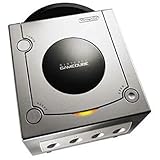
Gamecube Console Platinum | $129.79 | Buy on Amazon |
| 5 |

|
GameCube Console - Indigo (Renewed) | $177.88 | Buy on Amazon |
So if you want to watch a DVD movie, use a separate DVD player or another device that supports DVD video. The standard GameCube itself does not provide that function.
The exception: Panasonic Q (SL-GC10)
Panasonic sold a separate machine called the SL-GC10, commonly known as the Panasonic Q. Panasonic identifies it as a DVD/Game Player and documents support for DVD video software as well as GameCube games. Its official product page marks the model discontinued; its specifications also list optical digital output for DVD/CD playback. Panasonic’s operating manual is for the SL-GC10 DVD/Game Player.
What’s actually slowing this PC down?
Pick the symptom - the matching free tool is one click away.
#1 Best Overall
- Includes Nintendo Platinum GameCube Console, Power Cable, AV Cable, and Nintendo Platinum Controller
- Supports instructions for incredible effects -- your games will be brighter, faster, and more dramatic
- External bandwidth of 3.2GB/sec, for really fast gameplay
- The processor creates 6 to 12 million ploygons per second -- no more slowdowns in the middle of the game
The Panasonic Q is not an ordinary GameCube with an added DVD feature: it is a distinct Panasonic model designed to play both GameCube games and DVD video. Panasonic’s documentation establishes the model’s capabilities, but does not establish current marketplace availability.
Standard GameCube vs. Panasonic Q
| System | DVD video playback | GameCube games | Identity and status |
|---|---|---|---|
| Standard Nintendo GameCube | No; Nintendo’s system manual excludes DVD discs. | Yes; it plays Nintendo GameCube Game Discs. | Nintendo console; the manual identifies its supported disc type. |
| Panasonic SL-GC10 (Panasonic Q) | Yes; Panasonic documents DVD video playback. | Yes; Panasonic documents GameCube-compatible game functions. | Separate Panasonic DVD/Game Player; Panasonic marks it discontinued. |
What about modified GameCubes?
DVD playback claims about modified consoles, homebrew, or other configurations should not be treated as a feature of the standard GameCube. The standard system manual explicitly excludes DVD discs, and the capabilities and limits of individual modifications are not established by the documentation cited here.
Quick Recap
Best Value
Rank #4
- Includes Nintendo Platinum GameCube Console, Power Cable, AV Cable, and Nintendo Platinum Controller
- Supports instructions for incredible effects -- your games will be brighter, faster, and more dramatic
- External bandwidth of 3.2GB/sec, for really fast gameplay
- The processor creates 6 to 12 million ploygons per second -- no more slowdowns in the middle of the game
- It also includes 64 sound channels -- you'll feel like you're in the game, with the top-quality audio
Rank #3
- Comes with console, 1 controller, power cord, video cord
- Controller is original OEM (not 3rd party)
- Tested and works well. Nice condition
Rank #2
- Includes Nintendo GameCube Jet Black Console, Power Cable, AV Cable, and Nintendo Jet Black Controller for Nintendo GameCube
- The 485MHz processor makes loading & starting the games faster than ever -- no more long load times
- The processor creates 6 to 12 million ploygons per second -- no more slowdowns in the middle of the game
- Supports instructions for incredible effects -- your games will be brighter, faster, and more dramatic
Product prices and availability are accurate as of the date/time indicated and are subject to change. Any price and availability information displayed on Amazon at the time of purchase will apply.




