The Tool Desk
Outbyte Driver Updater FREEFix the driver behind crashes, sound loss and screen glitchesFind Drivers →Outbyte PC Repair FREERepair Windows errors before they cause bigger problemsFix Now →Yes. The Sims 3 is still available for Windows PC and can be played on modern systems, including many Windows 11 PCs. The catch is that the Windows game remains a legacy 32-bit release, and EA’s published requirements list Windows 7 through Windows 10—not Windows 11. Your experience can depend on the storefront, graphics setup, expansions, mods, and save files, so install and test it in stages.
Is The Sims 3 still available for PC?
Yes. EA sells The Sims 3 for Windows through the EA app, and the base game and add-ons remain listed on Steam. The game was released on Steam on June 2, 2009, so its continued availability does not mean it was rebuilt for current Windows systems.
| # | Preview | Product | Price | |
|---|---|---|---|---|
| 1 |

|
The Sims 3 - PC | $24.27 | Buy on Amazon |
| 2 |
|
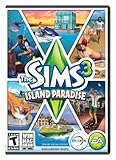
The Sims 3 Island Paradise - PC/Mac | $12.95 | Buy on Amazon |
| 3 |
|
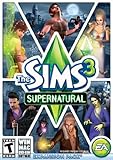
The Sims 3 Supernatural | $7.95 | Buy on Amazon |
| 4 |
|
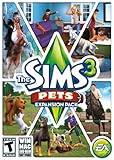
The Sims 3: Pets Expansion Pack | $8.95 | Buy on Amazon |
| 5 |
|
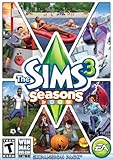
The Sims 3 Seasons | $32.26 | Buy on Amazon |
EA’s product page listed the Windows Starter Pack from $19.99 in the United States when checked on August 18, 2026. Steam listed the base game at $19.99 and displayed 19 DLC items, generally $19.99 each, on that date. Those are regional storefront observations, not fixed prices: sales, taxes, bundles, and availability can change. The displayed Steam DLC list totaled about $379.81 at list prices, so there is no need to buy everything before you know the base game works for you.
Before buying, check the EA account or Steam library you used in the past. A previously registered retail key may already be attached to an account. Old discs are a less predictable route: keys may be registered, installers may rely on obsolete copy-protection systems, and a disc or optical drive may be damaged. A used copy is not a guaranteed bargain.
Crashes, No Sound, or Screen Glitches?
Random freezes, missing sound and display glitches usually trace back to one bad driver. Find and replace yours safely.Free scan · under a minuteWindows Errors? Fix Them Before They Spread
Repair common Windows errors and clear accumulated junk for a smoother, more stable PC - no reinstall needed.Free scan · no reinstall#1 Best Overall
- New Seamless, Open Neighborhood—Explore the neighborhood freely
- New Create A Sim—Create any Sim you can imagine
- New Realistic Personalities—Every Sim is a unique person, with a distinct personality
- New Unlimited Customization—Everyone can customize everything
- The freedom of The Sims 3 will inspire you with endless possibilities and amuse you with unexpected moments of surprise and mischief
Use an official storefront or a copy you lawfully own. Avoid pirated installers, unofficial cracked launchers, and random executable patches; they can carry malware, damage an installation, and create licensing problems.
EA app or Steam: which version should you choose?
| Situation | Good starting point | What to know |
|---|---|---|
| You already own the game or packs through EA | EA app | It keeps your EA-linked collection and support path together. The app and an EA account are required for the digital PC version. |
| You manage most PC games in Steam | Steam | The game and its listed DLC are in one storefront, but Steam ownership does not remove EA account requirements for online services. |
| You have a registered retail copy | Check the linked EA account first | Confirm whether the game is already in your library before purchasing again. |
| You have only an old, unregistered disc | Consider a current digital copy | Disc installation and activation are not assured on a modern PC. |
| You want to use many mods | Use the edition with clear instructions for your exact installation | Do not assume EA-app and Steam files, paths, or troubleshooting steps are interchangeable. |
EA says the digital PC game requires an internet connection, an EA account, the EA app, acceptance of EA terms, and updates for installation and online features. Steam’s listing also specifies an EA account and one-time game registration for online services. Buying on one store does not automatically grant a copy on the other, and you should not copy files between installations as a general fix.
Can The Sims 3 run on Windows 10 or Windows 11?
EA’s published recommended PC requirements specify 64-bit Windows 7, 8, 8.1, or 10. Windows 11 is not listed on the current requirements page, so it is more accurate to call it commonly workable in practice than officially guaranteed by EA. Steam client support for Windows 10 and later is a statement about Steam itself, not a compatibility guarantee for every Sims 3 setup.
EA’s recommended specification is:
| Component | EA recommended specification |
|---|---|
| Operating system | 64-bit Windows 7, 8, 8.1, or 10 |
| Processor | Intel Core i5 or faster, or AMD Athlon X4 |
| Graphics | NVIDIA GTX 650 or better |
| Memory | 4 GB RAM |
| Storage | 18 GB |
EA also publishes much older minimum requirements for XP, Vista, and Windows 7. Treat those as historical minimums, not a useful target for a modern installation with several expansions. EA advises checking the requirements for the most recent expansion you install and keeping graphics drivers current: EA’s Sims 3 system requirements and EA’s PC and Mac troubleshooting guide.
What’s actually slowing this PC down?
Pick the symptom - the matching free tool is one click away.
Rank #2
- Be it by paddleboat or speedboat, your Sims can now leave port to discover new lands and explore like never before, from inter-island travel to discovering their own uncharted island
- Create a family-friendly resort of waterslides and buffet tables, a romantic retreat dotted with minimalist cottages, or a singles resort featuring multiple pool bars where Sims can mingle and flirt. Choose and fine-tune your amenities, set your price
- See what surprises await under the sea as your Sims build their skills in snorkeling/scuba diving. Your Sims may find them on the shore of a new island or discover sunken or buried treasure
- New stilted foundations give your Sims the best of both worlds, a home that's partially on the water and partially on land. Build a resort, create travelling houseboats, and customize your very own island paradise for your Sims
- Requires The Sims 3 to play
A new graphics card or a large amount of system RAM will not automatically remove every performance problem. The game may fail to recognize a newer GPU, choose an unsuitable graphics profile, or remain limited by its older engine. On a gaming laptop, check that Windows is using the dedicated GPU rather than integrated graphics. For high-refresh monitors, monitor frame rate and cap it if the game is rendering far faster than needed.
Is there a 64-bit Windows version?
Do not expect a modern 64-bit Windows edition. EA’s documented 64-bit upgrade is for macOS; it is a separate Mac release, not a Windows upgrade. The Windows PC version remains the legacy build. A 64-bit version of Windows can run many 32-bit programs, but that does not turn the Sims 3 executable into a 64-bit application.
That distinction matters because the game’s own memory limits remain relevant. More RAM in your computer does not give the game unlimited memory. Large worlds, many expansions, high-resolution content, custom content, and long-running saves can make instability more likely. EA explains the Mac release and how it differs from earlier versions at The Sims 3 Mac 64-bit version.
How to install The Sims 3 safely
Start with a clean baseline, then add complexity. If the game fails only after installing several packs or mods at once, it is much harder to identify the cause.
Rank #3
- Play as supernatural Sims: Create witches, wizards, werewolves, more intriguing vampires, and fairies, each with their own magical abilities, traits, and interactions.
- Explore the town of Moonlight Falls: Discover what mysteries and abilities are revealed by the light of the full moon. Will your Sims freak out or become more powerful?
- Hone your magical crafts and share the enchantment: Learn to cast spells and find rare ingredients to brew elixirs, so you can charm or hex your Sims’ lives.
- Discover supernatural items: Race around the arena on your broomstick, visit the gypsy caravan, or preen in front of your magic mirror.
- Zombification: Mix a special elixir to create shuffling, brain-hungry monsters of your very own. Chomp on other Sims to spread the love and wreak havoc. Don’t fret, you can always concoct an elixir to change your Sims back
Before installing
- Make sure Windows is up to date and install a current graphics driver from your GPU manufacturer.
- Check that you have enough free storage for the game and the expansions you intend to install.
- Confirm which account owns the game, and have a stable internet connection available for download, authentication, or updates.
- If you have old saves or custom content, copy them somewhere safe before changing the installation.
- Plan to test the base game before installing every expansion or adding mods.
EA app installation
- Install the current EA app from EA’s official site and sign in to the account that owns The Sims 3.
- Install the base game and let the app finish downloading and updating it.
- Launch the game once without added mods or custom content. Confirm that you can reach the main menu and load a new game.
- Save, exit, and reload that test game. Add desired expansions in manageable stages, launching and testing between stages.
- Add custom content and mods only after the unmodified installation works.
Steam installation
- Install Steam and The Sims 3 from the official Steam listing.
- Allow Steam to complete its installation and updates. Complete any EA account linking or registration it requests.
- Launch the game without mods and test a new save, including saving and reloading.
- Add expansions and other content gradually, testing after each stage.
Keep troubleshooting specific to the edition you installed. Steam and EA-app copies can differ in executable paths, patch behavior, and pack identifiers; moving files from one installation to the other is not a general solution.
What to do if The Sims 3 will not launch
First identify where the failure occurs. A launcher that never opens, a game that fails after the launcher, and a single save that crashes are different problems. Make a copy of saves before moving or regenerating user files.
The launcher does not open
- Restart Windows and the storefront app, then try again.
- Use the store’s repair or verify option to check the installation files.
- Temporarily remove mods and custom content from the game’s user folder, then test again.
- Check whether antivirus or Windows security software quarantined a game file. Restore or allow files only when you can verify they belong to the legitimate installation.
- Update the graphics driver and test once more.
- If you use the EA app, follow its diagnostic or error-reporting process and EA’s current troubleshooting guidance.
- Reinstall only after backing up saves and custom content.
The launcher opens, but the game does not
Possible causes include damaged installation files, missing or mismatched expansion files, an outdated mod, graphics initialization, security software, processor compatibility, or configuration files in Documents. An old disc installation can also run into obsolete copy protection. There is no single patch or compatibility setting that is guaranteed to fix all of these cases.
The game starts and then crashes
- Back up the Sims 3 user folder before changing it.
- Temporarily move the
Modsfolder out of the user folder and test a new save. - If the crash continues, move—not delete—the user folder from
DocumentsElectronic ArtsThe Sims 3to the desktop. Start the game to generate a clean folder, then test a new game. - If the clean game works, restore saves and custom content in stages to identify what triggers the failure.
- If it still fails, repair the installation, check graphics drivers, and test with fewer expansions enabled if the launcher offers that option.
- Compare the result with another world or save. A problem limited to one save points to a different cause than a failure in every new game.
EA recommends removing custom content and mods during diagnosis, then restoring them gradually rather than assuming every item is safe: EA’s troubleshooting steps.
Recommended Free Tools
Rank #4
- Be the pet - Wield control of your pets to chase, dig, tackle, and more
- Determine the personalities of your Sims' pets, from intelligent, friendly, and proud to playful, adventurous, and aggressive
- Pets can learn skills - Cats and dogs can learn to hunt, dogs can learn to locate collectibles and fetch your Sims a date
- Sims can take their pets outside - Take Spike to the park, bring Whiskers to the library, or ride Star to the new Equestrian Center
- Requires The Sims 3 to install & play
How to reduce lag, crashes, and long loading times
The Sims 3 can run acceptably on a modern PC, but it is not automatically optimized for current hardware. Common complaints include long loads, stuttering in large worlds, simulation lag, crashes after extended sessions, and texture or object pop-in. More expansions and custom content add complexity and can increase loading, memory pressure, or conflicts.
- Cap frame rate. Prevent the game from rendering at an unnecessarily high rate, particularly on a high-refresh display.
- Use sensible graphics settings. The highest setting is not always the most stable or useful one for this older game.
- Test packs incrementally. Keep only the expansions you want active while diagnosing a problem.
- Keep custom content clean. Remove broken or duplicate items and avoid stacking overlapping core modifications unless you understand their compatibility.
- Rotate save backups. Keep more than one copy rather than relying on a single working save.
- Match the fix to the bottleneck. Hardware upgrades can help when hardware is the limiting factor, but they cannot remove every engine or simulation limitation.
Community performance tools and fixes may help with legacy-game issues, but they are not EA-supported or universally appropriate. Verify that a tool matches your storefront edition, hardware, and game version; back up the game and saves before using it. In particular, community discussions associate some newer Intel processors with launch or timing issues, but a processor-specific workaround should be treated as a community fix, not an EA guarantee.
Are mods and custom content safe?
They are optional, and they are best added only after an unmodified game launches and saves reliably. Mods can become incompatible after a game or launcher update, conflict with expansions, destabilize a save, or change launcher behavior. EA does not guarantee community modifications.
- Back up the Sims 3 user folder before adding or changing anything.
- Read each creator’s stated game-version and expansion compatibility.
- Add one mod or a small group at a time, then test the game and a save.
- Keep a list of installed mods so you can reverse changes systematically.
- Remove outdated script or core mods before changing the game version or troubleshooting.
- Delete cache files only when a trusted guide identifies the exact files and confirms they are safe to regenerate.
If a problem appears after adding content, remove the latest addition first. EA’s own diagnostic advice is to remove mods and custom content, then restore items in stages to isolate the cause.
Best Value
- Assemble your company of customized soldiers, weapons, and vehicles - then take them on an epic journey through the tides of War.
- Experience the most intense, immersive battlefield yet. You will never be the same.
- Play firestorm battle royal, reimagined for battlefield V. Scavenge, fight, and survive to become the last squad standing.
How to protect and recover old saves
Before troubleshooting, installing mods, or regenerating the user folder, exit the game and launcher and copy the data you care about. Useful folders in DocumentsElectronic ArtsThe Sims 3 include:
SavesDownloadsModsDCBackupInstalledWorldsScreenshotsandRecorded Videos, if you want to keep them
Keep a current working copy, a previous backup, and a copy made before major changes. To test a troublesome save, first preserve it, then try a clean user folder or another save. If only one world or household fails, do not keep saving over the only copy while testing. Some damaged saves may not be recoverable, so backups are more dependable than assuming a repair will work.
Is The Sims 3 still worth playing?
It can be a strong choice if you want its open worlds, Create-a-Style, large expansion catalog, and emergent sandbox play—and you are willing to manage an older game. It is a less comfortable fit if you expect a modern, fully plug-and-play Windows release, dislike launcher dependencies, or do not want to troubleshoot saves and custom content. The expense can also add up: start with the base game, then choose packs for the features you actually want rather than treating the full catalog as required.
If you want a more actively maintained Sims ecosystem, The Sims 4 is an alternative, though its design differs from The Sims 3. EA also lists The Sims 2 Legacy Collection, but it does not replace The Sims 3’s open-world structure or Create-a-Style features: EA’s Sims 25th anniversary edition page.
Quick Recap
Product prices and availability are accurate as of the date/time indicated and are subject to change. Any price and availability information displayed on Amazon at the time of purchase will apply.




