
Crashes, No Sound, or Screen Glitches?
Random freezes, missing sound and display glitches usually trace back to one bad driver. Find and replace yours safely.Free scan · under a minutePC Slower Than It Used to Be?
A free scan shows the junk files, broken settings and background clutter dragging Windows down - then fixes them in one click.Free scan · Windows 10 & 11The original Microsoft Flight Simulator 2024 technical-alpha sign-up is no longer a current opportunity. Microsoft announced that limited Windows PC test in October 2024, and it was expected to run for only two to three days. If you want to test a current or future preview build, check the latest official Flight Simulator announcements and the relevant Xbox Insider enrollment page.
Your PC also needs to meet Microsoft’s published requirements—but meeting the minimum does not guarantee selection or good performance.
As an Amazon Associate I earn from qualifying purchases.
What the original MSFS 2024 test was
The opportunity referred to a Microsoft Flight Simulator 2024 Technical Alpha, announced on October 8, 2024. It was not a free trial, an open beta, or a permanent tester program.
The test focused primarily on validating new online services. Microsoft said the content would be limited, access would be temporary, and the test would run on Windows PC through the Microsoft Store. Applicants were asked to provide a DxDiag report, and space was limited, so not everyone who applied would be invited.
#1 Best Overall
![Microsoft Flight Simulator 2024 Standard Edition (Pre-Purchase/Launch Day) – Play on Xbox Series X|S and Windows PC [Digital Code]](https://m.media-amazon.com/images/I/51wzIlxO80L._SL160_.jpg)
- CONTENT IS PLAYABLE AT 6AM PST ON NOV-19-2024.**
- MICROSOFT FLIGHT SIMULATOR 2024: Explore the world with our largest fleet of aircraft and take simulation to new heights while pursuing your aviation career within Microsoft Flight Simulator 2024
- STANDARD EDITION: Includes over 65 aircraft and 150 handcrafted airports
- FLY WITH PURPOSE: Pursue your aviation career throughout the world with dynamically generated missions ranging from Medevac and Search & Rescue to Aerial Firefighting and Passenger Transport
- CHALLENGE LEAGUE: Compete against other pilots in the iconic Reno and Red Bull Air Races
Microsoft expected the alpha to last approximately two to three days. An invitation would not have represented ownership of the full simulator or guaranteed access to the retail release.
Later MSFS 2024 flighting—such as testing for simulator updates—is a separate program with a different build and purpose. Microsoft’s later instructions used a website sign-up followed by the Xbox Insider Hub on Windows PC or Xbox.
Microsoft Flight Simulator 2024 PC requirements
These are Microsoft’s published requirements from its official FAQ:
Rank #2
![Microsoft Flight Simulator 2024 Premium Deluxe Edition (Pre-Purchase/Launch Day) – Play on Xbox Series X|S and Windows PC [Digital Code]](https://m.media-amazon.com/images/I/51p9VlYT7TL._SL160_.jpg)
- CONTENT IS PLAYABLE AT 6AM PST ON NOV-19-2024.**
- MICROSOFT FLIGHT SIMULATOR 2024: Explore the world with our largest fleet of aircraft and take simulation to new heights while pursuing your aviation career within Microsoft Flight Simulator 2024
- PREMIUM DELUXE EDITION: Includes everything from the Standard Edition plus 25 additional aircraft and 10 additional handcrafted international airports
- FLY WITH PURPOSE: Pursue your aviation career throughout the world with dynamically generated missions ranging from Medevac and Search & Rescue to Aerial Firefighting and Passenger Transport
- CHALLENGE LEAGUE: Compete against other pilots in the iconic Reno and Red Bull Air Races
| Component | Minimum | Recommended | Ideal |
|---|---|---|---|
| Operating system | Windows 10 with latest update | Windows 10 with latest update | Windows 10 with latest update |
| DirectX | DirectX 12 | DirectX 12 | DirectX 12 |
| AMD CPU | Ryzen 5 2600X | Ryzen 7 2700X | Ryzen 9 7900X |
| Intel CPU | Core i7-6800K | Core i7-10700K | Core i7-14700K |
| AMD GPU | Radeon RX 5700 | Radeon RX 5700 XT | Radeon RX 7900 XT |
| Nvidia GPU | GeForce GTX 970 | GeForce RTX 2080 | GeForce RTX 4080 |
| VRAM | 4 GB | 8 GB | 12 GB |
| System RAM | 16 GB | 32 GB | 64 GB |
| Storage | 50 GB | 50 GB | 50 GB |
| Network bandwidth | 10 Mbps | 50 Mbps | 100 Mbps |
Minimum is a launch threshold, not a performance promise. A system with 16 GB of RAM, 4 GB of VRAM and a 10 Mbps connection may be able to run the simulator, but it has considerably less headroom for demanding airports, high resolutions, streamed scenery, updates and add-ons. The recommended tier is a more practical target for ordinary 1080p or 1440p play.
The ideal tier does not promise a particular frame rate or automatically mean 4K at 60 frames per second. Actual results depend on resolution, settings, drivers, scenery, aircraft complexity, background software and whether the CPU or GPU is the limiting component. The AMD and Nvidia entries are Microsoft’s tier comparisons, not guarantees that equivalent cards perform identically.
The published 50 GB figure is the stated storage requirement, not necessarily the complete amount of free space you should reserve. Updates, shader caches, rolling cache files and community add-ons need additional room.
Rank #3

- MICROSOFT FLIGHT SIMULATOR 2024: Explore the world with our largest fleet of aircraft and take simulation to new heights while pursuing your aviation career within Microsoft Flight Simulator 2024.
- PREMIUM DELUXE STEELBOOK EDITION: Includes the Jumbo SteelBook case, custom pilot's lanyard with Standard Edition digital game code, and a message from the developer.
- FLY WITH PURPOSE: Pursue your aviation career throughout the world with dynamically generated missions ranging from Medevac and Search & Rescue to Aerial Firefighting and Passenger Transport.
- CHALLENGE LEAGUE: Compete against other pilots in the iconic Reno and Red Bull Air Races.
- ADVANCED SIMULATION: Enhanced physics and aircraft systems and a groundbreaking flight planner create an unparalleled simulation experience.
How the original application worked
When the technical alpha was open, the process involved:
Do these 3 things before closing this tab:
1Clear out junk files and repair common Windows errors2Fix the driver behind crashes, sound loss and screen glitches3Repair Windows errors before they cause bigger problems- Reviewing the published PC requirements.
- Completing Microsoft’s Insider or test application form.
- Submitting PC information, including a DxDiag report.
- Waiting for an invitation sent to the preferred email address.
- Installing the limited build through the Windows PC and Microsoft Store route.
- Launching it with the same Xbox account used for the application.
Microsoft explicitly warned that applying did not guarantee selection. A PC below the minimum specification might not be selected either.
How to create a DxDiag report
- Press Windows + R.
- Enter
dxdiagand press Enter. - Select Save All Information.
- Submit the resulting text file only through Microsoft’s official application form.
Do not post the report publicly. It contains identifying information about your computer and system configuration. Form fields and upload requirements can change, so follow the instructions on the live Microsoft page rather than an archived guide.
Rank #4
![Microsoft Flight Simulator: Standard Edition – Windows 10 [Digital Code]](https://m.media-amazon.com/images/I/519UVaiVL8L._SL160_.jpg)
- From light planes to wide-body jets, fly highly detailed and accurate aircraft in the next generation of Microsoft Flight Simulator. The world is at your fingertips.
- Microsoft Flight Simulator includes 20 highly detailed planes with unique flight models and 30 hand-crafted airports.
How to check whether your PC qualifies
- CPU: Compare the exact processor model, not just the Ryzen or Core family name.
- GPU and VRAM: Check the complete graphics-card model and dedicated video memory in Windows Task Manager, the GPU vendor’s software or DxDiag.
- RAM: Confirm installed system memory. Sixteen gigabytes is the minimum; 32 GB is the recommended target.
- DirectX and Windows: Run
dxdiagand inspect the System and Display tabs. - Storage: Keep more free space than the published 50 GB requirement to accommodate updates, caches and add-ons.
- Internet: Compare sustained bandwidth—not just a short peak-speed result—with Microsoft’s 10 Mbps, 50 Mbps and 100 Mbps tiers. Latency, packet loss, data caps and unstable Wi-Fi can still affect the experience.
- Drivers: Install a current graphics driver from Nvidia or AMD before testing.
How to find current MSFS 2024 flighting
Do not use an old technical-alpha registration page as evidence that a test is open. Start with the official Microsoft Flight Simulator page and look for a current announcement naming the specific flight or simulator update. If Microsoft provides an enrollment route, follow its instructions for the Xbox Insider Hub on Windows or Xbox.
Joining Xbox Insider does not guarantee access to every flight. You must enroll in the specific available test, use the correct Microsoft/Xbox account and satisfy any capacity, platform or regional limits. A Steam purchase should not be assumed to provide access to the original Windows Store-only technical alpha.
If you are invited
Expect a limited, unfinished test rather than a normal preview of the complete simulator. Technical-alpha access can include incomplete content, server changes, crashes and bugs, and it ends when the test period ends. Its performance should not be treated as a universal prediction of the retail game.
Best Value
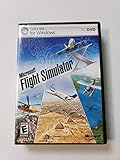
- Product Description Microsoft Flight Simulator X Deluxe Edition - complete package Category GamesSub
- License Type Complete package ESRB Rating Everyone (6+) - WARNING: The solder used in this product contains lead, a chemical known to the State of California to cause birth defects and other reproductive harm. Please wash hands after handling internal components and circuit boards and avoid inhalation of fumes if heating the solder.
- PEGI Rating 3+ License Qty 1 user License Pricing Standard Language(s) English
- Localization North America Platform Windows Distribution Media DVD-ROM Package Type Retail
- Compatibility PC - NOTE: THIS PRODUCT CANNOT BE SHIPPED TO MASSACHUSETTS OR DISTRICT OF COLUMBIA (WASHINGTON, D.C.)
If an invitation does not appear, check the email address associated with the application, spam folders and the Xbox account shown in the Insider Hub. Repeated applications do not guarantee access.
What to do if your PC is below minimum
There is no dependable software workaround that turns unsupported hardware into supported hardware, and lowering settings does not guarantee acceptance into a technical test.
- Try the retail simulator at reduced resolution and graphics settings only if the system is otherwise close to the requirements.
- Consider increasing RAM toward 32 GB when memory is the main shortfall.
- Upgrade the GPU when graphics performance or VRAM is the limiting factor, while checking power-supply capacity and case clearance.
- Upgrade the CPU when simulator-heavy workloads, dense airports or complex scenery are the bottleneck.
- Use a supported cloud-gaming option where available, bearing in mind latency, image quality, controls, service availability and data limits.
- Continue using Microsoft Flight Simulator 2020 if it runs acceptably on the current machine.
- Consider Xbox hardware or another supported platform if you do not require PC-specific add-ons and peripherals.
For retail troubleshooting, temporarily move outdated packages out of the Community folder and restore them in batches. Microsoft has noted that outdated community content can affect loading, performance and behavior. See the official simulator page for current troubleshooting material.
Recommended Free Tools
Bottom line
The original MSFS 2024 technical-alpha sign-up was real, but it was a short Windows Store test from October 2024 and should be treated as closed. Current opportunities, when Microsoft opens them, are separate flighting programs usually tied to a particular simulator update. Check Microsoft’s current announcement before enrolling, and treat the recommended PC tier—not merely the minimum—as the sensible target for a more comfortable experience.
Quick Recap
Product prices and availability are accurate as of the date/time indicated and are subject to change. Any price and availability information displayed on Amazon at the time of purchase will apply.

