Yes. You can transfer a Pokémon Scarlet save to another Nintendo Switch system using Nintendo’s save-data transfer tools. The right method depends on whether you have both consoles, whether you are moving to a Switch 2, and whether a compatible cloud backup already exists. Pokémon HOME is different: it moves Pokémon between supported games and HOME, not Scarlet’s save file or story progress.
Which Pokémon Scarlet save-transfer method should you use?
| Situation | Method | Key consequence |
|---|---|---|
| Both consoles are nearby | Nintendo’s individual save-data transfer | The save moves off the source console; an existing destination save may be overwritten. Nintendo says Switch Online is not required for this transfer. Nintendo Support |
| Moving from Switch to Switch 2 | Nintendo system transfer | Pokémon Support distinguishes local communication, which leaves the original Switch intact, from server upload, which initializes (resets) it. Pokémon Support |
| A cloud backup is available | Save Data Cloud download | Requires Nintendo Switch Online; downloading replaces the destination save. Check Scarlet’s cloud compatibility on the console first. Nintendo Support |
| You only want Pokémon in another game | Pokémon HOME | HOME transfers compatible Pokémon, not the complete Scarlet save. Scarlet save data must be on the console where HOME is launched. Pokémon HOME |
Nintendo’s and Pokémon Support’s pages are the controlling instructions for the current console workflow; consult the exact support pages linked below before confirming an overwrite or choosing a Switch 2 transfer route.

Transfer a save between two nearby consoles
Nintendo supports moving an individual game save between nearby Switch systems, including a Switch and Switch 2. Both consoles need an internet connection, and the user must be linked to the same Nintendo Account on each. Nintendo states that a Nintendo Switch Online membership is not required for this nearby transfer.
- On both consoles, make sure the same Nintendo Account is linked to the user whose Scarlet save you intend to move.
- Connect both consoles to the internet and keep them nearby.
- Open the console’s System Settings and use Nintendo’s Transfer Your Save Data instructions to send the Pokémon Scarlet save from the source system to the destination.
- Review the destination prompt carefully. If a Scarlet save is already there, choose whether to cancel or overwrite it. Overwritten save data cannot be recovered.
This is a move, not a promise that two independent copies will remain playable: Nintendo describes the save as transferred off the source system. If you need to keep using the original console, do not assume this individual transfer leaves a second save behind.
#1 Best Overall

- Travel case
- Protection Library holds 12 game cards and offers full screen and analog stick protection
- microSD Card Case 2pcs, each holds 2 microSD Cards
- Comfortable carrying handle and soft cleaning cloth
Move a save from Switch to Switch 2
For an upgrade, Pokémon Support recommends system transfer so Scarlet or Violet save data is on the console where you launch Pokémon HOME. There are two routes described for moving between systems, and their effect on the old console differs:
- Local communication: Pokémon Support says this leaves the original Switch intact.
- Server upload: Pokémon Support says this initializes, or resets, the source Switch. Do not choose it if you need that console to remain set up with its existing data.
Follow Nintendo’s current Switch 2 system-transfer instructions and select the route that matches whether the old console must remain usable. Pokémon Support also notes that data for multiple users may transfer together, so check which users and data are included before starting.
Rank #2

- Elegant ballistic nylon case protects your Nintendo Switch OLED Console or Switch Console making it more portable and travel friendly
- Adjustable viewing stand allows you to play and view on the go, while providing max protection for the screen and thumb sticks when storing the Switch OLED or Switch Console
- Bonus Game Cases allow you to hold up to 8 games, secured in a recessed area underneath the Switch OLED Console making for a great travel case and storage case
- Perfect Switch OLED carry case with a comfort handle, soft satin inner top lining and sure glide zipper making it the nicest Nintendo Switch case
- Tested and approved under license by Nintendo of America, compatible with the Nintendo Switch OLED, Nintendo Switch and Nintendo Switch Lite, see all Game Traveler Switch cases in our Amazon store
Restore from Save Data Cloud
Save Data Cloud is an option only if you have Nintendo Switch Online and Scarlet is eligible for cloud backup on your console. The official instructions explain how to check software compatibility, but do not establish Scarlet’s current cloud-backup status; verify it in Scarlet’s software menu or the console’s Save Data Cloud settings before relying on a restore.
Downloading a backup replaces the save on the destination console. Nintendo warns that overwritten data cannot be recovered, so confirm the destination does not contain progress you still need before downloading.
Rank #3
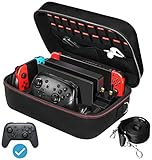
- Deluxe Travel Carrying Case. Specially designed to make your Console system even more portable & travel friendly. Comfortable handle strap is ideal for carrying. Large storage is suitable to take all the Switch accessories when go on a trip.
- Multiple Storage. Interior grooves securely hold the Console include an extra set of JoyCons or a Pro Controller, For Switch Dock, JoyCons Charging Grip, AC Adapter. Interior mesh pocket for other smaller accessories like extra JoyCons, HDMI Cable, JoyCons Straps etc.Make going on vacation very easy, perfect fit for outdoor activities and enjoy your Game.
- Hard Protective Case. Hard EVA shell case protects the console from drops, scratches, bumps, splash and dust. Soft liner protects your console from getting scratches. The design of groove make accessories separate so that avoid to scratch each other.
- Convenient to Use. Easy to carry with the comfortable handle strap. All-around zipper is easy Opening and Closing. Everything is easy to put in and take out and fits securely.
- Included: 1x iVoler Case for Nintendo Switch or OLED Model .The Switch console, pro controllers, and other accessories shown in images are for usage demonstration purposes only and are not included with this case.
What Pokémon HOME can—and cannot—transfer
Pokémon HOME lets you move compatible Pokémon between supported games and HOME. It does not transfer Scarlet’s save file, story progress, or other game data to another console. For HOME to link with Scarlet, the game’s save data must be present on the same console where HOME is launched, according to Pokémon Support.
Choose HOME when your goal is to move Pokémon between games. Choose Nintendo’s save-data or system-transfer tools when your goal is to move your Scarlet playthrough.
Quick Recap
Rank #4
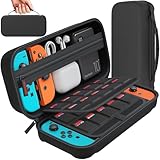
- Designed by DAYDAYUP – Premium Nintendo Switch Carrying Case. This DAYDAYUP Nintendo Switch carrying case is specifically engineered for gamers who need reliable daily protection and organized storage. Unlike generic switch case designs, it features a structured layout tailored for real use.
- Exclusive Interior Layout – Not a Generic Switch Case. This nintendo switch case features a custom-designed interior with dedicated game card slots, mesh pocket, and precise compartment spacing optimized for real usage.
- Scratch-Free Nylon Zipper – Protects Your Console. Unlike standard cases with metal zipper pulls, this nintendo switch carrying case features a specially designed nylon zipper head that prevents contact with the console and reduces scratch risk.
- Hard Shell Protection for Nintendo Switch. Built with durable EVA material, this switch case protects your console from drops, pressure, and scratches during travel and daily carry.
- Authentic DAYDAYUP Design – Avoid Low-Quality Copies. This nintendo switch case is an original DAYDAYUP design. Unauthorized sellers may offer similar-looking products with lower quality materials. Choose authentic products for best performance.
Check these details before starting
- Correct user: Save data is associated with a user. Make sure you select the user linked to the Nintendo Account for the Scarlet save.
- Destination save: Check whether the destination already has Scarlet progress you want to keep. An overwrite is irreversible.
- Source-console access: An individual nearby save transfer moves the save off the original console; consider this if you intend to keep playing on both.
- Switch 2 route: Distinguish local communication from server upload, which resets the original Switch.
- Cloud eligibility: Verify Scarlet’s Save Data Cloud availability in the console’s menus rather than assuming a backup exists.
Product prices and availability are accurate as of the date/time indicated and are subject to change. Any price and availability information displayed on Amazon at the time of purchase will apply.




