Recommended Free Tools
No supported Xbox-to-PC transfer path for Guild Wars 2 is established by ArenaNet’s official account guidance. Those support pages describe PC accounts made through ArenaNet, Steam, or Epic, but do not describe an Xbox version or an Xbox-created Guild Wars 2 account. If you already have an ArenaNet account, you can access it on PC through ArenaNet’s client using the same login; that is not a transfer of Xbox progress.
Is Guild Wars 2 available as an Xbox account?
ArenaNet’s official account information covers Guild Wars 2 on PC through ArenaNet, Steam, and Epic. It does not identify an Xbox account or an Xbox-to-PC migration process. The conclusion is limited to those official sources: they establish no supported Xbox transfer route for Guild Wars 2. If “GW2” means a different game, its platform and account-transfer rules may be different.
| # | Preview | Product | Price | |
|---|---|---|---|---|
| 1 |
![Guild Wars 2: Visions of Eternity- Standard Edition [Online Game Code]](https://m.media-amazon.com/images/I/517nhZw3j4L._SL160_.jpg)
|
Guild Wars 2: Visions of Eternity- Standard Edition [Online Game Code] | $24.99 | Buy on Amazon |
| 2 |
![Guild Wars 2 Gems Card 4000 Gems - PC [Online Game Code]](https://m.media-amazon.com/images/I/51av3-rIGGL._SL160_.jpg)
|
Guild Wars 2 Gems Card 4000 Gems - PC [Online Game Code] | $50.00 | Buy on Amazon |
| 3 |

|
Guild Wars 2: Elder Dragon Saga - Complete Collection | $99.99 | Buy on Amazon |
| 4 |
|
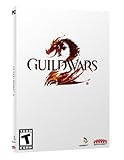
Guild Wars 2 | $6.58 | Buy on Amazon |
| 5 |
![Guild Wars 2, Gems - 2000 - [Online Game Code]](https://m.media-amazon.com/images/I/51FqSbAHa6L._SL160_.jpg)
|
Guild Wars 2, Gems - 2000 - [Online Game Code] | $25.00 | Buy on Amazon |
Using an Xbox controller with a PC is also a separate question from transferring a game account. ArenaNet discusses console-style input devices used with software that maps button presses to mouse and keyboard input, but says its support does not extend beyond standard mouse and keyboard input. A controller neither transfers nor grants access to an account. ArenaNet’s controller guidance explains that distinction.
Which Guild Wars 2 account do you have?
For PC, the launcher and account system used to create the account determine how you sign in. ArenaNet, Steam, and Epic accounts are not interchangeable, even though players using these systems can share the game world. ArenaNet’s Steam FAQ and Epic Games FAQ set out the account restrictions.
Free tools Windows power users keep installed
One-click scans. No signup required.
#1 Best Overall
- Discover the island of Castora – You’ll explore a remote island flowing with magic as you investigate suspicious Inquest activity.
- Tyria United elite specializations – Nine new elite specializations bring a new theme and playstyle to each profession with an updated profession mechanic and new utility skills.
- A year of adventure and rewards – Over the year of content, you’ll explore 4 brand-new maps, fight in new raid encounters and challenge modes, earn legendary rewards, unlock a new homestead map, and more.
- Comes with 1 Level 80 Booster & shared inventory slot – If you can’t wait to see the expansion content, this Booster will put you at max level so you can start your journey in Guild Wars 2: Visions of Eternity right away!
| Where the account was created | Supported PC login route | Transfer restriction |
|---|---|---|
| ArenaNet website | Download the client through ArenaNet account management and sign in with the existing ArenaNet credentials. | A website-created account cannot be transferred to Steam, according to ArenaNet’s Steam FAQ. |
| Steam | Use the Steam client and the Steam-created account. | A Steam account cannot be used to log in through the website client, and a website-created account cannot be transferred to Steam. Players can still play together on the same servers, according to ArenaNet’s Steam FAQ. |
| Epic Games | Use Epic and the Epic-created account. | Epic, ArenaNet, and Steam accounts cannot be connected or transferred. Players share the game world, according to ArenaNet’s Epic Games FAQ. |
How to access your existing ArenaNet account on PC
- Check how you created the account. Determine whether it is an ArenaNet website, Steam, or Epic account; the account type dictates the supported login route.
- For an ArenaNet account, get the PC client through account management. Visit ArenaNet account management, download the client, and sign in with that account’s credentials. This accesses the existing ArenaNet account; it does not import progress from Xbox.
- Use the original platform for Steam or Epic accounts. Their accounts cannot be switched to the ArenaNet website client or to another listed launcher system under the documented rules.
Can ArenaNet move characters or progress to another account?
No. ArenaNet says it does not transfer characters, items, currency, or other progress between accounts. A world or server change is not the same as moving progress to a different account or launcher. If you cannot access an account, contact ArenaNet Support about account access, but the published policy does not promise that support can migrate progress.
Independent reader supportYour contribution helps us test, update, and keep practical guides available for everyone.Can you play with friends who use another launcher?
Yes. ArenaNet’s Steam and Epic account guidance says players across the documented PC systems can share the game world; Steam users can play on the same servers as website-account users, and Epic players share the world with ArenaNet and Steam players. Playing together does not require transferring accounts, characters, or progress.
Quick Recap
Best Value
- Easy to Redeem—Simply log in to your Guild Wars 2 account, open the in-game Gem Store, and enter the unique code.
- Safe & Secure—No need to enter credit card info in the game; just use the prepaid code.
- Spend Gems Your Way—Use gems to buy outfits, boosters, mounts skins, storage upgrades, and more.
- Redeemable on Standard (Client) Accounts—Not compatible with Steam or Epic Games Store-based Guild Wars 2 accounts.
Rank #4
- Guild Wars 2 provides a massive, online persistent world.
- Free online play. No monthly fee.
- Players have the freedom to play together even if their friends are at a much higher (or lower) level.
- Players will be able to engage in organized, balanced PvP (similar to GvG in the original Guild Wars) without needing to first level up characters, find equipment, or unlock skills.
- You will be able to advance your character to the maximum level without ever joining a group if you so desire.
Rank #3
- Guild Wars 2 Base Game
- Includes Guild Wars 2: End of Dragons Standard
- Includes Guild Wars 2: Path of Fire & Heart of Thorns Standard
- Also receive 5 Living World seasons to continue with your journey between the expansions
Rank #2
- Easy to Redeem—Simply log in to your Guild Wars 2 account, open the in-game Gem Store, and enter the unique code.
- Safe & Secure—No need to enter credit card info in the game; just use the prepaid code.
- Spend Gems Your Way—Use gems to buy outfits, boosters, mounts skins, storage upgrades, and more.
- Redeemable on Standard (Client) Accounts—Not compatible with Steam or Epic Games Store-based Guild Wars 2 accounts.
Product prices and availability are accurate as of the date/time indicated and are subject to change. Any price and availability information displayed on Amazon at the time of purchase will apply.




