Quick wins for a faster PC:
Repair Windows errors before they cause bigger problemsFix Now →Scan for outdated or missing drivers - takes under a minuteDriver Scan →Clear out junk files and repair common Windows errorsFree Scan →Yes. Either Nintendo Switch 2 Joy-Con 2 can work as a mouse when its side is placed against a surface and slid across it. Mouse input is available only in games and applications that support it; it is not a universal control option. Nintendo confirmed the feature on April 2, 2025, after mouse-like movement appeared in the January reveal trailer and was discussed in pre-confirmation reports about leaks.
How does Joy-Con 2 mouse mode work?
Turn a Joy-Con 2 onto its side and slide it across a surface to move the pointer or control mouse-enabled gameplay. Nintendo says either the left or right controller can serve as a mouse, and some experiences can use both at once. The controller itself provides the input; a separate computer mouse is not required.
| # | Preview | Product | Price | |
|---|---|---|---|---|
| 1 |

|
Nintendo Joy-Con 2 (L)/(R) Light Blue/Light Red | $99.00 | Buy on Amazon |
| 2 |

|
Nintendo Joy-Con™ 2 (L)/(R) Light Purple/Light Green | $99.00 | Buy on Amazon |
| 3 |

|
Nintendo Neon Purple/Neon Orange Joy-Con (L-R) - Switch | $87.95 | Buy on Amazon |
| 4 |
|
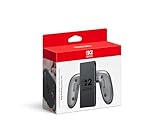
Joy-Con™ 2 Charging Grip | $39.88 | Buy on Amazon |
| 5 |

|
Joy-Con™ 2 (L) Light Blue | $54.00 | Buy on Amazon |
Support depends on the software. Nintendo says mouse input works in the HOME Menu and in applications including Nintendo eShop and Nintendo Switch Online, as well as in compatible games. A game that does not support mouse controls will not gain them simply because a Joy-Con 2 is moved like a mouse. Nintendo’s April 2, 2025 announcement describes the feature as an additional way to play supported games.
Which games show what mouse controls can do?
Nintendo’s developer interview highlights three different roles for the feature. These are examples of supported experiences, not a promise that every game uses mouse controls in the same way.
What’s actually slowing this PC down?
Pick the symptom - the matching free tool is one click away.
#1 Best Overall
- The updated Joy-Con 2 controllers have motion controls and HD rumble 2, along with the new C Button for easy GameChat* access and all-new mouse controls in compatible games.
- This set includes both a left and right Joy-Con 2 controller (along with a pair of Joy-Con 2 straps)—perfect for local multiplayer with a friend in compatible games.
- Includes two Joy-Con 2 straps.
- Only for use with the Nintendo Switch 2 system.
| Game | How mouse input is used | Role of the mouse |
|---|---|---|
| Metroid Prime 4: Beyond – Nintendo Switch 2 Edition | Aim with a Joy-Con 2 used as a mouse. | An additional aiming option alongside control sticks and gyro. Nintendo’s developer interview. |
| Drag x Drive | Move each Joy-Con 2 like a mouse to control a wheel. | A two-controller movement concept in which mouse-like input is central. Nintendo’s developer interview. |
| Super Mario Party Jamboree – Nintendo Switch 2 Edition + Jamboree TV | Use mouse controls in party-game minigames. | A gameplay mode within a party-game collection. Nintendo’s developer interview. |
Game editions and feature support can vary, so check the specific version and its current product details before buying or expecting mouse controls.
What surface should you use, and do you need a mouse pad?
Nintendo recommends a flat surface. A dedicated mouse pad is not stated as a requirement, but the surface can affect how well the controller responds. Nintendo warns that glass or highly reflective tables, some fabrics, and uneven surfaces can cause poor response or interference. For a steadier result, use a flat, non-reflective surface.
Rank #2
- Only for use with the Nintendo Switch 2 system.
Nintendo recommends attaching the Joy-Con 2 strap before using the controller as a mouse. Its support guidance also says the strap can be used without the controller, although individual games may require it and some players may find it more comfortable. Follow the game’s instructions if they specify a setup.
For practical setup guidance, see Nintendo Support’s “Using Joy-Con 2 as a Mouse” and its Joy-Con 2 FAQ.
Windows Errors? Fix Them Before They Spread
Repair common Windows errors and clear accumulated junk for a smoother, more stable PC - no reinstall needed.Free scan · no reinstallOutdated Drivers Are Slowing You Down
One free scan finds every outdated or missing driver and matches the right update for your exact hardware.Free scan · exact hardware matchRank #3
- Two Joy Con can be used independently in each hand, or together as 1 game controller when attached to the Joy Con grip
- They can also attach to the main console for use in handheld mode, or be shared with friends to enjoy two player action in supported games
- Each Joy Con has a full set of buttons and can act as a standalone controller, and each includes an accelerometer and gyro sensor, making independent left and right motion control possible
Why add mouse controls to a console?
Mouse input can offer a way to point at something on a TV, where the Switch 2 touchscreen is not available. Nintendo developer Takuhiro Dohta described it as a pointer-like option, while cautioning that it is not exactly the same as touch: “I think the mouse functionality can also serve as a substitute for the touch screen as it allows you to point to a spot on the TV, similar to the cursor for Wii Remote, although it’s not quite the same thing.” The interview frames this as one design use, not a claim that mouse input replaces touchscreen interaction in every situation.
Independent reader supportYour contribution helps us test, update, and keep practical guides available for everyone.What did reports say before Nintendo confirmed it?
The January 16, 2025 reveal trailer showed Joy-Con 2 moving across a flat surface in a mouse-like way, but Nintendo had not yet formally explained the function. On April 2, 2025, Nintendo explicitly confirmed that either controller could function as a mouse, subject to software support. TechRadar’s April 2 live coverage described the feature amid pre-confirmation rumors and leak discussion. That reporting establishes the contemporary context, but not who originated any particular leak or whether a specific leak was accurate.
Quick Recap
Best Value
- The Joy-Con 2 (L) controller includes the Capture Button.
- Only for use with the Nintendo Switch 2 system.
Rank #4
- Attach the Joy-Con 2 controllers (sold separately) to the Joy-Con 2 Charging Grip to use as a classic-style controller—or a handy charging station with the included USB charging cable.
- Includes the GL/GR Buttons, which can be mapped to whatever buttons you like.
- Only for use with the Nintendo Switch 2 system.
Product prices and availability are accurate as of the date/time indicated and are subject to change. Any price and availability information displayed on Amazon at the time of purchase will apply.




