If Chivalry 2 crashes, hangs, or will not start on your Windows PC, match the fix to where the failure happens. Check the game’s requirements, update Windows and your graphics driver, then verify the files in the launcher you use. Easy Anti-Cheat timeouts, server-browser failures, and Campaigns loading problems have separate support paths; none of these steps is a guaranteed fix for every PC.
First, identify where Chivalry 2 fails
Use the symptom to choose a useful starting point rather than applying every network or anti-cheat remedy to a general crash.
| # | Preview | Product | Price | |
|---|---|---|---|---|
| 1 |
|
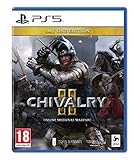
Chivalry II Day One Edition (PS5) | $41.05 | Buy on Amazon |
| 2 |

|
Chivalry II - Day One Edition (PS5) | $39.90 | Buy on Amazon |
| 3 |

|
Chivalry II - Steelbook Edition (PS5) (PS5) | $35.00 | Buy on Amazon |
| 4 |
![Overpass 2 [GRA PS5]](https://m.media-amazon.com/images/I/51tlaNq6RQL._SL160_.jpg)
|
Overpass 2 [GRA PS5] | $29.18 | Buy on Amazon |
As an Amazon Associate I earn from qualifying purchases.
| Symptom | Start with |
|---|---|
| Game will not launch, crashes, or hangs | Check requirements, update Windows and graphics drivers, restart, and verify game files. |
| Easy Anti-Cheat authentication timeout | Use the targeted Easy Anti-Cheat repair procedure below. |
| Freezes at the server browser, no servers appear, joining fails, or connection to host is lost | Check security-software and router allow lists. |
| Only Campaigns fail to load | Consult the Campaigns-specific notice and current official support; do not treat its certificate workaround as a general crash fix. |
Eight fixes for Chivalry 2 on PC
1. Check your PC against the listed requirements
Steam lists these requirements for Chivalry 2. Meeting them does not guarantee a particular frame rate or that every configuration will work, but checking them can reveal whether the PC is below the stated baseline.
What’s actually slowing this PC down?
Pick the symptom - the matching free tool is one click away.
| Component | Minimum | Recommended |
|---|---|---|
| Operating system | Windows 10 64-bit | not stated (Steam) |
| Processor | Intel i3-4370 | Intel i7 6700 or AMD Ryzen 5 3500x |
| Memory | 8 GB RAM | 16 GB RAM |
| Graphics | Nvidia GTX 660 or AMD Radeon HD 7870 2 GB | Nvidia GTX 1070 or AMD RX Vega-56 |
| DirectX | Version 10 | Version 10 |
| Available storage | 35 GB | 35 GB |
These are Steam’s listed requirements, accessed in 2026: Chivalry 2 on Steam. Check your actual components and compatibility before considering an upgrade; the requirements alone do not establish that buying a part will fix a crash.
#1 Best Overall
- Cross-Play Across All Platforms: Mass-scale battles call for epic battlefields. The inclusion of Cross-Play across all versions smashes the boundaries between PC and console gamers, and allows players to face off on the battlefield together, regardless of platform.
- Stunning Cinematic Presentation - Massive improvement in visual quality, with an atmosphere that thrusts players into their favorite moments from epic medieval Hollywood action films. Brought to you on the latest and best game engine, Unreal Engine 4.
- Epic Medieval Environments - Sprawling medieval environments ranging from tournament grounds to epic full-scale castle sieges.
- Massive Scale - Experience the chaos of epic medieval battlefields as players clash with an intensity meant to capture the large-scale scope of "The Battle of the Bastards" from Game of Thrones.
- Choose your Fighting Style - Your arsenal expands with the new subclass system that provides more variety than ever before. Four base classes expand to various subclasses, an arsenal of unique weapons each with multiple visual variants, and new support items ranging from oil pots to barricades, supply crates and archer's stakes.
2. Update Windows and your graphics driver
Steam’s Windows launch guidance recommends updating Windows and computer drivers. Chivalry 2 Support also lists graphics-driver updates as a crash and hang troubleshooting step. Install the current driver through the support or download channel for your actual GPU vendor and model—Nvidia, AMD, or Intel—rather than using a package intended for different hardware. The official crash guidance is available at Chivalry 2 PC Game Crash or Hang.
3. Restart the PC, then verify game files in your launcher
Restart before checking the installation. Verification steps differ between Steam and Epic Games Launcher, so use the path for the storefront where you installed the game.
Rank #2
- Day One Edition
- Cross play across all platforms: mass scale battles Call for epic battlefields. The inclusion of cross play across all versions smashes the boundaries between PC and console gamers, and allows players to face off on the battlefield together, regardless of platform.
- Stunning cinematic presentation massive improvement in visual quality, with an atmosphere that thrusts players into their favorite moments from epic medieval Hollywood action films. Brought to you on the latest and best game engine, Unreal Engine 4.
- Kill a man with his friend
- Improvise a new fighting style with pitchforks or Tomatoes.Epic medieval environments sprawling medieval environments ranging from tournament grounds to epic full scale castle sieges..Massive scale Experience the chaos of epic medieval battlefields as players clash with an intensity meant to capture the large scale scope of "the battle of the bastards" From game of Thrones..Choose your fighting style Your arsenal expands with the new subclass system that provides more variety than ever before. Four base classes expand to various subclasses, an arsenal of unique weapons each with multiple visual variants, and new support items ranging from oil pots to barricades, supply crates and arc
- Steam: Open Library, right-click Chivalry 2, choose Properties > Installed Files > Verify integrity of game files. Steam notes that one or more files may fail verification normally when they are local configuration files.
- Epic Games Launcher: Open Library, select the three-dot menu beside Chivalry 2, then choose Verify. Follow the developer’s Epic Games launch guidance.
Steam’s general guidance says verifying files can address crashes or missing content; it does not guarantee a repair for every cause. See Steam’s game-file verification instructions.
4. Temporarily close non-essential background apps and check security software
Close non-essential applications and retry the game as a diagnostic test. Chivalry 2 Support also recommends checking for interference from firewall or background applications. Do not leave security protection disabled as a permanent workaround. If the game works only when a security feature is off, restore protection and investigate an appropriate game exception or allow-list entry instead. See the developer’s crash and hang guidance and Steam’s Windows game launch troubleshooting.
Rank #3
- Steelbook Edition
- Cross play across all platforms: mass scale battles Call for epic battlefields. The inclusion of cross play across all versions smashes the boundaries between PC and console gamers, and allows players to face off on the battlefield together, regardless of platform.
- Stunning cinematic presentation massive improvement in visual quality, with an atmosphere that thrusts players into their favorite moments from epic medieval Hollywood action films. Brought to you on the latest and best game engine, Unreal Engine 4.
- Kill a man with his friend
- Improvise a new fighting style with pitchforks or Tomatoes.Epic medieval environments sprawling medieval environments ranging from tournament grounds to epic full scale castle sieges..Massive scale Experience the chaos of epic medieval battlefields as players clash with an intensity meant to capture the large scale scope of "the battle of the bastards" From game of Thrones..Choose your fighting style Your arsenal expands with the new subclass system that provides more variety than ever before. Four base classes expand to various subclasses, an arsenal of unique weapons each with multiple visual variants, and new support items ranging from oil pots to barricades, supply crates and arc
5. Repair Easy Anti-Cheat only for an authentication timeout
If the error specifically reports an Easy Anti-Cheat authentication timeout, Chivalry 2 Support’s targeted procedure is to open the game’s local files, open the EasyAntiCheat folder, run EasyAntiCheatSetup as administrator, and choose Repair if that option is available. Then try launching again. This is guidance for that EAC timeout—not a universal fix for crashes or loading failures. Refer to Chivalry 2’s Easy Anti-Cheat authentication-timeout instructions.
6. Repair the Visual C++ Redistributable packages
If the crash continues, Chivalry 2 Support specifically advises repairing the Visual C++ Redistributable Packages for Visual Studio 2013, both x64 and x86, restarting the PC, and retrying the game. Use Microsoft’s official Visual C++ Redistributable downloads and guidance; avoid third-party download mirrors. The package page covers Microsoft’s supported redistributables, so follow the developer’s specific 2013 repair direction rather than assuming a different runtime is interchangeable. The game support steps are on the crash and hang page.
Rank #4
- 30 vehicles official manufacturer, in 3 categories, UTV, ATV, Rock Bouncer
- 5 types of racing, off-road sprint, off-road track, mountain climbing, obstacle course, closed circuit
- Official manufacturers, equipment and sponsors
- A comprehensive career mode with team and calendar management
- Online races for up to 8 players
7. For server-browser and connection failures, check allow lists
Use this step when the game locks up at the server browser, displays no servers, fails to join a server, or reports a lost connection to the host. Chivalry 2 Support’s April 8, 2021 article identifies security software as a likely cause and advises checking the game’s allow or ignore lists in security software and router software. Menu names and interfaces can vary; if the current network symptom or interface differs from that guidance, consult official support. This is a network-specific path, not a general remedy for startup crashes. See Game Locks Up At Server Browser / No Servers Displayed / Failed to Join Server / Connection To Host Lost.
Quick wins for a faster PC:
Repair Windows errors before they cause bigger problemsFix Now →Fix the driver behind crashes, sound loss and screen glitchesFind Drivers →Clear out junk files and repair common Windows errorsFree Scan →8. Contact Chivalry 2 Support if the error persists
If the relevant steps do not resolve the issue, check the Chivalry 2 knowledge base and open a support ticket. The team says it can help with technical troubleshooting, but does not promise a particular resolution. Include practical details that help describe the failure:
- The exact error text, or what happens when the game hangs or closes.
- Whether the failure occurs at launch, during play, at Easy Anti-Cheat authentication, in the server browser, or only in Campaigns.
- Your launcher (Steam or Epic Games Launcher) and relevant PC details, including Windows version and GPU model.
- Which troubleshooting steps you tried and what happened afterward.
Start at Chivalry 2 Support’s knowledge base or its contact-support instructions.
Independent reader supportYour contribution helps us test, update, and keep practical guides available for everyone.If only Campaigns will not load
This is a distinct issue from a general PC crash. In a notice dated October 3, 2024, Chivalry 2 Support said: “Unfortunately a Windows update has caused issues for Chivalry 2 Campaigns as of September 2024.” The notice described manually downloading and installing five DER files from the Amazon Root CAs section, and said a full fix was forthcoming. It does not establish whether that workaround is still needed or whether a later fix superseded it. Do not install certificates as a general crash remedy; check for a newer official notice or contact support before following an older workaround. See the Campaigns availability notice.
Quick Recap
Product prices and availability are accurate as of the date/time indicated and are subject to change. Any price and availability information displayed on Amazon at the time of purchase will apply.




