Want to make Skyrim smoother without relying on fragile exploits? These ten practical tips cover skill growth, quick access to gear, fast travel, shouts and difficulty. The control details below are based chiefly on Bethesda’s Legendary Edition PC manual; controls can differ on consoles, other editions or customized bindings.
1. Build the skills you actually use
Using a skill improves it, and Bethesda’s Skyrim Legendary Edition PC Manual says lower skill values improve faster through use. Check the progress bars in the Skills Menu to see which actions are advancing a skill. If you want to develop a skill you rarely use, paid training and Skill Books offer alternatives.
As an Amazon Associate I earn from qualifying purchases.
2. Read Skill Books when you find them
A Skill Book raises its associated skill the first time you read it. Not every book in Skyrim is a Skill Book, so check the item and its effect rather than assuming any book will grant a skill increase.
Do these 3 things before closing this tab:
1Scan for outdated or missing drivers - takes under a minute2Clear out junk files and repair common Windows errors3Fix the driver behind crashes, sound loss and screen glitches3. Save a perk selection if you are undecided
When you level up, you receive a perk selection. You can choose a perk then or leave the selection unspent until you decide which direction to take your character. Holding it back preserves flexibility; it does not itself improve a skill or grant an additional perk.
#1 Best Overall

- Winner of more than 200 Game of the Year Awards, Skyrim Special Edition brings the epic fantasy to life in stunning detail.
- The Special Edition includes the critically acclaimed game and add-ons with all-new features.
- All-new features include remastered art and effects, volumetric god rays, dynamic depth of field, screen-space reflections, and more.
- Entertainment Software Rating Board (ESRB) Content Description: Blood and gore, intense violence, sexual themes, use of alcohol
4. Mark frequently used items and spells as favorites
Favorites make it easier to reach commonly used equipment and spells during play. Set them up before combat so you are not searching through your inventory under pressure. The menu controls for adding and opening favorites vary by platform, so check your in-game control settings if the manual’s PC instructions do not match your setup.
5. On PC, assign favorites to number keys
In the Legendary Edition PC manual’s control scheme, favorites can be assigned to keys 1 through 8. Bind your most-used weapons, spells or other items, then use the number keys for faster access without reopening the inventory. This specific key mapping is PC-specific; console controls and customized bindings may differ.
Rank #2

- ANNIVERSARY EDITION CONTENT — Includes the base game, Dawnguard, Hearthfire, Dragonborn, and hundreds of Creation Club items such as quests, weapons, armor, spells, and dungeons.
- SWITCH 2 ENHANCEMENTS — Explore Skyrim with updated visuals, improved load times, and optimized performance for Nintendo Switch 2.
- SHAPE YOUR ADVENTURE — Choose your character and decide how to play in an open world that responds to your actions.
- BUILD YOUR CHARACTER — Choose from hundreds of weapons, spells, and abilities to define your play style.
- BATTLE DRAGONS — Face ancient dragons as the Dragonborn, learn their secrets, and harness their power.
6. A map marker is not always a fast-travel destination
Fast travel is available to locations you have discovered. A location that is known but not yet discovered cannot be selected as a destination, even if you can see its marker on the map. If travel is unavailable for a particular marker, you may need to reach and discover the place on foot first.
7. Plan around fast travel’s limits
You cannot fast travel from an interior or while in combat. Traveling also advances in-game time according to the distance. Keep that passage of time in mind when planning a trip, particularly if you are trying to arrive at a particular hour.
Rank #3

- Live Another Life, In Another World: Play any type of character you can imagine, and do whatever you want; the freedom of choice, storytelling, and adventure of The Elder Scrolls comes to life in one legendary experience from all three official add-ons.
- Dawnguard: The Vampire Lord Harkon has returned to power. By using the Elder Scrolls, he seeks to do the unthinkable - to end the sun itself. Will you join the ancient order of the Dawnguard and stop him? Or will you become a Vampire Lord?
- Hearthfire: Purchase land and build your own home from the ground up - from a simple one-room cottage to a sprawling compound complete with an armory, alchemy laboratory, and more.
- Dragonborn: Journey off the coast of Morrowind, to the vast island of Solstheim. Traverse the ash wastes and glacial valleys of this new land as you become more powerful with shouts that bend the will of your enemies and even tame dragons.
8. Check the stable for your horse after traveling to a city
When you fast-travel to a city, your horse is placed at the nearest stable rather than necessarily appearing beside you. If it is not nearby after arrival, look at the stable before assuming you have lost it.
9. Hold the shout control to use more words
On the manual’s PC control scheme, holding the shout control longer uses more words of a shout and produces a more powerful effect. The exact input can differ on other platforms or with changed bindings, so use your platform’s control settings as the reference. The manual also notes that only one power or shout can be equipped at a time.
Rank #4

- Winner of more than 200 game of the year awards, Skyrim special edition brings the epic fantasy to life in stunning detail
- The special edition includes the critically acclaimed game and add-ons with all-new features
- All-new features include remastered art and effects, volumetric god rays, dynamic depth of field, screen-space reflections, and more
- Entertainment Software Rating Board (ESRB) Content Description: Blood and gore, intense violence, sexual themes, use of alcohol
10. Lower the difficulty if a fight is blocking progress
Bethesda Support explains that difficulty is available through the pause menu’s System Options and Gameplay Settings. Lowering it both increases the damage you deal to enemies and reduces the damage you take. This changes the combat tradeoff in your favor, making it a straightforward option when a fight is preventing you from continuing.
The Tool Desk
Outbyte Driver Updater FREEFix the driver behind crashes, sound loss and screen glitchesFind Drivers →Outbyte PC Repair FREERepair Windows errors before they cause bigger problemsFix Now →Controls vary by platform and edition
The exact menu labels and inputs above should not be treated as universal across every release of Skyrim. Bethesda Support lists viewpoint controls separately for PC, Xbox 360 and PS3, while Xbox provides a separate default-control reference for Skyrim Special Edition. Consult the controls in your game if you use another platform, edition or customized layout.
Quick Recap
Best Value
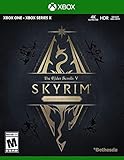
- EPIC FANTASY REBORN - Skyrim reimagines and revolutionizes the open-world fantasy epic, bringing to life a complete virtual world open for you to explore any way you choose.
- LIVE ANOTHER LIFE, IN ANOTHER WORLD - Play any type of character you can imagine, and do whatever you want; the legendary freedom of choice, storytelling, and adventure of The Elder Scrolls is realized like never before.
- YOU ARE WHAT YOU PLAY - Choose from hundreds of weapons, spells, and abilities. The new character system allows you to play any way you want and define yourself through your actions.
- BATTLE DRAGONS - Battle ancient dragons like you’ve never seen. As Dragonborn, learn their secrets and harness their power for yourself.
- INCLUDED CONTENT - The Anniversary Edition includes the core game, pre-existing and new Creation Club content, plus all three official add-ons: Dawnguard, Hearthfire, and Dragonborn.
- Bethesda Support: changing first- and third-person view in Skyrim
- Xbox Game Help: Skyrim Special Edition
Product prices and availability are accurate as of the date/time indicated and are subject to change. Any price and availability information displayed on Amazon at the time of purchase will apply.




