Crashes, No Sound, or Screen Glitches?
Random freezes, missing sound and display glitches usually trace back to one bad driver. Find and replace yours safely.Free scan · under a minutePC Slower Than It Used to Be?
A free scan shows the junk files, broken settings and background clutter dragging Windows down - then fixes them in one click.Free scan · Windows 10 & 11“The program can’t start because cnbic4_2.dll is missing from your computer.” cnbic4_2.dll is usually a Canon inkjet printer-driver component, not a general Windows runtime.
Which fix applies to you
Use the description that best matches what you see:
As an Amazon Associate I earn from qualifying purchases.
- The error appeared when printing or opening Canon printer software: remove the printer and reinstall the complete driver for the exact Canon model.
- The printer disappeared after Windows Update or a driver change: install pending updates, then remove and add the printer again.
- Windows Security quarantined the file: check Protection history, but prefer reinstalling the trusted Canon package instead of restoring a loose DLL.
- The file exists, but Windows reports that it is corrupted or “not designed to run on Windows”: the package may be damaged, incompatible, or the wrong architecture. Reinstall the model-specific driver.
- The error comes from an unrelated application or game: do not assume Canon is responsible. Check the application’s installation path and reinstall that application if it expects the file.
- You have an older printer on Windows 10 or Windows 11: compatibility may be the problem. Use Windows Update or Canon’s support page for the model, and verify that the printer still has a driver for your Windows version.
- The error says “specified module could not be found”: cnbic4_2.dll may exist while one of its dependencies is missing. Reinstall the entire package rather than copying only the named file.
What cnbic4_2.dll belongs to
Public file records identify cnbic4_2.dll as part of the Canon Inkjet Printer Driver from CANON INC. It is associated with older Canon inkjet printer packages and related printer-driver files, rather than Visual C++, DirectX, .NET, or another general-purpose Windows component.
Do these 3 things before closing this tab:
1Clear out junk files and repair common Windows errors2Scan for outdated or missing drivers - takes under a minute3Repair Windows errors before they cause bigger problemsThe filename alone does not identify one exact printer model, current driver version, architecture, or supported Windows release. Similarly named files, including cnbpc4_2.dll, are not interchangeable.
#1 Best Overall

- Ideal Printer Scanner Cable: UGREEN USB 2.0 printer cable is ideal for connecting your scanner, printer, server, hard drive, camera, piano, and other USB b devices to a laptop, computer (Mac/PC), or other USB-enabled devices for data transfer.
- High-Speed Transfer: Up to 480 Mbps transfers data speed for USB 2.0 devices, the USB Type B cable is backward compliant with full-speed USB 1.1 (12 Mbps) and low-speed USB 1.0 (1.5 Mbps). Compared with a WIFI connection, this USB B Cable provides a more stable data transmission and offers a more efficient work way for you.
- Wide Compatibility: This Printer Cable compatible with HP deskjet 2540 / 3630, HP officejet 5740, HP Envy 4527 / 4520 / 4523 / 5540, HP photosmart 7520 / 5520 / 5510, Canon MG5750 / MG3550 / MG7550, Epson XP225 / XP245 / XP425, Brother DCP-L2520DW, Lexmark MX310DN, Dell C2665DNF, Samsung Xpress SL-C1860FW, Oki ML1120 / 511DN, Schiit Modi 2 Uber, Yamaha digital piano, DAC, etc.
- Premium Quality: Corrosion-resistant gold-plated connectors and foil/braid shielding make the SB 2.0 Male to USB B Male cable cord more long-term performance (without noise or signal loss).
- Plug and Play, No Driver Required. What You Get: a USB 2.0 printer cable. Important Note: This printer USB cable has a USB 2.0 Type B Interface, not USB 3.0 Type B.
A legitimate copy should normally be inside a Canon driver installation or a Windows printer-driver location, not manually placed in C:WindowsSystem32, C:WindowsSysWOW64, or the folder of an unrelated program. Windows stages driver packages in the Driver Store and manages those packages as a unit. Microsoft explains the Driver Store in its Driver Store documentation.
Fix 1: Install pending Windows updates
Windows Update can provide printer drivers, especially when the printer is supported by Windows.
- Open Start > Settings.
- Select Windows Update.
- Choose Check for updates.
- Install all available updates, including optional driver updates if Windows lists one for the Canon printer.
- Restart the computer.
- Try printing again.
If the error remains, continue with a model-specific reinstall. Microsoft recommends Windows Update as the first place to obtain printer drivers in its printer-driver guidance.
Free tools Windows power users keep installed
One-click scans. No signup required.
Fix 2: Remove and reinstall the Canon printer
This is the most likely solution because cnbic4_2.dll belongs to a driver package. Replacing one DLL does not restore the package’s other files, registry entries, dependencies, or printer queue configuration.
Remove the existing printer
- Open Start > Settings.
- Select Bluetooth & devices.
- Open Printers & scanners.
- Select the Canon printer.
- Choose Remove and confirm.
- Restart Windows.
If the printer is not listed, open Control Panel, choose View devices and printers, right-click the Canon device, and select Remove device if that option is available.
Install the correct package
- Identify the exact model from the printer’s label or its original documentation.
- Go to Canon’s official support site.
- Search for the exact model, not just “Canon inkjet.”
- Select your Windows edition and architecture when Canon requests them.
- Download the complete MP Driver or printer-driver package.
- Run the installer as an administrator.
- Connect or select the printer only when the installer requests it.
- Restart Windows after installation.
- Print a test page from Settings > Bluetooth & devices > Printers & scanners > your printer > Print a test page.
A successful repair normally removes the startup or print error, leaves the printer listed, and produces a test page. If Canon does not offer a driver for the model, use Add device in Windows and check whether Windows Update supplies a compatible driver.
Rank #2

- USB 2.0 Printer Cable Overview*** 1.USB-A to USB-B 2.0 Port 2.Durable: Features gold-plated connectors 3.Widely Compatible: Works with various USB B printers and devices 4.Plug and Play: Offers more stability than Wi-Fi 5.Long Length: 6/10 Feet
- High-Speed Connectivity: Connect your printer, scanner, or external hard drive to your computer with this high-quality USB A to USB B cable. Designed for fast and reliable data transfer, this cable ensures a stable connection between your devices.
- Universal Compatibility: The USB 2.0 printer cable is compatible with a wide range of devices, including printers, scanners, servers, hard drives, cameras, electronic pianos, MIDI keyboards, microphones, DAC decoders, and other peripherals that use a USB B port. It easily connects to laptops, computers, PCs, or other USB-enabled devices for data transfer.
- Durable and Reliable: Built with a robust, flexible PVC jacket and corrosion-resistant gold-plated connectors, this printer cable is designed for long-lasting use. The durable construction minimizes interference and signal loss, ensuring smooth and consistent data transmission.
- Plug and Play: Easy to use, simply plug the USB A end into your computer and the USB B end into your printer—no drivers or software installation is required. It's more stable than a Wi-Fi wireless connection.
Outbyte Driver Updater can reduce the manual work of hunting through multiple driver versions and checking which hardware drivers are stale; its free scan identifies issues, while driver installation is handled by the full version. For this file, the exact Canon model and official package should still guide the final installation.
Quick wins for a faster PC:
Fix the driver behind crashes, sound loss and screen glitchesFind Drivers →Repair Windows errors before they cause bigger problemsFix Now →Fix 3: Use Device Manager for a damaged printer entry
Device Manager can remove a broken driver association, but it may not contain the complete Canon software package.
- Right-click Start and select Device Manager.
- Expand Printers, Print queues, and, if present, Universal Serial Bus controllers.
- Look for the Canon printer, an unknown device, or an entry with a yellow warning icon.
- Right-click the relevant entry and select Uninstall device.
- If Windows displays Attempt to remove the driver for this device, select it only when you are intentionally removing the old Canon package.
- Confirm the uninstall.
- Restart Windows.
- Reinstall the complete Canon package using the steps above.
If the printer reappears with a warning icon, the driver may be incompatible with the Windows architecture or the model may be too old for the current operating system.
Fix 4: Check antivirus quarantine safely
Antivirus software can quarantine a printer component after an update or a change in detection rules. A quarantine event does not by itself prove that the file was malware or that it was a false positive.
- Open Start and search for Windows Security.
- Select Virus & threat protection.
- Choose Protection history.
- Find the detection involving cnbic4_2.dll.
- Expand it and record the file path and detection name.
- Restore the file only if it came from the installed Canon driver package and the package is trustworthy.
- If you are uncertain, leave it quarantined and reinstall the Canon driver from the official Canon support site.
- Run a Full scan from Virus & threat protection.
Microsoft documents the available restore and allow actions in its Protection History guidance.
Do not add a random DLL download folder to antivirus exclusions. If a newly installed Canon package is repeatedly detected, keep the detection details and check the package with Canon or Microsoft support.
Fix 5: Repair Windows components when other system errors are present
DISM and SFC repair Windows components and protected Windows system files. They are useful when Windows Update, the Driver Store, or other system features are also failing, but they are not a guaranteed way to restore a third-party Canon DLL.
Rank #3
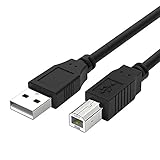
- Compatible with Canon MG Series PIXMA MG2525,MG3620,MG6821,MG2522,MG7120, MG5620,MG5720,MG7520,MG7720,MG3029,MG2920,MG5320,MG2120 cable para impresora canon printer cable cord.
- usb a to usb b printer cable is ideal for connecting your keyboard, mouse, scanner, hard drive, printer, server, camera and more, to a laptop, computer (Mac/PC) or other USB-enabled device.
- Hi-speed transfer Up to 480 Mbps transfers data speed for USB 2.0 devices, the printer cable is backwards compliant with full-speed USB 1.1 and low-speed USB 1.0.
- Corrosion-resistant gold-plated connectors and foil shielding make the printer scanner cable cords more long-term performance without noise or signal loss.
- 10 Feet(3m) USB 2.0 Type-A Male to Type-B Male Connection Cable
- Open Start.
- Type
Command Prompt. - Right-click it and select Run as administrator.
- Run:
DISM.exe /Online /Cleanup-Image /RestoreHealth
- Wait for it to finish.
- Then run:
sfc /scannow
- Restart Windows.
- Reinstall the Canon printer driver even if SFC reports that it repaired files.
DISM repairs the Windows component store, while SFC checks protected system files. Microsoft documents these roles in its DISM repair instructions and SFC guidance.
Outbyte PC Repair can simplify the manual process of scanning for broader Windows repair issues and repeating component checks; its free scan shows detected problems, while repair is performed by the full version. It is optional, and reinstalling the correct Canon package remains the direct fix for a missing printer component.
Recommended Free Tools
If DISM or SFC reports an error, note the exact result and repair Windows Update or the component store before trying the printer installation again.
Fix 6: Use the legacy printer-driver wizard
Older printers may not appear automatically in Windows 10 or Windows 11. Microsoft provides a printer-server wizard as a fallback.
- Press
Win+R. - Type
control printersand press Enter. - Select a printer, then choose Print server properties from the toolbar or menu.
- Open the Drivers tab.
- Select Add.
- Follow the wizard and choose the correct processor architecture.
- Select Windows Update when offered.
- Choose Canon and the exact printer model if it appears.
- Finish the wizard and add the printer again.
If the model is absent, do not select a similar model merely because it is also a Canon inkjet. Download the exact package from Canon instead. A retired printer may not have a compatible driver for the current Windows release.
Check 32-bit, 64-bit, and ARM compatibility
A 32-bit printer component can be part of a 32-bit Canon driver package even when it runs on 64-bit Windows. That does not make it safe to replace with a similarly named 64-bit file.
To check Windows architecture:
- Open Start > Settings > System > About.
- Look at System type.
- Record whether Windows is x64, x86, or ARM-based.
- Select the matching architecture on Canon’s driver-download page.
Install the architecture selected by the official installer for your model and Windows release. Do not copy a DLL from another computer, another printer model, or a different driver package.
Rank #4

- High Speed Transfer : Up to 480 Mbps transfers data speed for USB 2.0 devices, the printer cable is backwards compliant with full-speed USB 1.1 (12 Mbps) and low-speed USB 1.0 (1.5 Mbps).
- Universal Printer Cable : Sweguard USB 2.0 Printer Cable is ideal for connecting your scanner, printer, server, camera such as HP, Canon, Lexmark, Epson, Dell, Xerox , Samsung and other usb b devices to a laptop, computer (Mac/PC) or other USB-enabled device.
- Gold-plated Connectors :Constructed with corrosion-resistant, gold-plated connectors for optimal signal clarity and shielding to minimize interference.
- Nylon Tangle-free Design : Tangle-free Nylon Braided Design, this USB 2.0 Printer Cord is far more dependable than others in its price range. Premium nylon braided cable adds additional durability and tangle free.
- What You’ll Get : - 1*pack Printer Cable,24/7 Friendly Customer Service,18 months warranty.Once there’s any questions,please feel free to contact us.Thanks!
Why regsvr32 usually does not help
regsvr32 is for DLLs that provide registration entry points such as DllRegisterServer. A printer-driver component is not automatically a COM or ActiveX library, so running:
regsvr32 cnbic4_2.dll
is not a valid general repair. It can produce a registration error without addressing the missing driver package.
Only use regsvr32 when the software vendor specifically documents that the particular DLL is self-registering. Microsoft explains the tool and its limitations in its Regsvr32 troubleshooting guidance.
Do not download the DLL separately
Random DLL download sites sites can provide malware, the wrong architecture, an incompatible revision, or a file that does not match the rest of the Canon package. Copying it into System32, SysWOW64, or an application folder can also create a second, harder-to-diagnose problem.
Use Windows Update or Canon’s official support site instead. The installer is responsible for placing the file, registering the printer components that need registration, and installing dependencies together.
If the error continues
Collect these details before attempting further repairs:
Best Value

- USB 2.0 Printer Cable is ideal for connecting your scanner, printer, server, camera such as HP, Canon, Lexmark, Epson, Dell, Xerox , Samsung and other usb b devices to a laptop, computer (Mac/PC) or other USB-enabled device
- Printer Cable to Computer USB Printer Scanner Cable High Speed A Male to B Male Cord Compatible with HP, Canon, Dell, Epson, Lexmark, Xerox, Samsung and More (10FT)
- Package weight of the Product: 3.84 Ounces
- Package Dimensions: 9.21 x 5.91 x 1.06 inches
- Exact Canon printer model
- Windows edition and build
- x86, x64, or ARM architecture
- Complete error text
- Program that displays the error
- File path where Windows expects cnbic4_2.dll
- Whether the printer appears in Printers & scanners
- Whether the file exists in a Canon package or Driver Store location
- Any antivirus detection name
- Whether the file has a valid digital signature
If the error comes from an unrelated application, reinstall that application rather than changing the printer driver. If the file is present but fails to load, the cause may be a missing dependency or an incompatible legacy package.
What’s actually slowing this PC down?
Pick the symptom - the matching free tool is one click away.
FAQ
Is cnbic4_2.dll malware?
Not by filename alone. It is commonly identified as a Canon inkjet printer-driver component. Verify its path, source, signature, and antivirus detection. A copy inside a trusted Canon installation is more credible than one found in a temporary or unrelated application folder.
Which Canon printer installed it?
The filename does not authoritatively identify one exact model. Older Canon inkjet packages may contain it or related components, so use the printer model and the package that installed it rather than matching the filename alone.
Can SFC restore cnbic4_2.dll?
Usually, SFC is not the primary fix for a third-party printer DLL. It may help when Windows component or protected system files are also damaged, but reinstall the Canon driver afterward.
Should I copy it to System32?
No. Let the Canon installer and Windows Driver Store place driver files in their intended locations.
What if Windows says the file is “not designed to run on Windows”?
Treat that as a package, architecture, corruption, or dependency problem. Remove the printer and install the correct Canon driver for the exact model and Windows architecture.
Is Windows Features the right place to repair it?
No. Windows Features manages optional Windows components, not the Canon printer-driver package. Use Windows Update, Printers & scanners, Device Manager, and Canon’s official installer instead.
Quick Recap
Product prices and availability are accurate as of the date/time indicated and are subject to change. Any price and availability information displayed on Amazon at the time of purchase will apply.




