
Start with this diagnostic checklist
cnhl500.dll is commonly associated with Canon Inkjet WIA Driver software. The filename alone cannot identify the exact Canon printer, scanner, package version, installation path, or 32-bit/64-bit architecture.
Before changing anything, note:
- Which program displays the error: Canon scanning software, a printer control panel, Windows startup, or an older third-party application
- Whether the message appears when Windows starts or only when you scan or print
- Which Canon device is connected
- Whether the problem began after a Canon update, Windows upgrade, antivirus quarantine, disk cleanup, or removal of old Canon software
- Whether your Windows installation is 64-bit and whether the affected application is older 32-bit software
Common messages include:
- “The program can’t start because cnhl500.dll is missing from your computer.”
- “cnhl500.dll was not found.”
- “There was a problem starting cnhl500.dll.”
- “cnhl500.dll could not be loaded.”
- “cnhl500.dll is either not designed to run on Windows or it contains an error.”
The wording depends on the executable that tried to load the file. It can indicate a missing file, incomplete installation, damaged dependency, or architecture mismatch.
As an Amazon Associate I earn from qualifying purchases.
Fix 1: Reinstall the exact Canon driver package
This is the most likely repair. Do not search for the DLL by filename first. Identify the Canon model, then use Canon’s official Support page to select the device, Windows version, and available printer or scanner software.
Free tools Windows power users keep installed
One-click scans. No signup required.
Remove the existing Canon software
- Press Windows + I to open Settings.
- Select Apps.
- Select Installed apps on Windows 11, or Apps & features on Windows 10.
- Search for Canon.
- Remove the Canon scanning utility, printer driver, or device software connected with the error.
- Restart Windows.
If the Canon software does not appear:
- Right-click Start.
- Select Device Manager.
- Expand Imaging devices, Cameras, Printers, and Universal Serial Bus controllers.
- Locate the Canon device.
- Right-click it and select Uninstall device only if you are following Canon’s reinstall procedure.
- Restart Windows.
Do not delete unrelated devices or remove every printer entry simply because one Canon component is broken.
#1 Best Overall

- Ideal Printer Scanner Cable: UGREEN USB 2.0 printer cable is ideal for connecting your scanner, printer, server, hard drive, camera, piano, and other USB b devices to a laptop, computer (Mac/PC), or other USB-enabled devices for data transfer.
- High-Speed Transfer: Up to 480 Mbps transfers data speed for USB 2.0 devices, the USB Type B cable is backward compliant with full-speed USB 1.1 (12 Mbps) and low-speed USB 1.0 (1.5 Mbps). Compared with a WIFI connection, this USB B Cable provides a more stable data transmission and offers a more efficient work way for you.
- Wide Compatibility: This Printer Cable compatible with HP deskjet 2540 / 3630, HP officejet 5740, HP Envy 4527 / 4520 / 4523 / 5540, HP photosmart 7520 / 5520 / 5510, Canon MG5750 / MG3550 / MG7550, Epson XP225 / XP245 / XP425, Brother DCP-L2520DW, Lexmark MX310DN, Dell C2665DNF, Samsung Xpress SL-C1860FW, Oki ML1120 / 511DN, Schiit Modi 2 Uber, Yamaha digital piano, DAC, etc.
- Premium Quality: Corrosion-resistant gold-plated connectors and foil/braid shielding make the SB 2.0 Male to USB B Male cable cord more long-term performance (without noise or signal loss).
- Plug and Play, No Driver Required. What You Get: a USB 2.0 printer cable. Important Note: This printer USB cable has a USB 2.0 Type B Interface, not USB 3.0 Type B.
Install the replacement package
- Open Canon’s official Support page.
- Search for the exact printer or scanner model.
- Select the installed Windows version.
- Download the current printer/scanner driver and Canon scanning utility offered for that model.
- Close Canon applications.
- Run the downloaded installer as an administrator if Windows requests permission.
- Connect or power on the device when the installer asks.
- Complete the installation.
- Restart Windows again.
- Open the Canon scanning or printer utility and perform a test scan or print.
A successful repair normally means the Canon application opens without the loader message and the device appears in the application’s device list. If the error returns immediately, confirm that you installed software for the exact model rather than a similar Canon device.
When manually checking several devices and driver packages, it is easy to install a package for the wrong model or miss an outdated driver. Outbyte Driver Updater can scan for driver problems and show what needs attention; its full version performs the driver installation, but it is not required and the exact Canon package remains the safest source for this file.
Fix 2: Find the program still calling an old Canon component
Sometimes the current Canon software is healthy, but an obsolete startup entry or old application still tries to load cnhl500.dll.
Quick wins for a faster PC:
Fix the driver behind crashes, sound loss and screen glitchesFind Drivers →Clear out junk files and repair common Windows errorsFree Scan →Check startup entries
- Press Ctrl + Shift + Esc to open Task Manager.
- Select Startup apps.
- Look for Canon entries or an unfamiliar entry that launches at the same time as the error.
- Right-click a suspicious entry and select Open file location, if available.
- Note the executable name and folder.
- Disable the entry temporarily.
- Restart Windows.
If the message disappears, the disabled program is the caller. Update or uninstall that program, then reinstall the Canon software it actually requires. Do not simply copy a DLL into the program’s folder unless the software vendor specifically documents that procedure.
Check Event Viewer
- Press Windows + R.
- Enter
eventvwr.mscand press Enter. - Expand Windows Logs.
- Select Application.
- Select Filter Current Log in the right pane.
- Filter for recent Error events.
- Look for an application name, faulting module, or path connected with
cnhl500.dll.
The executable named in the event is more useful than the DLL filename alone. If it belongs to an old photo, office, or scanning application, update or reinstall that application. If it belongs to a Canon utility, repeat the model-specific Canon installation and remove the obsolete version first.
Fix 3: Check antivirus quarantine
Security software can remove or quarantine a driver component after an update or incomplete installation.
Rank #2

- High Speed Transfer : Up to 480 Mbps transfers data speed for USB 2.0 devices, the printer cable is backwards compliant with full-speed USB 1.1 (12 Mbps) and low-speed USB 1.0 (1.5 Mbps).
- Universal Printer Cable : Sweguard USB 2.0 Printer Cable is ideal for connecting your scanner, printer, server, camera such as HP, Canon, Lexmark, Epson, Dell, Xerox , Samsung and other usb b devices to a laptop, computer (Mac/PC) or other USB-enabled device.
- Gold-plated Connectors :Constructed with corrosion-resistant, gold-plated connectors for optimal signal clarity and shielding to minimize interference.
- Nylon Tangle-free Design : Tangle-free Nylon Braided Design, this USB 2.0 Printer Cord is far more dependable than others in its price range. Premium nylon braided cable adds additional durability and tangle free.
- What You’ll Get : - 1*pack Printer Cable,24/7 Friendly Customer Service,18 months warranty.Once there’s any questions,please feel free to contact us.Thanks!
- Open Windows Security from the Start menu.
- Select Virus & threat protection.
- Select Protection history.
- Review recent events involving Canon software or
cnhl500.dll. - Check the file path and the originating installer.
Do not restore an isolated file merely because its name matches. Restore it only when the file is digitally signed by Canon and came from a trusted Canon installation. Otherwise, leave it quarantined and reinstall the complete package from Canon.
Recommended Free Tools
Do not broadly disable antivirus protection to complete an installer. If security software repeatedly removes a fresh, digitally signed Canon package, contact the security software vendor or Canon support and investigate the detection.
Fix 4: Check 32-bit and 64-bit compatibility
A 64-bit Windows installation can run 32-bit Canon software through WoW64. Therefore, 64-bit Windows does not mean every Canon DLL must be 64-bit.
The filename cannot prove the architecture. Check the affected application and the package that installed it:
- Right-click the application shortcut.
- Select Open file location.
- Right-click the application executable and select Properties.
- Select the Details and Digital Signatures tabs when present.
- Note the application’s vendor and installation folder.
- Compare it with the Canon package you installed.
If only one old application fails, the problem may be that application’s compatibility with the current Canon software. Install the latest version of the application if available, or contact its vendor. Do not mix a 32-bit DLL from one Canon package with a 64-bit package from another.
The Tool Desk
Outbyte PC Repair FREERepair Windows errors before they cause bigger problemsFix Now →Outbyte Driver Updater FREEFix the driver behind crashes, sound loss and screen glitchesFind Drivers →Rank #3

- This camera IFC-400PCU IFC-200U IFC-500U USB data transfer cable, cord or wire is used for transferring pictures and other files from your camera to your PC or Mac. See Product Images and Product Description for the complete list of compatible camera models.
- This mini USB Cable is compatible with all Mini USB 5-Pin devices. This compatible with Canon PowerShot ELPH 300, SX400, 300 HS, 360 HS, A1400, SD600, G7X, SX400is & other models needing an IFC-400PCU, IFC-200U or IFC-500U camera cable.
- This is also compatible with Canon EOS REBEL SL1 SL2 T1i T2i T3 T3i T4i T5 T5i T6 T6i T6s T7i XSi XT Xti & other models needing an IFC-400PCU USB cable.
- Compatible with PowerShot SX 1 IS 10 IS 100 IS 130 IS 150 IS 160 IS 170 IS 20 IS 200 IS 210 IS 230 HS 260 HS 270 HS 280 HS 30 IS 40 HS 400 IS 410 IS 420 IS 50 HS 500 IS 510 HS 520 HS 530 HS 540 HS 60 HS 600 HS 610 HS 700 HS 710 HS & more.
- Compatible with Powershot A 10 1001000 IS1100 IS12001300 1400 20 200 2000 IS 2100 IS 2200 2300 2400 IS 2500 2600 300 3000 IS 310 3100 IS 3300 IS 3400 IS 3500 IS 400 4000 IS 470 480 490 495 510 520 580 60 650 IS 70 720 IS 75 80 800 810 85 95
Fix 5: Repair broader Windows component corruption
cnhl500.dll is not established as a Windows system DLL, so System File Checker normally will not recreate it. Use Windows repair commands when you also see damaged Windows features, update failures, unexplained application crashes, or other system-file errors.
Run DISM
- Right-click Start.
- Select Terminal (Admin) or Windows PowerShell (Admin).
- Select Yes at the User Account Control prompt.
- Run:
DISM.exe /Online /Cleanup-Image /RestoreHealth
- Wait for the operation to finish.
- Restart Windows.
Run System File Checker
Open an elevated Terminal again and run:
sfc /scannow
Wait until verification reaches 100 percent, then restart Windows and test the Canon application.
If DISM reports that it could not repair the image, or SFC reports that some files could not be repaired, review the broader Windows problem before repeating the commands. These tools repair protected Windows components, not arbitrary third-party Canon files.
Repeatedly running repair commands without knowing what changed makes troubleshooting harder. Outbyte PC Repair can scan for Windows repair issues and identify problems before its full version applies repairs, but it is optional and cannot replace reinstalling the Canon package that owns this DLL.
What’s actually slowing this PC down?
Pick the symptom - the matching free tool is one click away.
Do not download cnhl500.dll separately
Avoid DLL download sites sites and copies taken from another computer. A standalone file may have the wrong version, architecture, dependencies, or digital signature, and it may leave the Canon installation incomplete. A malicious replacement can also use the same filename.
The safe source is the complete Canon driver and utility package for the exact device model and installed Windows version. Reinstalling the package restores its supporting files, registration, services, and device configuration together.
Rank #4

- USB 2.0 Printer Cable is ideal for connecting your scanner, printer, server, camera such as HP, Canon, Lexmark, Epson, Dell, Xerox , Samsung and other usb b devices to a laptop, computer (Mac/PC) or other USB-enabled device
- Printer Cable to Computer USB Printer Scanner Cable High Speed A Male to B Male Cord Compatible with HP, Canon, Dell, Epson, Lexmark, Xerox, Samsung and More (10FT)
- Package weight of the Product: 3.84 Ounces
- Package Dimensions: 9.21 x 5.91 x 1.06 inches
Do not register this DLL with regsvr32 automatically
regsvr32 is intended for DLLs that provide the appropriate self-registration entry points. Driver-support and private application DLLs often do not.
Running a command such as this without vendor instructions is not a repair:
regsvr32 cnhl500.dll
It may produce “The module was loaded but the entry-point DllRegisterServer was not found,” or create confusion about whether the wrong 32-bit or 64-bit tool was used. Use regsvr32 only when Canon or the affected application explicitly documents registration for that exact file.
If the error still appears
Work through these checks:
- Confirm the Canon model and reinstall its current package.
- Identify the executable named in the error or Event Viewer.
- Check whether an old startup entry launches the failure.
- Review antivirus protection history.
- Verify that the application and Canon package are compatible.
- Check the DLL’s Properties for its path and digital signature, but do not treat an unverified copy as safe.
- If the issue began after a known driver or Windows change, use System Restore as a fallback:
- Press Windows + R.
- Enter
rstrui.exe. - Select a restore point from before the problem.
- Review the affected programs.
- Start the restore.
System Restore is not the primary fix for a missing Canon component. Reinstalling the correct Canon package is usually more direct.
FAQ
Is cnhl500.dll part of Windows?
There is no reliable evidence that it ships with Windows. It is publicly associated with Canon Inkjet WIA Driver software.
Best Value
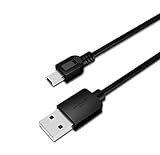
- USB PC/DC Power +Data Cable Cord For Canon CanoScan LiDE 100 110 200 210 Scanner
- This cable connects your digital camcorder to USB-ready computer, USB hub or photo printer/dock for pictures transferring.
- Foil and Braid Shielding to reduce EMI/RFI Interference; Oxygen free copper core with environmental-friendly recyclable plastic
- Twisted-Pair construction to ensure high-speed, error-free data transfer; Up to 480 Mbits/sec transfer; USB 1.0, 1.1 & 2.0 compatible.
- Length & weight: 3 feet, light and easy to carry. Length & weight: 3 feet, light and easy to carry.
Is it a Visual C++ or DirectX file?
No reliable evidence establishes it as a Microsoft Visual C++ runtime, DirectX component, or .NET file. Installing a redistributable is not a targeted fix unless the error also names a missing Microsoft runtime dependency.
Which Canon device installed it?
The filename alone cannot identify a specific Canon printer, scanner, or product family. Use the application name, device model, installation path, and Canon package history.
Should I copy the file from another PC?
No. The copy may have the wrong architecture, version, dependencies, or origin. Reinstall the complete Canon package instead.
Why does it appear only when Windows starts?
An old Canon utility or startup entry may still be launching after the device software was removed or replaced. Use Task Manager and Event Viewer to identify and disable the obsolete caller, then update or remove it.
Will SFC fix the error?
Usually not. SFC repairs protected Windows files. It does not normally restore third-party Canon driver files, so use it only when there are additional signs of Windows corruption.
Do these 3 things before closing this tab:
1Repair Windows errors before they cause bigger problems2Fix the driver behind crashes, sound loss and screen glitches3Clear out junk files and repair common Windows errorsQuick Recap
Product prices and availability are accurate as of the date/time indicated and are subject to change. Any price and availability information displayed on Amazon at the time of purchase will apply.

