What’s actually slowing this PC down?
Pick the symptom - the matching free tool is one click away.
O Nexus Mod Manager (NMM) é uma ferramenta legada: o Nexus Mods promove hoje o Vortex, e o tutorial específico de NMM para Fallout 4 encontrado aqui foi publicado em 2015. Portanto, não trate os passos antigos do NMM como confirmados para as versões atuais de Skyrim ou Fallout 4. Antes de instalar, confira a edição e a versão do jogo e os requisitos de cada mod.
O Nexus Mod Manager ainda é a opção certa?
Se você chegou a este guia procurando o NMM, a principal ressalva é que a documentação disponível não confirma um procedimento atual do NMM para todas as edições de Skyrim e Fallout 4. O artigo do Nexus Mods chamado Installing Fallout 4 Mods using Nexus Mod Manager (NMM) data de 17 de novembro de 2015. Ele mostra que houve um tutorial para Fallout 4, não que suas instruções ou telas continuem compatíveis hoje.
O Nexus Mods apresenta o Vortex como seu gerenciador atual e também oferece informações sobre Vortex e migração de outros gerenciadores. Se optar por continuar com NMM, consulte a documentação compatível com sua versão e não presuma que botões, links ou menus descritos em tutoriais antigos ainda correspondam ao programa atual.
Antes de instalar: identifique o jogo e a versão
“Skyrim” pode se referir a edições diferentes, como a original, Special Edition, Anniversary Edition ou VR. Mods e instruções para uma edição não devem ser aplicados automaticamente a outra. Para Fallout 4, confirme também a versão instalada. Na página de cada mod, verifique a edição e a versão compatíveis, os requisitos, as dependências e eventuais instruções de instalação.
#1 Best Overall
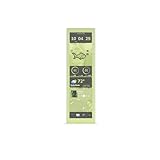
- Larger 14.9" display with a 43% brighter panel than before.
- Tall and vibrant 682 x 2560 (2.5K) capacitive IPS touchscreen with an incredibly crisp 178 pixels per inch
- Ensures a buttery smooth visual experience at all times
- Unlocks a magnitude of possibilities for meaningful digital interaction
- Enables extensive screen customization with a plethora of themes, widgets, and more
- Leia a descrição e os requisitos do mod antes de baixá-lo.
- Instale dependências indicadas pelo autor e observe avisos sobre conflitos ou ordem de carregamento.
- Não altere arquivos INI com base em uma orientação genérica: confirme primeiro que ela se aplica à sua versão do jogo e à configuração do gerenciador.
Fluxo de instalação documentado: Skyrim Special Edition no Vortex
O guia de fundamentos do Vortex para Skyrim Special Edition descreve o fluxo abaixo. Estes passos são do Vortex; não são instruções do NMM.
- Autentique sua conta no Vortex e configure o jogo conforme a documentação do gerenciador.
- Na página de um mod compatível com sua edição, use o botão de download pelo gerenciador.
- No Vortex, localize a entrada baixada na lista de mods e instale-a.
- Se aparecer um instalador FOMOD, selecione as opções indicadas pelo autor do mod e conclua o instalador.
- Habilite o mod e faça o deploy. Na configuração descrita pelo guia, o deploy aplica os arquivos ao diretório do jogo.
- Inicie o jogo e verifique se o mod funciona conforme esperado; se houver falha, reveja os requisitos e instruções do próprio mod.
Vortex e Mod Organizer 2: diferenças documentadas
Não há base aqui para declarar um gerenciador universalmente superior. A escolha depende da edição do jogo, do fluxo que você prefere e da documentação dos mods que pretende usar.
Rank #2

- AMD Ryzen 7 7700X 4.5GHz (5.4GHz Turbo Boost) CPU Processor | 1TB Gen4 NVMe M.2 SSD – Up to 30x Faster Than Traditional HDD | 360mm AIO Liquid CPU Cooler with ARGB Fans, say goodbye to outdated and inefficient air coolers.
- NVIDIA GeForce RTX 5070 12GB GDDR7 Graphics Card (Brand may vary) | X670 motherboard delivers exceptional gaming and professional experiences.| 32GB DDR5 RAM 5600 Gaming Memory with Heat Spreader | Windows 11 Home 64-bit
- 802.11 AC | No Bloatware | Graphic output options include 1 x HDMI, and 1 x Display Port Promised, Additional Ports may vary | USB Ports Including 2.0, 3.0, and 3.2 Gen1 Ports | HD Audio & Mic | Free Gaming Keyboard & Mouse
- High-spec AIO liquid coolers used, delivering unmatched cooling performance for a perfect operational experience and unparalleled cooling performance. With hardware unrestricted by temperature limits, you can unleash its full potential. Whether gaming, creating, or working, you'll never suffer from thermal throttling again. | Showcase Your PC with the Stunning Lian Li PC-O11 Vision Case - Black | 1 Year Warranty on Parts and Labor | Free Technical Support | Assembled in the USA
- This powerful gaming PC is capable of running all your favorite games such as Call of Duty, Fortnite, Escape from Tarkov, Grand Theft Auto V, Valorant, World of Warcraft, League of Legends, Apex Legends, PLAYERUNKNOWN’s Battlegrounds, Overwatch 2, Counter-Strike 2, Battlefield V, Minecraft, ELDEN RING Shadow of the Erdtree, Rocket League, Baldur’s Gate 3, Dota 2, HELLDIVERS 2, Monster Hunter, Terraria, Rainbow Six Siege, Black Myth Wukong, Marvel Rivals, Stellar Blade, more at Ultra settings, detailed 1440p Quad HD resolution, and smooth 60+ FPS gameplay.
| Gerenciador | O que está documentado | O que considerar |
|---|---|---|
| Vortex | É apresentado pelo Nexus Mods como gerenciador atual, com integração ao site, gestão de mods, organização da ordem de carregamento e perfis. O guia de Skyrim Special Edition descreve download pelo gerenciador, instalação, seleção de opções FOMOD quando houver, habilitação e deploy. | Os passos concretos citados acima se aplicam ao fluxo do Vortex documentado para Skyrim Special Edition; confirme as instruções para a edição e a configuração que você usa. |
| Mod Organizer 2 | A página do Nexus Mods documenta suporte a Skyrim Special Edition e Fallout 4. A página informa a versão 2.5.2 e atualização em 10 de maio de 2026: Mod Organizer 2. | Confira a documentação do MO2 e os requisitos de cada mod. As fontes consultadas não estabelecem uma comparação completa de recursos ou desempenho entre os gerenciadores. |
Um cuidado específico para Fallout 4: arquivos soltos
Um guia comunitário de correções e mods importantes para Fallout 4 explica que o suporte a arquivos soltos, também chamado de archive invalidation, pode ser necessário para o jogo carregar arquivos fora dos arquivos BA2 oficiais. A configuração adequada depende do gerenciador e da versão; confirme a instrução aplicável antes de editar arquivos INI ou alterar opções manualmente.
Um tutorial antigo de Fallout 4 também menciona que alguns mods podem exigir instalação manual. Isso não deve ser tratado como regra universal atual: siga as instruções do mod específico e use um procedimento compatível com seu gerenciador.
Quick Recap
Best Value

- AMD Ryzen 5 5500 3.6GHz (4.2GHz Turbo Boost) CPU Processor | 1TB NVMe M.2 SSD – Up to 30x Faster Than Traditional HDD | High-Performance Air Cooler
- NVIDIA Geforce RTX 3050 6GB GDDR6 Graphics Card (Brand may vary) | 16GB DDR4 RAM 3200 Gaming Memory with Heat Spreader | Windows 11 Home 64-bit
- 802.11 AC | No Bloatware | Graphic output options include 1 x HDMI, and 1 x Display Port Promised, Additional Ports may vary | USB Ports Including 2.0, 3.0, and 3.2 Gen1 Ports | HD Audio & Mic | Free Gaming Keyboard & Mouse
- High-Performance Air Cooler: Maximum Airflow & ARGB Fans | Skytech Shadow Gaming Case with Tempered Glass, Black | 1 Year Warranty on Parts and Labor | Free Technical Support | Assembled in the USA
- This powerful gaming PC is capable of running all your favorite games such as Call of Duty, Fortnite, Escape from Tarkov, Grand Theft Auto V, Valorant, World of Warcraft, League of Legends, Apex Legends, PLAYERUNKNOWN’s Battlegrounds, Overwatch 2, Counter-Strike 2, Battlefield V, Minecraft, ELDEN RING Shadow of the Erdtree, Rocket League, Baldur’s Gate 3, Dota 2, HELLDIVERS 2, Monster Hunter, Terraria, Rainbow Six Siege, Dragon’s Dogma 2, Black Myth Wukong, Marvel Rivals, more at Ultra settings, detailed 1080p Full HD resolution, and smooth 60+ FPS gameplay.
Rank #4

- AMD Ryzen 7 7700 3.8GHz (5.3GHz Turbo Boost) CPU Processor | 1TB NVMe M.2 SSD – Up to 30x Faster Than Traditional HDD | 360mm AIO Liquid CPU Cooler with ARGB Fans, say goodbye to outdated and inefficient air coolers.
- NVIDIA GeForce RTX 5070 12GB GDDR7 Graphics Card (Brand may vary) | 32GB DDR5 RAM 6000 RGB Gaming Memory with Heat Spreader | Windows 11 Home
- WI-FI 5 802.11ac | No Bloatware | Graphic output options include 1 x HDMI, and 1 x Display Port Promised, Additional Ports may vary | USB Ports Including 2.0, 3.0, and 3.2 Gen1 Ports | HD Audio & Mic | Free Gaming Keyboard & Mouse
- High-spec AIO liquid coolers used, delivering unmatched cooling performance for a perfect operational experience and unparalleled cooling performance. With hardware unrestricted by temperature limits, you can unleash its full potential. Whether gaming, creating, or working, you'll never suffer from thermal throttling again. | Skytech Shadow 5 Gaming Case with Tempered Glass, Black | 1 Year Warranty on Parts and Labor | Free Technical Support | Assembled in the USA
- This powerful gaming PC is capable of running all your favorite games such as Elden Ring Nightreign, Baldur's Gate 3, Cyberpunk 2077, Hogwarts Legacy, Helldivers 2, Diablo IV, Starfield, Valorant, Counter-Strike 2, Forza Horizon 5, Resident Evil 9, Alan Wake 2, Warhammer 40,000: Space Marine 2, God of War Ragnarök, Overwatch 2, Dragon's Dogma 2, Marvel's Spider-Man, Clair Obscur: Expedition 33,, more at Ultra settings, detailed 1440p Quad HD resolution, and smooth 60+ FPS gameplay.
Rank #3

- AMD Ryzen 7 9700X 3.8GHz (5.5GHz Turbo Boost) CPU Processor | 1TB NVMe M.2 SSD – Up to 30x Faster Than Traditional HDD | 360mm AIO Liquid CPU Cooler with ARGB Fans, say goodbye to outdated and inefficient air coolers.
- NVIDIA Geforce RTX 5060 8GB GDDR7 Graphics Card (Brand may vary) | 16GB DDR5 RAM 6000 Gaming Memory with Heat Spreader | Windows 11 Home 64-bit
- 802.11 AC | No Bloatware | Graphic output options include 1 x HDMI, and 1 x Display Port Promised, Additional Ports may vary | USB Ports Including 2.0, 3.0, and 3.2 Gen1 Ports | HD Audio & Mic | Free Gaming Keyboard & Mouse
- High-spec AIO liquid coolers used, delivering unmatched cooling performance for a perfect operational experience and unparalleled cooling performance. With hardware unrestricted by temperature limits, you can unleash its full potential. Whether gaming, creating, or working, you'll never suffer from thermal throttling again. | Skytech Azure Gaming Case with Tempered Glass, Black | 1 Year Warranty on Parts and Labor | Free Technical Support | Assembled in the USA
- This powerful gaming PC is capable of running all your favorite games such as Call of Duty, Fortnite, Escape from Tarkov, Grand Theft Auto V, Valorant, World of Warcraft, League of Legends, Apex Legends, PLAYERUNKNOWN’s Battlegrounds, Overwatch 2, Counter-Strike 2, Battlefield V, Minecraft, ELDEN RING Shadow of the Erdtree, Rocket League, Baldur’s Gate 3, Dota 2, HELLDIVERS 2, Monster Hunter, Terraria, Rainbow Six Siege, Dragon’s Dogma 2, Black Myth Wukong, Marvel Rivals, more at Ultra settings, detailed 1080p Full HD resolution, and smooth 60+ FPS gameplay.
Product prices and availability are accurate as of the date/time indicated and are subject to change. Any price and availability information displayed on Amazon at the time of purchase will apply.




