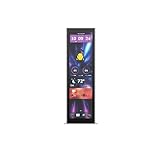
Corsair’s Xeneon Edge is a 14.5-inch touchscreen that can sit inside a compatible PC case, attach magnetically to a metal panel, or work as a standalone desktop display. Its 32:9, 2560×720 panel is designed less as a conventional monitor and more as a dedicated dashboard for system statistics, chat, music, streaming controls, widgets, and touch shortcuts.
Corsair first showcased the display at CES 2025, then formally launched it on August 26, 2025. The U.S. Corsair store listed the black model at $249.99 and in stock in the latest supplied listing, although price and availability can change.
As an Amazon Associate I earn from qualifying purchases.
What is the Corsair Xeneon Edge?
The Xeneon Edge is a separate LCD touchscreen designed to become part of a PC setup. It is not permanently built into every Corsair case. Instead, Corsair provides several ways to install it: inside a compatible case, on a suitable metal surface, on a desk, or on a mounting arm.
Its unusually wide format makes it best suited to information and control tasks. With 2560×720 resolution and a 32:9 aspect ratio, it can show monitoring data, calendars, weather, notifications, chat, music controls, application shortcuts, and custom widgets without occupying the main monitor.
#1 Best Overall

- Make Your PC Shine - Take your build to the next level with this standout 14.5" display. Showcase system metrics, chat channels, calendars, weather apps, and even play games
- Outstanding Versatility - Install the screen inside your case, mount it outside, or use it as a standalone monitor with the included stand. Set it up vertically or horizontally—whichever works best for you
- Easy on the Eyes - With a native resolution of 2560x720, 60Hz refresh rate, wide viewing angles, and vibrant colors, this display looks incredible wherever you can think to use it
- Built to be Touched - The five-point multi-touch capacitive touchscreen makes interacting with your widgets, applications, and games as easy as using your smartphone
- Wide Compatibility - For internal installation, the 14x magnets in the housing provide strong adhesion, while the four corner screws fit 360mm fan mounting positions in a range of cases
It can also function as a normal Windows secondary display. However, its narrow height, 60Hz refresh rate, lack of HDR certification, and lack of adaptive sync make it a specialized companion screen rather than a sensible replacement for a normal 16:9 or 16:10 monitor.
CES reveal, retail launch, and later software expansion
Corsair showcased the Xeneon Edge on January 7, 2025, during CES. The original announcement discussed internal case mounting, magnetic attachment, HDMI and USB-C connectivity, and an expected Q2 2025 availability window.
The retail product arrived later. Corsair formally announced the Xeneon Edge’s launch on August 26, 2025. That announcement positioned it as part of Corsair’s broader ecosystem for gaming, content creation, sim racing, and productivity, including iCUE integration and Virtual Stream Deck-style functionality.
The Tool Desk
Outbyte Driver Updater FREEScan for outdated or missing drivers - takes under a minuteDriver Scan →Outbyte PC Repair FREERepair Windows errors before they cause bigger problemsFix Now →The platform continued to expand afterward. On May 12, 2026, Corsair announced Xeneon Edge widgets through the Elgato Marketplace. That timeline matters: the later widget ecosystem should not be treated as though every feature was already available at the original CES reveal.
Corsair’s CES 2025 announcement, August 2025 launch announcement, and May 2026 widget announcement describe those stages separately.
Specifications
| Specification | Detail |
|---|---|
| Panel | 14.5-inch AHVA LCD |
| Resolution | 2560×720 |
| Aspect ratio | 32:9 |
| Refresh rate | 60Hz |
| Touch | Five-point capacitive touch |
| Brightness | 350 cd/m2 peak |
| Inputs | HDMI 2.0 and USB-C DisplayPort Alt Mode |
| HDR | No HDR certification listed |
| Adaptive sync | Not supported |
| Dimensions | Approximately 372 × 120 × 22 mm |
| Weight | Approximately 1.674 kg |
| U.S. price observed | $249.99 |
| U.S. SKU | CC-9011306-WW |
The current U.S. product page lists a three-year warranty and zero-dead-pixel policy. Corsair’s August 2025 launch announcement referred to a two-year warranty, so warranty coverage should be checked against the current product page and the buyer’s region rather than assumed to be universal.
See Corsair’s current U.S. specifications and pricing.
How can it be mounted?
Inside a compatible PC case
Corsair designed the display around a 360mm radiator or fan mounting position. That can produce a clean, case-integrated installation, but it creates an important trade-off: using the position for the screen may prevent the same location from being used for a 360mm radiator or fan assembly.
Rank #2
- Upgrade your HYTE Y70 gaming PC case with a touch screen kit, adding unique digital immersion.
- Tall and vibrant 682 x 2560 (2.5K) capacitive IPS touchscreen with an incredibly crisp 178 pixels per inch
- Larger 14.9" display with a 43% brighter panel than before.
- Unlocks a magnitude of possibilities for meaningful digital interaction
- Enables extensive screen customization with a plethora of themes, widgets, and more
Compatibility is therefore not automatic. Builders must check mounting holes, clearance around the GPU and radiator, PSU-shroud dimensions, cable paths, removable panels, and airflow. A case having a 360mm mounting location does not by itself guarantee a perfect Xeneon Edge installation.
Magnetically on a case panel
The display has built-in magnets for attachment to suitable metal surfaces, including some side panels and PSU shrouds. This is more flexible than a dedicated internal installation, but it still depends on the panel’s material, shape, strength, clearance, and access to cables.
Magnetic attachment should not be confused with formal compatibility with every PC case. Follow Corsair’s mounting guidance and make sure the display does not obstruct moving parts, ventilation, removable panels, storage devices, or cable routing.
Free tools Windows power users keep installed
One-click scans. No signup required.
On a desk or mounting arm
The included magnetic stand allows the Xeneon Edge to sit beside the computer as an external companion display. Corsair also lists two included 1⁄4-20-inch mounting points, allowing use with an Elgato Multi-Mount or a standard compatible AV arm.
What does iCUE add?
Without iCUE, the Xeneon Edge can work as a Windows secondary display. With iCUE, it becomes a more specialized Corsair control and monitoring surface.
- CPU and GPU temperatures
- Fan speeds and other system-performance information
- Calendars and weather
- Chat and communication windows
- Music applications
- Notifications
- Custom layouts and widgets
- Touch-based controls and shortcut panels
The display can also show ordinary Windows applications, but an application appearing on a touchscreen does not mean it has been designed for touch. The quality of the experience depends on the application’s controls and layout.
Later Elgato Marketplace support broadens the widget ecosystem, but the Xeneon Edge is best described as offering Virtual Stream Deck-style functionality rather than being a direct replacement for a hardware Stream Deck. A Stream Deck provides dedicated physical keys; the Xeneon Edge provides a larger visual interface, monitoring data, and touchscreen controls.
Recommended Free Tools
Connectivity, power, and touch
The Xeneon Edge is not battery-powered and requires external power. Corsair lists an HDMI-to-DisplayPort cable, a USB-C cable, and an internal USB motherboard-header cable for internal mounting.
Rank #3

- Compatible with Corsair Xeneon Edge (14.5 inches), soft HD TPU screen protector flim [2 Pack].
- This HD clear TPU screen protector is made of high quality thermoplastic polyurethane material, anti-scratch and absorb shock, provide good protection for your device.
- This soft TPU screen protector allows for high watch responsiveness, the small bubble will disappear automatically in 1 or 2 days.
- HD clear TPU screen screen, with waterproof coating, can restore the original color of your device, providing you with a pleasant experience.
- High transparency screen protector with ultra-thin design, bringing bright and colorful image quality.
Video can come through HDMI or USB-C DisplayPort Alt Mode. A USB-C port that supports charging or ordinary data does not necessarily support video output, so users must confirm that the host port supports DisplayPort Alt Mode. Compatible Thunderbolt or USB4 devices may carry video and power over USB-C, but that should not be assumed for every computer.
HDMI may provide the picture without completing the entire touch-and-control setup. Depending on the host configuration, touch and data may require a separate USB connection. Internal installations also need careful cable routing, especially around radiators, fans, GPU power cables, and removable panels.
Windows and macOS compatibility
Windows is the full-featured target platform. It supports use as a secondary display and provides the intended iCUE experience.
Crashes, No Sound, or Screen Glitches?
Random freezes, missing sound and display glitches usually trace back to one bad driver. Find and replace yours safely.Free scan · under a minuteWindows Errors? Fix Them Before They Spread
Repair common Windows errors and clear accumulated junk for a smoother, more stable PC - no reinstall needed.Free scan · no reinstallCorsair’s product information says the display can also be used as an additional touchscreen monitor with macOS, but the Xeneon Edge is not compatible with the macOS version of iCUE. Mac users should therefore treat it primarily as a secondary display unless Corsair changes its software support. Current operating-system compatibility should be confirmed before purchase.
What cases support it?
Corsair has increasingly tied the display to its case ecosystem. In December 2025, the company introduced the FRAME 4000D LCD RS ARGB, which includes a pre-installed and pre-wired Xeneon Edge. Corsair also announced mounting kits for upgrading existing FRAME 4000D and 5000D cases.
That does not mean every Corsair case has equal support. Before buying, check:
- Whether the case has an appropriate 360mm mounting location
- Whether the display conflicts with a radiator, fan, GPU, reservoir, or cables
- Whether a dedicated mounting kit is available
- Whether the screen blocks airflow or component access
- Whether the intended metal surface is suitable for magnetic mounting
Corsair’s FRAME 4000D announcement details the factory-integrated case and upgrade path.
Troubleshooting the common setup problems
No image
First confirm that the screen has power and that the correct input is selected. HDMI is a useful baseline test. In Windows, open display settings and choose Extend these displays. If using USB-C, verify that the port explicitly supports DisplayPort Alt Mode. Also check the GPU output, display drivers, input cable, and internal motherboard-header connection.
Rank #4

- XENEON EDGE LCD INCLUDED – The XENEON EDGE 14.5” LCD TOUCHSCREEN comes pre-installed and pre-wired in the side panel so there’s nothing needed to install it as it’s ready to use right out of the box
- Easy Side-Panel Access – The XENEON EDGE 145” LCD TOUCHSCREEN is mounted in the FRAME side-panel kit for easy access on the side of your computer, so full control of all its features is right at your fingertips
- Powerful iCUE Widgets – Customize a wide range of sophisticated iCUE Widgets and open up a whole new world of real-time customizable data including monitoring hardware temps and usage levels, Twitch chat, image and video display, volume control, and much more
- iCUE Widgets or Second Display – Setup the LCD as a widget control center or use it as a second display for Windows, all from your desktop
- Updated Front I/O Panel – The front I/O has been updated with three USB Type-C ports, with one port providing blistering 20Gb/s speeds and the other two offering fast 5Gb/s data transfer rates
It is sensible to test the display externally before installing it inside the case. That separates basic signal problems from cable-routing or mounting problems.
Touch does not work
A video connection and a touch/data connection may be separate. If the picture works but touch does not, check the required USB path and confirm that Windows has identified the touchscreen correctly. A third-party application may also display correctly while offering a poor touch interface.
The internal installation affects cooling
If the screen occupies a 360mm radiator or fan position, redesign the cooling layout before installation. The Xeneon Edge is not simply a decorative panel that can be added without consequences; it may force a smaller radiator, different fan placement, or a different case.
Who should buy the Xeneon Edge?
It is a strong fit for builders who want a distinctive showcase PC, already use Corsair iCUE hardware, need always-visible system telemetry, or want a touch panel for music, chat, streaming, shortcuts, or sim-racing data. It is especially appealing when a clean case-integrated installation matters more than conventional monitor value.
It is a weaker choice for anyone seeking a normal second monitor for office work, high refresh rates, HDR, adaptive sync, substantial vertical workspace, or the lowest-cost monitoring solution. It is also a poor fit for buyers who do not want iCUE, use macOS and expect full Corsair software support, or cannot spare a suitable mounting location.
Alternatives and value
At $249.99, the Xeneon Edge is expensive if judged only as a 60Hz 2560×720 display. A conventional portable USB-C monitor may offer more useful resolution and proportions for work. A tablet can provide a larger app ecosystem if one is already available. Software-only monitoring dashboards cost less and consume no physical case space.
An Elgato Stream Deck is a better choice for users who primarily want physical shortcut keys and established streaming controls. The Xeneon Edge is the more distinctive option for anyone who wants a permanent visual dashboard, touchscreen interaction, and Corsair case integration.
Do these 3 things before closing this tab:
1Repair Windows errors before they cause bigger problems2Scan for outdated or missing drivers - takes under a minute3Clear out junk files and repair common Windows errorsVerdict
The Corsair Xeneon Edge is a specialized ecosystem accessory, not a general-purpose monitor. Its value comes from combining an unusual ultrawide touchscreen with flexible mounting, iCUE monitoring, touch controls, and an expanding widget platform.
For the right build, it can make system data and controls immediately visible without covering the main display. For everyone else, the $249.99 price, 60Hz panel, narrow format, software dependence, and potential loss of a 360mm cooling position make a portable monitor, tablet, Stream Deck, or software dashboard a more practical choice.
Quick Recap
Product prices and availability are accurate as of the date/time indicated and are subject to change. Any price and availability information displayed on Amazon at the time of purchase will apply.




