What’s actually slowing this PC down?
Pick the symptom - the matching free tool is one click away.
“cptumar.dll is missing from your computer” means Windows cannot load the Tumar CSP cryptographic-provider library. If cptumar.dll was not found or could not be loaded, restore Tumar CSP and CryptoSocket from their official installer rather than copying a loose DLL into a Windows system folder.
Which fix applies to you
Use the path that matches the symptom:
- The file is missing after uninstalling or updating signing software: reinstall Tumar CSP.
- The Tumar configurator stops with a service-missing message: repair or reinstall Tumar CSP and restart Windows.
- Firefox, Thunderbird, a banking portal, or an electronic-signature site cannot select a certificate: check CryptoSocket, the PKCS#11 module path, and browser bitness.
- The error says the file is not designed to run on Windows: suspect corruption, an incorrect 32-bit or 64-bit copy, or a missing dependency.
- The file disappeared after antivirus activity: inspect quarantine before reinstalling.
- The token is not detected: install the middleware or plug-in for eToken, JaCarta, KAZTOKEN, or SafeNet as appropriate.
- Other Windows programs also fail: use DISM and SFC after repairing Tumar CSP.
- You have several copies of
cptumar.dll: do not overwrite them or move them toSystem32; identify which application is loading the wrong copy.
What is cptumar.dll
cptumar.dll is part of Tumar CSP, a third-party cryptographic module developed by LLP Scientific-Research Laboratory of Gamma Technologies in Kazakhstan. Gamma describes Tumar CSP as compatible with Microsoft CryptoAPI, allowing Windows applications and signing systems to use its cryptographic functions.
As an Amazon Associate I earn from qualifying purchases.
It is not a Windows component, Microsoft runtime, or ordinary game DLL. The Tumar package also includes components such as:
PC Slower Than It Used to Be?
A free scan shows the junk files, broken settings and background clutter dragging Windows down - then fixes them in one click.Free scan · Windows 10 & 11Outdated Drivers Are Slowing You Down
One free scan finds every outdated or missing driver and matches the right update for your exact hardware.Free scan · exact hardware matchcptumar.exefor command-line cryptographic operationsTUMEXT.dllfor Windows CryptoAPI integrationtumarconf.exefor configuration- Token and device plug-ins
The library belongs in the Tumar CSP installation tree. A typical installation uses a path similar to:
#1 Best Overall

- Professional 16K Pressure Pen with 60° Tilt: Draw with confidence using the advanced, battery-free stylus. Featuring 16384 levels of pressure sensitivity and 60° tilt support, the xppen 6*4 inch drawing tablet captures every nuance of your technique for incredibly natural lines, shading, and brush effects
- Compact, Portable & Ready for Android: Your portable studio. The slim, lightweight graphic drawing tablet that fits easily in your bag. With the included OTG adapter, connect directly to your Android phone to sketch, edit photos, or annotate documents anytime, anywhere
- Game-Ready Performance for OSU: Feel the rhythm like never before. The IT640 drawing tablet for PC is optimized for OSU, offering ultra-low latency and pinpoint accuracy. Experience game-ready performance that translates your swift taps and strokes into flawless in-game action
- 8 Customizable Soft Keys for Faster Workflow: Speed up your process. The 8 fully programmable shortcut keys put your most-used tools (brush, eraser, undo, etc.) right at your fingertips. Customize once for your favorite software like Photoshop or Clip Studio Paint and work faster, without breaking your creative flow
- Universal Compatibility: Plug and play across all your devices. It works seamlessly with Windows 7 (or later), Mac OS 10.12 (or later), Android 10.0 (or later), Chrome OS 88 (or later), and Harmony OS 2 (or later). Perfect for artists, students, remote workers, and gamers who use multiple platforms
C:Program FilesGammaTechTumarCSPlib
The exact location depends on the package and architecture. Do not assume that System32 or SysWOW64 is the correct destination.
Tumar CSP can be used by electronic-signature portals, banking and document systems, CryptoSocket integrations, and older Mozilla browser configurations that load a PKCS#11 module.
What the error messages mean
Windows may display any of these loader messages:
- “The program can’t start because cptumar.dll is missing from your computer.”
- “The specified module could not be found.”
- “Error loading cptumar.dll.”
- “The code execution cannot proceed because cptumar.dll was not found.”
- “cptumar.dll is either not designed to run on Windows or it contains an error.”
These messages do not all mean the same thing. “The specified module could not be found” can mean that cptumar.dll itself is absent, or that Windows found it but could not load one of its dependencies.
A wrong architecture can also produce a load failure. A 32-bit browser needs the 32-bit Tumar library, while a 64-bit browser needs the 64-bit library. The same rule applies to desktop signing applications.
The Tumar configurator may instead report that a service is missing and is stopping. That points toward an incomplete Tumar CSP or CryptoSocket installation rather than a reason to download the DLL separately.
Fix 1: Reinstall Tumar CSP from the official package
This is the safest and most likely fix.
- Close the browser, signing portal, banking application, Tumar configurator, and any document software using the certificate.
- Open Settings with Windows + I.
- Select Apps and then Installed apps.
- Search for Tumar CSP and CryptoSocket.
- If either program is present but damaged, select its three-dot menu and choose Uninstall. If Windows offers Repair under Advanced options, try Repair first.
- Restart Windows.
- Open the official Kazakhstan Government Certification Authority software page manually and download the Windows package currently displayed there. The page has used the label TumarCSP v.6.3.3.16 and CryptoSocket, while a later official notice describes an update to 6.3.4.02. Use the package currently published on the live official page rather than relying on an old saved link.
- Right-click the installer and select Run as administrator.
- If the installer detects an earlier Tumar CSP version, allow it to remove the old installation.
- Restart when removal finishes, then run the installer again.
- Select the token support required by your device. The installer documentation includes choices for eToken PRO/KAZTOKEN and JaCarta/SafeNet 5110 components.
- Finish the installation and restart Windows again.
- Open Start, search for Tumar CSP configurator, and launch it.
- Test the certificate or signing operation again.
Success means the configurator opens without a service error, the token is visible, and the consuming application can reach the certificate. If the file is still reported as missing, check whether the application is 32-bit or 64-bit before attempting another reinstall.
Rank #2

- Battery-Free Pen: StarG640 drawing tablet is the perfect replacement for a traditional mouse! The XPPen advanced Battery-free PN01 stylus does not require charging, allowing for constant uninterrupted Draw and Play, making lines flow quicker and smoother, enhancing overall performance
- Ideal for Online Education: XPPen G640 graphics tablet is designed for digital drawing, painting, sketching, E-signatures, online teaching, remote work, photo editing, it's compatible with Microsoft Office apps like Word, PowerPoint, OneNote, Zoom, Xsplit etc. Works perfect than a mouse, visually present your handwritten notes, signatures precisely
- Compact and Portable: The G640 art tablet is only 2 mm thick, it's as slim as all primary level graphic tablets, allowing you to carry it with you on the go
- Chromebook Supported: XPPen G640 digital drawing tablet is ready to work seamlessly with Chromebook devices now, so you can create information-rich content and collaborate with teachers and classmates on Google Jamboard’s whiteboard; Take notes quickly and conveniently with Google Keep, and effortlessly sketch diagrams with the Google Canvas
- Multipurpose Use: Designed for playing OSU! Game, digital drawing, painting, sketch, sign documents digitally, this writing tablet also compatible with Microsoft Office programs like Word, PowerPoint, OneNote and more. Create mind-maps, draw diagrams or take notes as replacement for mouse
Fix 2: Match the DLL to the application architecture
Both 32-bit and 64-bit Tumar library variants exist. A 64-bit Windows installation does not automatically make every application 64-bit. Many older browsers, portals, and certificate utilities remain 32-bit.
Free tools Windows power users keep installed
One-click scans. No signup required.
Check the application architecture as follows:
- Open Task Manager with Ctrl + Shift + Esc.
- Select the Details tab.
- Right-click a column heading and choose Select columns.
- Enable Platform, if that column is available.
- Look for the browser or signing application. A 32-bit process may be marked 32-bit or (32 bit).
For a legacy Firefox or Thunderbird PKCS#11 setup:
- Open the browser’s certificate or security-device settings.
- Review the configured security modules.
- Remove an old Tumar or PKCS#11 entry that points to a deleted installation.
- Add the library from the current Tumar installation directory.
- Use the 32-bit library with a 32-bit browser and the 64-bit library with a 64-bit browser.
- Restart the browser and test certificate selection.
Do not solve an architecture mismatch by renaming files or copying a 32-bit DLL over a 64-bit one. Public DLL indexes list records such as 32-bit version 7.2.913.1025 and a 64-bit 7.2.914.1025, but these are database records, not confirmation of the current official Tumar release.
Fix 3: Check CryptoSocket and the signing service
cptumar.dll and CryptoSocket are related but different parts of the signing workflow. A portal may use Tumar CSP for cryptographic operations and CryptoSocket to communicate with the browser or local signing service.
- Open Settings → Apps → Installed apps.
- Confirm that CryptoSocket is installed.
- Press Windows + R, type
services.msc, and press Enter. - Look for a CryptoSocket or Tumar-related service.
- If it is stopped, right-click it and select Start.
- Open Properties and set Startup type to Automatic when that option is appropriate for your organization’s installation.
- Restart the browser.
- Reopen the signing portal and try certificate selection again.
If the portal reports that it cannot connect after you select a certificate, check the DLL path, installed version, CryptoSocket status, and browser-console errors. That symptom does not prove that cptumar.dll itself is missing.
Fix 4: Check antivirus quarantine and installation blocking
Security software can quarantine a legitimate installation file or block an installer from placing its components.
Recommended Free Tools
- Open Windows Security from the Start menu.
- Select Virus & threat protection.
- Choose Protection history.
- Look for a recent action involving Tumar CSP, CryptoSocket, or the installer.
- Do not restore a file merely because its name is
cptumar.dll. Confirm that it came from the official Tumar package and that the security product identifies the file as trusted. - If the installer was blocked, download a fresh installer from the official software page and run it as administrator.
- Restart Windows after installation.
The Tumar installation documentation warns that antivirus software may block installation files. If your organization manages antivirus exclusions, ask its administrator to approve the verified installer rather than creating a broad exclusion for DLL files.
Rank #3

- Field of Application:VEIKK S640 graphic tablet is designed for drawing, online education, E-signature as well as OSU gaming etc.It is perfect replacement for a traditional mouse.S640 OSU tablet has 6x4 inch active area.Built-in USB cable design perfectly avoid the loss of the cable
- Compatibility:Compatible with Windows 7 or later,Mac OS 10.12 or later, Linux and Android 6.0 or later.Compatible with Microsoft Word,PowerPoint,Excel,OneNote,Zoom,Xsplit etc.It is also compatible with most drawing software such as Adobe Photoshop, SAI,AI,Autodesk Sketch Book,Comic studio,Maya etc
- Ultra-thin and Ultra-lightweight:S640 drawing tablet has Ultra-thin and Ultra-lightweight body,which is only 2mm thickness,0.4 pound weight,it is the thinnest of all the same size computer graphics tablets. It is portable and you can create your art work anywhere
- Battery-free pen:The P01 Battery-free pen,allowing you constant uninterrupted drawing and playing. 8192 level of pressure sensitivity can identify any subtle strokes,accurately determine the mouse position, and make fun for your artistic creation or game life
- That's great to know:VEIKK provides one-year hardware and lifetime free driver update, you will get professional suggestion if you meet any problem for all VEIKK drawing tablets.We are always here for our customers
Fix 5: Repair the application installation
If Tumar CSP appears in Installed apps, Windows may provide a repair action.
- Open Settings → Apps → Installed apps.
- Select the three-dot menu beside Tumar CSP.
- Choose Advanced options.
- Select Repair, if available.
- Restart Windows and open the Tumar configurator.
If Repair is unavailable or does not restore the file, uninstall Tumar CSP, restart, and install the official package again. An incomplete upgrade can leave an old configuration pointing to a library that no longer exists.
Outbyte PC Repair can reduce the manual work of repeating SFC and DISM while trying to identify damaged Windows components; its free scan shows what it finds, while repair is performed by the full version. Reinstalling Tumar CSP remains the definitive fix when the missing file belongs to that package.
Fix 6: Check token middleware and other providers
A missing certificate or failed signing operation can be caused by the token layer rather than cptumar.dll.
Confirm which device you use:
- eToken or KAZTOKEN
- JaCarta
- SafeNet
- Another device supplied by your certificate authority
Then install the matching middleware or Tumar plug-in from the certificate authority or device administrator. Connect the token directly to the computer and check whether it appears in the vendor’s management utility.
Also consider conflicting GOST providers. Gamma warns that correct operation is not guaranteed when other vendors’ GOST cryptographic providers are installed. Do not remove another provider without checking which certificate systems depend on it. Contact the organization that issued the certificate if multiple signing products are installed.
Fix 7: Update related drivers only when the device is affected
Driver work is relevant when Device Manager shows a problem with the USB token, smart-card reader, or security device. It is not the normal solution for a missing Tumar library.
Rank #4

- Huion 420 is an affordable graphics tablet with responsive stylus, perfect for kids and beginning artists to draw,sketch,edit photos. It is easy to set up and suitablet for both left and right handed users.
- This drawing pad with stylus can replace the computer mouse and keyboard to enhance your workflow. Just put the pen tip wherever you need to be on the responsive pad. It is easier to write, edit, and annotate with stylus for online education, e-learning, remote working or web conferences. The pen also has a customizable button on the side that can replace the right mouse button function.
- It also can be used for playing OSU game,signing document,taking notes and more.No need to install driver. Just plug and play!Huion 420 is compatible with XSplit, Zoom,Microsoft Teams, Word, Powerpoint, OneNote and more.
- 420 digital drawing tablet is only 7mm in thickness and 165g in weight. Slim and compact design with an active area of 4x2.23 inch makes it perfect for limited desktop space and easy to carry out when on a trip.
- System requirements: USB port, Windows 7 or later, Mac OS 10.12 or later. Huion 420 drawing pad is compatible with most drawing software including Adobe Photoshop, paint tool SAI, Illustrator, Corel Draw, Corel Painter, sketchbook, Manga Studio, Clip Studio Paint, and more. 420 is NOT compatible with iOS and Android.
- Right-click Start and select Device Manager.
- Expand Smart card readers, Universal Serial Bus controllers, and any category containing the token vendor.
- Right-click the affected device and select Properties.
- Read the status under the General tab.
- Select Driver → Update Driver → Search automatically for drivers.
- Restart Windows.
- Reinstall the token middleware if the device still has a warning icon.
- Confirm that the token is visible before testing Tumar CSP.
Outbyte Driver Updater can show which device drivers are stale instead of making you hunt through several vendor packages; its free scan identifies issues, while driver installation is handled by the full version. It is optional, and it does not replace reinstalling the official Tumar package.
Independent reader supportYour contribution helps us test, update, and keep practical guides available for everyone.Fix 8: Run DISM and SFC for wider Windows corruption
Use Windows repair commands only when other Windows components are also failing, installers cannot run, or system files appear damaged. They do not download or reconstruct a vendor DLL from an unknown source.
- Open Start and type Command Prompt.
- Right-click Command Prompt and choose Run as administrator.
- Run:
DISM /Online /Cleanup-Image /RestoreHealth
- Wait for it to complete.
- Then run:
sfc /scannow
- Restart Windows.
- Try the Tumar configurator and signing application again.
Microsoft recommends running DISM before SFC. If both commands report that Windows repaired files but cptumar.dll remains missing, return to the Tumar uninstall-and-reinstall procedure. SFC does not normally supply third-party application files.
Why regsvr32 and System32 copying do not help
Do not run this as a default repair:
regsvr32 cptumar.dll
Tumar CSP is loaded through Windows library-loading mechanisms rather than being repaired by registering it as an ActiveX or self-registering COM component. regsvr32 may return a DllRegisterServer error, which does not diagnose or repair the Tumar installation.
Copying the file into C:WindowsSystem32 or C:WindowsSysWOW64 is also inappropriate. It can create architecture mismatches, leave stale versions behind, and cause Windows to load an unintended copy because of DLL search order. Never download cptumar.dll from a random DLL website. A loose file may contain malware, have the wrong architecture or dependencies, and still leave Tumar CSP, CryptoSocket, or token middleware improperly installed.
Use System Restore only as a fallback
If the error began immediately after a system change and reinstalling Tumar CSP did not help:
- Press Windows + R.
- Type
rstrui.exeand press Enter. - Select Choose a different restore point.
- Pick a restore point from before the failure.
- Review affected programs.
- Select Finish and allow Windows to restart.
System Restore is not the first choice for a missing application DLL. Use it only after checking the package, architecture, antivirus history, CryptoSocket, and token components.
Best Value
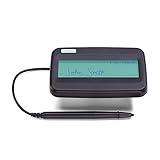
- Compact design with backlit LCD
- Scratch-resistant glass signing surface
- Active battery-less tethered pen
- Durable plastic case construction with replaceable cables
- Bottom-side rubber feet
What to record before contacting support
If the problem remains, collect:
- The exact error text
- The name of the application or portal
- Windows 10 or Windows 11 edition
- Whether the application is 32-bit or 64-bit
- Every
cptumar.dllpath found under the Tumar installation directory - File versions shown in Properties → Details
- Antivirus actions
- Token type
- Whether CryptoSocket is installed and running
- Whether the Tumar configurator opens
Send this information to Gamma support, the certificate authority, or the portal’s IT administrator. It is more useful than replacing files at random.
Quick wins for a faster PC:
Repair Windows errors before they cause bigger problemsFix Now →Scan for outdated or missing drivers - takes under a minuteDriver Scan →FAQ
Is cptumar.dll part of Windows?
No. It belongs to the third-party Tumar CSP package and should be restored through that package.
Should I download cptumar.dll separately?
No. Use the official Tumar CSP installer. A loose DLL can be malicious, incompatible, or incomplete.
Should cptumar.dll be in System32?
There is no evidence that it belongs there. It should normally remain in the Tumar CSP installation directory.
Is the file 32-bit or 64-bit?
Tumar provides both variants. Match the library to the application loading it, especially Firefox, Thunderbird, and older signing utilities.
Do these 3 things before closing this tab:
1Clear out junk files and repair common Windows errors2Fix the driver behind crashes, sound loss and screen glitches3Repair Windows errors before they cause bigger problemsDoes installing CryptoSocket replace Tumar CSP?
No. CryptoSocket supports particular browser and portal workflows, while Tumar CSP supplies the cryptographic provider. Browser-based signing may require both.
Does “not designed to run on Windows” prove the file is malware?
No. That message can indicate corruption, an architecture mismatch, or a dependency problem. Verify the installation source and reinstall the official package.
Will regsvr32 fix the error?
Normally not. Tumar CSP is not repaired by treating cptumar.dll as a self-registering ActiveX DLL.
Prevent the error from returning
Keep Tumar CSP, CryptoSocket, browser architecture, and token middleware aligned. Remove stale PKCS#11 entries after upgrades, avoid multiple unofficial copies of the library, allow the verified installer through managed antivirus, and restart Windows after removing or reinstalling Tumar components. If a portal changes its signing requirements, use the current package published by the official certificate authority rather than preserving an old DLL.
Quick Recap
Product prices and availability are accurate as of the date/time indicated and are subject to change. Any price and availability information displayed on Amazon at the time of purchase will apply.




