No—not for every game. Yuzu’s archived Quickstart Guide says some games need files from Nintendo Switch system firmware to be playable, while others may run without them. Whether you need firmware depends on the specific game and the system files it uses.
What firmware does—and how it differs from keys
Firmware is a collection of Nintendo Switch system files. It is separate from prod.keys and title.keys, which EmuDeck’s Yuzu setup notes describe as files used to decrypt game files. Having keys does not, by itself, establish that a particular game’s firmware requirements are met.
Some games or features rely on system files supplied by firmware. EmuDeck also notes that Miis are an example of a feature that needs firmware files. The exact requirements can vary by game; the available documentation does not establish what share of Yuzu games need firmware.
How to tell whether your game needs firmware
- Check the game-specific guidance. Look for an explicit requirement for Switch system files or firmware, rather than assuming the requirement applies to every game.
- Use the result as a title-specific check. The archived Yuzu Quickstart Guide names Mario Kart 8 Deluxe as a game that needs system files found in Switch firmware. That is an example, not evidence that all games need firmware.
- Distinguish missing firmware from missing keys. Keys and firmware serve different purposes, so identify which files the game or feature actually requires before troubleshooting.
Yuzu’s firmware instructions are historical
The Yuzu Quickstart Guide is archived documentation for a discontinued emulator. It describes dumping firmware from a Switch and transferring the resulting files into Yuzu’s system storage, but warns that its procedure is designed around older hackable consoles. It should not be treated as a current, universal setup procedure, and it may not match community forks or other supported software.
#1 Best Overall

- Nintendo Switch 2 uses a new standard of expandable memory card called microSD Express (sold separately). This kind of memory card is needed for faster access speeds and to ensure games will run smoothly.
- Please note: Nintendo Switch 2 is only compatible with microSD Express cards. If the microSD cards you have used for Nintendo Switch do not support microSD Express standards, you cannot use them with Nintendo Switch 2.
If you use the archived guide, understand that it describes obtaining files from a Switch you have access to—not downloading firmware from an unofficial source. The guide does not establish that you need to buy a console or any other physical product to answer this question.
What Nintendo says about computer play
Nintendo’s Intellectual Property & Piracy FAQ says the company does not currently offer or authorize a product that lets Nintendo game files be played or downloaded on personal computers, and it warns about circumvention devices. That is Nintendo’s stated position; it is not a blanket legal conclusion about every emulator or every user’s circumstances. Avoid unauthorized firmware, key, and game downloads.
Quick Recap
Best Value

- EPIC WORLDS, LOADED INSTANTLY. From the Mushroom Kingdom to Hyrule, your card delivers read speeds up to 880 MB/s[2] and write speeds up to 650 MB/s[2].
- OFFICIALLY READY FOR NINTENDO SWITCH 2. Officially licensed for Nintendo Switch 2, this microSD Express card offers dependable, high-performance storage.
- CAPTURE IN STUNNING CLARITY. Capture screenshots and record short video clips of your gameplay in Full HD.
- ROOM FOR YOUR ADVENTURES. With capacities up to 512GB[1], your card gives you the freedom to store your digital games in one place.
Rank #4

- NEXT GEN GAMING: Works with Nintendo Switch 2.
- READY FOR TOMORROW. Ready for future products with a PCIe-NVMe interface; performs at UHS-I speeds with microSD UHS-I and UHS-II devices.
- EXPONENTIALLY FASTER PERFORMANCE. Up to 4.4 times faster transfer speeds than our fastest microSD UHS-I cards [9]. Transfer a 2-hour HD movie in less than 3.5 seconds [1]; save up to 2.8 minutes transferring 60 minutes of 4K UHD video [4] shot at 30 fps when paired with the SanDisk PRO-READER SD Express Dual Card (sold separately) [9]
- DURABILITY YOU CAN COUNT ON: Cards are waterproof, temperature-proof, humidity-proof, drop-proof, shock-proof, magnetic-proof, x-ray proof, and wear-out proof [5].
- HEAT MANAGEMENT REIMAGINED. SanDisk ThermAdapt helps keep devices from overheating with a specially designed enclosure and controller that uses dynamic adaptive thermal management.
Rank #3
![$20 Nintendo eShop Gift Card [Digital Code]](https://m.media-amazon.com/images/I/41XOVFRcBIL._SL160_.jpg)
- This item can be redeemed on eShop only. This item cannot be redeemed on the Wii Shop
- The perfect gift for anyone who loves to play—including you. Choose from over 1,000 new, classic and indie games – delivered directly to your Nintendo Switch, Wii U or Nintendo 3DS family of systems.
- Nintendo eShop Digital Cards are redeemable only through the Nintendo eShop on the Nintendo Switch, Wii U, and Nintendo 3DS family of systems.
- Digital Card balances can be shared across Nintendo Switch, Wii U and Nintendo 3DS family of systems, but may only be used on a single Nintendo eShop account.
Rank #2
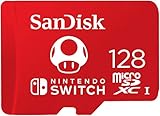
- Compatible with Nintendo-Switch (NOT Nintendo-Switch 2)
- Incredible speeds in a microSD card officially licensed for the Nintendo Switch, Nintendo OLED, and Nintendo Switch Lite systems
- Spend less time waiting and more time playing with read speeds up to 100MB/s(1) and write speeds up to 90MB/s(1).
- Instantly add up to 128GB (1GB=1,000,000,000 bytes. Actual user storage less.)
- Store your downloaded games, screenshots and video captures in 1 place so you can travel light.
Sources
- Yuzu Quickstart Guide (archived) — firmware-dependent game example and historical workflow.
- EmuDeck: Yuzu (SteamOS) — distinction between keys and firmware, with a Miis example.
- Nintendo Support: Intellectual Property & Piracy FAQ — Nintendo’s stated position on computer play and circumvention devices.
- shakenetwork/yuzu repository README — project-status context.
Product prices and availability are accurate as of the date/time indicated and are subject to change. Any price and availability information displayed on Amazon at the time of purchase will apply.




