The Tool Desk
Outbyte PC Repair FREEClear out junk files and repair common Windows errorsFree Scan →Outbyte Driver Updater FREEFix the driver behind crashes, sound loss and screen glitchesFind Drivers →Yes, if you want to play Minecraft online on an Xbox console. Minecraft’s current guidance requires an active Xbox Game Pass Core subscription for console multiplayer. “Xbox Live” is the older name many players still use; the current requirement is listed as Xbox Game Pass Core. PC multiplayer does not have this stated console-subscription requirement.
Which Minecraft multiplayer options require a subscription?
| Where and how you play | Subscription guidance |
|---|---|
| Xbox console, online multiplayer | An active Xbox Game Pass Core subscription is required, according to Minecraft Help. |
| PlayStation console, online multiplayer | PlayStation Plus is required, according to Minecraft Help and its multiplayer guide. |
| Nintendo Switch, online multiplayer | Nintendo Switch Online is required, according to Minecraft Help and its multiplayer guide. |
| PC, Java Edition server | Minecraft’s multiplayer guide explains how Java players can join servers; it does not state a paid console online-service requirement for PC play. |
| Bedrock LAN | Players need to be on the same local network and use compatible game versions. Console players may still need their platform’s online service, according to Minecraft Help’s troubleshooting guidance. |
Do you need Game Pass Core to play Minecraft with friends?
If you are playing on an Xbox console and joining a friend online, yes. The console subscription requirement is separate from Minecraft’s own multiplayer setup: you and your friend also need compatible versions and editions, and the host must allow multiplayer. For Bedrock friend play, both players need to be Minecraft friends and online at the same time, as described in the Minecraft multiplayer guide.
| # | Preview | Product | Price | |
|---|---|---|---|---|
| 1 |

|
Minecraft | Standard Edition | XBOX Digital Code | $19.99 | Buy on Amazon |
| 2 |

|
Minecraft - Xbox One (Renewed) | $35.57 | Buy on Amazon |
| 3 |
|
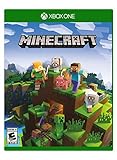
Minecraft – Xbox One | $84.96 | Buy on Amazon |
| 4 |

|
Minecraft: Starter Collection – Xbox One | $55.00 | Buy on Amazon |
| 5 |

|
Minecraft - Xbox One (Renewed) | $49.98 | Buy on Amazon |
Do you need a Realms subscription to join someone else’s world?
No. Realms is a paid hosting option, not a requirement for every kind of multiplayer. An invited player can join a Realm without purchasing a separate Realm subscription, according to Minecraft’s Realms information. However, an Xbox player joining online from a console still needs the applicable Xbox online service. A Realm subscription does not replace that console requirement.
What else can prevent Minecraft multiplayer from working?
A missing console subscription is only one possible cause. Check these items when a friend’s world or a server will not connect:
#1 Best Overall
- CREATE YOUR WORLD — Build whatever you imagine in an infinite world that is unique in every playthrough.
- EXPLORE AND CRAFT — Discover biomes, resources, and mobs, then craft your way through a sandbox world full of surprises.
- SURVIVAL ADVENTURES — Face mysterious foes, travel across varied landscapes, and venture into perilous dimensions.
- PLAY TOGETHER — Play solo or join friends in local split-screen and cross-platform play across console, mobile, and PC. Online multiplayer supports up to 8 players.
- COMMUNITY PLAY — Connect with players on community servers, or subscribe to Realms Plus (sold separately) to play with up to 10 friends on a private server.
- Both players have the same edition—Java or Bedrock—and compatible game versions.
- Your internet connection is working; for Bedrock LAN, both players are on the same local network.
- The host’s world is set to allow multiplayer, and the host is online and joinable.
- On console or mobile, you are signed in with a Microsoft account.
- Account multiplayer permissions allow online play. Child-account settings can block access.
- For Bedrock friend play, both players have added each other as Minecraft friends.
- On a console, the required platform online service is active for online multiplayer.
Minecraft’s multiplayer troubleshooting guide covers connection, version, account, and permission checks.
Quick Recap
Best Value
Rank #4
- This collection includes: The Minecraft base game, 700 Minecoins and the Starter Pack DLC, an amazing selection of Mash-ups, Texture Packs, Skin Packs and other fun content to discover.
- Create your very own world and build to the limits of your imagination.
- Explore mighty mountains and living oceans of infinite worlds, amazing community-made maps, servers, thrilling minigames and more
- Survive online with friends who are on console, mobile, and Windows 10, or share the adventure at home in split-screen multiplayer.
Rank #3
- Create your very own world and build to the limits of your imagination
- Explore mighty mountains and living oceans of Infinite worlds, amazing community-made maps, servers, thrilling mini games and more!
- Survive online with friends on Console, mobile, and Windows 10, or share the Adventure at home in split-screen multiplayer
Rank #2
- This renewed game has been cleaned, tested, and shows minimal wear. It may come repackaged in a generic case.
- Create and explore your very own world where the only limit is what you can imagine
- Play on your own, or with up to 4 players split screen, or 8 players online
- Import your favorite Xbox 360 worlds to the Xbox One Edition
- Play in Creative Mode with unlimited resources or mine deep into the world in Survival Mode, crafting weapons and armor to fend off the dangerous mobs
Product prices and availability are accurate as of the date/time indicated and are subject to change. Any price and availability information displayed on Amazon at the time of purchase will apply.
Independent reader supportYour contribution helps us test, update, and keep practical guides available for everyone.



