Free tools Windows power users keep installed
One-click scans. No signup required.
No Nintendo support material or community repair guide establishes that leaving a Wii U plugged in prevents internal memory corruption. The idea circulates among owners as a way to “refresh” the console’s internal storage, but it remains an unverified belief. This article explains where the claim comes from, what the official and community sources actually say, and how to read a memory error if your console shows one.
Where the warning comes from
The claim appears in owner discussion rather than in any manufacturer or technical publication. A Reddit owner thread posted June 15, 2024 includes the phrase “leaving the console plugged in all the time to avoid NAND-corruption,” with the goal of “refresh”ing the NAND. Another owner in the same discussion asks: “is there any way to prevent the nand to from degrading.” Owners usually call the Wii U’s internal storage “NAND,” while repair guides describe the chip as an eMMC. The thread shows what owners are worried about. It is not a controlled test, and nothing in it establishes that power state affects wear or corruption.
What Nintendo’s official material says
Three Nintendo documents bear on the question, and none of them endorses keeping the console connected as protection.
- Nintendo of America Support states: “Nintendo no longer offers service requests for the Wii U console, the Wii U GamePad, or Wii U accessories.” That is a United States statement. It should not be read as applying to every country, and it does not address memory faults.
- Nintendo Australia’s external USB storage guide explains how to set up and access external storage on the Wii U. It cautions that improper handling can cause damage or data loss. It presents USB storage as a way to add space, not as a safeguard for the internal chip.
- Nintendo’s Wii U safety document includes a general warning that some actions may lead to data corruption. It does not state that keeping the system plugged in prevents age-related eMMC failure.
What a 160-0103 memory error does and does not tell you
A GBAtemp community repair guide, posted July 16, 2023, links the error 160-0103, which reads “There is a Problem with the system memory,” and a Wii U that freezes at boot to a possibly failing eMMC. The same guide lists other causes, including a software-modification problem. An error code therefore points to a diagnosis, not a verdict. Before assuming the storage chip has failed, check the following:
#1 Best Overall
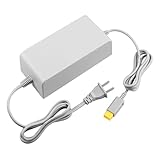
- 【POWER SPECIFICATION】:Input: 110V-240V; Output DC: 15V/5A; Cable Length: 6.5 feet. flame resistance shell
- 【HIGH QUALITY】: Made from durable material for a long time use. With a sophisticated circuit design with over-heated, over-current, over-charging protection.
- 【PRODUCT COMPATIBLE】:Specially Made for Nintendo Wii U Console. Ideal quality replacement or backup power AC adapter for your Wii U Console.
- 【EASY TO USE】:Simple plug and play setup, allow you to charge and play at the same time from up to 6.5ft away.
- After Sales Support】:Our product 100% extremely strictly before selling, You can give it as a gift to your family, friends, classmates and anyone, especially your children.If you have any issues for this product, please contact us by Amazon message, we will provide you satisfied solution at first time.Content:1 X Charger.
- The exact message on screen, and whether it appears at boot or during normal use.
- Whether the console runs modified system software, since the guide names this as a possible cause.
- Whether the console can still reach the Wii U system menu, which narrows down what kind of fault you are dealing with.
- Whether any recent change to storage, such as adding or removing external media, preceded the problem.
The guide’s language is careful on this point, and this article follows it: a similar-looking symptom can come from more than one cause.
Recovery and storage options compared
Owners often lump these options together, but they serve different purposes and carry very different risk. The table separates the routes covered by the sources.
Rank #2
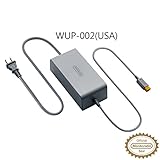
- ORIGINAL NINTENDO WII U POWER ADAPTER
| Option | Purpose | Difficulty and risk | Data implications | Source and status |
|---|---|---|---|---|
| USB external storage | Adds user storage space | Ordinary setup, per Nintendo Australia’s guide | Improper handling or disconnection can cause damage or data loss | Nintendo Australia; does not protect the internal eMMC |
| SD-backed redNAND (front-slot SD) | Community recovery route for failing internal storage | Advanced; the guide warns of a serious risk of bricking the console | Not stated in detail; the guide describes rebuilding storage as part of the route | Community guide, July 16, 2023; not a Nintendo product |
| NAND-AID / MLC2SD | Community recovery route for failing internal storage | Advanced; the guide warns of a serious risk of bricking the console | Not stated in detail | Community guide, July 16, 2023; not a Nintendo product |
| Independent repair or replacement | Restores a console after diagnosis | Not stated | Not stated | Nintendo of America says it no longer offers Wii U service requests in the United States; check the relevant regional Nintendo support page |
A card, adapter or USB drive does not change the picture. A storage device can hold data, but the sources do not show that it prevents the internal chip from failing.
What to do if your console shows a memory error
- Write down the exact error code and the sequence in which it appears, including whether the console freezes at boot.
- Note whether the console runs modified software. The community guide lists this as a possible cause, so it matters for diagnosis.
- Do not rely on keeping the console plugged in. Treat normal power use as the baseline and do not change it in the hope of protecting the storage.
- If you use external USB storage, follow Nintendo’s handling guidance and avoid disconnecting the drive while the console is writing data.
- Check the Nintendo support page for your region to see what service, if any, is available where you live.
- Avoid SD-backed redNAND, NAND-AID or MLC2SD unless you are comfortable with a serious risk of bricking the console. Those routes are community methods, not Nintendo-supported repairs.
Limits of the evidence
- No attributable failure rate or prevalence figure for Wii U eMMC failure was found in the sources. Forum posts and repair anecdotes cannot be turned into a percentage, and this article does not attempt one.
- No named expert or Nintendo employee offered a statement about memory corruption. The official quotation above is attributed to Nintendo of America Support.
- The sources date from July 2023 (the community repair guide) and June 2024 (the owner discussion). Nintendo’s support status and documentation may have changed since, so check current pages before acting.
- Nintendo’s no-service statement is regional. Support availability in other countries needs to be confirmed on the local Nintendo site.
The most accurate reading is that the plug-in claim is an owner belief that the official sources neither confirm nor reject as a preventive measure. Owners who see a memory error should diagnose it before choosing a repair route.
Recommended Free Tools
Quick Recap
Best Value

- ✅【Compatible with Wii U Console Charger】 Only Compatible with Wii U Console Power Supply Charging Cable (NOT for Wii, Wii U GamePad, Remote or other models). Please carefully check the model before purchasing.
- ✅【POWER SPECS】Output: DC 15V/ 5A ; Input: 100 - 240V/ 50 - 60Hz; Cable length: 6.5 Feet; universal voltage (100-240V) for worldwide use
- ✅【What You Get】1 x DONGNI AC Adapter Compatible with Wii U Console Charger + 1 x User Manual
- ✅【Security Protection】 The charger has been rigorously tested for durability and safety, passing 1.2-meter drop test, 120-minute 110V aging test, 2000-cycle DC plug swing test, and 3000V high-voltage test, and housing constructed with flame-retardant material (fire resistance test)
- ✅【Durable & Reliable】 This replacement charger features reinforced wires and strain-resistant connectors for long-lasting use; and designed with numerous safety mechanisms, safeguarding your device against over-charge, over-current, over-voltage, short-circuiting, and overheating
Rank #4

- Pegly 2-1 AC Adapter For Wii U Console And Wii U Gamepad
- Package includes: 2 pieces,1X Plug AC Power Supply Adapter For Nintendo W ii U Console, 1X AC Adapter For Wii U Gamepad
- An excellent alternative for your Wii U console and gamepad.
Rank #3

- 【COMPATIBLY】 This AC adapter is Compatible with Nintendo Wii U console ONLY!!!
- 【SPECIFICATION】 Input: 100V-240V, 50/60 Hz; Output DC: 15V -- 5A; Cable length: 6.5 Feet.
- 【AUTO VOLTAGE】 This Power supply supports 100-240 auto voltage and is suitable for any place.
- 【SAFE TO USE】 This console charger was circuitry and built-in safeguards to protect your Nintendo gamepad against over-heating, over-currents, and overcharging.
- 【HIGH-QUALITY】 It is an advanced AC power adapter with many innovative design. Don't worry about power interruption when enjoying the game.
Product prices and availability are accurate as of the date/time indicated and are subject to change. Any price and availability information displayed on Amazon at the time of purchase will apply.



